How Often Do Airpods Need To Be Charged For Optimal Use


How Often Do AirPods Need to Be Charged?
Many AirPods users wonder how often they should charge their earbuds. The answer depends on how you use your AirPods and the model you own. Typically, AirPods are designed to last for several hours on a single charge, but daily habits can change when you need to recharge them. In this section, we’ll explore how long AirPods last on a single charge and factors influencing their charging needs.
Understanding AirPods Battery Life
First, it’s important to know the battery capacities of different AirPods models. For example, the original AirPods offer about 5 hours of listening time. AirPods Pro provide around 4.5 hours of continuous use, while newer models like AirPods (3rd generation) can last up to 6 hours. In general, most AirPods can give you between four to six hours of playback before needing a recharge.
Battery life varies depending on usage, sound volume, and features like active noise cancellation. Listening at high volume consumes more power, reducing the total playtime. Using features such as transparency mode or voice assistants can also impact battery consumption.
Charging Frequency Based on Usage Patterns
Light Users
If you use your AirPods for short periods or only occasionally, you might find that they need charging less frequently. In such cases, charging them once every few days or when the battery drops below 20% is sufficient. Most users find recharging their AirPods every 4 to 7 days adequate in this scenario.
Heavy Users
Those who listen to music or take calls for several hours daily need to recharge their AirPods more often. For heavy users, a daily charge may be necessary, especially if they use the earbuds continuously for work or entertainment. Expect to recharge your AirPods once a day or every other day in this case.
How to Know When to Charge Your AirPods
Apple makes it easy to monitor the battery status of your AirPods. You can check the battery level using your iPhone, iPad, or Mac. When the battery indicator shows 20% or less, it’s time to recharge.
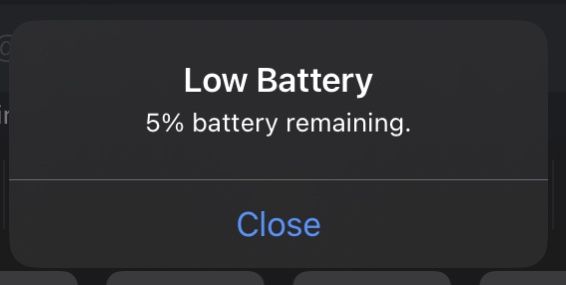
Most users notice the battery is low when they experience audio cutting out or difficulty connecting. These signs mean it’s time to return the AirPods to their case for a quick recharge.
Charging the AirPods Case: How Often Is Needed?
Importance of the Charging Case
The charging case holds multiple charges for your AirPods, extending their use. The case itself has a battery capacity that allows for several recharges before needing to be plugged in again. Typically, a fully charged case can charge your AirPods about 3 to 4 times.
Recharging the Case
Most users need to recharge their case about once a week, depending on usage patterns. If you use your AirPods daily and for long periods, you might need to charge the case more frequently. The case can be recharged via a Lightning or MagSafe cable, depending on the model.
Best Practices for Charging AirPods
- Keep your AirPods and case in a cool, dry place during charging.
- Avoid exposing the case to extreme temperatures, which can affect battery health.
- Charge the case regularly, even if you do not use your AirPods daily, to maintain battery longevity.
- Use original charging cables and accessories for optimal performance and safety.
Battery Maintenance Tips
Maximizing Battery Lifespan
To keep your AirPods batteries healthy, avoid letting them discharge completely often. It’s best to recharge them when the battery drops below 20%. Also, try to keep your devices updated with the latest firmware, which can improve battery management.
Proper Storage When Not in Use
If you plan to store your AirPods for a while, ensure they are charged to about 50%. Store the case in a cool, dry location, and avoid exposing it to direct sunlight. Charging the case periodically will help preserve battery health over time.
Factors That Affect Charging Frequency
Volume Levels and Features
Using your AirPods at high volumes or activating active noise cancellation increases power consumption, leading to faster battery drain. Adjusting volume and deactivating features when not needed can extend battery life and reduce charging frequency.
Environmental Conditions
Hot or humid environments can negatively impact battery performance. Keeping your AirPods in a climate-controlled setting helps maintain optimal battery health and prolongs intervals between charges.
Comparing Different AirPods Models
| Model | Playtime per Charge | Charging Case Battery Life | Recommended Charging Frequency |
|---|---|---|---|
| AirPods (2nd Generation) | Up to 5 hours | Multiple charges; about once a week | |
| AirPods Pro | Approximately 4.5 hours | Same as AirPods (2nd Gen), often once a week | |
| AirPods (3rd Generation) | Up to 6 hours | Similar case capacity, recharge weekly or bi-weekly | |
| AirPods Max | Up to 20 hours with noise cancellation | Less relevant, as these are over-ear headphones with longer battery life |
Impacts of Charging Habits on Battery Life
Consistently overcharging or letting batteries fully deplete can reduce overall lifespan. Regularly topping up the battery conserves battery health over the long term. Following recommended charging practices will help your AirPods maintain optimal performance for years.
Additional Tips for Efficient Charging
- Charge your AirPods case to 100% periodically to ensure they are ready whenever needed.
- Avoid leaving your AirPods in the case for extended periods without use, as this can affect battery health.
- Use the built-in battery widget on iOS devices for quick battery status checks and timely charging.
In summary, how often you need to charge your AirPods depends on your usage habits, the model you own, and the health of the device’s batteries. Regularly monitoring battery levels and practicing proper charging habits can help keep your AirPods ready when you need them most. Whether you’re a casual user or rely heavily on your earbuds daily, understanding these factors ensures your listening experience remains smooth and uninterrupted.
Should Airpods Always Be In Case? AQ
Frequently Asked Questions
How long do AirPods typically last on a single charge?
AirPods usually provide about 4 to 6 hours of listening time or up to 3 hours of talk time per charge. The exact duration can vary depending on usage patterns and the specific model of AirPods you have. Factors such as volume level, noise cancellation, and device compatibility can influence battery life.
How can I extend the usage time of my AirPods before needing to recharge them?
You can maximize your AirPods’ battery life by keeping the volume at moderate levels, disabling unnecessary features like noise cancellation if not needed, and storing them in their charging case when not in use. Avoid exposing your AirPods to extreme temperatures, as heat or cold can degrade the battery faster.
Is it necessary to fully charge my AirPods every time I use them?
No, it isn’t necessary to fully charge your AirPods with each use. You can charge them partially without any issues. Regularly topping off the battery or charging them when they are low ensures they stay ready for use without harming the battery’s health.
How often should I check the battery status of my AirPods?
It is a good idea to check the battery status once or twice a week, especially if you use your AirPods frequently. You can do this easily through your connected device, which displays the remaining battery life for both the AirPods and their charging case.
What is the recommended charging routine for optimal battery health?
To maintain optimal battery health, avoid letting your AirPods’ battery fully drain regularly. Instead, charge them when they reach around 20-30% and unplug once they are fully charged. Storing your AirPods in their case when not in use also helps keep the battery in good condition over time.
Final Thoughts
AirPods typically need to be charged every few days depending on usage. If you use them daily for extended periods, charging every 1-2 days is common. For lighter use, charging once a week might be sufficient. Keep an eye on the battery indicator to prevent unexpected shutdowns. How often do AirPods need to be charged? It varies based on individual habits, but regular charging ensures optimal performance. Staying attentive to your usage helps avoid interruptions and keeps your device ready.
Similar Posts