Which Android App Is Best For Photo Editing In 2023
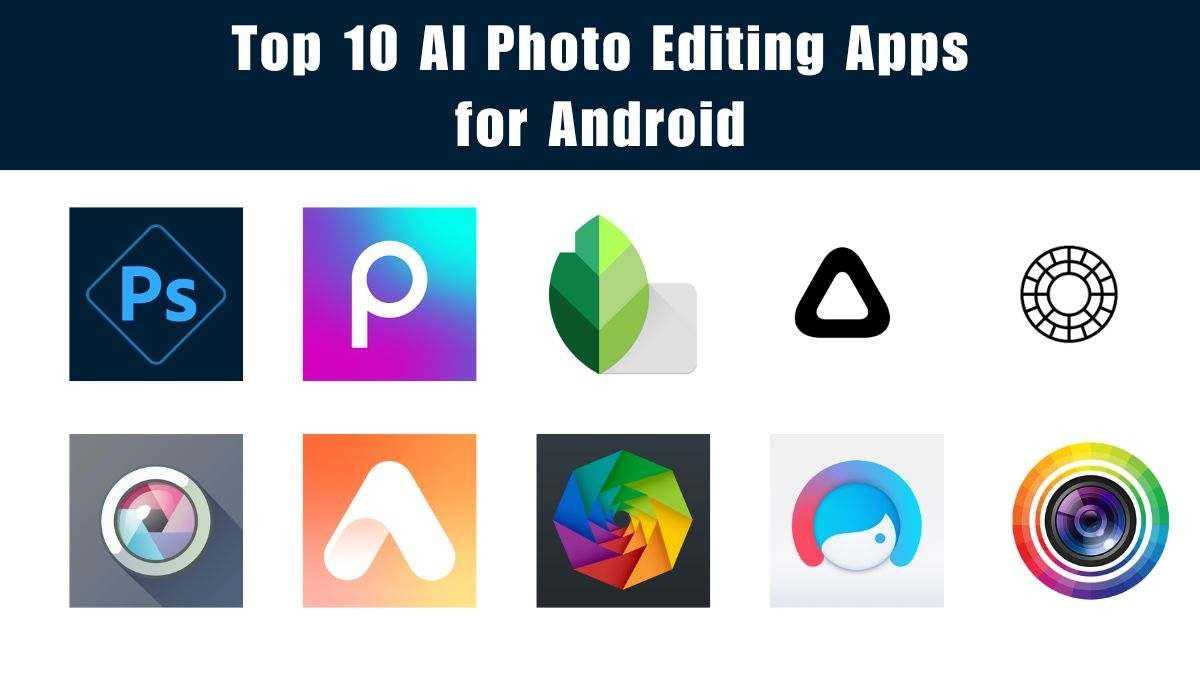

Which Android App Is Best for Photo Editing?
Introduction to Android Photo Editing Apps
Android devices today come with powerful cameras, making photo editing more popular than ever. With so many apps available, choosing the best one can be tricky. The right app should be easy to use, offer great features, and help create stunning images.Key Features to Look for in a Photo Editing App
When selecting an app, consider these features:- User-friendly interface for easy navigation
- Wide range of editing tools like crop, rotate, and adjust brightness
- Filters and effects to enhance photos
- Retouching options such as blemish removal and skin smoothing
- Layers and blending modes for creative edits
- Export options for sharing in various formats and sizes
Top Android Photo Editing Apps in 2023
1. Adobe Photoshop Express
Adobe Photoshop Express ranks high for its professional-grade editing tools packed into a simple interface. It provides options like auto-fix, red-eye removal, and noise reduction. Users can also access filters, borders, and text overlays to customize their photos. Its intuitive layout makes it suitable for beginners and advanced users alike.2. Snapseed
Snapseed offers a comprehensive set of editing features, including advanced tools like selective adjustments and curves. Its user-friendly design allows quick edits while still offering professional options. You can work with RAW images and add creative filters to make photos stand out.3. Lightroom Mobile
Adobe Lightroom provides powerful editing controls tailored for photographers who want precise adjustments. Features include tone curves, color correction, and presets that speed up editing. It also supports RAW files and offers cloud storage for seamless editing across devices.4. PicsArt Photo Editor
PicsArt combines photo editing with creative tools like collage making and drawing. It’s perfect for users who want to add artistic effects, stickers, and text to their images. The app’s social features also allow sharing directly on social media platforms.5. VSCO
VSCO is known for its high-quality filters mimicking film styles. It offers basic editing tools, along with a community platform for sharing edited photos. Its minimalist interface keeps editing simple yet effective.Comparison Table of Popular Photo Editing Apps
| App Name | Main Features | Best For | Free or Paid |
|---|---|---|---|
| Adobe Photoshop Express | Auto Fix, Filters, Text, Borders | All levels | Freemium |
| Snapseed | Selective Adjustments, RAW Support | Advanced editing | Free |
| Lightroom Mobile | Precise Adjustments, Presets | Professional photographers | Freemium |
| PicsArt | Collages, Effects, Drawing | Creative editing | Freemium |
| VSCO | Filters, Basic Editing | Social sharing | Freemium |
Choosing the Best App for Your Needs
Your choice depends on your editing style and requirements. If you want quick fixes and filters, apps like VSCO or Adobe Photoshop Express work well. For detailed adjustments and RAW editing, Lightroom or Snapseed is better suited. Creative users may prefer PicsArt for more artistic tools.Additional Factors to Consider
Other things to keep in mind include:- Device Compatibility ensuring the app works smoothly on your phone
- Storage Capacity especially if editing high-resolution images
- Learning Curve for users new to photo editing
- Cost and Subscriptions to get premium features
Tips for Getting the Most Out of Your Photo Editing App
To enhance your editing experience, try these tips:- Experiment with different filters and effects to see what suits your style
- Use the crop and straighten tools to improve composition
- Adjust contrast and brightness for more dynamic images
- Keep your original photos untouched by working on copies
- Explore tutorials to learn advanced features
Emerging Trends in Android Photo Editing Apps
New trends include AI-powered auto-enhancements and real-time filters. Many apps now incorporate machine learning to suggest edits automatically. Augmented Reality (AR) effects are also becoming common for fun and interactive edits.AI and Machine Learning
AI helps identify and correct issues like lighting and color balance quickly. This saves time and enhances photo quality effortlessly. Some apps even analyze images to recommend creative effects for your style.Social Integration and Sharing
Apps increasingly include direct sharing options to social media. Some platforms also feature built-in communities for inspiration and feedback. This encourages users to showcase their best work easily.Cloud Storage and Backup
Many apps now offer cloud options to save edits and original files securely. This feature allows easy access on multiple devices and prevents data loss. It’s especially useful for professional photographers managing large portfolios. Selecting the best photo editing app on Android depends on your editing goals and skill level. Whether you want simple filters or advanced adjustments, there’s an app suited for you. Try out a few, explore their features, and see which one helps you produce your best images.Best Free Photo Editing Apps For Android! (2024)
Frequently Asked Questions
What features should I look for in a photo editing app on Android?
When choosing a photo editing app for Android, consider features like user-friendly interfaces, a variety of filters, advanced editing tools such as layers and masks, and options for adjusting brightness, contrast, and saturation. Additionally, look for apps that support high-resolution editing and have a range of export options to save your images in different formats and qualities.
Are there any free Android apps that offer professional-level photo editing tools?
Yes, several free Android apps provide professional-grade editing features. Apps like Snapseed and Adobe Photoshop Express offer a wide array of tools, including precise tuning, selective adjustments, and a variety of filters. These apps do not require a subscription and allow users to perform complex edits without spending money.
How do I choose an app that is easy to learn for beginners?
For beginners, look for apps with intuitive interfaces and guided tutorials. Apps such as Lightroom Mobile and Pixlr have simple layouts and helpful tips to get started. These apps often include preset filters and one-tap editing options that make it easy to enhance your photos quickly.
Can I edit RAW photos on Android, and which app is best suited for this?
Yes, you can edit RAW photos on Android devices. The best apps for this purpose include Adobe Lightroom Mobile and Snapseed, which support RAW file editing. These apps allow you to fine-tune your images with greater control over exposure, color, and detail compared to standard photo formats.
Which app provides the best balance between editing capabilities and interface simplicity?
Adobe Lightroom Mobile strikes a good balance by offering powerful editing tools while maintaining an approachable and clean interface. It caters to both beginners and experienced users by providing preset options for quick edits and advanced tools for detailed adjustments. This combination makes it a popular choice among Android users seeking versatility without complexity.
Final Thoughts
The best Android app for photo editing depends on your specific needs and skill level. Apps like Adobe Photoshop Express offer powerful tools for detailed edits, while Snapseed provides a user-friendly interface with professional results. For quick edits and filters, apps like VSCO are a great choice. If you want advanced features, Lightroom offers extensive options to enhance your photos. In conclusion, which android app is best for photo editing varies based on individual preferences, but for overall versatility and quality, Adobe Photoshop Express stands out.
Similar Posts































