How To Make Your Android Cool: Tips And Tricks

How to Make Your Android Cool
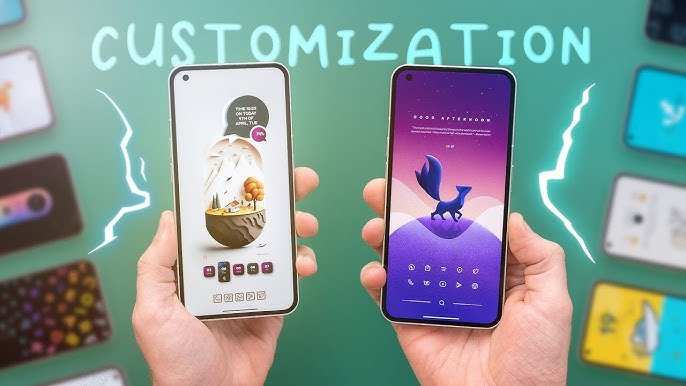
Making your Android device stand out and look cool isn’t just about one simple trick; it’s about customizing it in ways that suit your personality, make it easier to use, and turn heads when people see it. Whether you’re into vibrant colors, sleek themes, or impressive features, there are plenty of ways to upgrade your Android device. Let’s explore some of the best and most fun methods to make your Android phone or tablet look and feel cool.Personalize Your Home Screen
Your home screen is where you spend most of your time on your Android device. Making it appealing and personalized can instantly boost its ‘cool’ factor.Choose Eye-Catching Wallpapers
Start by selecting high-quality wallpapers that reflect your style. You can choose:- Backgrounds with vibrant colors and bold patterns
- Nature scenes or cityscapes for a calming vibe
- Custom wallpapers made from your own photos
Use Custom Icons and Themes
Instead of the basic app icons, opt for custom icon packs. These packs change the look of all your app icons to match a specific style, such as minimalistic, futuristic, or vintage. You can find icon packs on the Google Play Store. Once downloaded, using a launcher app allows you to change your icons easily.Organize Your Apps
Keep your home screen clutter-free by organizing apps into folders or pages. Use labels that make sense to you, so you can find everything quickly. A clean and well-organized home screen looks sleek and stylish.Upgrade Your Launcher for a Cooler Look
Your Android launcher controls how your device’s interface appears. Downloading a third-party launcher can give your phone a whole new personality.Popular Launchers to Try
- Nova Launcher — Customizable and smooth
- Microsoft Launcher — Offers productivity features
- Action Launcher — Unique quick-access features
Play With Colors and Themes
Colors influence how your device looks and feels. Customizing themes can make your Android device more visually appealing.Change Theme Settings
Most Android phones let you modify themes through settings or the launcher. You can:- Switch between light and dark modes
- Adjust accent colors for buttons and highlights
- Download themes from the device’s theme store or app stores
Add Personal Touches with Widget Customization
Widgets are interactive elements on your home screen that provide quick information. Customize them with:- Custom clocks that fit your style
- Weather widgets with a matching theme
- Music controls with sleek designs
Enhance Your Device’s Performance and Style with Apps
Many apps help you improve how your Android looks and works.Icon Packs and Themes
Apps like Icon Pack Studio or Zedge can provide stylish icons and wallpapers. Combine these with launchers for a complete makeover.Custom Ringtones and Notification Sounds
Change your ringtone to something unique and fun. You can find catchy tones or even make your own. Set different notification sounds for messages to add a personal touch.Upgrade Your Lock Screen
The lock screen is the first thing people see. Use apps like Always On Display or lock screen customization apps to add:- Personal photos or artwork
- Animated clock displays
- Quick access to favorite apps and features
Utilize Custom ROMs and Mods (Advanced Users)
For tech-savvy users, installing custom ROMs can give your Android device a completely different look and function. Custom ROMs are alternate versions of the Android operating system with unique themes, features, and tweaks.Popular Custom ROMs
- LineageOS — Known for stability and customization
- Pixel Experience — Brings the clean Pixel OS look
- Resurrection Remix — Offers extensive customization options
Accessorize to Boost Your Android’s Coolness
Sometimes, the right accessories can make all the difference.Stylish Cases and Covers
Choose cases that match your personality, whether they’re sleek, colorful, or rugged. Some cases come with built-in lights or cool patterns.Screen Protectors with Unique Designs
Opt for screen protectors that add a touch of style or glow in the dark for extra flair.External Gadgets
Additional gadgets, such as portable Bluetooth speakers, LED rings, or glow-in-the-dark accessories, can complement your phone’s style and make your setup more impressive.Keep Your Device Up to Date
Regular updates from manufacturers improve your device’s security, add new features, and sometimes even refresh the look with new default themes or wallpapers.Update Apps and Software
Always keep your apps updated. Developers often add new customization options with updates that can make your device look more fashionable.Use Beta Programs for Early Features
Join beta programs to try out new themes, wallpapers, or interface features before they’re released to everyone. This can give your Android a cutting-edge appeal.Maintain Your Device for Long-Lasting Coolness
Finally, keeping your device clean and running smoothly ensures it always looks and feels great.Clean Your Screen and Exterior Regularly
Use a soft cloth to wipe smudges and fingerprints. Keeping the device spotless helps it look sharp at all times.Manage Storage and Remove Bloatware
Delete unnecessary apps or files to keep your device fast. A tidy device doesn’t just perform better—it looks cleaner too. By customizing your Android in these ways, you make your device truly your own. From visual tweaks to practical upgrades, each step adds a personal touch that boosts its appeal and functionality. Remember, the key is to choose what reflects your style and makes your daily experience more fun and engaging.Frequently Asked Questions
How can I personalize the appearance of my Android device to make it look cooler?
Personalizing your Android device involves changing wallpapers, icons, and themes to reflect your style. You can download custom launchers from the Play Store, such as Nova Launcher or Action Launcher, to access a variety of icon packs and themes. Adjusting widget styles and using live wallpapers can also give your device a unique and attractive look. Experiment with different combinations until you find a setup that matches your personality.
What are some ways to improve the performance of my Android device for a smoother experience?
To enhance your Android’s performance, start by clearing cached data and unused apps that slow down your device. Keep your system and apps updated to benefit from the latest optimizations. Disable or uninstall bloatware and background apps that consume resources unnecessarily. You can also use performance booster apps or activate built-in features like battery saver and adaptive brightness to make your device run more efficiently.
How can I add fun and functional custom features to my Android device?
Adding widgets, custom shortcuts, and unique app icons can make your device more engaging and useful. Explore third-party apps that offer additional functionality, such as custom gesture controls, notification bundles, or quick access panels. Installing apps like KWGT or Zooper Widget allows you to create personalized widgets for weather, clocks, or social media updates. These small tweaks can significantly enhance both the look and utility of your device.
Final Thoughts
To make your Android device cool, start by customizing your home screen with unique widgets and wallpapers that reflect your personality. Install trendy apps that enhance functionality and entertain you. Keep your device updated for optimal performance and security. Regularly clear cache and unnecessary files to maintain speed and responsiveness. Use personalized themes and icons to give your Android a fresh, stylish appearance. In conclusion, knowing how to make your Android cool involves personalization, regular maintenance, and staying current with new features. Implement these tips, and your device will stand out effortlessly.
Similar Posts