How Long Does It Take To Charge Macbook Pro Efficiently
Charging a MacBook Pro typically takes about 2 to 3 hours to reach full capacity, depending on the model and charger used. If you’re in a rush, a quick 30-minute charge can give you several hours of usage, making it a handy feature for busy days. Keep in mind, factors like the current battery level, the wattage of the charger, and what tasks you’re performing can influence charging times.
When it comes to powering up a MacBook Pro, patience is key, but you’re not left waiting forever. On average, a full charge from zero can take around 2 to 3 hours using the standard charger, though newer models with fast-charging capabilities might do it slightly quicker. If you’re just topping off during a quick break, a half-hour charge can provide several hours of use. To save time, always use the original or high-wattage chargers recommended by Apple.
Your MacBook Pro is a powerful device that keeps you connected, creative, and productive. Knowing how long it takes to charge helps you plan your day better, avoiding unexpected downtime. Whether you’re preparing for a long meeting or a busy travel day, understanding charging times allows you to optimize your workflow without interruptions. Keep an eye on your battery health and charging habits to ensure your MacBook Pro remains in top shape for years to come.

How Long Does It Take to Charge a MacBook Pro? A Complete Guide
Understanding the Charging Time of MacBook Pro
Charging a MacBook Pro varies depending on several factors. Typically, it takes between 1.5 to 3 hours for a full charge. This range depends on the battery’s current level and the power source used.
Factors Affecting Charging Duration
1. Battery Health
A healthy battery charges faster than one that has deteriorated over time. If your MacBook Pro’s battery cycles are high, expect longer charging times. Keeping your battery in good condition ensures quicker and more efficient charging.
2. Power Adapter Wattage
The wattage of your charger significantly influences charging speed. For example, the 61W or 67W chargers charge faster than the 30W models. Using the correct or higher wattage charger can reduce charging time.
3. Usage While Charging
Using your MacBook Pro during charging can extend the time it takes to reach a full battery. Heavy tasks drain power quickly, so it’s better to charge when the device is idle or in low-use mode.
4. Cable Quality
High-quality, certified cables ensure efficient power transfer. Cheaper or damaged cables may slow down charging, resulting in longer times.
Typical Charging Times Based on Different MacBook Pro Models
Different models have varying charging times due to battery capacity and hardware specifications. Here’s an overview:
| Model | Battery Capacity | Standard Charger Wattage | Estimated Full Charge Time |
|---|---|---|---|
| 13-inch MacBook Pro (2023) | 58.2 Wh | 67W | 1.5 to 2 hours |
| 14-inch MacBook Pro (2023) | 70 Wh | 96W or 140W (if using dedicated charger) | 1.5 to 2.5 hours |
| 16-inch MacBook Pro (2023) | 100 Wh | 96W or 140W | 2 to 3 hours |
Strategies to Minimize Charging Time
Maximizing charging efficiency helps you get back to work faster. Consider these tips:
- Use the original charger: Authentic chargers are optimized for your MacBook Pro model.
- Charge during low usage: Avoid heavy tasks while charging to optimize speed.
- Keep software updated: Updates can improve battery management and charging efficiency.
- Maintain battery health: Avoid complete battery drain and keep the battery between 20% and 80% for longevity.
Fast Charging With MagSafe and USB-C
Modern MacBook Pro models support fast charging through MagSafe or USB-C ports. With the right adapter, you can significantly cut charging times.
MagSafe Charging
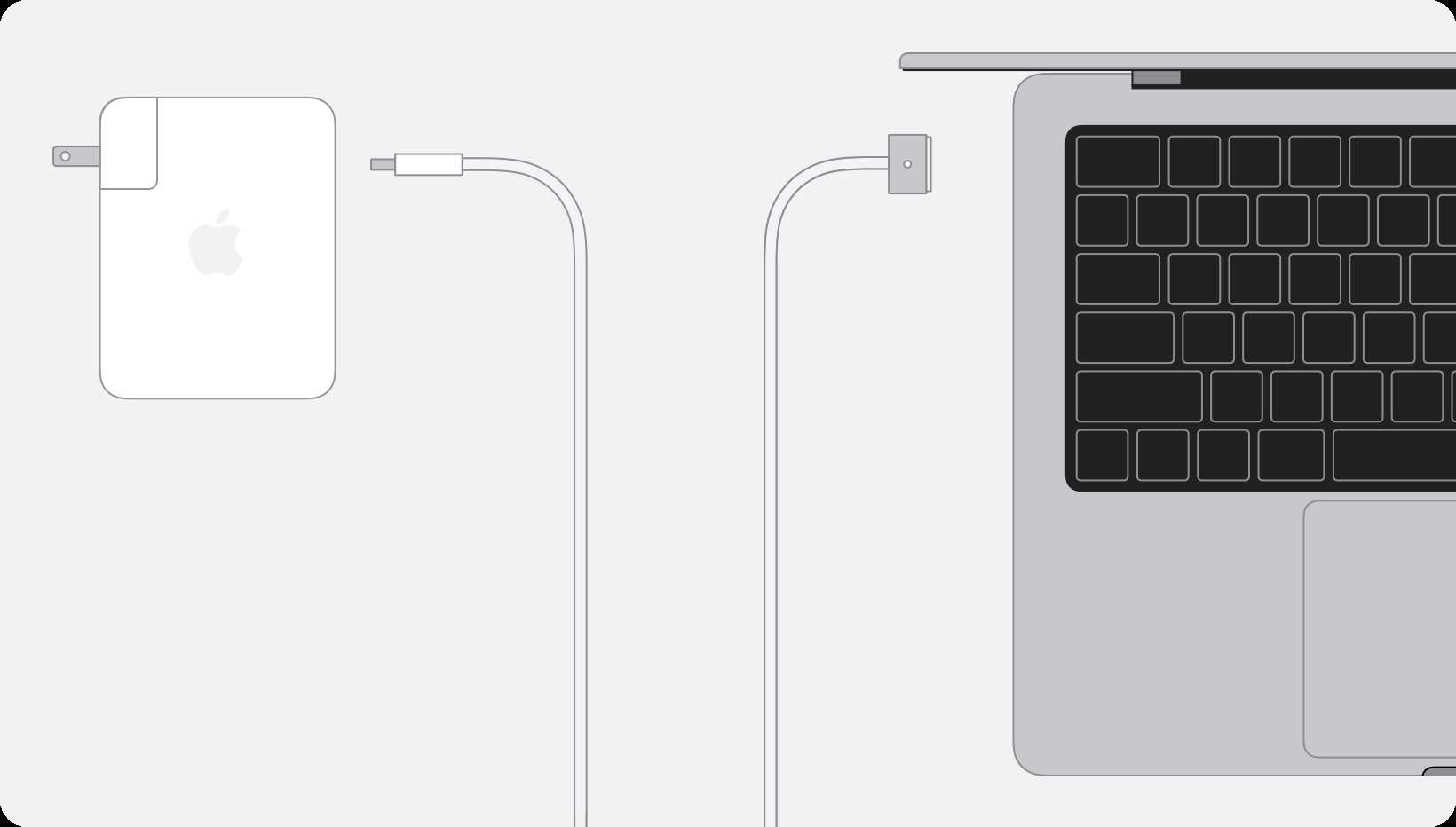
MagSafe offers a convenient and secure connection, delivering fast charging especially with 85W or higher adapters. It is ideal for quick top-ups.
USB-C Charging
Many MacBook Pros use USB-C ports for charging. Using a high-wattage USB-C charger (96W or 140W) reduces the time required to reach a full charge.
Monitoring Charging Progress
Apple provides tools to track battery health and charging status.
Battery Status in macOS
Click the battery icon on your menu bar to see current charge level and estimated time remaining. This helps plan your charging sessions.
Battery Cycle Count
Check your battery cycle count in System Information. A lower count indicates a healthier battery capable of faster charging.
How to Speed Up Charging on Your MacBook Pro
Follow these practical steps for quicker charging:
- Ensure your charger and cable are certified and compatible with your MacBook Pro.
- Keep your MacBook Pro in a cool, well-ventilated area during charging to prevent overheating.
- Limit background activities that consume battery while charging.
- Update macOS regularly for optimal battery management features.
Common Charging Issues and Their Solutions
Sometimes, MacBook Pro charging may experience hiccups.
Slow Charging
Check your cable and adapter for damage. Switch to a different port if available and reduce device usage during charging.
Charging Not Starting
Ensure the charger is plugged into a working outlet. Reset your SMC (System Management Controller) if necessary.
Battery Not Fully Charging
Reset the battery health, update software, or consider replacing the battery if its cycle count is high.
Knowing how long it takes to charge a MacBook Pro allows you to plan your day better. Using the right charger, minimizing usage during charging, and maintaining good battery health are key to faster and more efficient charging. Remember that factors like model, wattage, and cable quality play vital roles in determining charging times, so choose the right accessories and follow best practices for optimal results.
How Quickly Does The MacBook Pro Charge ?!
Frequently Asked Questions
How does the charging time vary depending on the MacBook Pro model?
The charging duration for a MacBook Pro depends on its specific model and battery capacity. Newer models with larger batteries typically take longer to charge fully compared to older versions. Using a higher wattage charger can reduce charging time, but the device’s charging circuitry regulates the speed to prevent battery damage. As a general rule, a MacBook Pro can reach a substantial charge within 1.5 to 2 hours when plugged into the original charger.
What factors influence the time it takes to charge a MacBook Pro?
Several elements impact how quickly your MacBook Pro charges. The charger wattage plays a significant role; higher wattage chargers deliver power more rapidly. The current battery level is another factor—charging from a nearly empty battery naturally takes longer than topping up a partially charged battery. Additionally, performing intensive tasks while charging can slow down the process, as the device consumes power at a higher rate. Ambient temperature and cable quality also affect charging efficiency.
Can I use my MacBook Pro while it is charging without affecting the charging speed?
Yes, you can use your MacBook Pro while it charges, but engaging in intensive tasks such as gaming or video editing may temporarily slow down the charging process. These activities draw more power from the battery, making it take longer to reach a full charge. For optimal charging speed, avoid heavy usage during charging sessions, especially when you need a quick battery boost. However, regular usage during charging generally does not harm the battery or significantly extend the charging duration.
How can I estimate the remaining time to fully charge my MacBook Pro?
Most MacBooks display an estimated time remaining to reach a full charge on the battery icon in the menu bar. This estimate updates dynamically based on current charging conditions and usage. Calibration of the battery can improve the accuracy of this estimate over time. If you notice the time remaining seems excessively long or inconsistent, ensure you are using the original charger, and check for software updates that optimize power management.
Final Thoughts
The time it takes to fully charge a MacBook Pro varies based on the model and charger wattage. Typically, it ranges from about 1.5 to 3 hours. Using a higher wattage charger can speed up the process.
Charging time also depends on usage during charging; actively using your Mac prolongs the process. A quick charge can be achieved with fast-charging accessories.
In conclusion, how long does it take to charge MacBook Pro generally falls within a few hours. Most users can expect a full charge in roughly 2 hours, making it convenient to stay powered up throughout the day.

Similar Posts