Are Curved Monitors Better for Gaming
Are curved monitors truly better for gaming? This comprehensive guide dives into the pros and cons of curved displays, helping you decide if one is right for your setup. We’ll cover immersion, eye strain, viewing angles, and specific gaming scenarios. Make an informed decision about your next gaming monitor by understanding how curvature can impact your gameplay.  Curved monitors aren’t just about aesthetics; they can offer tangible benefits for gamers. Here’s a breakdown of why you might want to consider one:
  Now, it’s not all sunshine and rainbows. Curved monitors have their own set of potential drawbacks that are important to consider:
  If you’re leaning towards a curved monitor, here’s what to think about:
Are Curved Monitors Better for Gaming?
So, you’re eyeing a new gaming monitor, and you’ve noticed a trend: curves! It seems like every other display these days boasts a gentle arc. But the big question remains: are these curved monitors actually better for gaming, or is it just a fancy marketing gimmick? If you’re a PC gamer looking to elevate your experience, this guide is for you. We’ll break down everything you need to know to decide if a curved monitor is the right upgrade for your setup. By the end of this guide, you’ll understand:- The primary benefits of curved monitors for gaming.
- The potential drawbacks you should be aware of.
- How different curvatures and monitor sizes impact your gaming.
- Key factors to consider when choosing a curved gaming monitor.
- Whether a curved monitor is the right choice for your specific gaming needs.
Key Takeaways
- Enhanced Immersion: Curved monitors wrap around your field of vision, pulling you deeper into the game world and creating a more captivating experience.
- Reduced Eye Strain: The curvature can help keep your peripheral vision closer to the focal point, potentially reducing the need for your eyes to constantly refocus and thus lowering fatigue.
- Wider Field of View: For ultrawide curved monitors, the increased horizontal dimension offers a broader perspective, which can be advantageous in strategy games or when spotting enemies.
- Potential for Distortion: At extreme viewing angles, some users might perceive slight geometric distortion, although this is less common with modern, well-designed panels.
- Cost and Size Considerations: Curved monitors, especially larger or ultrawide models, can be more expensive and require more desk space than their flat counterparts.
- Gaming Genre Suitability: The benefits of a curved monitor are often more pronounced in genres like racing, flight simulators, and open-world adventures where immersion is paramount.
Understanding Monitor Curvature
Before we get into the nitty-gritty of gaming, let’s quickly touch on what “curvature” actually means for a monitor. You’ll often see numbers like 1500R, 1800R, or 1000R. This “R” stands for radius, and the number indicates how tight the curve is. A 1500R monitor has a radius of 1500mm. A tighter curve (like 1000R) means the monitor arcs more sharply.Why the Curve? The Core Idea
The fundamental idea behind a curved monitor is to better match the natural curve of the human eye. Our eyes don’t see the world as a flat plane; they see it with a slight arc. By mirroring this with a curved display, the aim is to create a more comfortable and immersive viewing experience.The Advantages of Curved Monitors for Gaming
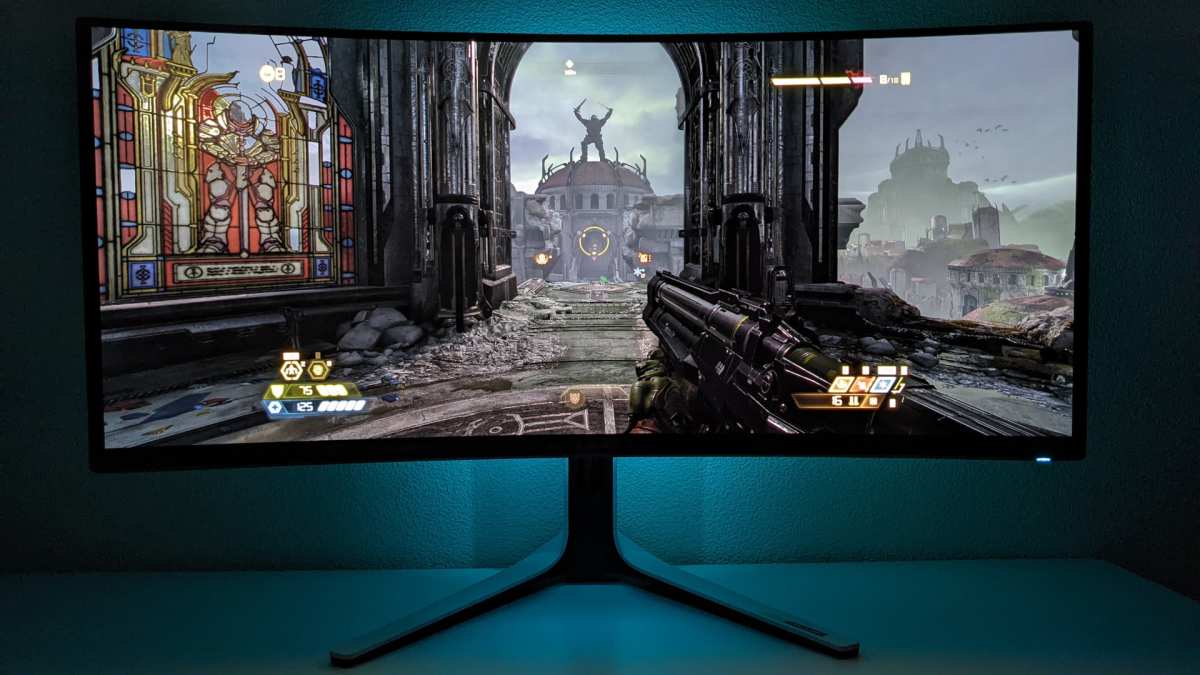
Visual guide about Are Curved Monitors Better for Gaming
Image source: cdn.mos.cms.futurecdn.net
1. Enhanced Immersion: Getting Lost in the Game
This is often the biggest selling point, and for good reason. When a monitor curves gently towards you, it pulls the edges of the display into your peripheral vision.- * Wrapping Around Your Senses: Imagine playing a vast open-world game like “The Witcher 3” or a fast-paced shooter like “Apex Legends.” With a curved screen, the game world feels like it’s enveloping you. The edges of your screen are no longer distant and flat; they become part of your immediate visual field. This creates a powerful sense of presence and makes the game world feel more real. * Reduced “Tunnel Vision”: While flat monitors can sometimes feel like you’re looking through a window, a curved monitor makes you feel like you’re *inside* the game. This can be particularly impactful for flight simulators or racing games, where being aware of your surroundings is key.
2. Reduced Eye Strain: Comfort for Longer Sessions
Anyone who’s pulled an all-night gaming session knows how taxing it can be on your eyes. Curved monitors can potentially alleviate some of that strain.- * Consistent Focal Distance: On a flat monitor, especially a large one, the edges are further away from your eyes than the center. Your eyes have to constantly adjust their focus to compensate. A curved monitor, by design, brings the edges closer to your eyes, creating a more consistent focal distance across the entire screen. This means less work for your eye muscles. * Less Peripheral Eye Movement: Because the curved screen fills more of your peripheral vision, you might find yourself turning your head less to take in the entire scene. This can lead to less neck and eye fatigue over extended gaming periods. Many users report feeling less tired after long gaming sessions on curved displays.
3. Wider Field of View (Especially with Ultrawide)
This benefit is particularly pronounced if you’re considering an ultrawide curved monitor (typically a 21:9 aspect ratio).- * More Screen Real Estate: An ultrawide curved monitor offers significantly more horizontal screen space than a standard 16:9 monitor. This is a game-changer for certain genres. * Strategic Advantages: In real-time strategy (RTS) games, you can see more of the map at once, allowing for better troop management and reconnaissance. In sports games, you might see more of the field. Even in shooters, the extra width can sometimes give you a slight edge in spotting enemies on the fringes of your vision.
4. Improved Viewing Angles (to an extent)
While not always the primary benefit, the curvature can subtly improve how you see the screen from slightly off-center positions.- * More Consistent Colors: On very wide flat monitors, colors and brightness can sometimes degrade at the extreme edges when viewed directly from the center. The curve helps mitigate this by bringing those edges more directly in line with your gaze, leading to a more uniform viewing experience.
The Potential Downsides of Curved Monitors
Visual guide about Are Curved Monitors Better for Gaming
Image source: sceptre.com
1. Potential for Geometric Distortion
This is one of the most commonly cited concerns, though its impact varies.- * Straight Lines May Seem Curved: Because the monitor is not flat, very straight lines (like grid patterns or architectural elements in games) can sometimes appear slightly distorted or bowed, especially if you’re looking at the edges from an extreme angle. However, modern monitors with moderate curves (like 1800R) and good panel quality minimize this effect significantly. * Less Noticeable in Most Games: In most fast-paced gaming scenarios, your brain is too busy processing action to notice subtle geometric distortions. It’s more likely to be noticeable in games with a heavy emphasis on precise geometry or in productivity tasks.
2. Space Requirements and Desk Placement
A curved monitor, especially a larger or ultrawide one, demands more desk real estate.- * Takes Up More Depth: The curve means the monitor extends further out from the wall or stand than a flat monitor of the same diagonal size. Measure your desk space carefully to ensure it fits comfortably without feeling cramped. * Mounting Can Be Tricky: If you use a monitor arm, ensure it’s rated for the weight and size of the curved monitor, and check for compatibility. Some arms might not be ideal for supporting the unique shape.
3. Cost: Often a Premium
Generally speaking, curved monitors tend to be a bit more expensive than their flat counterparts with similar specifications.- * R&D and Manufacturing: The technology to create curved panels adds to the manufacturing cost, which is then passed on to the consumer. * Is the Extra Cost Worth It? This is subjective and depends on how much you value immersion and reduced eye strain.
4. Not Ideal for All Gaming Genres or Scenarios
While great for many games, curved monitors aren’t a universal fit.- * Multi-Monitor Setups: If you’re planning on running a triple-monitor setup for an ultra-wide field of view, curved monitors can be challenging. The gaps between monitors can become more pronounced and awkward due to the curves. Flat monitors are generally preferred for multi-monitor gaming rigs. * Highly Geometric or “Architectural” Games: Games where perfect straight lines and precise angles are crucial (like some puzzle games or simulators focused on detailed construction) might be less ideal on a curved display. * Competitive FPS (Sometimes): While immersion is great, some highly competitive FPS players prefer a flat monitor. They might argue that a flat screen offers a more predictable and distortion-free view of their entire screen, aiding in quick target acquisition across the entire display. However, many pro players use curved monitors, so it’s largely personal preference.
Factors to Consider When Choosing a Curved Gaming Monitor
Visual guide about Are Curved Monitors Better for Gaming
Image source: gamespot.com
1. Curvature Radius (1800R, 1500R, 1000R)
As mentioned earlier, the “R” rating indicates the tightness of the curve.- * 1800R: The most common and generally a good starting point. It offers noticeable immersion without being too aggressive. * 1500R: A tighter curve, offering a bit more immersion. You might notice the effect more. * 1000R: The tightest curve, aiming to fill your entire field of vision. This can be very immersive but might take some getting used to and is more prone to distortion for some users.
2. Size and Aspect Ratio
* Size: For gaming, 27 inches and above is often recommended for curved monitors to really feel the effect. Smaller screens don’t offer as much of a “wrap-around” sensation. * Aspect Ratio: * 16:9 (Standard): If you’re upgrading from a standard monitor, a 27-inch or 32-inch 16:9 curved monitor will feel familiar in terms of how much of your desk it takes up but offer better immersion. * 21:9 (Ultrawide): These are often 30-34 inches diagonally. They provide a significantly wider gaming experience and are where the benefits of curvature really shine for immersion. Learn more about setup requirements in our guide on how much desk space an ultrawide monitor needs.3. Panel Type and Refresh Rate
These are crucial for gaming performance, regardless of curvature.- * Panel Type: * VA (Vertical Alignment): Often found in curved monitors, VA panels offer excellent contrast ratios and deep blacks, which are great for atmospheric games. Response times have improved greatly, making them suitable for most gaming. * IPS (In-Plane Switching): Known for superior color accuracy and wider viewing angles. While traditionally flatter, IPS panels are now appearing in curved monitors, offering vibrant visuals. See how they compare in our detailed breakdown: is IPS monitor better than TN for gaming. * Refresh Rate: Aim for at least 144Hz for smooth gameplay. Higher is better if your budget and GPU can handle it. * Response Time: Look for low response times (e.g., 1ms) to minimize motion blur. To understand why this matters, read our explainer on does monitor response time matter for gaming.
4. Resolution
* 1440p (QHD): A great sweet spot for 27-inch and ultrawide monitors. Offers a good balance of visual fidelity and performance demand. * 4K (UHD): Stunning detail, but requires a powerful GPU, especially for ultrawide resolutions. Not sure if it’s necessary? We break it down in do you need a 4K monitor for gaming. * 1080p (FHD): More budget-friendly and easier to run, but on larger screens (27″+) or ultrawide, the pixels can become more visible.5. Features to Look For
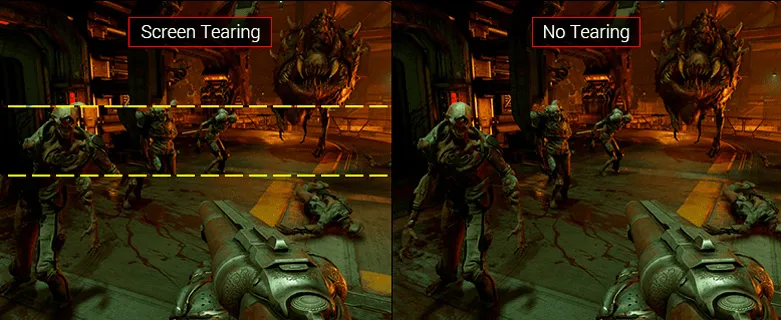
* Adaptive Sync (G-Sync/FreeSync): Essential for tear-free gaming. Ensure compatibility with your GPU. * HDR Support: For more vibrant colors and better contrast. * **Ergonomics:** Adjustable stand for height, tilt, and swivel.Is a Curved Monitor Right for Your Gaming?
Ultimately, the decision of whether a curved monitor is “better” for gaming boils down to your personal preferences and the types of games you play.- * If Immersion is Your Priority: For open-world RPGs, racing simulators, flight sims, and even many action-adventure games, a curved monitor, especially an ultrawide one, can significantly enhance your experience. The feeling of being drawn into the game world is hard to beat. * If You Experience Eye Strain: If you often suffer from eye fatigue after long gaming sessions, the consistent focal distance of a curved monitor might offer a more comfortable viewing experience. * If You Play Competitive Esports: While not a deal-breaker, some hardcore competitive players might prefer the predictable flat plane of a traditional monitor. However, many esports pros use curved monitors, so it’s not a definitive “no.” * **If Desk Space is Limited: You’ll need to be more mindful of your desk setup. * If You’re on a Tight Budget:** You might find comparable specs on a flat monitor for less money.
Conclusion
So, are curved monitors better for gaming? The answer is nuanced: they offer distinct advantages in immersion and potentially eye comfort, especially in certain genres. The wrap-around effect pulls you into the game world like a flat screen simply can’t, and the reduced eye strain can be a significant benefit for marathon gaming sessions. However, they aren’t without their trade-offs, including potential minor distortions, increased desk space requirements, and a generally higher price point. For many gamers, particularly those who prioritize an immersive single-player experience or play genres that benefit from a wider field of view, a curved monitor is an excellent choice and a worthy upgrade. For others, especially those focused solely on competitive esports or working with multi-monitor setups, a flat monitor might still be the preferred option. The best approach is to consider your personal gaming habits, your desk setup, and your budget. If possible, try to experience a curved monitor firsthand. With so many excellent options available, from 1800R standard aspect ratios to 1000R ultrawide beasts, you’re sure to find a curved monitor that can indeed make your gaming world feel bigger, more engaging, and more comfortable.
Similar Posts