What Version Of Windows Is Free Best Options In 2023

What version of Windows is free?
Introduction to Free Windows Versions
Many people wonder which Windows operating system they can use without paying. Windows offers some options that are free, especially for those who are just starting out or using a computer for basic tasks. Knowing which versions are free helps users save money and choose the right OS for their needs.Windows 10: The Most Common Free Version
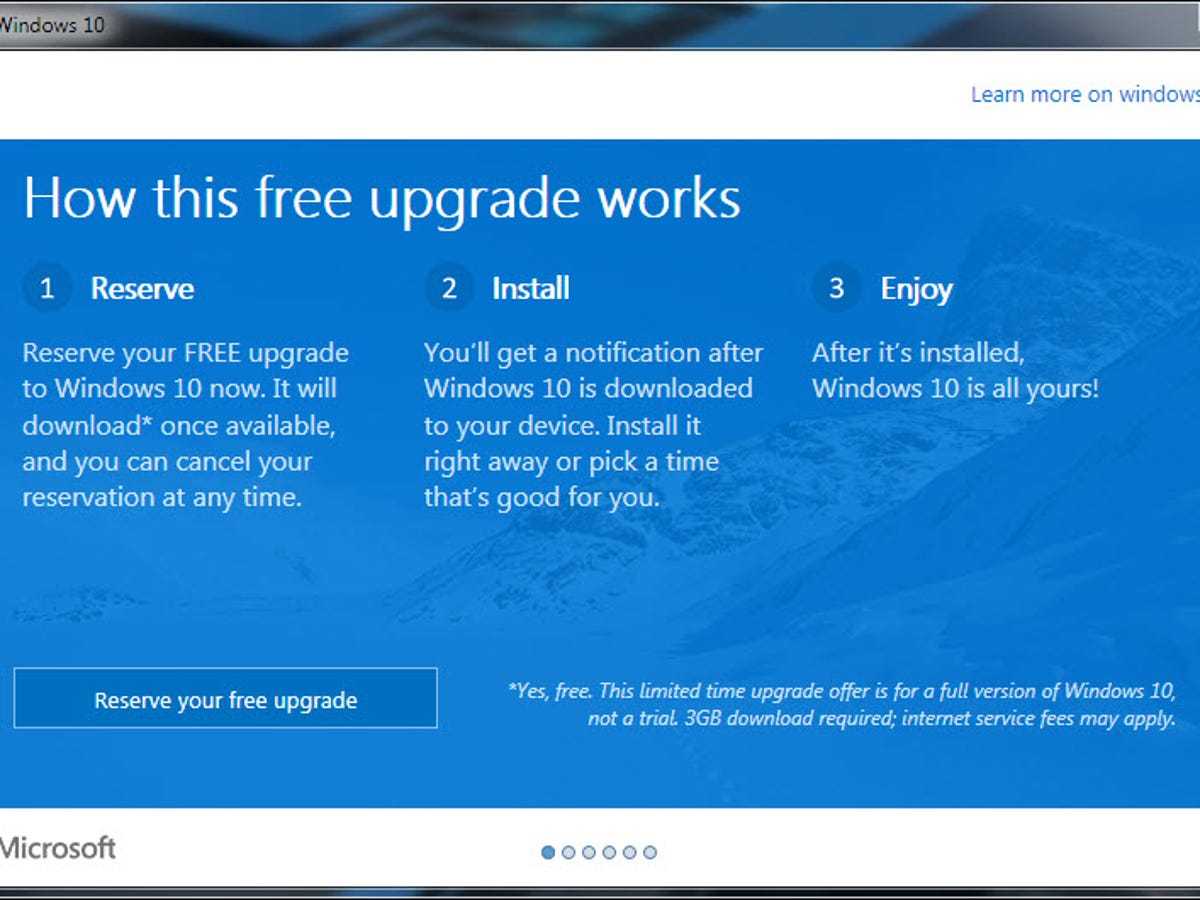
Windows 10 is the most widely used Windows operating system today. Microsoft originally offered Windows 10 as a free upgrade for users with older versions. Although the free upgrade offer officially ended in 2016, many users can still install and use Windows 10 for free.How to Get Windows 10 for Free
You can download Windows 10 directly from Microsoft’s official website. During installation, you might see a message stating that your copy is activated without needing a product key. This is because Microsoft allows free activation if you already have a valid license from a previous version.Limitations of the Free Windows 10 Version
The free version of Windows 10 lacks some advanced features. For instance, certain personalization options, like changing wallpapers or themes, may be restricted. You’ll also see a watermark indicating that your Windows is not activated if you do not have a valid license.Windows 11: Is It Free?
Windows 11 is the latest OS from Microsoft, and it is available as a free upgrade for compatible devices. Users with Windows 10 or certain hardware configurations can upgrade without paying extra.Requirements to Upgrade to Windows 11
Your device must meet specific hardware specifications, such as a compatible processor, 4GB of RAM, and Secure Boot capability. If your PC meets these, you can upgrade to Windows 11 for free through Windows Update.Installation Options
Microsoft offers a free media creation tool to help you install Windows 11. You can upgrade directly from Windows 10 or perform a clean installation using a USB drive or ISO file.Windows 10 and 11 for Education and Nonprofits
Students and educators sometimes access Windows free or at a discounted rate. Many schools partner with Microsoft to provide free licenses for Windows 10 or 11 for students.How Students Can Get Windows for Free
Students can check with their school or university IT department for access. Some institutions offer free digital licenses via Microsoft Education portals.Nonprofit Organizations
Nonprofits may qualify for free or discounted Windows licenses through Microsoft’s nonprofit programs. These licenses help organizations operate efficiently without extra costs.Windows Insider Program: Free Access for Testing
Microsoft invites users to join the Windows Insider Program to test upcoming features. This program is free and allows participants to experience beta versions of Windows before general release.Benefits of the Insider Program
Participants get early access to features and updates, helping Microsoft improve Windows. It’s ideal for tech enthusiasts but not recommended for everyday use in critical environments.Risks of Using Insider Builds
Insider versions can be unstable and may contain bugs. It’s best to use them on secondary devices and not for essential work.Are Older Windows Versions Still Free?
Microsoft no longer provides free upgrades for Windows 7 or Windows 8. However, you might still be able to install and run these OSes without purchasing a license in some cases.Using Windows 7 and Windows 8
You can download ISO files from unofficial sources, but activating them legally is tricky without a valid product key. Microsoft recommends upgrading to a supported version to stay secure and receive updates.Extended Support and Security Risks
Windows 7 reached its end of support in January 2020. Running unsupported versions exposes you to security vulnerabilities and may limit your access to updates.Free Alternatives to Windows
If you want a truly free operating system, consider alternatives like Linux distributions. These are open-source and free to download and use.Popular Free Operating Systems
Some popular options include Ubuntu, Fedora, and Linux Mint. They work well on older hardware and are suitable for basic tasks, education, and even some professional work.Using Windows Emulators and Virtual Machines
You can run Windows using free virtual machine software like VirtualBox. This lets you test Windows without installing it directly on your machine.Summary of Free Windows Options
Below is a quick overview of free Windows versions:| Version | Can Download for Free | Official Activation | Limitations |
|---|---|---|---|
| Windows 10 | Yes | Yes if upgraded or existing license | Basic features available without activation |
| Windows 11 | Yes | Yes if hardware compatible | Dependent on hardware requirements |
| Older Versions (Windows 7, 8) | Potentially, unofficially | Not officially supported | Security risks and limited support |
| Linux Distributions | Yes | Not applicable | Different OS with different apps |
Choosing the Right Free Windows Version
Users should select based on their needs and device compatibility. For daily tasks and security, Windows 10 or 11 are recommended if your hardware supports them.Final Tips for Using Free Windows
Always download Windows from official Microsoft sources to avoid malware. Keep your OS updated to ensure security and stability. Consider switching to free alternatives if your hardware is older or if you want to avoid costs altogether. The decision about which Windows version is free depends on your device, your use case, and your willingness to accept limitations or risks. Knowing your options helps you make informed choices and get the most value from your PC.Why Windows is FREE Now
Frequently Asked Questions
Are there any versions of Windows available for free legally?
Yes, Microsoft offers certain versions of Windows for free legally. For instance, Windows 10 can be downloaded without an activation fee, allowing users to install and use it with limited features. Additionally, Windows 11 is available for free for compatible devices. Microsoft also provides free upgrades from older versions to newer ones for eligible devices, making it easier for users to access the latest Windows operating systems at no cost.
Can I use Windows without purchasing a license?
Yes, you can install Windows without purchasing a license and use it with limited functionality. Microsoft allows users to download Windows and install it without entering a product key, which enables a trial period with full features. After the trial, certain personalization options may be disabled until you activate the product with a valid license. This approach lets users evaluate the OS before making a purchase decision.
Is there a free version of Windows for educational purposes?
Microsoft offers free Windows versions for educational institutions and students through specific programs. Some schools and universities partner with Microsoft to provide free or discounted access to Windows, helping students and educators use the latest OS versions. Additionally, students can often get free access to Windows through their institution’s licensing agreements or educational offers.
What options exist for using Windows for free on older hardware?
If you have older hardware, Windows 10 still supports a free upgrade from Windows 7 or 8.1 for a limited time. Microsoft also provides the Windows Insider Program, which allows users to test upcoming Windows features at no cost. This program is suitable for those willing to test pre-release versions and provides access to Windows updates before they become publicly available.
Are Windows virtual machines available for free?
Yes, Microsoft offers free virtual machine images for testing and development purposes. These images come pre-installed with different versions of Windows and are available through the Windows Developer Center. You can run these virtual machines on your computer using virtualization software, which provides a free way to use different Windows environments for various tasks without purchasing multiple licenses.
Final Thoughts
The most common free version of Windows is Windows 10. It offers essential features for everyday use without any cost. Microsoft often provides updates and support for this edition, making it a practical choice for many users. Another option is Windows 11, which can be upgraded to for free if you already own a compatible device. However, the full version of Windows 11 requires a purchase for new devices or clean installs. In conclusion, what version of Windows is free? Windows 10 is the primary free option for most users, while Windows 11 may also be available at no cost under specific conditions.
Similar Posts