
Choosing the right aspect ratio for your curved monitor significantly impacts your viewing experience. This guide breaks down the most popular options, helping you decide whether a 21:9 ultrawide, a 32:9 super ultrawide, or a traditional 16:9 is best for your needs. Unlock immersive gaming and enhanced productivity by understanding how aspect ratio and curvature work together.
What Aspect Ratio Is Best for Curved Monitor
So, you’re in the market for a curved monitor, and you’ve noticed there’s more to consider than just the curve itself. One of the biggest decisions you’ll face is the aspect ratio. It might sound technical, but understanding aspect ratio is key to getting a display that truly enhances your computing experience. Whether you’re a hardcore gamer, a creative professional, or someone who just loves a more immersive viewing experience, the right aspect ratio can make all the difference.
This guide will demystify aspect ratios for curved monitors. We’ll explore what they are, why they matter, and help you figure out which one is the perfect fit for your desk and your digital life. We’ll cover the popular options like 16:9, 21:9, and even the super ultrawide 32:9, and discuss how the curve of the monitor interacts with these ratios. Let’s dive in and find the best aspect ratio for your curved monitor.
Contents
Key Takeaways
- Understanding Aspect Ratio: The aspect ratio defines the proportional relationship between a display’s width and its height, directly influencing the visual field.
- 16:9 – The Familiar Standard: This is the most common aspect ratio, offering a balanced experience for general use, movies, and most games.
- 21:9 Ultrawide – Immersive Productivity and Gaming: Excellent for multitasking and providing a wider field of view in games, creating a more cinematic experience.
- 32:9 Super Ultrawide – The Ultimate Immersion: Offers an extremely wide viewing area, ideal for simulation games, demanding productivity tasks, and a truly panoramic display.
- Curvature’s Role: The curve on a monitor works in conjunction with aspect ratio to reduce distortion and enhance immersion, especially on wider displays.
- Matching Aspect Ratio to Use Case: The “best” aspect ratio is subjective and depends heavily on whether you prioritize gaming, content creation, general browsing, or media consumption.
Understanding Aspect Ratio
Before we talk about curved monitors specifically, let’s get a clear picture of what aspect ratio means. In simple terms, the aspect ratio describes the shape of your screen. It’s a mathematical relationship between the width and the height of the display. You’ll usually see it expressed as two numbers separated by a colon, like 16:9.
The Numbers Explained
The first number represents the width of the screen, and the second number represents its height. So, for a 16:9 aspect ratio, the screen is 16 units wide for every 9 units of height. A larger first number relative to the second indicates a wider screen.
Why Aspect Ratio Matters for Your Display
The aspect ratio directly influences how much you can see on your screen at once and the overall feel of your viewing experience. Different ratios are better suited for different tasks. A wider aspect ratio can offer more screen real estate for productivity or a more cinematic view for movies and games.
The Popular Aspect Ratios for Curved Monitors
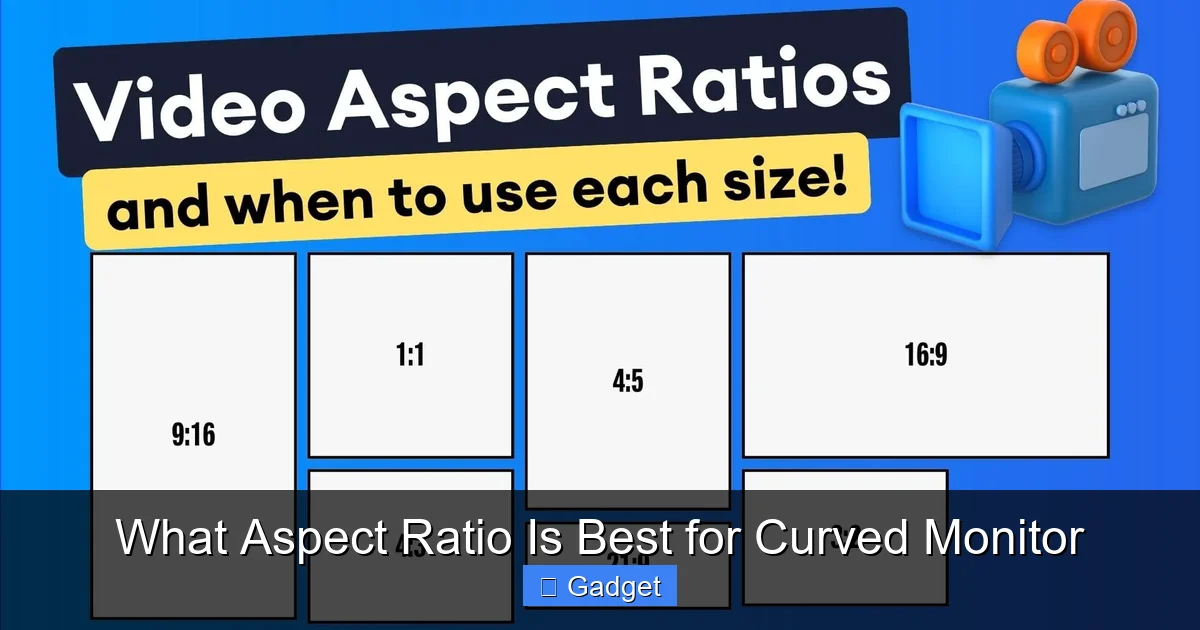
Visual guide about What Aspect Ratio Is Best for Curved Monitor
Image source: assets-global.website-files.com
When it comes to curved monitors, you’ll primarily encounter a few key aspect ratios. Each offers a distinct experience, and understanding their strengths will help you choose.
16:9 – The Traditional Standard
This is the aspect ratio you’ve likely seen on most monitors and TVs for years. It’s a well-established format that’s compatible with a vast amount of content.
Pros of 16:9
- Universal Compatibility: Almost all video content, games, and applications are designed with 16:9 in mind. You won’t have to worry about black bars or stretching.
- Balanced Experience: It offers a good balance between width and height, making it suitable for general productivity, browsing, and most forms of entertainment.
- Affordability: 16:9 curved monitors are often more budget-friendly compared to their wider counterparts.
Cons of 16:9
- Less Immersive for Ultrawide Content: When watching widescreen movies or playing games designed for wider formats, you’ll often see black bars on the sides.
- Limited Productivity Space: While decent, it doesn’t offer the expansive multitasking capabilities of wider aspect ratios.
When 16:9 is Best:
If you’re looking for a solid, all-around curved monitor for general use, casual gaming, and watching standard widescreen movies without any adjustments, a 16:9 curved monitor is a safe and excellent choice. It’s a familiar format that works with everything.
21:9 – The Ultrawide Sweet Spot
This is where things start to get exciting. The 21:9 aspect ratio offers a significantly wider screen than the traditional 16:9, providing a more immersive and productive experience.
Pros of 21:9
- Enhanced Gaming Immersion: Many modern games support 21:9, giving you a wider field of view that can be a real advantage in competitive games and makes cinematic games feel more engaging.
- Superior Multitasking: You can easily have two, or even three, application windows open side-by-side without feeling cramped. This is a game-changer for productivity.
- Cinematic Viewing: Widescreen movies are often shot in aspect ratios close to 21:9, meaning you’ll experience them without black bars, filling the entire screen for a more theater-like feel.
- Reduced Eye Strain: The curve on a 21:9 monitor is often designed to wrap around your field of vision more effectively, potentially reducing the need to turn your head as much.
Cons of 21:9
- Content Compatibility: While improving, some older games, applications, or videos might not fully support 21:9 and could display with black bars or require stretching.
- Desk Space: These monitors are physically wider, so ensure you have enough desk space to accommodate them comfortably.
- Price: 21:9 curved monitors are typically more expensive than 16:9 models.
When 21:9 is Best:
A 21:9 curved monitor is an excellent choice for gamers who want an immersive advantage, professionals who multitask extensively (programmers, designers, traders), and movie buffs who appreciate a truly cinematic view. It strikes a great balance between immersion and practicality.
32:9 – The Super Ultrawide Experience
Stepping up from 21:9, the 32:9 aspect ratio offers an incredibly wide viewing area, essentially putting two 16:9 monitors side-by-side without a bezel. This is the ultimate in panoramic display.
Pros of 32:9
- Unrivaled Immersion: For simulation games (flight sims, racing sims) and certain open-world games, the 32:9 experience is breathtakingly immersive.
- Extreme Productivity: You can have multiple complex applications open simultaneously, making it ideal for demanding workflows like video editing, complex data analysis, or managing several virtual machines.
- Dominating Display: It creates a commanding presence on your desk and offers an unparalleled sense of scale.
Cons of 32:9
- Significant Desk Space Required: These monitors are extremely wide and deep. You’ll need a substantial desk.
- Potential for Distortion: The extreme curve is necessary to make the edges of such a wide display viewable, but in some cases, very sharp angles can still lead to slight distortion for off-center content.
- Content Support is Crucial: Not all games and applications can effectively utilize this extreme width. You might encounter significant black bars or UI elements stretched across the screen.
- Highest Price Point: 32:9 curved monitors are the most expensive option.
- Performance Demands: Pushing games at such a high resolution and wide aspect ratio requires a powerful graphics card to maintain smooth frame rates.
When 32:9 is Best:
This aspect ratio is for power users who demand the absolute most in terms of screen real estate and immersion. It’s perfect for hardcore sim racers, flight simulator enthusiasts, and professionals with highly specialized, multi-window workflows. It’s a niche but incredibly powerful option.
How Curvature Enhances Aspect Ratio Choices
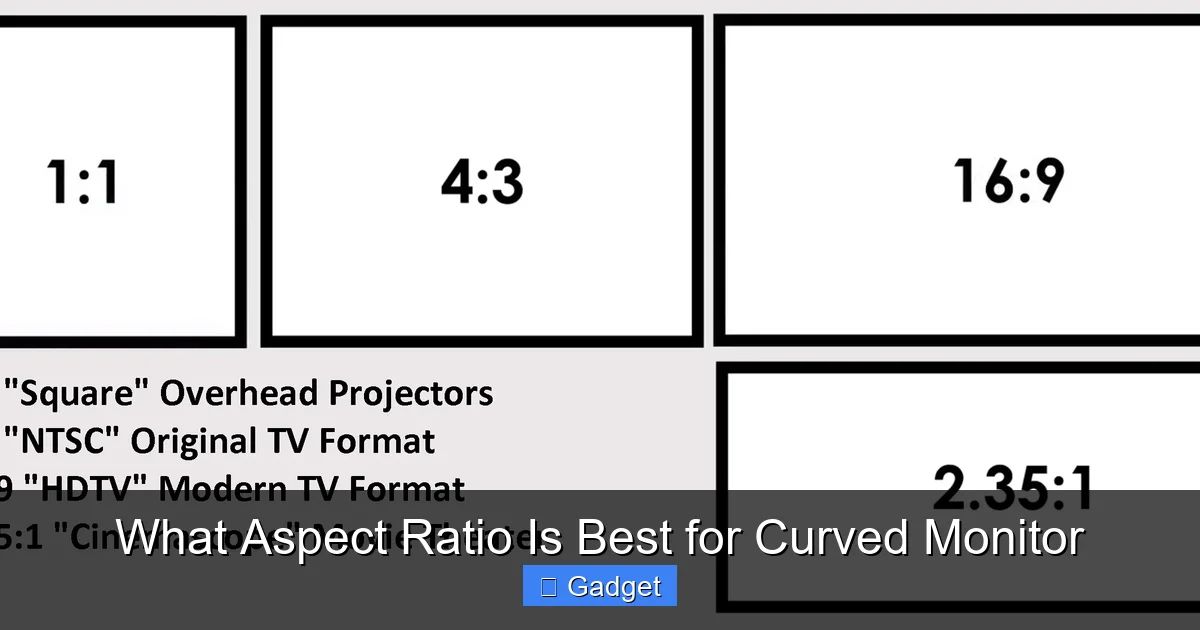
Visual guide about What Aspect Ratio Is Best for Curved Monitor
Image source: elitescreens.com
The curve of a monitor is not just a design choice; it’s integral to how well an aspect ratio performs, especially wider ones. The goal of a curved display is to bring the edges of the screen closer to your eyes, creating a more enveloping and comfortable viewing experience.
The Synergy Between Curve and Width
* Reducing Distortion: On a flat panel, the edges of a very wide screen (like 21:9 or 32:9) can appear farther away from your eyes, leading to perceived distortion and requiring you to turn your head more. A curve mitigates this by ensuring that the entire screen is roughly equidistant from your eyes.
* Enhancing Immersion: The wrap-around effect of a curved display, combined with a wider aspect ratio, makes images feel more natural and engaging. It draws you into the content.
* Comfort: For prolonged use, especially with wider screens, the curve can reduce eye strain and neck movement by keeping more of the display within your peripheral vision.
Curvature Ratings (e.g., 1800R, 1500R, 1000R)
You’ll see numbers like 1800R, 1500R, or even 1000R associated with curved monitors. This “R” stands for radius. The number indicates the radius of the curvature in millimeters. A smaller number (e.g., 1000R) means a tighter, more aggressive curve, while a larger number (e.g., 1800R) means a gentler, less pronounced curve.
* Tighter Curves (1000R-1500R): These are often found on very wide displays (like 32:9 or some 21:9) and are designed to maximize immersion by closely matching the natural human field of view. They can feel more enveloping but might take some getting used to.
* Gentler Curves (1800R+): These are common on 21:9 and even some 16:9 curved monitors. They offer a subtle but noticeable improvement in comfort and immersion without being overpowering.
The ideal curvature for you also depends on how close you sit to your monitor. If you’re very close, a tighter curve might be better. If you sit further back, a gentler curve might suffice.
Choosing the Best Aspect Ratio for Your Needs
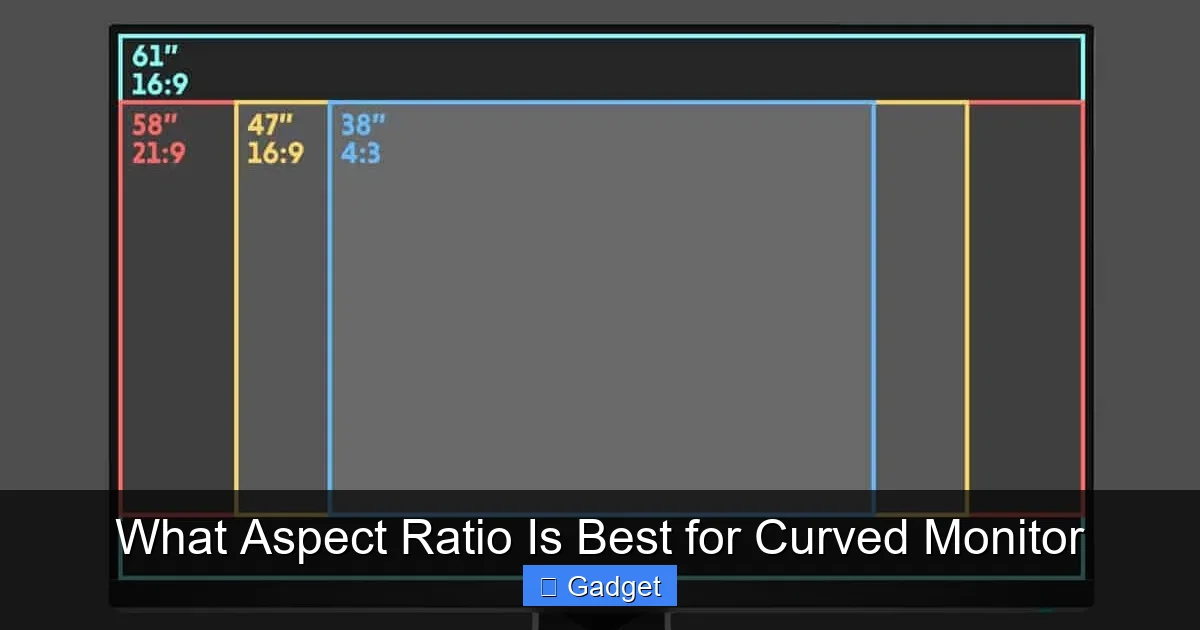
Visual guide about What Aspect Ratio Is Best for Curved Monitor
Image source: wepc.com
Now that we understand the different aspect ratios and how curves play a role, let’s tie it all together by focusing on your specific use case.
For Gaming
* **16:9:** A great option for most games, especially if you play a wide variety of titles or older games. It’s reliable and works everywhere.
* **21:9:** Highly recommended for gamers. The wider field of view provides a competitive edge in many titles and makes cinematic experiences far more engaging. Look for monitors with high refresh rates and low response times to complement the immersion.
* **32:9:** The ultimate for simulation games (racing, flight) and certain open-world titles where an ultra-panoramic view is paramount. Be prepared for potential performance demands and ensure your favorite games support it well.
For Productivity and Multitasking
* **16:9:** Adequate for basic productivity tasks like browsing, email, and word processing. You can split the screen for two applications, but it can feel a bit tight.
* **21:9:** Fantastic for multitasking. You can comfortably have two large windows (like a code editor and a browser, or a document and an email client) side-by-side. It reduces the need to constantly switch between applications.
* **32:9:** Unmatched for heavy multitasking. If you need to have many windows open simultaneously for complex projects, trading, or development, this offers unparalleled screen real estate. It’s like having multiple monitors without the bezels.
For Content Consumption (Movies & TV Shows)
* **16:9:** Works perfectly fine for standard TV shows and content formatted for this ratio. You’ll get a full-screen experience.
* **21:9:** Ideal for watching movies. Many films are produced in aspect ratios very close to 21:9, meaning you’ll get a true cinematic, black-bar-free experience.
* **32:9:** Excellent for enjoying movies designed for ultra-wide formats or for a truly panoramic viewing of certain documentaries or sports. However, most mainstream movies will still have black bars on the sides.
Practical Tips When Choosing
* **Consider Your Desk Space:** Measure your desk before buying! Ultrawide and super ultrawide monitors are significantly larger and can also be deeper due to their stands.
* **Check Monitor Specs:** Pay attention to the curvature rating (R value) and resolution. A higher resolution (like 1440p or 4K) on a wider aspect ratio will provide sharper images.
* **Read Reviews:** See what other users say about how specific games or applications perform on the aspect ratio you’re considering.
* **Future-Proofing:** While 16:9 is always compatible, consider that wider aspect ratios are becoming more common and better supported. Investing in a 21:9 now might serve you better in the long run.
* **Budget:** Aspect ratio significantly impacts price. Determine what you’re willing to spend and prioritize features accordingly.
Troubleshooting Common Issues
While generally seamless, you might encounter a few hiccups with wider aspect ratios.
Black Bars or Stretched Images
* Cause: The content (game, video, application) doesn’t natively support the aspect ratio of your monitor.
* Solution:
* In Games: Check the game’s graphics settings for aspect ratio options. Many modern games allow you to force a 21:9 or 32:9 resolution. If not, look for community patches or mods that enable ultrawide support.
* In Videos: Most video players will automatically letterbox (add black bars) content that doesn’t match your screen. For specific players, check their settings for display or aspect ratio adjustments.
* In Applications: Some older applications might not scale well. You may have to tolerate them running in a window or accept some visual oddities.
Performance Drops in Games
* Cause: Rendering more pixels on wider aspect ratios requires more processing power from your graphics card.
* Solution:
* **Lower Graphics Settings:** Reduce resolution, texture quality, or other demanding settings within the game.
* **Upgrade Your GPU:** For the best experience on 21:9 and especially 32:9, a powerful graphics card is essential.
* Check Game Optimization: Ensure your graphics drivers are up to date.
Conclusion
Choosing the best aspect ratio for your curved monitor is a personal journey that depends entirely on how you plan to use it. There’s no single “right” answer, but by understanding the strengths of 16:9, 21:9, and 32:9, and how the curvature enhances them, you can make an informed decision.
If you’re looking for a reliable, all-around performer, the classic 16:9 is a solid choice. For those seeking a significant boost in immersion for gaming and productivity, the 21:9 ultrawide is often the sweet spot. And for the ultimate in panoramic viewing and demanding professional workflows, the 32:9 super ultrawide offers an unparalleled experience.
Consider your primary activities, your desk space, and your budget. With this guide, you’re well-equipped to select a curved monitor that not only looks fantastic but also perfectly complements your digital life. Happy viewing!


