Managing Push Notifications To Reduce Wakeups For Better

Managing push notifications to reduce wakeups
Understanding the Impact of Push Notifications on Sleep
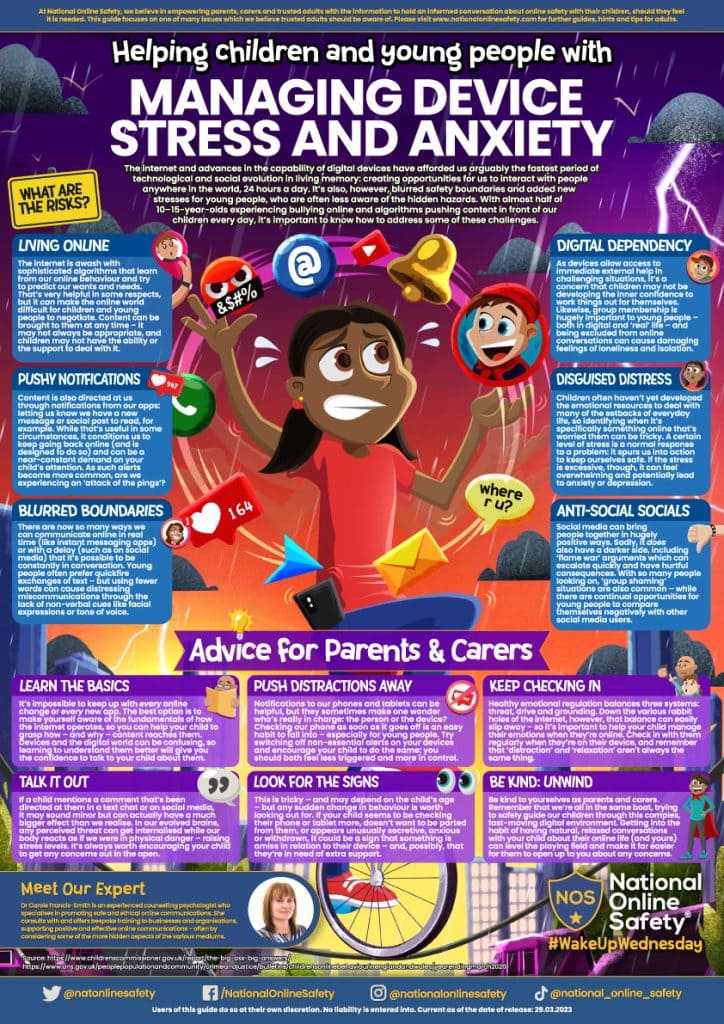
Push notifications are designed to keep us informed and connected. However, they can also interfere with our sleep by causing frequent wakeups during the night. When a notification appears, our body responds with a small adrenaline rush, disrupting our rest. Over time, this can lead to fragmented sleep and feelings of tiredness during the day. Recognizing how notifications affect sleep helps us develop strategies to manage them better.Why Constant Notifications Are Harmful
Many devices send notifications constantly, especially with social media alerts, emails, and app updates. Each notification has the potential to wake you up, even if only briefly. This continuous interruption prevents deep sleep phases, which are essential for feeling refreshed. Less deep sleep can impair memory, concentration, and overall health. Managing the volume and timing of notifications becomes crucial to maintaining quality sleep.Strategies for Managing Push Notifications Effectively
Effective management involves a combination of technical settings and mindful habits. Adjust notification settings on your devices so that only important alerts come through at designated times. Use “Do Not Disturb” mode during sleeping hours to block all non-essential notifications. Setting boundaries helps prevent unnecessary wakeups and promotes uninterrupted rest.Customizing Notification Settings
Most smartphones and tablets allow users to control which apps can send notifications. You can turn off notifications for apps that are not urgent or relevant during your sleep hours. Focus on enabling alerts only for vital contacts or apps related to health and safety. Regularly reviewing and updating these settings prevents notification overload.Using “Do Not Disturb” Mode
Activate “Do Not Disturb” mode when you sleep or rest. This setting blocks all notifications, calls, and alerts except those you whitelist. Many devices let you schedule this mode to turn on automatically at bedtime. This feature reduces the chance of a disruptive wakeup caused by unforeseen notifications.Implementing Notification Schedules
Creating a routine schedule for notifications helps balance staying informed without disturbing sleep. Set specific times during the day when you check and respond to notifications. Outside these times, disable alerts or silence your device. This approach minimizes nighttime disturbances and fosters healthier sleep habits.Benefits of Scheduled Notification Checks
Waiting until designated times to check notifications prevents constant interruptions. It reduces anxiety linked to feeling “always connected.” Additionally, scheduled checking encourages mindful technology use, reducing compulsive behaviors related to notifications.Utilizing App-Specific Notification Controls
Many apps offer granular control over notifications. You can personalize alert types, sounds, and vibration settings within each app’s preferences. Select “silent” or “banner-only” options for less urgent alerts to avoid waking up during the night. Managing app notifications individually offers tailored control over your alerts.Turning Off Non-Essential Notifications
Identify apps that send frequent alerts but are not critical. Turn off their notifications completely or set them to silent. Focus on keeping notifications for essential apps such as messaging, emergency alerts, or health monitors active during sleep hours. This selective approach reduces unnecessary wakeups.Technical Tips for Reducing Notification-Induced Wakeups
Beyond settings adjustments, there are practical technical tips to limit notification disturbances. For example, enabling “airplane mode” during sleep can block all wireless communications, effectively preventing notifications from waking you. Alternatively, placing your device out of reach or in a different room minimizes the chance of accidental wakeups.Using Night Mode and Dark Themes
Night modes and dark themes reduce screen brightness and eye strain, making it less likely that notifications will catch your eye during the night. These visual adjustments support a more restful environment and lessen the temptation to check your device when waking briefly.Automating Notification Management
Apps and device features can automate notification control based on time or location. For example, some applications allow you to set “sleep hours,” where notifications are automatically muted. Using automation tools saves time and ensures consistency in managing alerts during rest periods.Educating Yourself and Others About Healthy Notification Use
Understanding the importance of managing notifications encourages healthier habits. Share your strategies with family or colleagues to promote a quiet environment for everyone. Establishing shared rules about device use during sleep fosters better sleep quality for all involved.Additional Tips for Better Sleep and Notification Management
Besides technical adjustments, developing calming bedtime routines reduces the need to check notifications before sleep. Avoid screens at least 30 minutes before bed, and opt for relaxing activities instead. Prioritizing sleep hygiene enhances the benefits of optimized notification management.Creating a Sleep-Friendly Environment
Keep your bedroom dark, quiet, and cool. Using a white noise machine or blackout curtains can improve sleep quality. When notifications are minimized or silenced, it’s easier to maintain a restful environment.Encouraging Mindful Technology Use
Practice mindfulness by setting intentions for device use. Before bed, turn off notifications, and focus on relaxing activities. This mindful approach helps reduce stress and promotes healthier sleep patterns.Summary of Key Points
Managing push notifications is essential for reducing sleep disturbances. Customizing settings, scheduling alerts, and using technical features help control when and how notifications appear. Creating habits around device use supports better sleep and overall health.Related Topics for Further Reading
- How to Set Up Bedtime Mode on Smartphones
- Benefits of Digital Detox Before Sleep
- Understanding the Science of Sleep Cycles
- The Role of Blue Light in Sleep Disruption
Stop iPhone 15 Lock Screen Notifications from Waking Up the Screen
Frequently Asked Questions
How can I customize notification settings to avoid unnecessary wakeups?
Adjust your device’s notification settings to control which apps can send alerts during certain hours or under specific conditions. You can mute notifications from less important apps, set quiet hours, or disable alerts altogether for scheduled periods. This proactive approach helps prevent interruptions when you need uninterrupted sleep or focus.
What strategies can prevent notifications from waking my device at night?
Enable Do Not Disturb mode or focus modes during nighttime hours to block most notifications. You can customize exceptions for critical contacts or apps if needed. Remember to set these modes to activate automatically at bedtime, ensuring your device stays silent and doesn’t wake you up with non-urgent alerts.
Are there specific app management tips to reduce wakeups caused by frequent notifications?
Review the notification settings within individual apps and disable or limit non-essential alerts. Consider uninstalling apps that send frequent, non-critical notifications or setting their alerts to silent or minimal. Managing app notifications effectively minimizes unnecessary wakeups and maintains your device’s quietness during rest periods.
How does activating battery saver or similar features help manage notifications?
Battery saver modes often reduce background activity and limit notifications from non-essential apps. By turning on these features during certain times, you decrease the likelihood of notifications waking your device and disturbing your peace. They also conserve battery life while managing alert frequency efficiently.
Can scheduling notifications help in reducing sleep disruptions?
Yes, scheduling notifications to be suppressed during specific times, like sleep hours, prevents your device from alerting you unnecessarily. Many devices allow you to set these schedules within Do Not Disturb or focus modes, ensuring you receive important alerts only when you are awake and available to respond.
Final Thoughts
Managing push notifications to reduce wakeups helps improve sleep quality and daily alertness. Turning off non-essential notifications limits interruptions during the night. Adjust your device settings to prioritize important alerts only. By controlling notifications, you create a more restful environment, reducing unnecessary awakenings. Clear preferences ensure you stay informed without compromising your sleep. Focusing on these strategies ensures better rest and overall well-being.
Similar Posts































