
Choosing between a 1500R and 1800R curved monitor depends on your viewing habits and desk setup. The 1500R curve offers a more immersive experience, ideal for gamers and those who sit closer to their screen. Conversely, the 1800R curve provides a gentler curve, which can be more comfortable for general productivity and users who prefer to sit a bit further back. This guide will help you decide which is the superior choice for you.
Contents
Key Takeaways
- Understanding Curve Radius: The “R” in 1500R and 1800R refers to the radius of the curve in millimeters. A smaller number (1500R) means a tighter, more pronounced curve.
- Immersion vs. Comfort: 1500R generally offers a more immersive visual experience due to its tighter curvature, making it popular for gaming and cinematic viewing. 1800R provides a subtler curve, often preferred for prolonged productivity tasks and general use.
- Desk Size and Seating Distance: A 1500R monitor can feel overwhelming on smaller desks or if you sit too far away. An 1800R is more adaptable to various desk sizes and seating distances.
- Personal Preference is Key: Ultimately, the “better” curve is subjective and depends on individual eyesight, viewing habits, and what feels most comfortable and natural to you.
- Potential for Distortion: Very tight curves like 1500R can sometimes introduce minor visual distortion, especially at the edges, though this is less common on high-quality panels.
- Gaming and Media Consumption: For users prioritizing an enveloping gaming experience or wanting to feel “in” their movies, a 1500R curve often wins.
- Productivity and General Use: For extended work sessions, reading documents, or multitasking, the gentler 1800R curve may reduce eye strain and offer a more balanced view.
Is 1500r Curve Better Than 1800r
So, you’re in the market for a new monitor, and you’ve noticed that many of them come with a curve. That’s great! Curved monitors can offer a more engaging and comfortable viewing experience. But then you see different curve ratings, like 1500R and 1800R, and a new question pops up: which one is better? It’s a common dilemma, and the answer isn’t a simple “yes” or “no.” It entirely depends on what you’ll be using your monitor for and your personal preferences.
This guide is here to demystify the world of curved monitors. We’ll break down what those “R” numbers actually mean, explore the pros and cons of each curve, and help you figure out which one will bring the most joy and productivity to your setup. By the end, you’ll have a clear understanding to make the best choice for your desk.
Understanding the “R” in Curved Monitors
Before we dive into comparing 1500R and 1800R, let’s get a firm grasp on what these numbers signify. The “R” stands for “radius,” and the number that follows it (like 1500 or 1800) is measured in millimeters. Imagine taking a full circle and cutting out a segment of it to form your monitor’s curve. The radius of that original, full circle is what determines the “R” rating.
* 1500R: This means the curve of the monitor is a segment of a circle with a radius of 1500 millimeters (or 1.5 meters). This creates a tighter, more pronounced curve.
* 1800R: Conversely, this signifies that the curve is a segment of a circle with a radius of 1800 millimeters (or 1.8 meters). This results in a gentler, less aggressive curve.
Think of it like this: a smaller radius means a sharper bend, while a larger radius means a shallower bend. This fundamental difference is what drives all the variations in experience between the two.
The Benefits of Curved Monitors
Why opt for a curved monitor in the first place? There are several advantages that have made them increasingly popular:
* Enhanced Immersion: The curve wraps around your field of view, pulling you into the content on screen. This is especially noticeable in gaming and watching movies.
* Reduced Eye Strain: Curved monitors help keep the entire screen within your peripheral vision. This means your eyes don’t have to constantly refocus as they do on a flat screen, potentially leading to less fatigue during long sessions.
* Improved Perceived Depth: The curvature can create a subtle sense of depth, making images feel more realistic and engaging.
* Wider Field of View: For ultrawide monitors, the curve helps bring the edges of the screen closer to you, making the entire ultrawide experience more manageable and less like you’re looking through binoculars.
Now, let’s compare the two specific curve types.
Comparing 1500R and 1800R Curves
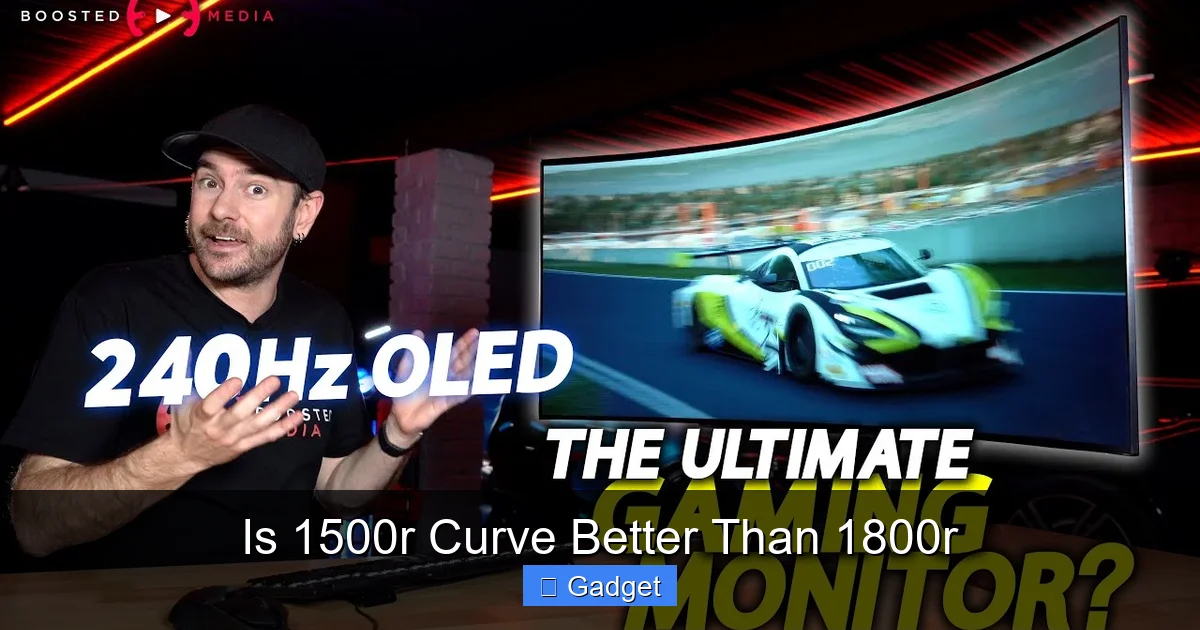
Visual guide about Is 1500r Curve Better Than 1800r
Image source: i.ytimg.com
The core difference between 1500R and 1800R lies in the intensity of the curve. This intensity impacts how you perceive the screen and your comfort levels.
1500R: The Deep Dive into Immersion
A 1500R curved monitor offers a significantly more pronounced curve than an 1800R. This tighter wrap around your vision is often lauded for its immersive qualities.
Pros of 1500R:
* Superior Immersion: If your goal is to feel completely surrounded by your game world or movie scene, 1500R excels. It truly pulls you in.
* Great for Close Seating: When you sit close to a 1500R monitor, the curve feels natural and effectively fills your peripheral vision without excessive head movement.
* Ideal for Gaming: Many gamers prefer 1500R for its ability to enhance situational awareness. Seeing more of the game world at once can give you a competitive edge and make the experience more thrilling.
* Cinematic Experience: For movie buffs, the 1500R curve can mimic the feeling of a theater screen, making your home viewing much more engaging.
Cons of 1500R:
* Can Be Overwhelming: For some users, especially those who prefer to sit further back or have smaller desks, the tight curve might feel a bit too intense or even disorienting initially.
* Potential for Distortion: In rare cases, especially with very large or ultrawide 1500R monitors, you might notice slight visual distortion at the extreme edges. This is more of a concern for professional tasks requiring absolute geometric precision.
* Less Versatile for General Use: While great for entertainment, the intense curve might not be as comfortable for prolonged productivity tasks like reading long documents or intricate spreadsheet work for some individuals.
1800R: The Balanced Approach to Comfort
The 1800R curve is subtler, representing a gentler arc. This makes it a more forgiving and adaptable choice for a wider range of users and scenarios.
Pros of 1800R:
* Comfortable for Extended Use: The gentler curve is often considered more comfortable for long hours of work, reading, or browsing. It reduces the feeling of being “pulled in” too much, which can be less fatiguing.
* Wider Appeal: Most people find the 1800R curve to be a good balance between immersion and a natural viewing experience. It’s less likely to feel overwhelming.
* Good for Productivity: For tasks that involve a lot of text or precise layouts, the 1800R curve offers enough curvature to reduce eye strain without introducing significant distortion or feeling intrusive.
* Adaptable to Desk Sizes: It fits well on a variety of desk sizes and doesn’t demand that you sit at a specific, very close distance to feel its benefits.
Cons of 1800R:
* Less Immersive: Compared to 1500R, the 1800R provides a less intense sense of immersion. Gamers or movie enthusiasts seeking the deepest possible engagement might find it slightly lacking.
* Less “Wow” Factor: While comfortable and functional, it doesn’t offer the same dramatic visual impact as a tighter curve.
Which Curve is “Better” for You? The Deciding Factors
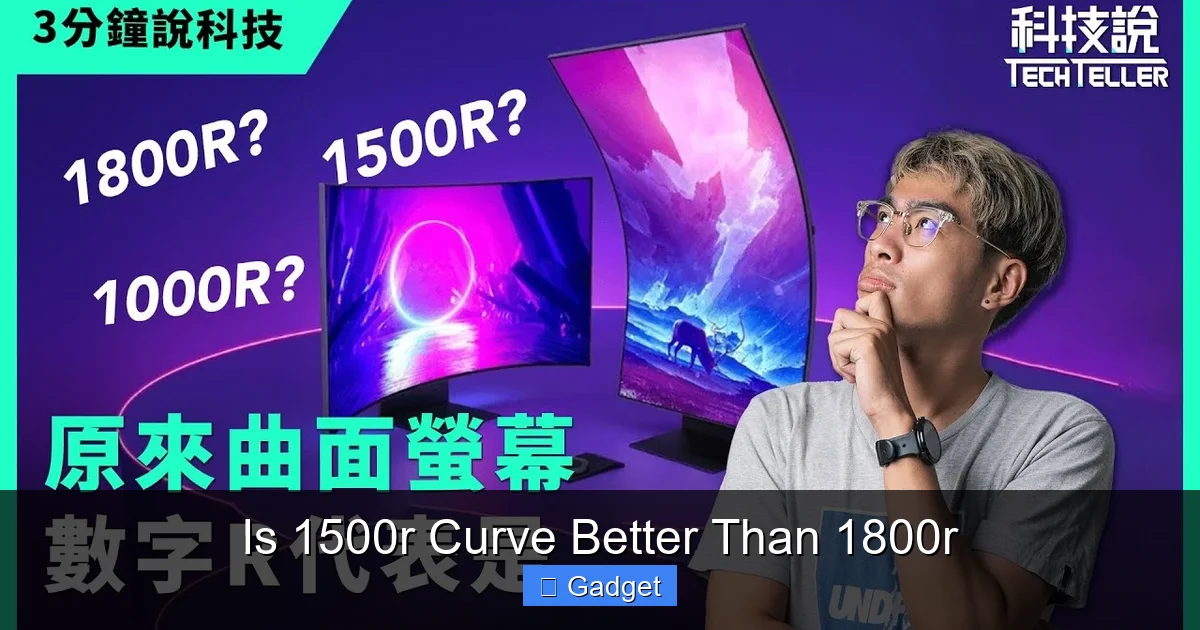
Visual guide about Is 1500r Curve Better Than 1800r
Image source: i.ytimg.com
Now that we understand the differences, let’s get to the heart of the matter: which one is better *for you*? There’s no single right answer, but by considering a few key factors, you can make an informed decision.
1. Your Primary Use Case
This is arguably the most important factor.
* For Gamers and Movie Enthusiasts: If you spend the majority of your time gaming or watching movies, and you crave that deep, enveloping experience, the 1500R curve is likely the superior choice. It’s designed to pull you into the action.
* *Example:* Imagine playing a fast-paced racing game. With a 1500R, the sense of speed and immersion is amplified as the game world seems to curve around you.
* For Productivity and General Use: If your monitor is primarily for work, coding, writing, browsing the web, or even general media consumption where you don’t need to feel “in” the content, the 1800R curve often offers a more comfortable and balanced experience.
* *Example:* Working on a detailed spreadsheet for hours. The 1800R’s gentler curve helps maintain focus without causing your eyes to strain or feel overly drawn into the edges of the screen.
2. Your Seating Distance and Desk Setup
How close you sit to your monitor and the size of your desk play a significant role.
* Sitting Close (within 2-3 feet): If you tend to sit relatively close to your screen, a 1500R curve will feel more natural and beneficial. The curve will effectively fill your field of vision.
* Sitting Further Back (3+ feet): If you prefer to sit further away, or if you have a deep desk that naturally puts you at a greater distance, an 1800R curve might be more appropriate. The tighter 1500R curve might feel distorted or less effective at this distance.
* **Desk Size:** A very tight 1500R monitor, especially if it’s also a large ultrawide, can feel overwhelming on a small desk. It might dominate the space and feel too close even when you’re sitting at a reasonable distance. An 1800R is generally more forgiving.
3. Your Personal Sensitivity and Preference
This is where subjectivity comes in. Some people are more sensitive to curves than others.
* **Are you prone to motion sickness or visual discomfort?** If so, you might want to start with a gentler curve like the 1800R to avoid potential issues.
* **Do you have specific vision conditions?** While curved monitors are generally designed to help with eye strain, individual experiences can vary.
* **Try Before You Buy (If Possible):** The best way to know what feels right is to experience it. If you can visit a store and see both types of curves in person, take advantage of that opportunity.
* *Tip:* Even if you can’t see the exact models you’re considering, seeing a 1500R and an 1800R side-by-side can give you a good feel for the difference in curvature.
4. Monitor Size and Aspect Ratio
The size and aspect ratio of the monitor can influence how the curve feels.
* **Larger Monitors and Ultrawides:** On very large monitors (27 inches and above) and especially on ultrawide monitors (21:9 or 32:9 aspect ratios), the curve becomes more pronounced.
* A 1500R ultrawide will wrap around you significantly. This is fantastic for immersion but might require more desk space and closer seating.
* An 1800R ultrawide will still offer a good wrap-around effect without being as aggressive, making it more manageable for many users.
* **Smaller Monitors:** On smaller monitors (e.g., 24 inches), the difference between 1500R and 1800R is less dramatic, and both might feel relatively flat. The curve is more impactful on larger screens.
Troubleshooting Common Curve-Related Concerns

Visual guide about Is 1500r Curve Better Than 1800r
Image source: storage-asset.msi.com
While generally beneficial, sometimes users encounter minor issues with curved monitors.
1. Feeling Distorted or “Off”
* **Problem:** Text or images appear warped, especially at the edges.
* **Possible Causes:**
* **Incorrect Seating Distance:** You might be too close or too far for the specific curve.
* **Monitor Placement:** Is the monitor perfectly level and centered? Slight tilting can exacerbate distortion.
* **Individual Sensitivity:** Some users are just more sensitive to curves.
* **Solutions:**
* **Adjust Seating:** Experiment with sitting closer and further away. Find the sweet spot for your monitor’s curve.
* **Level and Center:** Ensure the monitor is positioned correctly relative to your eyes.
* **Adjust Display Settings:** Sometimes scaling or resolution settings can impact perceived distortion.
* **Consider a Gentler Curve:** If distortion persists and is bothersome, an 1800R or even a flat panel might be a better fit.
2. Eye Strain Despite the Curve
* **Problem:** You expected less eye strain from a curved monitor but are still experiencing discomfort.
* **Possible Causes:**
* **Brightness and Contrast:** Settings that are too high can cause strain regardless of the screen shape.
* **Blue Light Emission:** Prolonged exposure to blue light can contribute to fatigue.
* **Refresh Rate and Flicker:** Lower refresh rates or flickering can strain eyes.
* **Incorrect Curve for You:** As discussed, the “better” curve is subjective.
* **Solutions:**
* **Adjust Brightness and Contrast:** Match your environment’s lighting.
* **Enable Blue Light Filter/Night Mode:** Most monitors have this feature.
* **Check Refresh Rate:** Ensure it’s set to the highest supported by your graphics card and monitor.
* **Take Breaks:** The 20-20-20 rule (every 20 minutes, look at something 20 feet away for 20 seconds) is still crucial.
* **Re-evaluate Curve Choice:** If problems persist, consider if the curve type is truly benefiting you.
Conclusion: Making the Right Choice for Your Eyes and Experience
So, is 1500R better than 1800R? The answer, as we’ve explored, is not a straightforward yes or no. It’s about finding the best fit for your unique needs and preferences.
* If **deep immersion, thrilling gaming, and cinematic movie experiences** are your top priorities, and you sit relatively close to your screen, the 1500R curve will likely offer a superior, more captivating experience.
* If you seek **comfort for long work sessions, general productivity, and a balanced viewing experience** that’s less intense and more adaptable, the 1800R curve is an excellent, often safer, choice.
Don’t underestimate the power of personal preference. What one person finds incredibly immersive, another might find slightly overwhelming. Consider your primary use case, your desk setup, and how sensitive you are to visual experiences. By weighing these factors, you can confidently choose the curved monitor that will enhance your digital life, whether it’s for conquering virtual worlds or tackling your daily tasks with ease.


