How To Make Your Phone Ring Longer Android Tips

How to Make Your Phone Ring Longer on Android
Having your phone ring longer can make a huge difference when you’re waiting for an important call or trying to answer a call in a noisy environment. If your Android device tends to stop ringing quickly or you miss calls because the ring duration is too short, don’t worry. There are several ways to extend the ringtone duration to ensure you never miss an important call again. This guide will walk you through simple and effective methods so you can make your phone ring longer on Android devices.Understanding Why Your Phone Rings for a Short Time
Before diving into solutions, it’s important to know why your Android phone might stop ringing early. Usually, the default ring duration is controlled by your carrier or network provider, not directly by your device. Some reasons include:- Network settings or restrictions imposed by your carrier
- Default settings on your Android device that limit the ring time
- Customized call settings from third-party apps
- Issues with your SIM card or network connection
Setting Your Android Phone to Ring Longer Using Built-in Settings
Many Android phones have options to adjust or customize call behaviors, including extending the ring time. Here’s what you can do:Change the Default Ringtone Duration in Phone Settings
Most Android devices don’t offer a direct setting to increase ring time through the basic menus, but certain models or carriers may have this feature. To check:- Open your phone’s Settings app.
- Tap on Sound & Vibration or just Sound.
- Look for options like Call Settings or Additional Settings.
- If available, find Ringtone Duration or similar options to set how long your phone rings.
Adjust Call Forwarding Settings to Extend Ring Time
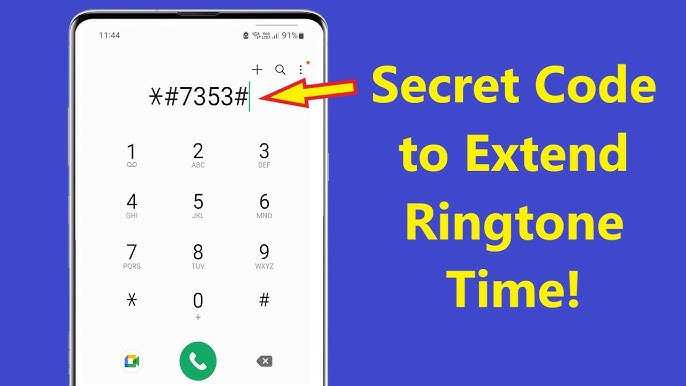
In some cases, configuring call forwarding can help increase the ringing duration before the call gets forwarded or diverted:- Dial specific codes like **61*number# to change ring delay on some carriers.
- Contact your network provider for options to extend ring time via their customer service or website.
Using Apps to Increase Ring Duration
If your device or carrier settings do not offer enough flexibility, third-party apps can come to your rescue. Several apps allow you to customize how long your phone rings before automatically declining or diverting the call.Call Delay Apps
Apps like “Call Delay” or “Extended Ring” are designed specifically to extend your incoming call ring time:- Download these apps from the Google Play Store.
- Follow the app’s instructions to set the desired ring duration.
- Some apps allow you to set different ring times for different contacts.
Using Do Not Disturb and Blocker Apps
While these apps primarily control notifications, some also let you customize call behaviors:- Install apps like “Truecaller” or “Call BLOCKER” that have features to manage ring duration.
- Configure their settings to extend ring time or manage call alerts.
Modify Your Network Settings for Longer Ring Time
Adjusting your network settings can offer a more permanent solution to increase ring duration.Change Call Waiting and Ring Delay Settings
Contact your carrier’s customer service or check their website for specific codes or settings to increase your ring time:- Request a longer ring delay (the time your phone rings before a call is forwarded or goes to voicemail).
- Some carriers allow you to change this through USSD codes, such as *61# or *61*number# depending on your provider.
Set Up Call Forwarding to a Voicemail or Other Number
If increasing your ring time isn’t an option, forward your calls to a voicemail or different number that can handle longer rings:- Navigate to your call forwarding settings in your phone or carrier app.
- Configure forwarding after a certain number of rings to ensure you get enough time to answer.
Additional Tips for Making Your Phone Ring Longer
Besides technical adjustments, some practical tips can help ensure you catch calls more effectively:Choose a Loud and Persistent Ringtone
Switch to a ringtone that is loud and distinctive. The louder and more attention-grabbing the ringtone, the easier it is to catch calls, especially in noisy environments.Set Multiple Ringtones for Important Contacts
Assign special ringtones to your most important contacts. This way, you can recognize crucial calls even if your phone rings for a longer duration.Keep Your Phone Fully Charged and Nearby
Ensure your device is charged and within reach, so you don’t miss calls due to power loss or being away from your phone.Activate Vibrations Along with Ringtones
Turning on vibrations in addition to your ringtone can alert you more effectively when someone calls.Summary Table for Quick Reference
| Method | How It Works | Ease of Use | Notes |
|---|---|---|---|
| Built-in Settings | Adjust in device settings or call options | Easy if available | May not be present on all phones |
| Third-party Apps | Install apps to extend ring time | Moderate | Choose trusted apps from Play Store |
| Carrier Settings | Use USSD codes or contact carrier | Moderate to advanced | Dependent on carrier support |
| Call Forwarding | Forward calls after specific ring time | Moderate | May involve additional charges |
Frequently Asked Questions
Can I extend the length of a ringtone to make my phone ring longer?
Yes, you can increase the duration of your ringtone by selecting a longer audio file or creating a custom ringtone that plays for a more extended period. Use ringtone editing apps or audio editing software to adjust the length of your chosen sound, ensuring it lasts longer before the call is missed.
How can I set a custom ringtone to ring longer on my Android device?
To set a custom ringtone, first choose or create a longer audio clip. Then, go to your phone’s Settings > Sound & Vibration > Ringtone, and select the file you’ve prepared. Some devices allow you to preview the ringtone length, so pick one that rings for the desired duration.
Are there third-party apps that help increase the ring time on Android phones?
Yes, several third-party apps are available that allow you to customize and extend the ringtone duration. These apps enable you to set custom alarms and ringtones with longer playtimes, giving you more control over how long your phone rings when receiving a call.
What settings can I adjust to make my phone ring longer during incoming calls?
You can modify the volume and ringtone length by accessing your device’s settings. Increasing the ringtone volume or installing a longer ringtone file can help your phone ring longer. Additionally, enabling vibrate or increasing the ring delay in call settings can improve the incoming call alert experience.
Does increasing the ringtone volume affect how long my phone rings?
Increasing the volume doesn’t directly affect the duration of the ringtone, but a louder sound can make the ringtone more noticeable, prompting you to answer quicker. To extend the ring time, focus on setting a longer ringtone audio file or adjusting the ringtone settings rather than just increasing volume.
Final Thoughts
To make your phone ring longer android, start by adjusting the ringtone length in your device settings. You can also install apps designed to extend ringtone duration. Ensure your phone’s software is up-to-date to avoid glitches that may cut calls short. Increasing the ring length helps you answer calls more comfortably and avoids missed connections. In conclusion, knowing how to make your phone ring longer android allows you to stay on top of incoming calls more effectively. Following these simple steps ensures your phone rings as long as you need.
Similar Posts