How To Develop An Android App For Beginners Free
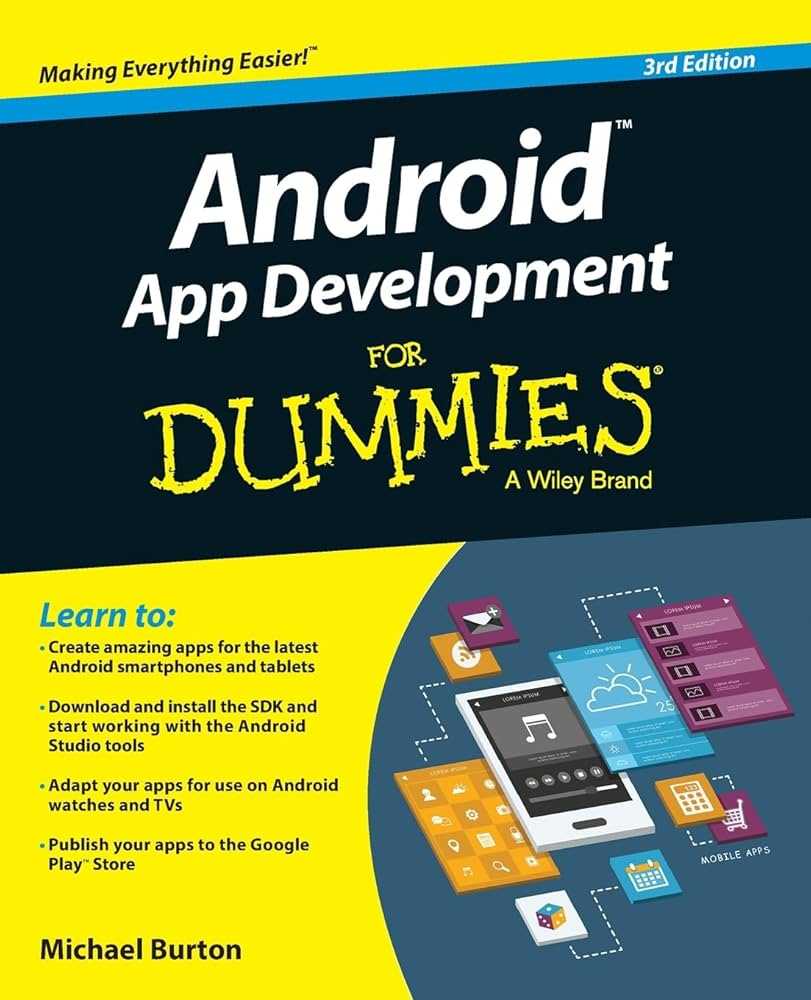

How to Develop an Android App for Beginners Free: A Complete Guide
Getting Started With Android App Development
Starting your journey in Android app creation might seem daunting at first, but it becomes easier with the right approach. First, understand that developing an app for free is entirely possible using free tools and resources. The key is to pick the right platform and learn the basics step by step.Choosing the Right Free Development Tools
Several free tools exist to help beginners create Android apps without spending any money. The most popular tool is Android Studio, which is officially supported by Google. It works on Windows, Mac, and Linux and provides everything needed to develop, test, and debug your app.Why Use Android Studio?
Android Studio offers an intuitive interface, easy-to-use code editing, and built-in emulator options to test apps. It also includes tutorials and sample projects that are perfect for beginners. Plus, it supports Java and Kotlin, the primary languages for Android development.Other Free Development Resources
Apart from Android Studio, some alternative options include:- Visual Studio Code with Android extensions
- Online platforms like Thunkable or MIT App Inventor
Learning the Programming Languages
Java and Kotlin are two official languages for Android app development. Kotlin is recommended for beginners due to its simplicity and modern syntax, but Java remains widely used.How to Start Learning Kotlin or Java
Begin with free online courses on platforms like Udemy, Coursera, or Codecademy. Google’s official Android developer website offers comprehensive tutorials for both languages. Practice by writing simple programs and gradually move to more complex projects.Understanding the Basic Structure of an Android App
Every Android app has a few core components: activities, layouts, and resources. An activity is the screen users see, while layouts define how information appears.Creating Your First Activity
Open Android Studio and start a new project. Select an empty activity template, name your app, and choose your preferred programming language. Android Studio will generate the basic files needed for your app.Designing User Interfaces with XML
Layouts are designed using XML files in Android Studio. They control the appearance of buttons, text, images, and other UI elements. Simple UI designs can be created by dragging and dropping components or writing XML code directly.Adding Features to Your Android App
Once the basic structure is ready, improve your app by adding features like buttons, text inputs, or images. Use Java or Kotlin code to respond to user interactions and create dynamic content.Implementing Button Clicks
Set up event listeners that detect when users press buttons. For example, in Kotlin:button.setOnClickListener {
// your code here
}
Working With Data Storage
To save data locally, use preferences, databases, or files. Android’s SharedPreferences allow you to store small amounts of data, such as user settings. For larger data, consider using SQLite databases.Testing Your App for Free
Testing is crucial to ensure your app functions well on different devices. Android Studio provides an emulator that simulates various Android devices for free.Using the Android Emulator
Configure the emulator with different screen sizes and Android versions to see how your app performs. This tool helps identify bugs and design issues early.Testing on Physical Devices
You can also test your app on an actual Android device by enabling developer options and USB debugging. Connect your device to your computer and run your app directly on it.Publishing Your Android App Without Cost
Once your app is polished, you can publish it on Google Play Store for free. Create a developer account, which involves a one-time fee, but hosting your app is free after that.Preparing Your App for Release
Generate a signed APK or App Bundle in Android Studio. Add a compelling description, screenshots, and relevant keywords to attract users.Promoting Your Free Android App
Share your app link on social media, forums, and blogs to reach a wider audience. Encourage feedback to improve future versions.Additional Tips for Beginners
Stay patient and keep practicing. Follow online tutorials regularly, participate in forums, and seek feedback from other developers. Building confidence slowly will lead to better, more functional apps.Joining Online Developer Communities
Platforms like Stack Overflow, Reddit, and GitHub are great for learning from others. Sharing your work and asking questions accelerates your development skills.Continuously Learning New Skills
Technology evolves rapidly, so keep yourself updated with new libraries, features, and best practices. Many free resources are available for ongoing learning.Related Topics to Explore
Developing Android apps introduces you to concepts like app design, user experience, and mobile marketing. Exploring these areas can deepen your understanding and broaden your skills.Basic App Design Principles
Focus on simple, clean designs that are user-friendly. Use consistent colors and fonts, and ensure your app is easy to navigate.Understanding App Monetization
Learn how to place ads or offer in-app purchases if you want to monetize your app in the future, even if you start with free distribution.Keeping Your App Updated
Regular updates fix bugs, add features, and improve performance, which keeps your app relevant and trusted by users. Developing an Android app for free is an accessible goal with the right tools, resources, and patience. Follow this guide to start your project confidently, and keep practicing to enhance your skills over time. The world of Android development is vast, and every line of code you write makes you a better developer.How to Make an Android App for Beginners
Frequently Asked Questions
What are the essential tools needed to begin developing an Android app for free?
To start developing an Android app without spending money, you need to install Android Studio, which is a free integrated development environment (IDE) provided by Google. Additionally, you should have a good understanding of the Java or Kotlin programming languages. A computer with sufficient RAM and storage is recommended to run the software smoothly. You can also utilize free online tutorials, forums, and documentation to guide your learning process.
How can beginners learn the basics of Android app development without incurring costs?
Beginners can learn the fundamentals by exploring free resources available online. Official Android developer documentation offers comprehensive guides and tutorials. YouTube channels and website platforms like Udacity and Coursera provide free courses on Android development. Participating in developer forums and communities can help solve problems and gain practical insights. Practice building small projects to reinforce your skills as you learn.
What are some tips to design a simple Android app as a beginner without extra expenses?
Start with simple layouts and functionalities that do not require complex coding or third-party libraries. Use free design resources such as Material Design guidelines provided by Google to create visually appealing interfaces. Focus on core features and test your app on actual devices or emulators included with Android Studio. Keep your code organized and modular to make future improvements easier.
Can I publish my free Android app on the Google Play Store without paying a fee?
You must pay a one-time registration fee of $25 to publish an app on the Google Play Store. However, if you are just testing or sharing your app privately, you can set up internal testing or use alternative app distribution methods. For fully free publishing, most developers opt to pay the registration fee to access the wider audience on Google Play.
What are common challenges beginners face when developing Android apps for free, and how can they overcome them?
Beginners often encounter issues with understanding coding concepts, debugging errors, and designing user interfaces. To address these challenges, focus on learning through small, manageable projects and seek help from developer communities. Use debugging tools within Android Studio to identify issues, and follow tutorials that clarify common pitfalls. Patience and consistent practice play key roles in overcoming these difficulties.
Final Thoughts
To develop an android app for beginners free, start by exploring beginner-friendly tools like Android Studio and online tutorials. Focus on understanding basic coding concepts and experimenting with simple projects to build confidence. Use free resources such as tutorials, forums, and open-source code to support your learning process. Consistent practice and patience help you improve steadily. Following these steps ensures a smooth start in creating Android apps without any cost.
Similar Posts































