Best Android Photo Editing Apps For Better Images
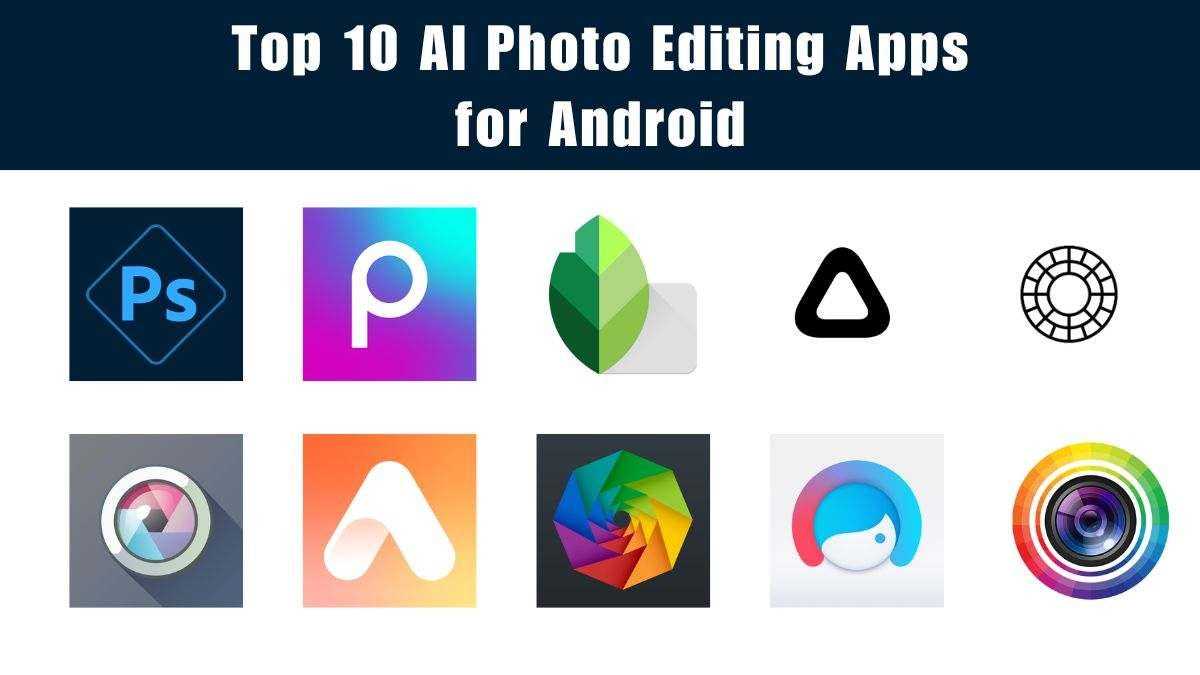

Best Android Photo Editing Apps
Introduction to Android Photo Editing Apps
Android devices are popular for their flexibility and accessibility, making them ideal for editing photos on the go. With many apps available, choosing the right one can be overwhelming. The best Android photo editing apps combine powerful features with easy-to-use interfaces, allowing everyone to enhance their photos effortlessly.Features to Look for in a Good Photo Editing App
When selecting a photo editing app, consider these key features:- User-friendly interface: Easy navigation helps beginners and experts alike.
- Editing tools: Includes crop, rotate, adjust brightness, contrast, and saturation.
- Filters and Effects: Adds style or mood to photos quickly.
- Advanced Adjustments: Such as curves, levels, and color correction.
- Retouching capabilities: Remove blemishes or unwanted objects.
- Export options: Save in various formats and resolution settings.
Top-Rated Android Photo Editing Apps
Below are some of the most popular and highly recommended apps for Android users seeking the perfect editing experience.1. Adobe Photoshop Express
Adobe Photoshop Express stands out with its extensive tools and intuitive design. It offers basic editing features along with advanced corrections like noise reduction and defogging.Key Features
- One-touch filters for quick edits
- Cropping, straightening, and rotating tools
- Red-eye removal and blemish fix
- Collage maker and watermark options
- Integration with Adobe Creative Cloud
Advantages and Limitations
Photoshop Express provides professional-grade editing features in a simple format, great for casual users and photo enthusiasts. However, some advanced features require a subscription, which can be a downside for free app users.
2. Snapseed
Developed by Google, Snapseed is known for its powerful editing tools and professional capabilities. It offers a wide range of filters, tools, and fine-tuning options.Key Features
- Selective adjustments for specific areas
- Looks presets for quick styling
- Healing tool to remove objects
- Perspective correction
- Raw photo editing support
Advantages and Limitations
Snapseed is perfect for users who want detailed control over editing. Its interface is straightforward, but beginners might need some time to explore all features.
3. Lightroom Mobile
Adobe Lightroom Mobile is a professional-grade app tailored for photographers who want detailed control over their images. It offers extensive editing options along with cloud storage.Key Features
- Advanced color grading tools
- Presets for quick edits
- Raw editing support
- Tone curve and split toning adjustments
- Sync edits across devices
Advantages and Limitations
Lightroom provides precise editing tools suitable for professional photographers. The free version has many features, but some advanced options require a subscription.
4. Pixlr
Pixlr is a versatile app combining simple editing features with creative tools for fun and engaging photos. It appeals to both casual and semi-professional users.Key Features
- Over 800 overlays and borders
- Blurring, smoothing, and retouching tools
- Text overlay options
- Multiple filters and effects
- Layer support for complex edits
Advantages and Limitations
Pixlr makes editing fun with its creative features. It’s beginner-friendly, but its wide range of options might be overwhelming for some users.
5. VSCO
VSCO is widely popular for its effective filters and minimalist interface. It focuses on simple edits and aesthetic filters designed for social media sharing.Key Features
- Wide variety of filters and presets
- Basic editing tools like exposure, contrast, and clarity
- Batch editing capabilities
- Integrated social community
- Editing with raw photos
Advantages and Limitations
VSCO excels at creating a consistent, stylish look for photos. Its free version is limited, but the subscription unlocks an extensive library of presets and editing tools.
Specialized Photo Editing Apps for Specific Needs
Apart from general editing apps, some apps cater to unique editing needs or styles.RetouchMe
Perfect for skin smoothing, face retouching, and beauty enhancements. It offers quick, manual retouching services.Facetune2
Ideal for portrait editing, allowing users to brighten teeth, smooth skin, and reshape facial features easily.Highlighting Creative Apps
Apps like Prisma turn photos into artwork with artistic filters, great for social media posts wanting a creative flair.Choosing the Best App for Your Needs
Selecting the best app depends on your editing style and requirements. Casual users benefit from apps like VSCO and Pixlr, while professionals lean toward Lightroom or Photoshop Express.Comparison Table of Popular Android Photo Editing Apps
| App | Main Features | Best For | Pricing |
|---|---|---|---|
| Adobe Photoshop Express | Basic and advanced editing tools | Casual and semi-professional users | Free; in-app purchases |
| Snapseed | Powerful editing tools, RAW support | Photo enthusiasts | Free |
| Lightroom Mobile | Professional editing, cloud sync | Professional photographers | Freemium |
| Pixlr | Creative overlays, effects | Casual and creative edits | Free; optional premium |
| VSCO | Stylish filters, social sharing | Social media users | Basic free; premium subscription |
Tips for Getting the Most Out of Your Photo Editing Apps
To enhance your editing experience:- Learn your chosen app’s key features through tutorials or guides.
- Experiment with filters and manual adjustments for unique results.
- Keep your original photos safe by saving edits as copies.
- Use layers or overlays to add creative effects.
- Adjust photo brightness and contrast carefully to maintain natural look.
Best Free Photo Editing Apps For Android! (2024)
Frequently Asked Questions
What features should I look for in a good Android photo editing app?
A suitable Android photo editing app offers a variety of features such as cropping, adjusting brightness and contrast, applying filters, removing blemishes, and editing colors. It should also provide user-friendly tools for fine-tuning images and support high-resolution edits. Additional features like layer support, text addition, and advanced tools for retouching can enhance your editing experience.
Are there any free Android photo editing apps that offer professional-quality tools?
Yes, many free Android photo editing apps provide professional-level features. Apps like Snapseed and Adobe Photoshop Express offer powerful editing tools without requiring a subscription. They include options for precise adjustments, filters, and retouching, making them suitable for both casual and serious editing needs without any upfront cost.
Can I edit RAW images on Android devices with these apps?
Several Android photo editing apps support RAW image editing, allowing you to work with high-quality, uncompressed files. Apps like Lightroom Mobile and Snapseed enable you to import and edit RAW images directly on your device, giving you greater control over the editing process and final image quality.
How do I choose an Android app that is easy to use for beginners?
For beginners, look for apps with intuitive interfaces and guided editing options. Apps like Adobe Photoshop Express and Pixlr have simple layouts, helpful tutorials, and easy-to-navigate tools. These features help newcomers learn editing techniques quickly and enhance their skills over time.
Are there any Android photo editing apps specifically designed for social media content?
Yes, several apps focus on creating content optimized for social media platforms. Apps like Canva and Lightroom Mobile include templates, filters, and export options tailored for Instagram, TikTok, and other social channels. They help you craft visually appealing posts and stories to engage your audience effectively.
Final Thoughts
Les meilleures applications de retouche photo Android offrent des outils variés pour améliorer vos images rapidement. Parmi elles, Adobe Photoshop Express se distingue par sa simplicité et ses fonctionnalités avancées. Snapseed propose une interface intuitive avec des options professionnelles accessibles à tous. En conclusion, Best Android photo editing apps facilitent la création de photos impressionnantes. Choisissez celle qui correspond à vos besoins pour obtenir le meilleur rendu.
Similar Posts































