Android Phone Battery Replacement Tips For Better
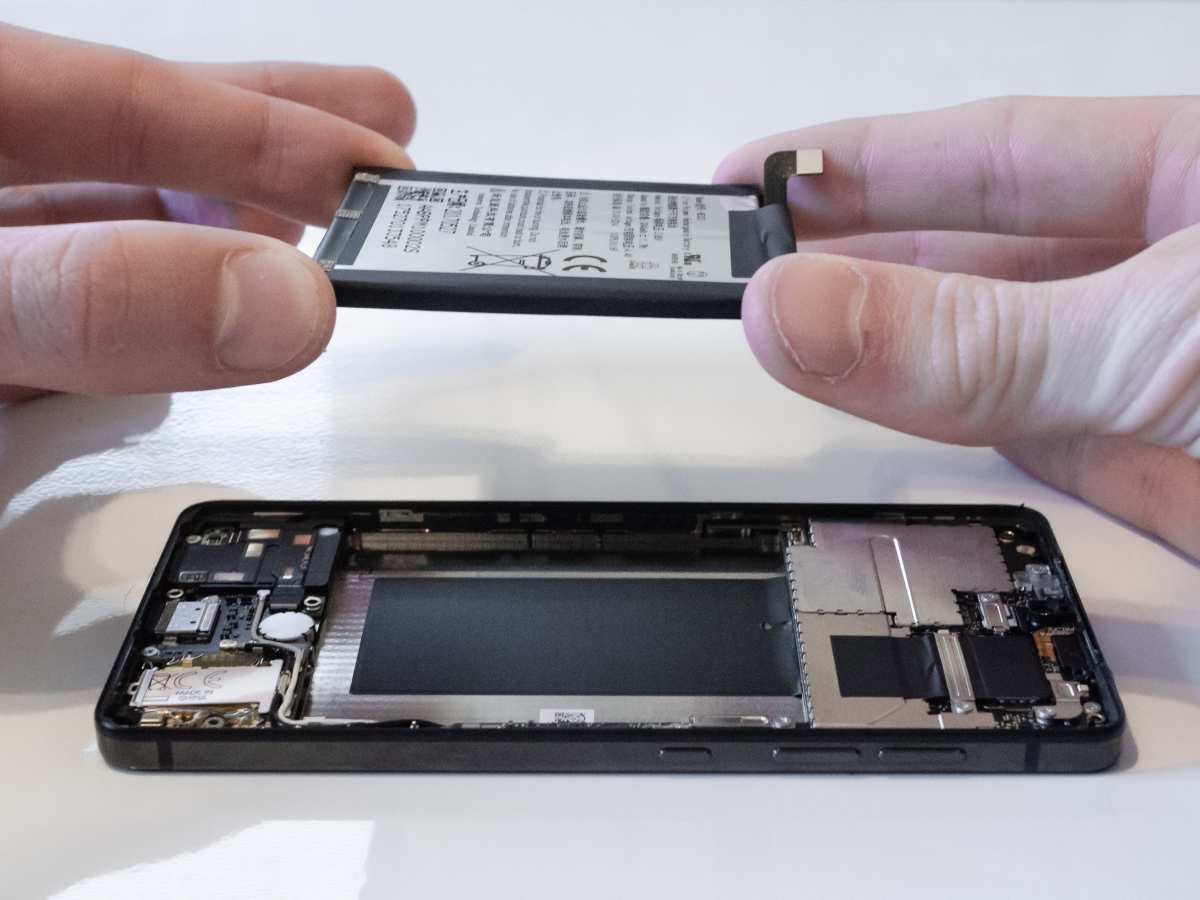

Android Phone Battery Replacement: Everything You Need to Know
When your Android phone’s battery starts to hold less charge, it can really slow you down. You might notice it takes longer to charge, your phone turns off unexpectedly, or the battery percentage drops quickly. These signs mean it might be time for a battery replacement. Replacing your Android phone battery can seem tricky, but with the right knowledge and tools, you can do it yourself or get it done professionally for a smoother experience. In this article, we will explore all aspects of Android phone battery replacement. From understanding why batteries wear out, to steps on how to replace them safely, and tips for maintaining your new battery—this guide covers it all. Whether you own a Samsung Galaxy, Google Pixel, OnePlus, or any other Android phone, this information applies.Why Do Android Phone Batteries Wear Out?
Batteries are not forever. They lose capacity over time due to several factors, similar to how a new battery gradually becomes less effective. Understanding why batteries degrade can help you prevent premature wear and know when to replace them.Battery Cycles and Usage
Each battery has a limited number of charge cycles—full charges from 0% to 100%. Typically, a smartphone battery can handle around 300 to 500 cycles. Every time you fully charge and discharge your phone, the battery counts as one cycle. After this, the battery’s capacity drops gradually, leading to shorter usage time.Heat and Temperature Factors
Exposing your phone to high temperatures causes the battery to age faster. Hot environments speed up chemical reactions inside the battery, leading to quicker capacity loss. Conversely, cold temperatures also impair battery performance temporarily. Keeping your phone in a moderate environment helps prolong battery life.Charging Habits
Overcharging or constantly letting your battery run to 0% can strain the battery. It’s better to keep your battery between 20% and 80%. Using fast chargers frequently can generate more heat and degrade the battery quicker. Try to charge your phone overnight or during the day with regular chargers instead of fast chargers if you want to extend battery life.Physical Damage and Wear
Drops, impacts, or exposure to moisture can damage the battery internally, reducing its capacity or causing safety issues. Always handle your phone carefully and keep it in a protective case.Signs That Indicate You Need a Battery Replacement
Knowing when to replace your Android phone battery can save you from sudden shutdowns and poor performance. Here are common signs:- Your battery drains faster than usual, even with minimal use.
- The battery percentage drops quickly without warning.
- Your phone turns off suddenly when the battery still shows some charge.
- Charging takes longer than before or doesn’t fully charge.
- The battery swells or bulges—this is a serious sign of damage and safety risk.
- Incorrect battery percentage readings or inconsistent behavior.
How to Choose the Right Replacement Battery
Picking the correct battery for your Android phone is crucial for optimal performance and safety. Here are key factors to consider:Check Your Phone Model
Always match the battery to your specific phone model. Look for the exact model number on your device or under the settings menu, and verify the battery part number.Original vs. Aftermarket Batteries
Original equipment manufacturer (OEM) batteries come directly from your phone’s manufacturer and guarantee compatibility and safety. Aftermarket batteries may be cheaper but can vary in quality. For reliability, it’s best to choose OEM or well-reviewed trusted brands.Battery Capacity and mAh Rating
Battery capacity is measured in milliampere-hours (mAh). A higher mAh generally means longer usage time. However, it’s important that the replacement battery’s capacity matches your phone’s specifications to avoid damaging internal components.Safety Certifications
Ensure the battery has recognized safety certifications to prevent risks of overheating, swelling, or explosions.Steps to Replace the Battery Yourself
Replacing your Android phone battery can be straightforward if you follow the proper steps. Many modern phones are designed to be user-friendly for battery replacement, but some models might require special tools or professional help.Gather Your Tools
Depending on your phone, you may need:- Small Phillips or Pentalobe screwdriver
- Plastic prying tools
- Opening picks or spudgers
- Adhesive strips or tape (if necessary)
- Tweezers
- Anti-static wrist strap (optional but recommended)
Turn Off Your Phone and Remove the Back Cover
Power down your device completely. Use the appropriate tool to remove screws and carefully pry open the back cover. Be gentle to avoid cracking or damaging the casing.Disconnect the Battery Connector
Locate the battery connector on the motherboard. Use a plastic tool to disconnect it carefully, avoiding any damage to the connector or other internal parts.Remove the Old Battery
Most batteries are held with adhesive strips or glue. Gently peel away the adhesive, using a prying tool if needed. Be patient, as forcing the battery can cause damage.Place the New Battery
Align the new battery in the compartment. Attach any adhesive strips if provided, then reconnect the battery connector securely.Reassemble the Phone
Replace the back cover and screws. Power on your device to check if it works correctly. Confirm that the new battery charges and maintains power.Professional vs. DIY Battery Replacement
While replacing the battery yourself can save money, some smartphones are more complicated to open. If your device is under warranty or if you’re worried about damaging it, consider professional help.Benefits of Professional Replacement
- Guaranteed quality work
- Proper handling of delicate parts
- Warranty on the replacement job
- Safety from potential battery hazards
Choosing a Service Center
Look for authorized service providers or reputable repair shops with good reviews. Confirm they use genuine replacement batteries.Tips for Maintaining Your New Battery
Once you have replaced or bought a new battery, proper care extends its lifespan:- Avoid letting your battery discharge completely before charging
- Charge your phone before it drops below 20%
- Use a standard or slow charger when possible
- Keep your device in a cool, dry place
- Turn off background apps to reduce battery drain
- Monitor app activity and disable unnecessary notifications
Frequently Asked Questions
How can I tell if my Android phone’s battery needs replacing?
If your phone’s battery drains quickly, takes longer to charge, or switches off unexpectedly, these signs indicate a possible need for replacement. Additionally, if your device shows reduced performance or the battery health status in settings suggests poor health, consider replacing the battery to restore optimal function.
What are the steps involved in replacing an Android phone battery?
Replacing an Android phone battery involves turning off the device, removing the back cover or accessing the battery compartment, disconnecting the old battery, and connecting the new one securely. Some models may require specialized tools or professional assistance to avoid damaging internal components. Always follow manufacturer guidelines or seek expert help if unsure about the process.
Is it better to replace the battery myself or go to a service center?
Replacing the battery yourself can save money if you have the right tools and experience. However, professional service centers ensure the process is handled safely and correctly, minimizing the risk of damage. If your device is under warranty or if you lack technical skills, visiting a certified repair shop is often the best choice.
How long does a typical Android phone battery replacement take?
The duration depends on the phone model and whether you perform the replacement yourself or have a technician do it. Generally, a professional replacement can take between 30 minutes to an hour, while DIY replacements may take longer, especially if you are unfamiliar with the process or need to gather tools.
What should I consider when choosing a replacement battery for my Android phone?
Always select a battery compatible with your specific phone model to ensure proper fit and performance. Opt for high-quality or original replacement batteries from reputable suppliers. Avoid cheap alternatives, as they may have shorter lifespans or pose safety risks, leading to potential damage or performance issues.
Final Thoughts
In summary, opting for an android phone battery replacement can significantly improve your device’s performance. It provides a cost-effective solution to extend your phone’s lifespan without buying a new device. Replacing the battery is simple and quick when done by a professional or with the right tools. It ensures your phone remains reliable for daily use and helps maintain optimal battery health. Ultimately, investing in an android phone battery replacement makes sense to keep your device running smoothly and efficiently.
Similar Posts































