

Choosing between a 144Hz and 240Hz monitor hinges on your needs, primarily for gaming. A 144Hz monitor offers a significant upgrade over standard 60Hz displays, providing smoother motion and improved responsiveness. A 240Hz monitor takes this even further, delivering the smoothest possible visual experience and a competitive edge in fast-paced games, though it demands a powerful PC to achieve its full potential.
Welcome to the exciting world of high-refresh-rate monitors! If you’re a gamer, a content creator, or just someone who appreciates buttery-smooth visuals, you’ve likely encountered terms like 144Hz and 240Hz. But what do these numbers actually mean, and how do they differ? This guide will break down the difference between 144Hz and 240Hz monitors, helping you make an informed decision for your next display.
Contents
- 1 Key Takeaways
- 2 What is a Monitor’s Refresh Rate?
- 3 The Jump from 60Hz to 144Hz
- 4 The Leap to 240Hz: Pushing the Boundaries of Smoothness
- 5 Comparing 144Hz and 240Hz: Key Differences Summarized
- 6 Choosing the Right Monitor for You
- 7 Practical Tips for High Refresh Rate Monitors
- 8 Troubleshooting Common Issues
- 9 Conclusion: Is the Upgrade Worth It?
Key Takeaways
- Understanding Refresh Rate: The refresh rate (Hz) of a monitor indicates how many times per second the screen can display a new image.
- 144Hz vs. 60Hz: A 144Hz monitor displays 2.4 times more frames per second than a standard 60Hz monitor, resulting in noticeably smoother motion and reduced blur.
- 240Hz: The Pinnacle of Smoothness: A 240Hz monitor refreshes twice as fast as a 144Hz monitor, offering an even more fluid visual experience and potentially quicker reaction times.
- Who Benefits from 144Hz?: Gamers, especially those playing fast-paced titles, and general users who appreciate smoother scrolling and video playback will benefit from a 144Hz monitor.
- Who Benefits from 240Hz?: Competitive esports players and enthusiasts seeking the absolute fastest response times and smoothest visuals, and who have a high-end PC to match, will gain the most from a 240Hz monitor.
- Hardware Requirements: To fully utilize the benefits of higher refresh rates, your PC’s graphics card and processor must be powerful enough to generate the corresponding frame rates.
- Cost and Value: 240Hz monitors are generally more expensive than 144Hz monitors, and the performance gain may not be worth the extra cost for casual users.
What is a Monitor’s Refresh Rate?
Before diving into the specifics of 144Hz and 240Hz, it’s essential to understand what a refresh rate is. Think of your monitor like a flipbook. Each page is an image, and the speed at which you flip through those pages determines how smooth the animation appears.
The refresh rate, measured in Hertz (Hz), tells you how many times per second your monitor updates the image displayed on the screen.
* A 60Hz monitor refreshes the image 60 times every second.
* A 144Hz monitor refreshes the image 144 times every second.
* A 240Hz monitor refreshes the image 240 times every second.
The higher the refresh rate, the more frames your monitor can display each second, leading to a smoother, more fluid visual experience. This is particularly noticeable in fast-moving scenes, like in video games or when scrolling through web pages.
The Jump from 60Hz to 144Hz
Visual guide about What Is the Difference Between 144hz and 240hz Monitor
Image source: i.ytimg.com
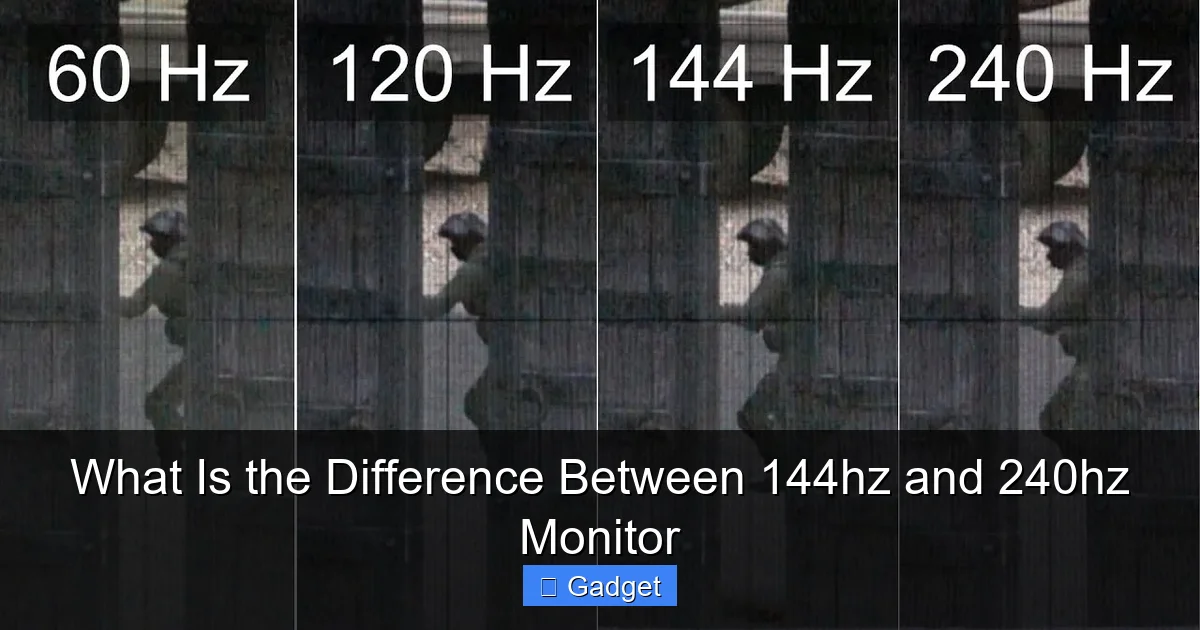
For years, 60Hz was the standard for most computer monitors. While perfectly adequate for everyday tasks like browsing the web and watching videos, it can feel limiting for more demanding applications. This is where the 144Hz monitor shines.
Smoother Motion and Reduced Motion Blur
The most significant difference you’ll notice when upgrading from a 60Hz to a 144Hz monitor is the dramatic improvement in motion smoothness. With 144 refreshes per second, the on-screen action appears far less choppy and much more fluid.
Imagine playing a fast-paced first-person shooter (FPS) game. With a 60Hz monitor, enemy movements might appear a bit jerky, and tracking fast-moving targets can be challenging. On a 144Hz monitor, those same movements are significantly smoother, making it easier to track opponents and react quickly.
This reduction in motion blur is also beneficial for general use. Scrolling through long web pages or documents will feel more natural and less jarring. Watching high-frame-rate videos will also benefit, offering a more immersive viewing experience.
Improved Responsiveness and Input Lag
Higher refresh rates also contribute to reduced input lag. Input lag is the delay between when you perform an action (like clicking your mouse or pressing a key) and when you see that action reflected on the screen.
With more frames being displayed per second, your monitor can show you updated information sooner. This means that when you move your mouse, the cursor on the screen will appear to move almost instantly, rather than with a slight, perceptible delay. For gamers, especially in competitive titles, this can be the difference between winning and losing a crucial engagement.
Who Benefits Most from 144Hz?
* Gamers: This is the primary audience for 144Hz monitors. If you play any kind of game that involves fast action – shooters, racing games, fighting games, or even fast-paced strategy games – you will absolutely notice and appreciate the improvement.
* Everyday Users Who Value Smoothness: Even if you’re not a hardcore gamer, if you find yourself sensitive to motion blur or appreciate a general sense of fluidity in your computing experience, a 144Hz monitor can be a worthwhile upgrade.
* Content Creators: While not as critical as for gamers, smooth playback and responsiveness can still be beneficial for content creators working with video editing or animation.
The Leap to 240Hz: Pushing the Boundaries of Smoothness
Visual guide about What Is the Difference Between 144hz and 240hz Monitor
Image source: i.redd.it
If 144Hz is a significant upgrade, 240Hz represents the next evolutionary step, catering to those who demand the absolute pinnacle of visual performance. It’s essentially doubling the refresh rate of a 144Hz monitor.
Unparalleled Fluidity and Clarity
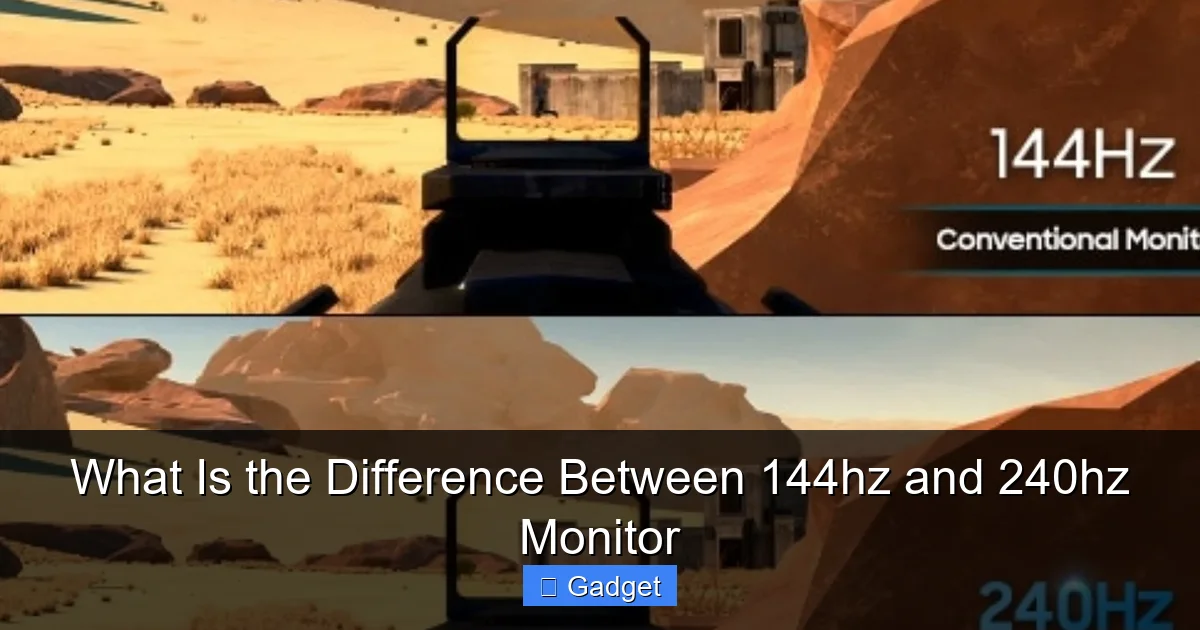
The difference between 144Hz and 240Hz is more subtle than the jump from 60Hz to 144Hz, but it is still noticeable for discerning users, particularly in extremely fast-paced scenarios. A 240Hz monitor refreshes twice as often as a 144Hz display, meaning you’re seeing new information 100 more times every second.
This translates to an even more refined visual experience with significantly less motion blur. In rapid-fire engagements in games, targets can appear clearer and easier to track. The screen feels exceptionally responsive, making it seem like the digital world is reacting to your inputs with near-instantaneous feedback.
The Competitive Edge
For professional esports players and highly competitive gamers, the benefits of 240Hz can be crucial. In games where milliseconds matter, the ability to see the most up-to-date information and react faster can provide a tangible advantage.
This isn’t just about how good it looks; it’s about how it performs. The reduced lag and increased clarity can help players:
* Spot enemies earlier: With more frames, subtle movements might become apparent sooner.
* Aim more precisely: Smoother motion allows for finer adjustments when aiming.
* React quicker to threats: Less delay means your actions take effect almost immediately.
Who Benefits Most from 240Hz?
* Professional Esports Players: For those competing at the highest level, where every advantage counts, a 240Hz monitor is often considered essential.
* Enthusiast Gamers: Gamers who are highly sensitive to motion blur and input lag, and who play fast-paced competitive games regularly, will appreciate the extra smoothness.
* Users with Top-Tier Hardware: To truly experience the benefits of 240Hz, you need a PC capable of consistently outputting 240 frames per second or more. If your PC can’t keep up, you won’t see the full advantage of a 240Hz monitor.
Comparing 144Hz and 240Hz: Key Differences Summarized
Visual guide about What Is the Difference Between 144hz and 240hz Monitor
Image source: i.ytimg.com
Let’s break down the core distinctions:
Visual Smoothness
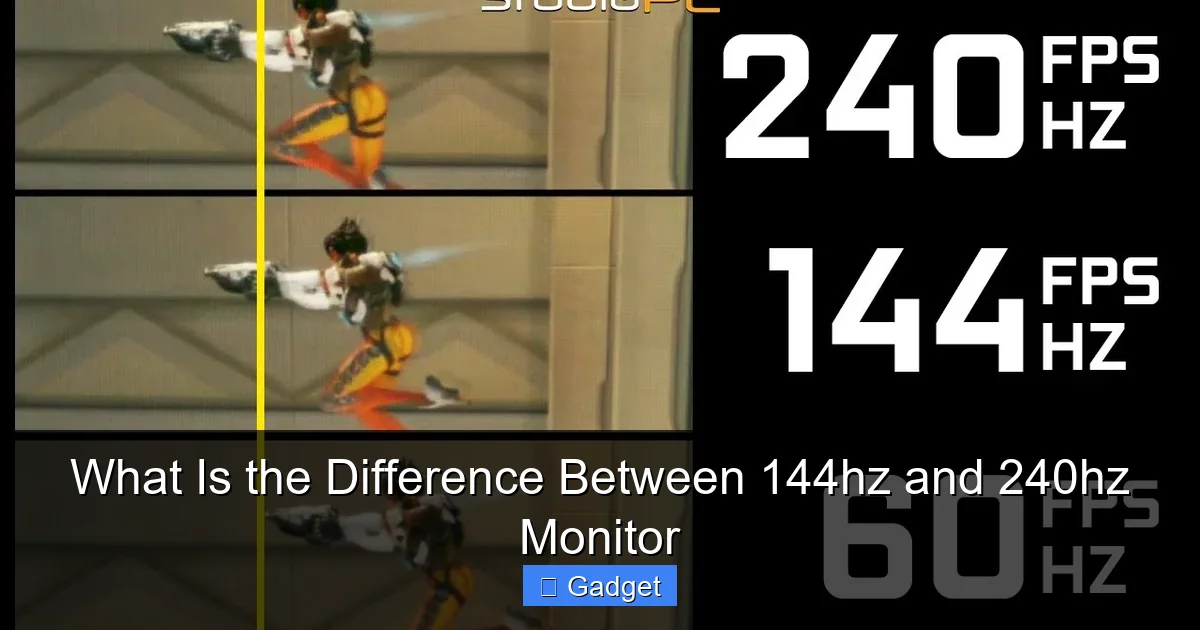
* 144Hz: Significantly smoother than 60Hz, with a noticeable reduction in motion blur. An excellent upgrade for most gamers and users.
* 240Hz: Even smoother than 144Hz, offering the most fluid motion and clarity currently available. The difference is subtle but noticeable to sensitive eyes and in extreme scenarios.
Responsiveness and Input Lag
* 144Hz: Greatly improved responsiveness and reduced input lag compared to 60Hz.
* 240Hz: Further reduction in input lag and even quicker on-screen feedback. Offers the most immediate sense of connection between your actions and the display.
Hardware Requirements
* 144Hz: Generally achievable with mid-range to high-end gaming PCs. Many modern graphics cards can push games to 144+ FPS in popular titles.
* 240Hz: Requires a very powerful, high-end gaming PC to consistently achieve 240+ FPS in demanding games. This often means investing in a top-tier CPU and GPU.
Cost
* 144Hz: More affordable and widely available, offering excellent value for the performance boost.
* 240Hz: Typically more expensive due to the advanced technology and the niche market they serve.
Target Audience
* 144Hz: Enthusiast gamers, serious gamers, and users who want a smoother overall PC experience.
* 240Hz: Professional esports players, competitive gamers, and those who demand the absolute best and have the hardware to support it.
Choosing the Right Monitor for You
The “better” monitor depends entirely on your individual needs, budget, and PC’s capabilities.
Step 1: Assess Your PC’s Performance
This is the most crucial step. A high refresh rate monitor is only as good as the frames your PC can deliver.
* Check your GPU and CPU: Look up benchmarks for your specific hardware to see what frame rates you can expect in the games you play.
* Use in-game performance monitoring tools: Most games have built-in options to display your FPS. Play your favorite games and see what your average FPS is.
If your PC consistently struggles to reach 144 FPS in the games you play, investing in a 240Hz monitor might be overkill. You won’t be able to take full advantage of its capabilities, and the extra cost wouldn’t be justified.
Step 2: Consider Your Gaming Habits
* Do you play fast-paced, competitive games? If you play titles like Counter-Strike 2, Valorant, Apex Legends, or Overwatch competitively, the edge provided by a 240Hz monitor could be significant.
* Do you play a variety of games, including slower-paced ones? A 144Hz monitor is an excellent all-rounder. It offers a substantial improvement for all types of games and general use.
* Are you sensitive to motion blur? If you find yourself bothered by even minor blurriness during fast action, a higher refresh rate will be more appealing.
Step 3: Set Your Budget
High refresh rate monitors are an investment.
* Budget-Friendly: Look for 144Hz monitors. They offer a fantastic balance of performance and price. You can often find great deals on 144Hz displays.
* Mid-Range to High-End: If your budget allows and your PC is powerful enough, a 240Hz monitor might be within reach. Be prepared for a higher price tag.
Step 4: Look at Other Monitor Specs
Remember that refresh rate isn’t the only important factor. Consider:
* Resolution: 1080p (Full HD), 1440p (QHD), or 4K (UHD). Higher resolutions require more powerful hardware to achieve high frame rates.
* Panel Type: TN, IPS, or VA. TN panels are often fastest but have weaker colors. IPS offers better colors and viewing angles. VA panels provide good contrast. Learn more about whether an IPS monitor is better than TN for gaming.
* Response Time: Measured in milliseconds (ms), this refers to how quickly a pixel can change color. Lower is better, especially for gaming. Look for 1ms GtG (Gray-to-Gray) if possible. Discover why monitor response time matters for gaming.
* Adaptive Sync Technology: Technologies like NVIDIA G-Sync and AMD FreeSync synchronize your monitor’s refresh rate with your graphics card’s frame rate, preventing screen tearing and stuttering. This is highly recommended for high refresh rate gaming.
Practical Tips for High Refresh Rate Monitors
* Enable the High Refresh Rate in Windows: After setting up your new monitor, make sure Windows is configured to use its full refresh rate. Go to `Settings` > `System` > `Display` > `Advanced display settings`, select your monitor, and choose the highest available refresh rate from the dropdown menu.
* Ensure Your Graphics Drivers Are Updated: Outdated drivers can sometimes prevent you from accessing the full capabilities of your monitor.
* Test in Games: The best way to experience the difference is to play your favorite games. Pay attention to how smooth the motion feels and how responsive the game is.
* Don’t Expect Miracles on Older Hardware: If your PC is several years old and was considered mid-range at the time, it’s unlikely to push games to 240 FPS. Focus on what your hardware can realistically achieve.
Troubleshooting Common Issues
* Monitor Not Reaching Full Hz:
* Check Cables: Ensure you’re using a DisplayPort cable, as HDMI cables (especially older versions) may not support the highest refresh rates at certain resolutions.
* Check Graphics Settings: Verify that the correct refresh rate is selected in both Windows display settings and your graphics card’s control panel (NVIDIA Control Panel or AMD Radeon Software).
* Lower Resolution/Settings: If your PC is struggling, try lowering the in-game resolution or graphical settings to achieve higher frame rates.
* Screen Tearing or Stuttering:
* Enable Adaptive Sync: Make sure G-Sync or FreeSync is enabled in your graphics card’s control panel and on your monitor’s OSD (On-Screen Display).
* V-Sync: While Adaptive Sync is preferred, in some cases, enabling V-Sync in game settings might help, but it can introduce input lag.
* Colors Look Washed Out or Off:
* Monitor Calibration: Use your monitor’s OSD settings to adjust brightness, contrast, and color temperature. You might also consider using built-in Windows color calibration tools or dedicated calibration software.
* Panel Type: If you’re coming from an IPS panel to a TN panel (sometimes chosen for speed), you might notice a difference in color vibrancy and viewing angles.
Conclusion: Is the Upgrade Worth It?
The difference between 144Hz and 240Hz monitors is a tangible improvement in visual smoothness and responsiveness, especially for gaming.
A 144Hz monitor offers a fantastic upgrade for most users, providing a significantly more fluid and enjoyable experience than standard 60Hz displays. It’s a sweet spot for performance, value, and accessibility. If you’re wondering whether a 144Hz monitor is good for gaming, the answer is a resounding yes for most players.
A 240Hz monitor pushes the boundaries further, delivering the ultimate in motion clarity and responsiveness. This is best suited for competitive gamers and enthusiasts who have the hardware to support it and are seeking every possible advantage.
Ultimately, consider your PC’s power, your gaming habits, and your budget. For the vast majority of PC users and gamers, a 144Hz monitor represents an excellent and highly recommended upgrade. For the elite few who demand the absolute best and can afford it, a 240Hz monitor offers an unparalleled visual experience.
