


Curved monitors can be a fantastic addition to a programmer’s setup, offering a more immersive and comfortable viewing experience that can reduce eye strain. While not essential, the enhanced peripheral vision and reduced distortion make them a compelling choice for long coding sessions. This guide will walk you through understanding their pros and cons, helping you decide if a curved monitor is the right fit for your programming needs.
Are Curved Monitors Good for Programming? A Comprehensive Guide
Welcome, fellow coders and developers! If you spend hours upon hours staring at lines of code, wrestling with complex algorithms, or debugging tricky issues, you’ve probably thought about how to optimize your workstation. One piece of technology that’s gained a lot of traction in recent years is the curved monitor. But are they actually good for programming? That’s the question we’re diving into today.
This guide is designed to help you understand the benefits and potential drawbacks of using a curved monitor for your programming tasks. We’ll explore how the curvature affects your workflow, your comfort, and ultimately, your productivity. By the end of this article, you’ll have a clear picture of whether a curved monitor is the right upgrade for your coding den.
Let’s get started on figuring out if this sleek piece of tech is the perfect partner for your next coding marathon.
Contents
- 1 Key Takeaways
- 2 Understanding the Appeal of Curved Monitors
- 3 The Benefits of Curved Monitors for Programming
- 4 Potential Drawbacks and Considerations
- 5 Types of Curved Monitors for Programmers
- 6 How to Choose the Right Curved Monitor for Programming
- 7 Setting Up Your Curved Monitor for Programming
- 8 Troubleshooting Common Issues
- 9 Conclusion: Are Curved Monitors Good for Programming?
Key Takeaways
- Enhanced Immersion and Reduced Eye Strain: Curved monitors wrap around your field of vision, creating a more immersive experience that can significantly reduce eye strain by minimizing the need to constantly shift focus between the center and edges of a flat screen.
- Improved Peripheral Vision: The curve brings the edges of the screen closer to your eyes, making it easier to take in information across the entire display without excessive head or eye movement, which is beneficial for multitasking and reviewing code.
- Reduced Distortion: For larger monitors, the curvature helps to correct the geometric distortion that can occur with flat screens, ensuring that straight lines appear straighter and text remains legible from edge to edge.
- Considerations for Ultrawide vs. Standard Curves: Ultrawide curved monitors offer a panoramic view ideal for side-by-side windows, while standard aspect ratio curved monitors offer a more subtle immersion. The choice depends on your desk space and workflow.
- Ergonomics and Desk Space: Curved monitors, especially ultrawide ones, require ample desk space and can influence your sitting distance to optimize the viewing experience. Ergonomics should still be a priority.
- Potential Drawbacks and Cost: While offering benefits, curved monitors can be more expensive than their flat counterparts, and the curve might not be ideal for all tasks or preferences, such as precise graphic design work.
Understanding the Appeal of Curved Monitors
Before we get into the nitty-gritty of programming, let’s understand why curved monitors are even a thing. The fundamental idea behind a curved monitor is to mimic the natural curvature of the human eye. Our eyes are not perfectly flat; they have a slight inward curve. A curved monitor aims to align its display with this natural field of vision.
This alignment is supposed to create a more immersive and comfortable viewing experience. Instead of seeing a flat plane that requires your eyes to constantly adjust focus from the center to the edges, a curved screen brings the edges closer to your peripheral vision. This can lead to less eye strain and a more engaging visual experience.
The Benefits of Curved Monitors for Programming
Visual guide about Are Curved Monitors Good for Programming
Image source: blogger.googleusercontent.com
Now, let’s zero in on how these benefits translate specifically to the world of programming. Programming isn’t just about writing code; it involves reading, analyzing, multitasking, and often, long stretches of focused concentration.
1. Reduced Eye Strain
This is perhaps the most significant benefit for any programmer. Long coding sessions can lead to tired, dry, and strained eyes. The constant need to shift your gaze between the center and the edges of a large, flat monitor requires your eye muscles to work harder.
A curved monitor, by bringing the edges of the screen closer to your natural line of sight, reduces the need for this constant refocusing. The curvature essentially creates a more uniform viewing distance across the entire screen. This can lead to less fatigue and a more comfortable experience, allowing you to code for longer periods without discomfort.
For instance, imagine a 32-inch flat monitor. To see the far-left and far-right edges clearly, you might need to slightly turn your head or strain your eyes. A curved monitor of the same size will present those edges at an angle that’s more naturally in your peripheral vision.
2. Enhanced Peripheral Vision and Multitasking
Programming often involves juggling multiple windows: your code editor, a terminal, documentation, a web browser for testing, and maybe even a chat application. A curved monitor, especially an ultrawide one, excels at this.
The wrap-around effect gives you a wider field of view. This means you can comfortably have more windows open side-by-side without feeling like you’re squishing them or constantly switching active windows. You can keep your terminal, code editor, and browser all visible simultaneously, making it easier to monitor output, check for errors, and make quick adjustments.
Think of an ultrawide curved monitor as having multiple monitors seamlessly blended into one. This panoramic view can drastically improve your workflow efficiency, as less time is spent hunting for information across different screens or applications.
3. Reduced Distortion on Larger Displays
As monitor sizes increase, flat displays can begin to exhibit some geometric distortion. Straight lines at the edges of the screen might appear slightly bowed, and text could become less legible. This is particularly noticeable on very wide monitors.
A curved monitor corrects this by angling the edges of the screen towards you. This ensures that the display is more uniform in its distance from your eyes, minimizing distortion and keeping text sharp and clear from one edge to the other. For developers who spend a lot of time reading code, this can be a real game-changer.
4. Increased Immersion
While immersion might sound like something for gamers, it can also benefit programmers. A more immersive display can help you get “in the zone” and reduce distractions. When the monitor wraps around your field of vision, it can create a more focused environment, helping you concentrate on the task at hand.
This heightened sense of focus can be invaluable when you’re tackling a complex problem or diving deep into a challenging piece of code.
Potential Drawbacks and Considerations
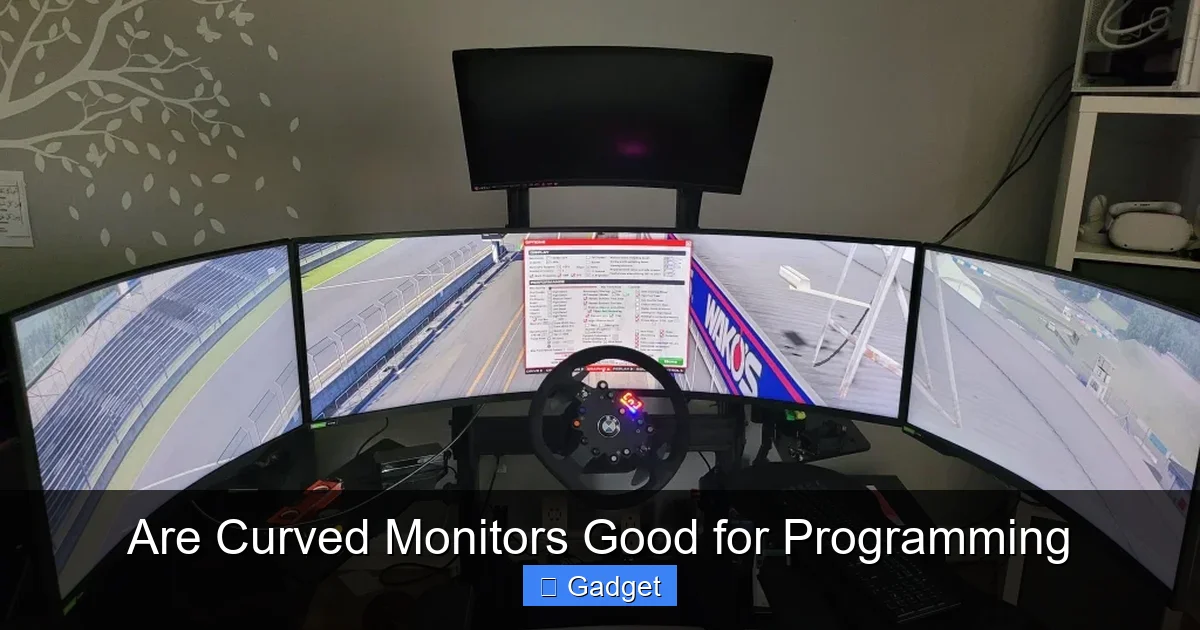
Visual guide about Are Curved Monitors Good for Programming
Image source: whalesdev.com
Now, it’s not all sunshine and rainbows. Curved monitors have their own set of considerations that are important for programmers to think about.
1. Desk Space and Ergonomics
Curved monitors, especially the ultrawide variants, can take up a significant amount of desk space. Their wider footprint means you need to ensure you have adequate room. For insights on how much space you’ll need, check out our guide on how much desk space an ultrawide monitor needs.
Furthermore, the optimal viewing distance for a curved monitor is crucial. If you sit too close, the curve can feel too aggressive, and if you sit too far, you might lose some of the benefits. This can influence your overall desk setup and ergonomic positioning. You might need to adjust your desk height or the placement of your keyboard and mouse to achieve the perfect viewing angle.
2. Cost
Generally speaking, curved monitors tend to be more expensive than their flat counterparts, especially when comparing similar specifications like resolution and refresh rate. If you’re on a tight budget, this might be a factor to consider.
3. Not for Everyone or Every Task
While many programmers find curved monitors beneficial, it’s not a universal improvement. Some individuals simply prefer the clean, straight lines of a flat display. Additionally, for certain tasks, such as precise graphic design or color-critical work, the curvature might introduce slight inaccuracies or be less ideal. However, for pure coding, this is less of a concern.
4. Potential for Glare
Depending on your room’s lighting and the monitor’s anti-glare coating, the curvature can sometimes catch reflections from different angles. While most modern monitors have good anti-glare properties, it’s something to be aware of. Positioning your monitor and managing ambient light are still important.
Types of Curved Monitors for Programmers

Visual guide about Are Curved Monitors Good for Programming
Image source: cdn.mos.cms.futurecdn.net
When considering a curved monitor, you’ll primarily encounter two main types that are relevant for programming:
1. Standard Aspect Ratio Curved Monitors (e.g., 16:9, 16:10)
These monitors look like traditional monitors but with a subtle curve. They offer a more focused and comfortable viewing experience without drastically changing the aspect ratio. A 27-inch or 32-inch curved monitor in this category can be a good starting point if you’re unsure about going ultrawide. The curve is usually less aggressive, often around 1800R or 1500R (meaning a radius of 1.8 meters or 1.5 meters respectively).
2. Ultrawide Curved Monitors (e.g., 21:9, 32:9)
These are the monitors that really showcase the benefits of curvature for multitasking. They offer a significantly wider screen real estate, allowing you to spread out multiple applications without compromise. Common resolutions include 3440×1440 (UW-QHD) or 5120×1440 (DQHD). The curve on these is often more pronounced, typically around 1500R or even 1000R, to keep the edges within your comfortable viewing range.
For programmers who love having their IDE, terminal, and browser open side-by-side, an ultrawide curved monitor is often the ultimate productivity tool. If you’re curious whether these are worth it for development work, read our detailed analysis on whether ultrawide monitors are good for coding.
How to Choose the Right Curved Monitor for Programming
If you’ve decided that a curved monitor might be for you, here’s what to look for when making your selection.
1. Resolution and Screen Size
* **Resolution:** For programming, crisp text is paramount. Aim for a high resolution for your screen size. For a 27-inch monitor, 1440p (2560×1440) is a good sweet spot. For 32-inch or ultrawide monitors, 1440p or 4K (3840×2160 for standard, or 5120×1440 for ultrawide) will provide excellent clarity.
* **Screen Size:** This is a personal preference, but larger screens generally benefit more from curvature. 27 inches is a popular starting point, but many programmers opt for 32 inches or ultrawide options (34 inches or more).
2. Curve Radius (R Value)
The “R” value indicates the radius of the monitor’s curvature. A lower R value (e.g., 1000R, 1500R) means a more aggressive curve, while a higher R value (e.g., 1800R, 3000R) means a gentler curve.
* **Aggressive Curves (1000R-1500R):** These are best for ultrawide monitors and can provide a truly immersive experience. They wrap around your field of vision more significantly.
* **Gentle Curves (1800R-3000R):** These are common on standard aspect ratio monitors and offer a subtle, comfortable viewing experience without feeling overwhelming.
For programming, a 1500R or 1800R is often a good balance. If you’re going for an ultrawide, an aggressive curve can enhance the panoramic feel.
3. Panel Type
* **IPS (In-Plane Switching):** Offers excellent color accuracy and wide viewing angles, making it great for consistent visuals across the screen. This is generally the preferred choice for most programmers.
* **VA (Vertical Alignment):** Provides better contrast ratios and deeper blacks than IPS, but viewing angles can be slightly narrower, and response times might be slower.
* **TN (Twisted Nematic):** The fastest response times, but poor color reproduction and viewing angles. Generally not recommended for programming.
Stick with an IPS panel for the best overall experience.
4. Refresh Rate and Response Time
While not as critical as for gaming, a decent refresh rate (75Hz or higher) and response time (5ms or lower) will ensure smooth scrolling and a fluid visual experience when navigating your IDE or web pages.
5. Ergonomics and Adjustability
Look for a monitor that offers a height-adjustable stand, tilt, and swivel capabilities. This will allow you to position the monitor optimally for your comfort, regardless of its curvature.
Setting Up Your Curved Monitor for Programming
Once you’ve got your curved monitor, proper setup is key to unlocking its full potential.
1. Positioning
* **Distance:** Sit at a comfortable distance where you can see the entire screen without excessive eye or head movement. For ultrawide monitors, this might be slightly closer than a traditional monitor.
* **Angle:** Ensure the monitor is centered in your field of view. The curve should wrap around you naturally.
2. Software Adjustments
* **Scaling:** You may need to adjust Windows or macOS display scaling to ensure text is comfortably sized across the entire screen.
* **Window Management Tools:** Utilize tools like FancyZones (part of Microsoft PowerToys) or built-in OS features to snap windows into place on your ultrawide display. This helps you maximize the screen real estate.
3. Lighting
* **Minimize Glare:** Position your monitor away from direct light sources. Use blinds or curtains to control ambient light.
* **Backlighting:** Consider bias lighting behind the monitor to reduce eye strain in darker environments.
Troubleshooting Common Issues
* **”The curve is too much!”**: This is usually a matter of distance and angle. Try moving your chair back slightly or adjusting the tilt of the monitor. Some monitors offer flatter curve options.
* **”Text still looks distorted at the edges.”**: Ensure you have the correct resolution set in your operating system. Also, check that your monitor’s drivers are up to date. Some minor distortion might be inherent to very aggressive curves, but it shouldn’t be severe.
* **”I can’t get my windows to fit nicely.”**: Explore window management software. These tools are designed to help you divide and arrange your screen space effectively.
Conclusion: Are Curved Monitors Good for Programming?
So, to answer the big question: **Are curved monitors good for programming? The answer is a resounding “often, yes!”**
For many programmers, the benefits of reduced eye strain, improved peripheral vision, and enhanced immersion make a curved monitor a significant upgrade. They can lead to more comfortable, productive, and enjoyable coding sessions. The ability to manage multiple windows side-by-side on an ultrawide curved display is a particular boon for multitasking developers.
However, they aren’t a magic bullet. Desk space, budget, and personal preference play a role. If you’re considering a curved monitor, think about your current setup, your workflow, and what you value most in a display.
Ultimately, if you spend a significant amount of time coding and are looking to enhance your comfort and efficiency, a curved monitor is definitely worth exploring. It might just be the key to unlocking your next level of coding prowess.
