Thinking about an ultrawide monitor for gaming? This guide breaks down everything you need to know. We’ll explore the immersive benefits, potential drawbacks like compatibility issues, and crucial factors like refresh rate and resolution. Learn if an ultrawide is the right upgrade for your gaming experience and make an informed decision.
Is Ultrawide Monitor Good for Gaming?
So, you’re eyeing that expansive, curved display and wondering: is an ultrawide monitor good for gaming? It’s a question many gamers ponder as they seek that next level of immersion and competitive advantage. The allure of a screen that wraps around your periphery is undeniable, promising to pull you deeper into your favorite virtual worlds than ever before. But is it all hype, or a genuine upgrade? This comprehensive guide will demystify the ultrawide gaming experience, helping you decide if it’s the right choice for your setup.
We’ll dive into the benefits that make ultrawide monitors so popular for gaming, explore the potential downsides you need to be aware of, and guide you through the key features to consider when making your purchase. By the end of this guide, you’ll have a clear understanding of whether an ultrawide monitor is the perfect fit for your gaming needs.
Contents
- 1 Key Takeaways
- 2 Understanding Ultrawide Monitors
- 3 The Benefits of Ultrawide for Gaming
- 4 Enhanced Immersion
- 5 Competitive Advantage
- 6 Productivity and Multitasking Prowess
- 7 Potential Drawbacks of Ultrawide for Gaming
- 8 Game Compatibility
- 9 Hardware Requirements
- 10 Cost
- 11 Desk Space
- 12 Curved vs. Flat Ultrawide Monitors
- 13 Key Features to Consider
- 14 Resolution
- 15 Refresh Rate
- 16 Response Time
- 17 Panel Type
- 18 Adaptive Sync Technology (G-Sync/FreeSync)
- 19 Connectivity
- 20 Setting Up Your Ultrawide Monitor for Gaming
- 21 Install Drivers
- 22 Adjust Display Settings
- 23 Configure In-Game Settings
- 24 Troubleshooting Common Issues
- 25 Is an Ultrawide Monitor Good for Gaming? The Verdict
Key Takeaways
- Immersive Field of View: Ultrawide monitors offer a significantly wider field of view, pulling you deeper into game worlds and providing a competitive edge in certain genres.
- Visual Appeal and Productivity Boost: Beyond gaming, ultrawides excel at multitasking and offer a premium viewing experience for movies and general computing.
- Compatibility Can Be a Hurdle: Not all games natively support ultrawide resolutions, which can lead to stretched visuals or black bars, though workarounds often exist.
- Hardware Demands: Driving higher resolutions means your graphics card needs to be powerful enough to maintain smooth frame rates for a truly enjoyable experience.
- Cost and Space Considerations: Ultrawide monitors are generally more expensive and require more desk real estate than standard monitors.
- Response Time and Refresh Rate Matter: Just like with regular gaming monitors, prioritizing fast response times and high refresh rates is crucial for fluid, responsive gameplay.
Understanding Ultrawide Monitors
Before we jump into the gaming specifics, let’s quickly define what an ultrawide monitor is. Unlike standard 16:9 aspect ratio monitors, ultrawide monitors boast a wider aspect ratio, most commonly 21:9. This translates to a significantly wider screen, offering more horizontal screen real estate. Think of it like extending your peripheral vision in a video game. Resolutions commonly found on ultrawide monitors include 2560 x 1080 (UW-FHD) and 3440 x 1440 (UW-QHD). Some even go wider with 32:9 aspect ratios, offering an even more expansive view.
The Benefits of Ultrawide for Gaming
The primary reason gamers flock to ultrawide monitors is the unparalleled immersion they offer. Let’s break down the advantages:
Visual guide about Is Ultrawide Monitor Good for Gaming
Image source: stadt-bremerhaven.de
Enhanced Immersion
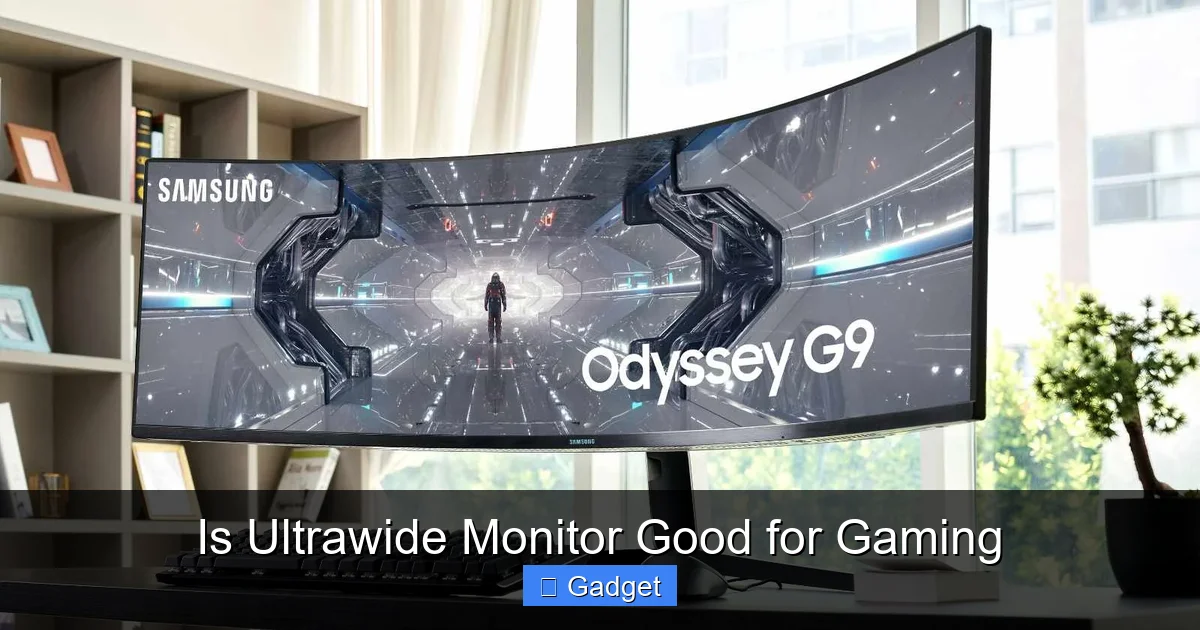
This is the headline benefit. The extra screen space on an ultrawide monitor stretches your field of view considerably. In games, this means seeing more of the environment around you. Imagine playing a first-person shooter and being able to spot enemies approaching from your flanks with greater ease, or a role-playing game where the sprawling landscapes feel even grander and more captivating.
Visual guide about Is Ultrawide Monitor Good for Gaming
Image source: storage-asset.msi.com
Wider Field of View
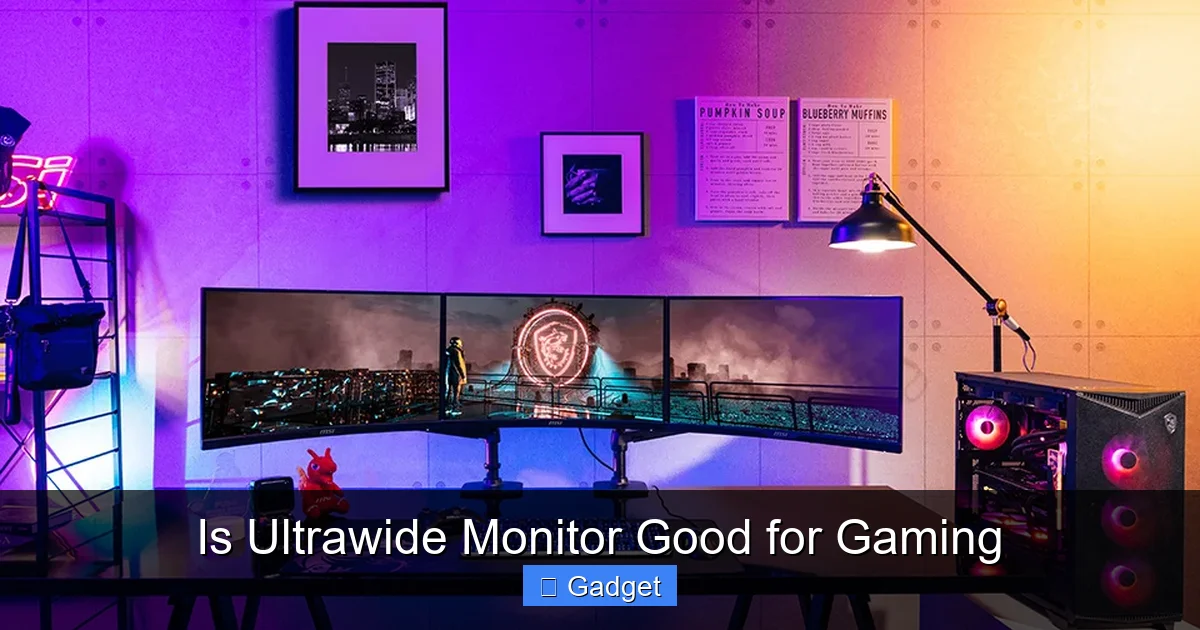
In many games, the expanded horizontal view translates directly to seeing more of the game world. This isn’t just for aesthetics; it can provide a genuine tactical advantage. For instance, in racing games, you can see more of the track ahead and to your sides, allowing for better awareness of other racers and track conditions. In strategy games, you can view a larger portion of your map without needing to scroll as much.
Cinematic Experience
Many movies and TV shows are filmed in ultrawide aspect ratios (like 2.35:1 or 2.39:1). Playing games that support these resolutions, or watching compatible media, provides a truly cinematic experience. The black bars often seen on standard monitors are minimized or eliminated, filling your entire screen with the action.
Competitive Advantage
While immersion is a huge draw, the competitive edge cannot be ignored. In fast-paced multiplayer games, that extra bit of peripheral vision can make a crucial difference. Being able to see opponents or incoming threats slightly sooner can give you the reaction time needed to win a firefight or avoid an ambush. This is particularly noticeable in genres like first-person shooters, MOBAs, and racing games.
Visual guide about Is Ultrawide Monitor Good for Gaming
Image source: wallpaperaccess.com
Productivity and Multitasking Prowess
While this guide is focused on gaming, it’s worth noting that ultrawide monitors are also fantastic for productivity. The extra horizontal space makes multitasking a breeze. You can easily have multiple windows open side-by-side without feeling cramped. This means you can research game strategies, chat with friends, or keep an eye on streams while gaming, all on one screen.
Potential Drawbacks of Ultrawide for Gaming
As with any technology, ultrawide monitors aren’t without their potential downsides. It’s essential to be aware of these before making a commitment.
Game Compatibility
This is perhaps the biggest hurdle. Not every game natively supports ultrawide resolutions. When a game doesn’t have specific ultrawide support, you might encounter one of two scenarios:
- Stretched or Distorted Graphics: The game might force its standard 16:9 image onto the ultrawide screen, stretching it horizontally. This distorts characters and objects, making them look comically wide and often ruining the visual experience.
- Black Bars (Pillarboxing): Alternatively, the game might render a 16:9 image in the center of the screen and fill the extra horizontal space with black bars on the sides. This preserves the correct aspect ratio but means you’re not utilizing the full width of your monitor.
Fortunately, the PC gaming community is resourceful. For many games, there are community-made patches, mods, or specific .ini file tweaks that can enable proper ultrawide support. However, this requires some effort and isn’t always guaranteed to be perfect.
Hardware Requirements
Driving more pixels means your graphics card has to work harder. An ultrawide monitor, especially at higher resolutions like UW-QHD (3440 x 1440), demands significantly more processing power than a standard 1080p monitor. If your current PC build isn’t up to par, you might find yourself struggling to achieve smooth frame rates, even if the game itself supports ultrawide. This can lead to stuttering and a less enjoyable gaming experience. You’ll likely need a more powerful GPU to get the most out of an ultrawide.
Cost
Ultrawide monitors generally come with a higher price tag than their standard 16:9 counterparts. The advanced technology, larger panels, and often premium features contribute to the increased cost. You’ll need to factor this into your budget.
Desk Space
These monitors are, by definition, wider. They require more desk real estate. Before you buy, measure your desk to ensure you have enough space to comfortably accommodate the monitor, along with your keyboard, mouse, and any other accessories.
Curved vs. Flat Ultrawide Monitors
Ultrawide monitors come in both curved and flat designs. For ultrawide aspect ratios, curved monitors are generally preferred by gamers. Here’s why:
- Reduced Distortion: The curve helps to reduce visual distortion, especially at the edges of the screen, making the viewing experience more uniform.
- Enhanced Immersion: The curve can further enhance the feeling of immersion by wrapping the display around your field of vision.
Flat ultrawides do exist and can be perfectly fine, especially if you prefer a flat viewing experience or if desk space is extremely limited, as they can sometimes be mounted closer to the wall. However, for the quintessential ultrawide gaming experience, a curved panel is often the recommendation.
Key Features to Consider
If you’ve weighed the pros and cons and decided an ultrawide monitor is for you, here are the crucial features to look for:
Resolution
The most common ultrawide resolutions are:
- 2560 x 1080 (UW-FHD): This is the entry-level ultrawide resolution. It offers more horizontal space than 1080p but is less demanding on your hardware than higher resolutions. Good for budget-conscious buyers or those with mid-range GPUs.
- 3440 x 1440 (UW-QHD): This is the sweet spot for many ultrawide gamers. It offers a significant step up in sharpness and detail over UW-FHD while still being manageable for most modern gaming PCs.
- 5120 x 1440 (49-inch Super Ultrawide): These are essentially two 1440p monitors side-by-side. They offer incredible immersion but require very powerful hardware and a lot of desk space.
Refresh Rate
Just like with any gaming monitor, refresh rate is critical for smooth gameplay. For gaming, aim for at least 100Hz, with 144Hz or higher being ideal. A higher refresh rate means the monitor displays more frames per second, resulting in smoother motion and reduced input lag.
Response Time
Response time refers to how quickly a pixel can change from one color to another. For gaming, you want a low response time (1ms or 4ms are common) to minimize ghosting and motion blur, especially in fast-paced games.
Panel Type
The most common panel types for gaming monitors are:
- IPS (In-Plane Switching): Offers excellent color accuracy and wide viewing angles, making them great for immersive single-player games and general use. They generally have good response times, though historically TN panels were faster.
- VA (Vertical Alignment): Provides better contrast ratios than IPS, leading to deeper blacks and richer colors. They can have faster response times than some IPS panels but might exhibit more motion blur or ghosting in certain scenarios.
- TN (Twisted Nematic): These are typically the fastest in terms of response time and are the most affordable. However, they suffer from poorer color reproduction and narrower viewing angles. Less common for ultrawides due to the desired immersive experience.
For ultrawide gaming, IPS and VA panels are generally preferred for their balance of speed, color, and viewing angles.
Adaptive Sync Technology (G-Sync/FreeSync)
Adaptive Sync, such as NVIDIA’s G-Sync and AMD’s FreeSync, synchronizes the monitor’s refresh rate with your graphics card’s frame rate. This eliminates screen tearing and stuttering, resulting in a much smoother and more responsive gaming experience. Ensure the monitor supports the technology compatible with your GPU (NVIDIA cards work best with G-Sync, AMD with FreeSync, though many “G-Sync Compatible” monitors work well with NVIDIA).
Connectivity
Check the available ports. You’ll typically want DisplayPort for the highest refresh rates and resolutions. HDMI 2.0 or 2.1 is also important, especially if you plan to connect next-gen consoles.
Setting Up Your Ultrawide Monitor for Gaming
Once you have your ultrawide monitor, setting it up correctly is key to enjoying the experience.
Install Drivers
Always install the latest drivers for your monitor from the manufacturer’s website. This ensures optimal performance and correct resolution support.
Adjust Display Settings
In Windows Display Settings:
- Right-click on your desktop and select “Display settings.”
- Ensure your ultrawide monitor is detected and set as the primary display.
- Under “Display resolution,” select the native resolution of your monitor (e.g., 3440 x 1440).
- Verify the “Advanced display settings” to confirm the correct refresh rate is selected.
Configure In-Game Settings
Within Game Menus:
- Launch your game.
- Navigate to the video or graphics settings.
- Look for “Resolution” or “Aspect Ratio” options. Select the native resolution of your ultrawide monitor.
- If the game doesn’t offer your native resolution, check if there’s an “Ultrawide” or “21:9” option.
- Some games have a “Field of View” (FOV) slider. Increasing this can further enhance the sense of immersion on an ultrawide.
Troubleshooting Common Issues
Stretched Graphics:
If you’re experiencing stretched or distorted graphics, the game likely lacks native ultrawide support.
- Solution: Search for community patches or mods for the specific game. Websites like Widescreen Gaming Forum are excellent resources.
- Alternative: Some graphics driver control panels (NVIDIA Control Panel, AMD Radeon Software) allow you to set display scaling options. Try setting scaling to “Aspect Ratio” to avoid stretching and potentially get pillarboxing if the game doesn’t support ultrawide.
Black Bars on the Sides:
This means the game is rendering in a 16:9 aspect ratio.
- Solution: Again, look for community fixes. Sometimes, simply changing the in-game resolution to the highest available ultrawide option can trigger support.
Performance Issues:
If you’re experiencing low frame rates, your hardware might be struggling.
- Solution: Lower in-game graphics settings. Reduce settings like anti-aliasing, shadows, and texture quality. Consider upgrading your GPU if performance remains unsatisfactory.
Is an Ultrawide Monitor Good for Gaming? The Verdict
So, is an ultrawide monitor good for gaming? The answer is a resounding yes, with some important caveats. For gamers who prioritize immersion, a wider field of view, and a more cinematic experience, an ultrawide monitor is an exceptional upgrade. The benefits in terms of visual depth and potential competitive advantage are significant.
However, it’s not a plug-and-play solution for everyone. You need to be prepared for potential compatibility issues with older or less optimized games, which may require tinkering with mods or accepting black bars. You also need to ensure your PC hardware is powerful enough to drive the higher resolution smoothly. The increased cost and desk space requirement are also factors to consider.
If you predominantly play modern AAA titles, enjoy visually rich single-player experiences, or even engage in certain competitive genres where peripheral vision is key, and you have the budget and hardware to support it, then an ultrawide monitor will undoubtedly elevate your gaming experience to new heights. It’s an investment that can transform how you interact with your games, making them more engaging, immersive, and enjoyable.