How To Make Your Android Tablet Charge Faster Efficiently
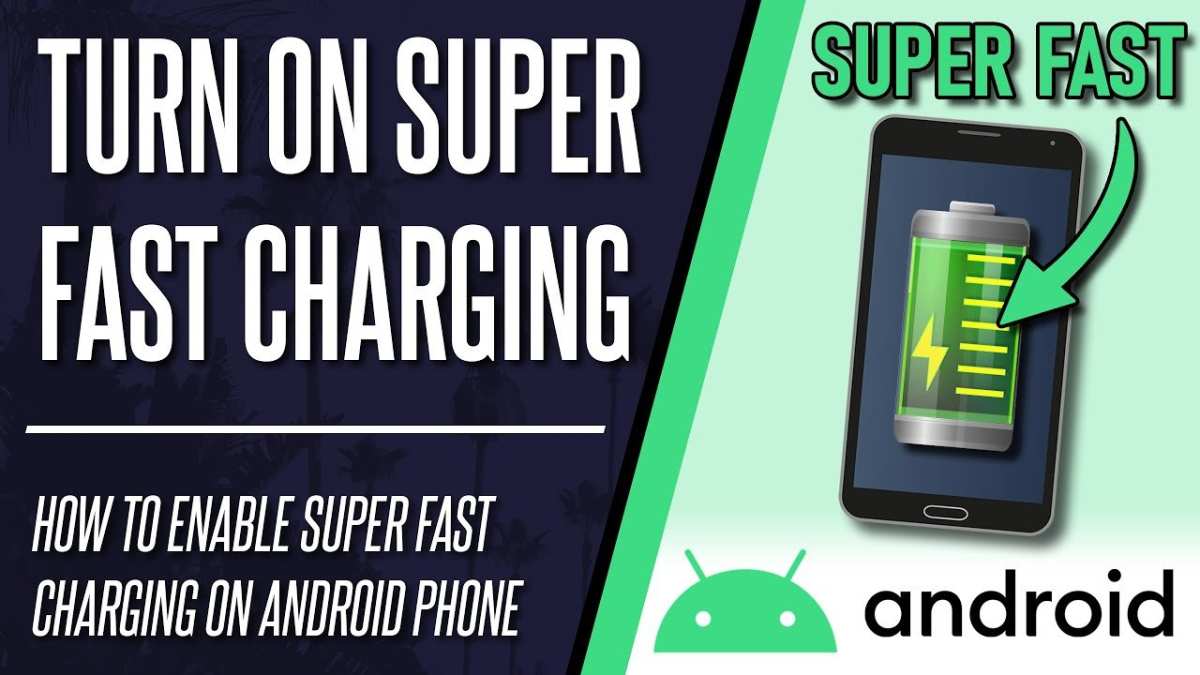

How to Make Your Android Tablet Charge Faster
When your Android tablet runs out of juice, waiting for it to charge can feel frustrating, especially when you’re in a hurry. Luckily, there are straightforward ways to speed up the charging process and get your device back in action quickly. In this guide, we’ll explore practical tips and tricks to help your Android tablet charge faster, covering everything from simple habits to advanced settings. Keep reading to find out how to turn a slow charging experience into a quick and efficient one.Understanding Why Your Tablet Charges Slowly
Before diving into tips, it’s helpful to understand what affects your tablet’s charging speed. Many factors can slow down how quickly your device charges:- Charger Output Power: The power output of your charger, measured in watts (W), directly impacts charging speed. A charger with higher wattage charges your device faster.
- Charging Cable Quality: Using a poor-quality or damaged cable can limit power flow and slow charging.
- Background Apps and Processes: Running multiple apps or processes can draw power and slow the charging process.
- Battery Health: Over time, batteries lose capacity, which can affect charging rates.
- Device Settings and Usage: Having brightness high, screen timeout short, or using your tablet while charging can slow down the process.
- Environmental Temperature: Charging in very hot or cold environments can hinder optimal battery performance and charge speed.
Choosing the Right Charger and Cable
One of the most effective ways to speed up charging is to use the correct accessories. Not all chargers are created equal.Select a High-Wattage Charger
Modern Android tablets typically support fast charging technology, so it’s wise to use a charger that matches or exceeds your device’s maximum supported wattage. For example, if your tablet supports 18W fast charging, use a charger that provides at least that power.- Look for chargers labeled with “Fast Charging” or specific wattage ratings.
- Use the original charger that came with your device, if possible, as it’s optimized for your tablet.
- Consider upgrading to a third-party charger from reputable brands that support high wattage output.
Opt for Quality Cables
Bad cables can limit power flow, making your device charge slower or inconsistently. To ensure faster charging:- Use cables that support fast charging standards (like USB Power Delivery or Qualcomm Quick Charge).
- Inspect cables for fraying or damage before use.
- Avoid using very cheap or old cables, as they often cannot handle higher wattages efficiently.
- Replace cables periodically to maintain optimal charging speeds.
Prepare Your Tablet for Faster Charging
Beyond your accessories, your device settings and habits can influence how fast it charges.Enable Airplane Mode
Turning your tablet into airplane mode disables wireless connections such as Wi-Fi, Bluetooth, and mobile data, reducing power consumption and allowing more energy to go toward charging.- Swipe down from the top of your screen to access the quick settings menu.
- Tap the Airplane Mode icon to activate it.
- Connect your charger and let your device charge without interruptions.
Lower Screen Brightness and Turn Off Screen
A bright screen consumes a lot of energy, so reducing brightness helps your battery charge faster.- Reduce brightness through quick settings or by adjusting display settings.
- Turn off your screen completely by pressing the power button, especially if you won’t be using your tablet during charging.
Close Unnecessary Apps and Processes
Background apps still run tasks and consume power, slowing down charging.- Open the recent apps menu and swipe away unused apps.
- Use device management settings to close apps running in the background.
- Consider clearing cache data for apps, which can sometimes improve overall device performance.
Optimize Settings for Faster Charging
There are specific settings that you can tweak to speed up the process further.Enable Battery Saver Mode
Many Android devices have a battery saver mode that restricts background activity and reduces performance, which can help charge faster.- Go to Settings > Battery & Performance.
- Activate Battery Saver mode.
- This minimizes power-consuming activities, allowing more energy to flow into the battery during charging.
Use the Correct Charging Port
Some tablets have multiple charging ports, but not all support fast charging.- Always use the port specified for charging, usually marked with a lightning bolt icon or labeled as “Fast Charge.”
- Avoid using secondary or auxiliary ports that may not support high power flow.
Additional Tips for Faster Charging
Apart from the main tips, consider these additional actions:- Charge in a cool environment: Avoid hot spaces, as heat can damage your battery and slow charging.
- Remove Otter Cases: Thick or bulky cases can trap heat and impede fast charging. Remove them for quicker charging sessions.
- Limit Usage During Charging: Avoid playing games, streaming videos, or using intensive apps while charging, as these activities draw power away from the charging process.
- Update Device Software: Keep your Android OS up to date, as updates often include improvements related to power management and charging efficiency.
Using External Power Banks and Charging Stations
If you’re often on the go, consider the use of power banks that support fast charging capable of delivering higher wattage. Be sure to select one compatible with your tablet’s charging specifications.- Check power bank specifications for wattage and supported charging standards.
- Use cables that support the fast charging protocol of your power bank and tablet.
- Charge your tablet in a cool, ventilated environment for optimal results.
Monitoring Your Charging Progress
Keeping an eye on how your tablet charges can help you identify slowdowns or issues.- Use built-in battery health features or third-party apps like AccuBattery to monitor charging speed and battery health.
- Watch for sudden drops in charging speed, which could indicate a faulty cable, port, or battery issue.
- If your device consistently charges slowly despite following tips, consider having the battery checked or replaced by a service professional.
Summary of Best Practices for Faster Charging
To wrap up, here’s a quick summary:- Use a high-wattage, certified fast charger suitable for your device.
- Switch to a quality, compatible cable supporting fast charging protocols.
- Activate airplane mode and lower screen brightness before plugging in.
- Close background apps and turn off unnecessary features.
- Charge your device in cool environments and remove bulky cases.
- Keep your device’s software up to date to benefit from performance improvements.
Frequently Asked Questions
What settings can I adjust on my Android tablet to speed up charging?
Turning off Wi-Fi, Bluetooth, and reducing screen brightness while charging helps your tablet charge faster. Additionally, switching to airplane mode disables unnecessary network functions, minimizing power consumption and allowing the device to draw more current from the charger.
Should I remove the case or cover when charging my Android tablet for faster charging?
Yes, removing the case can improve heat dissipation and prevent overheating during charging. Excess heat can slow down the charging process and damage the battery over time. Charging your tablet in a cool, well-ventilated area also supports faster and safer charging.
Is using a higher amperage charger beneficial for quicker charging?
Using a charger that supplies a higher current, such as a fast charger compatible with your device, significantly reduces charging time. Ensure your tablet supports fast charging to avoid potential damage, and always use official or certified chargers for safety and optimal performance.
Can I improve charging speed by closing background apps on my tablet?
Yes, closing apps running in the background reduces processor activity and power consumption. This allows your tablet to prioritize charging and use less energy, which can lead to a faster increase in battery level.
Does the type of cable I use affect how quickly my tablet charges?
Using a high-quality, certified charging cable ensures efficient power transfer. Low-quality or damaged cables can restrict current flow, slowing down charging speed. Always opt for original or reputable third-party cables designed for fast charging.
Final Thoughts
To make your Android tablet charge faster, start by turning off your device or enabling airplane mode. Use the original charger and cable supplied with your tablet for optimal results. Avoid using your tablet while charging, as this slows down the process. Additionally, keep your device in a cool, dry place, since heat can hinder charging speed. Enabling fast charging features through your settings can also help. In conclusion, knowing how to make your android tablet charge faster allows you to save valuable time. Follow these simple tips to speed up charging efficiently and keep your device ready for use.
Similar Posts