How To Make Stickers On Whatsapp Without App Android
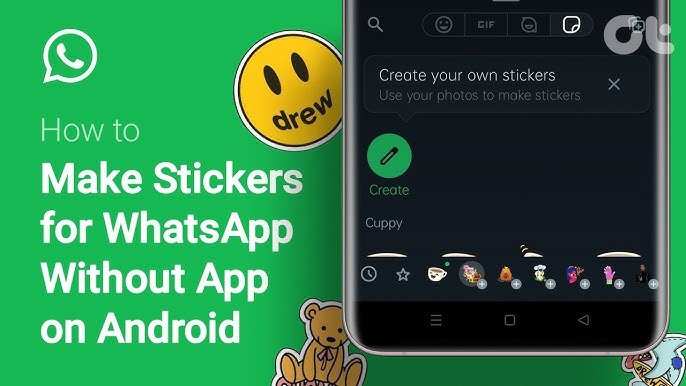

How to Make Stickers on WhatsApp Without App Android
Creating your own stickers on WhatsApp can make your chats more fun and personal. Usually, people think they need a special app to do this, but it’s actually possible to make stickers directly on your Android phone without installing any extra apps. In this article, we’ll walk you through simple steps and helpful tips to create custom stickers right in WhatsApp. Whether you want to make funny stickers, cute emojis, or personalized images, this guide covers everything you need to know.Understanding WhatsApp Stickers and Why They Matter
Before jumping into how to make stickers without an app, it’s good to know why stickers are so popular on WhatsApp. Stickers let you express feelings, add humor, or send cute images that words sometimes can’t fully describe. They are more lively than emojis and can help your chats feel more personal and fun. WhatsApp allows users to send stickers in conversations easily. But the real fun begins when you create your own stickers tailored to your personality or inside jokes with friends. This way, your messages become more expressive, memorable, and unique.The Benefits of Making Stickers Without Extra Apps
Most people like to make stickers directly in WhatsApp because:- It saves storage space since you don’t need to download extra apps.
- It’s quick and easy, especially if you already have the images or photos you want to turn into stickers.
- You can personalize stickers without complex software or editing skills.
- Creating stickers within WhatsApp ensures they are compatible and easy to use in chats.
Preparing Your Images for Stickers
Before you can add an image as a sticker, you need to prepare it properly. Here are some simple tips:Choose the Right Images
Pick photos or pictures that are clear, fun, or meaningful. For example:- A cute pet photo
- A funny meme or cartoon
- A personal photo of yourself or friends
Make Images Transparent
To make your images look clean as stickers, they should have a transparent background. You can achieve this easily by using the built-in editing tools on your Android device or through simple online tools. For example, some Android phones have editing options that let you cut out parts of an image.Resize Your Images
WhatsApp stickers should ideally be around 512 pixels by 512 pixels for the best quality. You can use your phone’s photo editing features to crop or resize images to this size.Creating Stickers Without a Downloaded App
Now that your images are ready, here are the simple ways to turn them into stickers within WhatsApp itself:Using WhatsApp’s Built-in ‘Sticker Maker’ Feature
WhatsApp has started to support simple sticker creation in some versions, especially on newer Android updates. Here’s what you can do: 1. Open a chat window in WhatsApp. 2. Tap on the emoji icon next to the message input box. 3. Tap on the sticker icon at the bottom. 4. Look for a ‘+’ icon or an icon that says “Create Sticker” or “My Stickers.” (Note: For many users, this feature is not available directly; it depends on your app version.) 5. Select the images from your gallery that you want to convert into stickers. 6. Crop or cut out the part of the image you want as a sticker. 7. Save the sticker, and it will be added to your collection automatically. *Note:* If your WhatsApp version doesn’t support this, don’t worry—you can still create stickers with the help of WhatsApp’s in-chat features or other simple tricks.Using WhatsApp’s ‘Plus’ Feature for Creating Stickers on Android
In some cases, WhatsApp allows you to send images directly as stickers by following this method: 1. Send your prepared image in a chat. 2. Tap on the image once it’s sent to select it. 3. Look for options such as ‘Add to Stickers’ or ‘Create Sticker’—this might appear via a menu or options icon. 4. Confirm the creation, and your image becomes part of your stickers collection. Since this feature isn’t universally available, it’s advised to explore your WhatsApp options first to see if it appears.Alternative Method: Using WhatsApp’s ‘WhatsApp Web’ and Browser
If your phone doesn’t support direct sticker creation, you can use WhatsApp Web and basic editing tools on your desktop or browser: 1. Connect your Android phone to WhatsApp Web. 2. Open a chat and upload the images you want to turn into stickers. 3. Use online tools like ‘Remove.bg’ to make the background transparent. 4. Resize the image to 512×512 pixels using tools like ‘Pixlr’ or ‘Photopea’. 5. Download the edited image. 6. Send the image back to your phone or upload it directly in WhatsApp. 7. Use the chat menu options to add the image as a sticker if available. This process might seem a few steps longer, but it allows more control over your sticker design.Tips for Making Better Stickers
Here are some helpful tips to ensure your stickers look great and are easy to use:- Keep images simple: Avoid overly complex backgrounds or details that get lost when resized.
- Use high contrast: Make sure your stickers are colorful and stand out.
- Maintain consistency: Use a similar style or theme for your stickers to make your collection cohesive.
- Avoid text-heavy images: Stickers are better when they’re visual rather than containing a lot of words.
- Test different sizes: Make sure your stickers look good in small and large chat bubbles.
Saving and Using Your Created Stickers in WhatsApp
Once you have created your stickers, here’s how to keep and use them: – **Save the images in a specific folder** on your phone for easier access. – **Open WhatsApp and go to a chat.** – **Tap the sticker icon** in the message input area. – Your new stickers should appear in your collection if saved correctly. – If not, you can send the images directly in chats and add them to stickers collections as they appear.Organize Your Sticker Collection
To keep your stickers easy to find and use: – Create a dedicated folder on your phone for your sticker images. – Use clear and descriptive filenames. – Keep your most-used stickers easily accessible. – Update your collection with new images regularly.Final Advice for Creating Stickers on WhatsApp Without Apps
Creating stickers without additional apps is quite doable with a little patience and some basic editing. Remember that the key is to prepare your images well, keep their sizes consistent, and make sure backgrounds are transparent if possible. Experiment with different images and styles to find what suits your personality or chat style best. By following these steps, you’ll turn your favorite images into unique stickers that make your WhatsApp conversations more lively and fun. You don’t need to be a professional designer or download heavy apps—just your creativity and a few simple tools will do the trick. Have fun creating your personalized stickers and sharing your unique expressions with friends!Frequently Asked Questions
Can I create custom stickers directly through WhatsApp without using any third-party apps?
Yes, you can create simple custom stickers directly within WhatsApp by using the built-in sticker editor. Tap on the emoji icon in the chat, then select the sticker section. Look for the ‘+’ icon to add new stickers, which allows you to edit images and convert them into stickers right in the app. This method works best with basic images and requires no external applications.
What are the steps to turn a photo into a sticker on WhatsApp without additional apps?
To turn a photo into a sticker without using extra apps, first take or select a photo from your gallery. Use WhatsApp’s sticker creation feature by opening a chat, tapping the emoji icon, then the sticker icon, and hitting the ‘+’ button. Use the editing tools provided to cut out the desired part of the image, add text or drawings if needed, and save it as a sticker. Once saved, you can send it in your chats.
Is it possible to make stickers using the keyboard or built-in features on Android devices?
Most Android devices do not include built-in features to fully create stickers without third-party apps. However, some keyboards or messaging apps might offer basic sticker creation or import options. Typically, you’ll need to use the features within WhatsApp or use simple image editing tools to prepare images before adding them as stickers within the app.
How can I save my created stickers for future use on WhatsApp without installing extra apps?
Once you create a sticker within WhatsApp’s sticker editor, it automatically saves to your sticker collection. To access your custom stickers later, open any chat, tap the sticker icon, then locate your saved stickers in the collection. You can reuse and share these stickers without any additional setup or apps.
Are there any limitations when making stickers on WhatsApp without third-party tools?
Yes, creating stickers directly in WhatsApp without third-party apps limits customization options. You can only modify images with basic editing tools like cropping or drawing. Advanced features such as removing backgrounds, adding effects, or creating sticker packs are unavailable without external applications. For more complex stickers, using dedicated apps can offer better control and variety.
Final Thoughts
Creating stickers on WhatsApp without an app on Android is simple. You can use your phone’s built-in features to crop and save images as stickers. Share these images directly in WhatsApp chats, and your contacts can save them as stickers. This method requires no additional downloads and uses basic phone tools. In summary, how to make stickers on whatsapp without app android is easy by using your device’s native options. Follow these steps, and enjoy personalized stickers in your chats effortlessly.
Similar Posts