How To Ask For Flashcards On A Subject From Chat Gpt For?
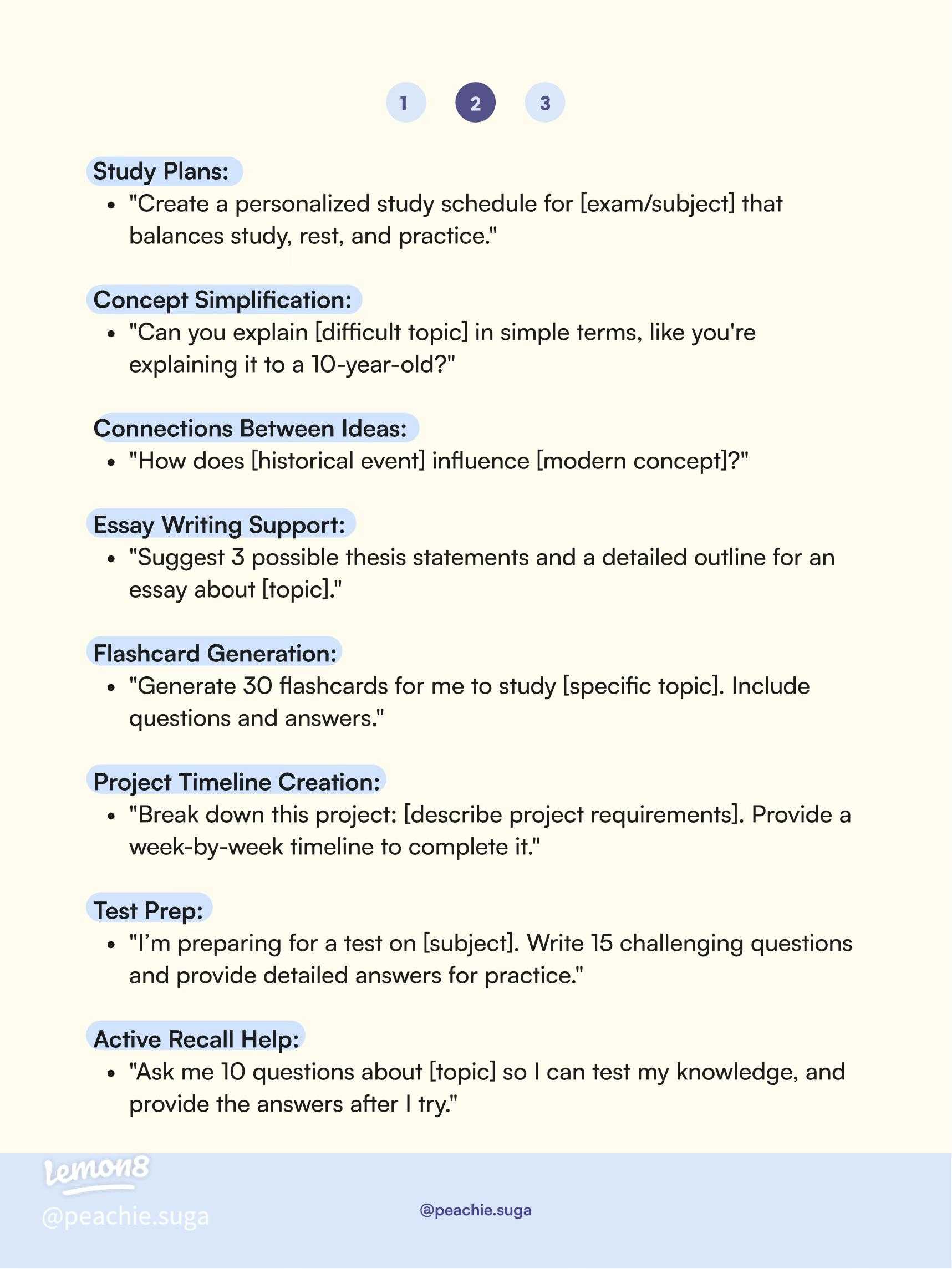

How to Ask for Flashcards on a Subject from Chat GPT
Getting flashcards from Chat GPT can be a helpful way to review and reinforce what you’re learning. To do this effectively, you need to ask the right questions and give clear instructions. This guide will show you how to craft prompts that generate useful flashcards tailored to your study needs.
Understanding the Power of Clear Prompts
Chat GPT responds best when you are specific and direct in your requests. Instead of asking for “study notes,” specify that you want “flashcards.” For example, saying “Create flashcards about the solar system” helps the AI understand your goal clearly.
Being detailed in your prompt increases the likelihood of receiving accurate and useful flashcards. Mention the number of flashcards you prefer or specific topics within a subject for more targeted results.
How to Phrase Your Request Effectively
Use Clear and Concise Language
Start your request with phrases like “Please generate” or “Can you create.” These courteous phrases help set a respectful tone and make your instructions clear. Example: “Please generate ten flashcards about the American Civil War.”
Be Specific About the Content
Specify what should be included on each flashcard. For instance, you can request a question on one side and the answer on the other. Clarify if you want definitions, dates, key facts, or any other detail.
- Question on the front
- Answer on the back
- Include explanations if necessary
Set the Number of Flashcards
Be clear about how many flashcards you want. Saying “Create five flashcards” helps avoid overly long or too brief sets. Adjust the number depending on the complexity of the subject.
Using Prompts for Different Learning Goals
For Definitions and Key Facts
Ask for straightforward questions and answers. For example: “Can you create five flashcards with definitions of important biology terms?”
For Vocabulary Building
Request flashcards that include words and their meanings. Example: “Make flashcards for ten vocabulary words related to environmental science.”
For Historical Dates and Events
Specify the dates and their significance. Example: “Create flashcards about major events in the Revolutionary War with dates and descriptions.”
Structuring Your Prompt for Better Results
Include the Subject and Subtopics
Mention the particular area you want to focus on. For instance, “Create flashcards about basic chemistry concepts like atoms, molecules, and reactions.”
Define the Format
Specify how you want the flashcards formatted. For example, “Please generate question-answer pairs, with questions on one side and answers on the other.”
Specify the Number of Items per Card
If you want multiple facts on each card, specify that. Example: “Each flashcard should include a question and two facts related to the topic.”
Tips for Refining Your Requests
- Start with a basic request and add details to refine it.
- Ask for a specific number of flashcards to keep the set manageable.
- Request explanations or additional context if needed.
- Use bullet points or numbered lists within your prompt to organize information.
Example Prompts for Different Subjects
| Subject | Sample Prompt |
|---|---|
| Geography | Generate ten flashcards about countries in Africa, including capital cities and major landmarks. |
| Math | Create five flashcards explaining basic algebra concepts, with questions and answers. |
| History | Make eight flashcards about important events in World War II with dates and brief descriptions. |
| Science | Write six flashcards covering the states of matter, with definitions and examples. |
Best Practices for Using Flashcards Effectively
Once you receive your flashcards, review them regularly to reinforce your memory. Mix up the order to test your understanding from different angles. Use the flashcards to quiz yourself or with a study buddy for more interactive learning.
Adjust the number of flashcards or the complexity based on your progress. Don’t hesitate to ask Chat GPT for more flashcards on related topics to deepen your understanding.
Asking Chat GPT for flashcards involves clear, precise prompts that specify your learning goals. By combining specific instructions with the right formatting requests, you can generate customized flashcards that make studying more engaging and effective. Practice crafting effective prompts to maximize the benefits of AI-assisted learning and make your study sessions both productive and enjoyable.
Turn ChatGPT into the PERFECT Flashcard Creator
Frequently Asked Questions
How can I specify the number of flashcards I want from Chat GPT?
You can ask Chat GPT to generate a specific number of flashcards by including the quantity in your request. For example, say, “Create five flashcards about the causes of the American Revolution.” This way, Chat GPT will tailor the response to produce the exact number of flashcards you need.
What details should I include when requesting subject-specific flashcards?
To get relevant flashcards, specify key topics or subcategories within the subject. For instance, if you want history flashcards, mention particular events, figures, or time periods like “World War II battles” or “Causes of the French Revolution.” Providing clear instructions helps Chat GPT generate focused and useful flashcards.
Can I ask Chat GPT to format flashcards in a certain way?
Yes, you can request specific formatting styles for your flashcards. For example, ask for a question-and-answer format, multiple-choice options, or fill-in-the-blank style. Clarify these preferences in your prompt, such as, “Create flashcards in a question-answer format with clear, concise answers.”
How do I request flashcards on a complex or multi-part topic?
If your subject involves multiple components, break down your request. For instance, mention each part separately: “Generate flashcards covering the different stages of photosynthesis and their functions.” This approach ensures Chat GPT creates comprehensive flashcards that address each aspect of your topic.
Is it possible to ask for explanations along with flashcards for better understanding?
Absolutely. You can ask Chat GPT to provide brief explanations with each flashcard to deepen your understanding. For example, say, “Create flashcards about the principles of photosynthesis, including a short explanation of each concept.” This way, each flashcard offers both a quick question and a detailed answer.
Final Thoughts
How to ask for flashcards on a subject from Chat GPT is straightforward. Clearly specify the topic and request concise, bullet-point style flashcards. Use simple language and be specific about the details or concepts you want covered. This helps Chat GPT generate relevant and effective study tools. Remember to ask directly and politely, ensuring your request is clear. Following these tips makes getting useful flashcards easy and efficient.
Similar Posts



























