Deploy Bots From Chatgpt: A Complete Guide For Success

Deploy Bots from ChatGPT
Deploying bots from ChatGPT can seem like a big task, but it’s easier than you might think. ChatGPT allows users to create intelligent chatbots that can handle various tasks. Whether you want to automate customer service, provide instant answers, or simply engage users, deploying a bot can greatly enhance your workflow. In this article, we’ll explore how to effectively deploy bots from ChatGPT. We’ll look at what ChatGPT is, how it works, and the steps involved in deploying these bots. Additionally, we’ll discuss best practices to ensure your bots are effective and provide a great user experience.Understanding ChatGPT
ChatGPT stands for Chat Generative Pre-trained Transformer. It is an advanced AI language model developed by OpenAI. It can understand and generate human-like text based on the input it receives. Key features of ChatGPT include:- Natural language understanding
- Context-aware responses
- Ability to learn from interactions
Benefits of Deploying Bots from ChatGPT
Deploying ChatGPT bots comes with numerous advantages. Here are some of the main benefits:- 24/7 availability: Bots don’t need breaks, allowing for round-the-clock service.
- Cost-effective: Reduces the need for human staff for repetitive tasks.
- Quick responses: Users get immediate answers, increasing satisfaction.
- Scalability: Handles multiple conversations at once without compromising quality.
How to Deploy Bots from ChatGPT
Deploying a bot from ChatGPT involves several straightforward steps. Here’s a detailed guide to help you through the process.Step 1: Define Your Bot’s Purpose
Before you start building your bot, it’s essential to define its purpose. Is it for customer support, providing information, or assisting users in navigating a service? Think about the following:- What kind of questions will your users ask?
- What information or tasks do you want the bot to handle?
Step 2: Set Up Your Development Environment
To deploy a bot, you need a suitable development environment. Here are the basic requirements:- A programming language such as Python or JavaScript.
- Access to the OpenAI API.
- A platform to host your bot, like a website or messaging app.
Step 3: Create and Train Your Bot
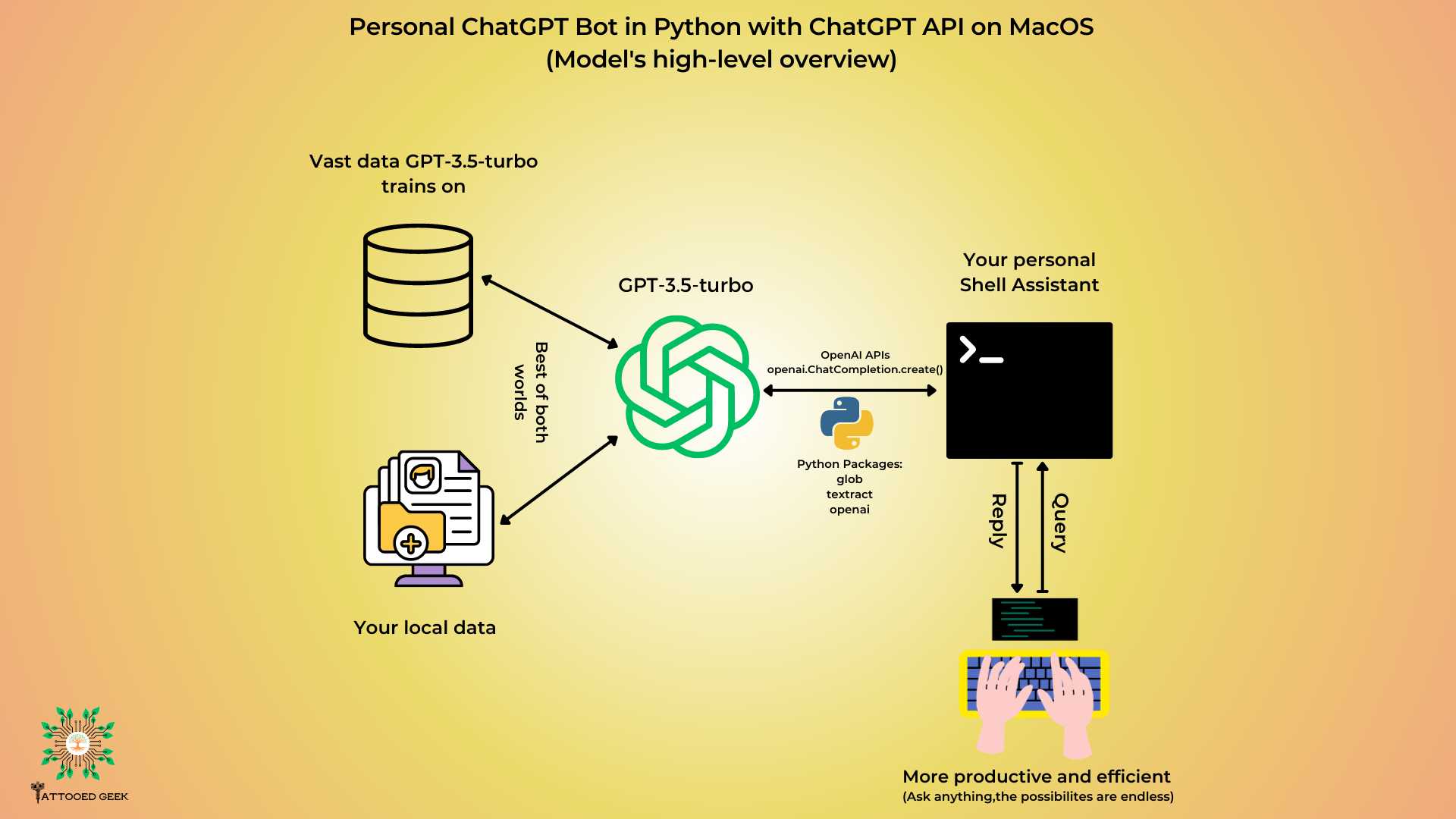
After setting up your environment, it’s time to create and train your bot. Use the OpenAI API to integrate ChatGPT. Here’s how to do it: 1. Sign up for an OpenAI account and get API keys. 2. Use the keys to make requests to ChatGPT. 3. Provide sample questions and responses to help train the bot. You can also fine-tune the model if needed, but for most purposes, the default settings work well.Step 4: Testing Your Bot
Testing is a crucial step before deployment. Interact with your bot and check for:- Accuracy of responses
- Speed of replies
- User experience
Step 5: Deploying Your Bot
Once you are satisfied with the performance of your bot, it’s time to deploy it. Depending on your hosting choice, this process may vary slightly. Here are common options:- Web applications using HTML/JavaScript
- Messaging platforms like Facebook Messenger or Slack
- Mobile applications
Best Practices for Effective Bots
To ensure your ChatGPT bot is effective, follow these best practices:1. Keep Conversations Natural
Make sure your bot sounds friendly and human-like. Avoid overly technical language. Instead, use simple, clear phrases.2. Provide Clear Options
When asking users for input, give them multiple-choice responses. This way, they can easily select an answer without typing too much.3. Handle Errors Gracefully
Prepare your bot to manage misunderstandings or incorrect inputs. Provide alternatives or ask users to rephrase their questions for clarity.4. Regularly Update Content
Make sure to keep the information your bot provides up to date. Regular updates help maintain accuracy and relevance.5. Collect User Feedback
Always encourage users to provide feedback. This information can help improve the bot’s performance and user satisfaction.Common Use Cases for ChatGPT Bots
ChatGPT bots can be used in various industries and applications. Here are some popular use cases:- Customer Support: Bots can handle frequently asked questions, reducing the load on human agents.
- E-commerce: Assist customers in product search and order tracking.
- Healthcare: Provide instant responses to medical inquiries, nurturing patient engagement.
- Education: Offer tutoring and support for students on various subjects.
Integration with Other Tools
Integrating your bot with other tools can enhance its functionality. Consider these integrations:- CRM Systems: Helps in managing customer relationships smoothly.
- Email Platforms: Enables the bot to send email responses automatically.
- Analytics Tools: Offers valuable insights into user behavior.
Monitoring and Improving Bot Performance
After deploying your bot, it’s essential to keep an eye on its performance. Use analytics tools to gather data on user interactions, response times, and satisfaction rates. Consider these aspects:- Response accuracy
- Load times
- User engagement metrics
I asked ChatGPT for a Trading Bot 🤯
Frequently Asked Questions
What are the key steps to deploy a bot using ChatGPT?
To deploy a bot using ChatGPT, start by defining the bot’s purpose and target audience. Next, create an account on the platform hosting ChatGPT. After that, set up the necessary API keys to access the service. Develop your bot’s conversation flow and programming logic, ensuring you incorporate user intents and responses. Test your bot thoroughly to identify and fix any issues. Finally, deploy the bot on your preferred messaging platform or website, and monitor its performance to make any required adjustments.
Can I customize the responses of my ChatGPT bot?
Yes, you can customize the responses. By modifying the prompts or instructions you provide, you can guide the bot to generate specific types of responses that align with your brand voice or desired interaction style. Additionally, you can implement a feedback mechanism to refine responses based on user interactions, ensuring the bot meets your specific needs over time.
What platforms can I integrate my ChatGPT bot with?
You can integrate your ChatGPT bot with various platforms, including messaging apps like Slack, Facebook Messenger, and WhatsApp, as well as websites using chat widgets. Many developers also connect their bots to customer service platforms or CRMs to enhance user experience and streamline support processes. Choose a platform that aligns with your audience’s preferences for seamless interaction.
How do I ensure my ChatGPT bot understands user queries effectively?
To improve how well your ChatGPT bot comprehends user queries, provide clear and detailed training data. Focus on common user intents and phrases relevant to your bot’s purpose. Regularly update the training data based on real user interactions to capture evolving language and trends. Implement context-awareness to help the bot manage multi-turn conversations naturally.
What are some common challenges in deploying a ChatGPT bot?
Common challenges include ensuring accurate understanding of user input, managing context in conversations, and providing relevant responses. Additionally, users might encounter issues if the bot does not have access to necessary information or if it misinterprets queries. Regular testing and user feedback help identify these challenges, allowing you to make informed adjustments to improve performance.
Final Thoughts
Deploying bots from ChatGPT offers a powerful way to enhance user interactions. These bots can respond quickly and accurately, improving communication efficiency in various applications. By incorporating ChatGPT, businesses can create tailored solutions that meet specific needs. Engaging users through these conversational agents can lead to higher satisfaction and loyalty. In summary, deploy bots from ChatGPT to elevate your customer service and operational capabilities. Embrace the future of communication and tap into the potential of intelligent bots today.
Similar Posts