Can You Upload Files To Chat Gpt Effectively

Can You Upload Files to Chat GPT?
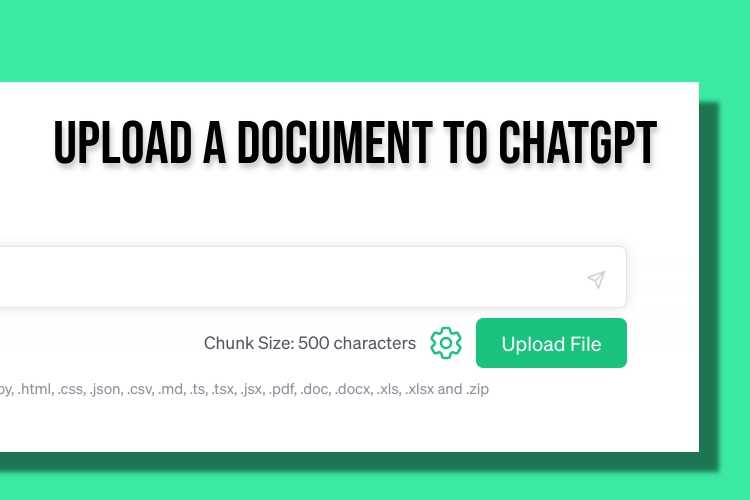
Many users ask if they can upload files directly to Chat GPT. This question has become more common as people seek ways to share documents, images, or data with AI models. In this section, we will explore whether file uploading is possible and how it works with Chat GPT.
Understanding Chat GPT’s File Upload Capabilities
Currently, the standard version of Chat GPT does not natively support uploading files. Users cannot directly drag, drop, or select files within the chat interface to upload documents or images. This limitation is true for most free and basic plans of Chat GPT.
However, OpenAI has introduced specific features and integrations that enable file sharing in some contexts. These features are often available in advanced plans or specialized versions such as Chat GPT Plus or the enterprise API.
How to Work with Files Using Chat GPT
Although direct uploads may not be available, there are alternative methods to share file content with Chat GPT. These include copying and pasting text, using third-party tools, or integrating with APIs. We will explore each method below.
Copy and Paste Text Content
The simplest way to share information is by copying relevant text from files and pasting it into the chat. This approach works well for small or specific sections of documents. Keep in mind that long files should be broken into smaller parts for effective processing.
Using Third-Party Platforms and Integrations
Some third-party tools and platforms allow users to upload files and then connect to Chat GPT. For example, applications designed for document analysis or data extraction can facilitate this process. These often require linking your files through specialized interfaces or APIs.
API and Developer Options
Developers can use the OpenAI API to send file data as part of their requests. This method involves programming and setting up code to upload files through API endpoints. It is suitable for automating tasks or building custom solutions.
File Upload Features in Specific OpenAI Products
OpenAI has introduced a feature called “File Uploads” in some of its products, primarily aimed at enterprise clients. These features enable users to upload files directly for AI processing. They are typically accessible through dedicated platforms or integrations.
For example, in Chat GPT Enterprise, users can upload documents, which the AI can then analyze or summarize. This streamlines workflows for businesses dealing with numerous documents or large datasets.
Supported File Types for Uploading
If file uploading is available in your platform, it generally supports specific formats. These may include:
- Text files (.txt, .csv, .json)
- Documents (.pdf, .docx, .pptx)
- Images (.jpeg, .png, .bmp)
Ensure you check the platform’s documentation for the exact list of supported formats, as it varies across products and plans.
Limitations and Considerations
While uploading files offers convenience, there are some limitations to keep in mind. File size restrictions often apply, ranging from a few megabytes to larger limits depending on the platform. Additionally, sensitive or confidential data should be handled carefully to ensure privacy.
Uploading large files or numerous documents may require additional steps like compressing files or splitting data into smaller chunks. It’s essential to verify the security protocols of the platform you’re using to protect your data.
Future prospects of File Upload in Chat GPT
OpenAI continues to improve its products and may introduce more seamless file upload capabilities in future updates. Integration with cloud storage providers could make sharing files easier and more secure. We can expect that as AI technology advances, file handling will become more straightforward and integrated into the core chat experience.
Summary of Key Points
- Chat GPT does not currently support direct file uploads in most versions.
- Users can share file content by copying and pasting text or data.
- Third-party tools and APIs enable more advanced file sharing options.
- Some enterprise versions have dedicated file upload features.
- Supported file formats include text, documents, and images.
- Limitations include file size restrictions and privacy considerations.
- Future updates may bring more integrated and user-friendly upload options.
Related Topics to Explore
- How to Use Chat GPT for Data Analysis: Tips on leveraging AI to analyze uploaded data.
- Best File Formats for AI Processing: Understanding which formats work best with AI tools.
- Secure Data Sharing with AI: Tips on maintaining privacy when sharing files with AI models.
- Integrating Chat GPT with Cloud Storage: Using services like Google Drive or Dropbox for seamless file sharing.
- File Management Tips for AI Users: Organizing and preparing files for effective use with Chat GPT.
In summary, while you cannot upload files directly in most versions of Chat GPT, there are multiple ways to share information through text, API, and specialized tools. As AI technology develops, expect more integrated features that simplify the process of working with files in chat environments.
How to Upload file on ChatGPT #chatgpt #gpt4 #chatgpt4
Frequently Asked Questions
Is it possible to upload documents for analysis in Chat GPT?
Currently, Chat GPT does not have a direct feature to upload documents for analysis. However, users can copy and paste relevant text into the chat window to get assistance or insights based on the provided content.
Can I share large files with Chat GPT for processing?
Processing large files directly through Chat GPT isn’t supported. For extensive data, consider breaking the content into smaller segments and submitting these parts individually for the AI to analyze or respond accordingly.
Are there any tools that allow file uploads to interact with Chat GPT?
Some third-party applications and integrations enable file uploads to interact with Chat GPT more seamlessly. These tools usually convert files into text that the AI can then process, but it’s essential to verify their security and compatibility before use.
Does Chat GPT support real-time file sharing during conversations?
No, real-time file sharing isn’t available within standard Chat GPT interactions. Users need to input information manually or use supported third-party platforms that facilitate such functionality.
What are alternative methods to analyze files with Chat GPT?
You can upload your files to a text editor or document viewer, copy the relevant sections, and paste them into the chat. This method allows the AI to analyze specific parts of your content without direct file uploads.
Final Thoughts
Uploading files to chat GPT enhances its utility for various tasks. You can share documents, images, or data directly within your conversation, making interactions more dynamic. Currently, the platform supports specific file types and size limits. Can you upload files to chat GPT? Yes, this feature is available in certain versions, allowing you to improve your workflow and get more precise responses. Incorporating file uploads simplifies complex queries and saves time for users.
Similar Posts