Best Wireless Chargers For Android Smartphones In 2023
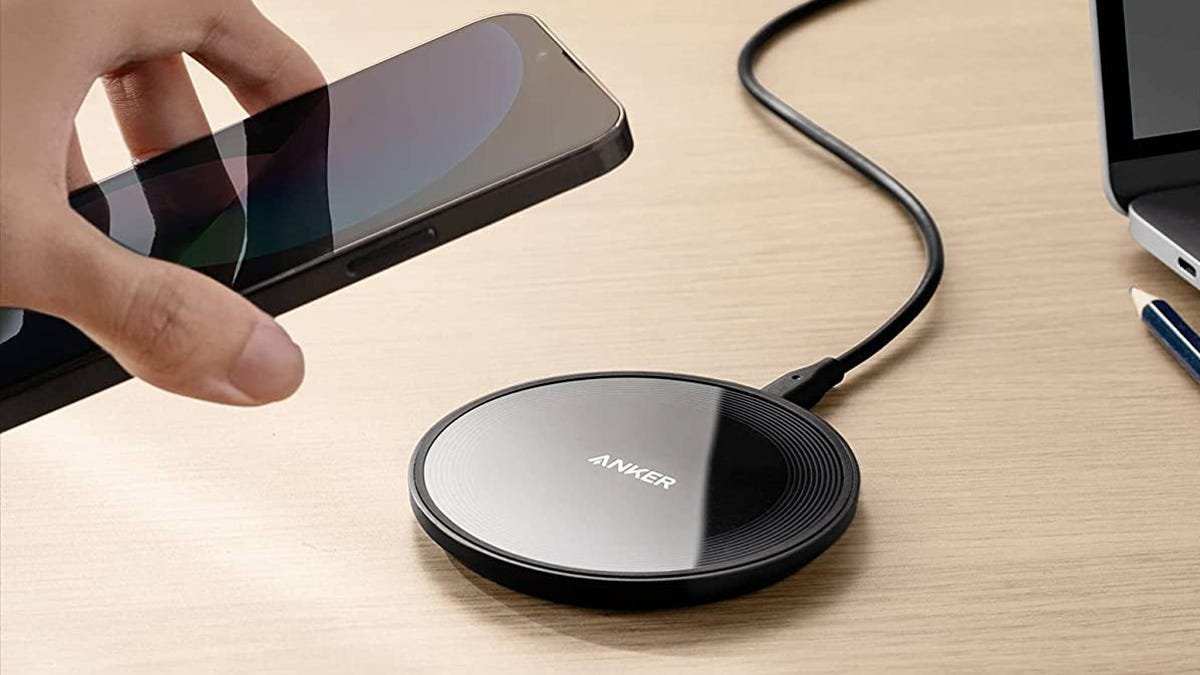

Best Wireless Chargers for Android Smartphones
As more Android users adopt wireless charging, finding the right charger becomes essential. Wireless chargers make life easier by eliminating tangled cables and providing quick, convenient power. But with so many options available, how do you know which one suits your needs best? In this guide, we will explore the top wireless chargers for Android smartphones, discuss their key features, and help you make an informed decision. Whether you want fast charging, sleek design, or affordability, you’ll find everything you need here.Why Wireless Charging Is Gaining Popularity Among Android Users
Wireless charging offers many benefits that attract Android phone users. Here are some reasons why it has become a must-have feature:- Convenience of placing your phone on the charger without plugging and unplugging cables
- Reduced wear and tear on your device’s charging port
- Compatibility with multiple devices, including earbuds, smartwatches, and more
- Clean, clutter-free look on your desk or nightstand
- Potential for faster charging with newer standards such as Qi-enabled fast chargers
Key Features to Consider When Choosing a Wireless Charger for Android
Before diving into specific models, it’s important to know what features make a wireless charger stand out. Here are the most important factors:Charging Speed
Fast charging can dramatically cut down the time it takes to power your Android device. Look for chargers compatible with your phone’s fast wireless charging standards, such as 10W, 15W, or even higher.Compatibility and Standards
Ensure the wireless charger supports the Qi standard, which is widely adopted across Android devices. Some chargers may also offer backward compatibility with older phones.Design and Build Quality
Pick a charger that fits your style and environment. Whether you prefer a sleek pad, a stand, or a multi-device station, choose one made from quality materials that will last.Protection Features
Look for chargers with safety features like over-current, over-voltage, and temperature protection. These prevent damage to your device during charging.Size and Portability
If you plan to carry the charger while traveling or use it in different locations, a compact and lightweight design is ideal.Additional Features
Some chargers come with extras like LED indicators, adjustable angles, or built-in cooling fans that enhance user experience.Top Wireless Chargers for Android Smartphones
Here’s a detailed look at some of the best wireless chargers available for Android users, considering different needs and budgets.Wireless Charger Stand with Fast Charging
This type of charger provides a convenient upright position for your phone, making it easy to see notifications or use your device while charging.- Model: Anker PowerWave Stand
- Charging Speed: Up to 10W for Android phones
- Design: Adjustable stand with non-slip grip
- Features: Overcharge protection, LED indicator, compatible with cases up to 5mm thick
Wireless Charging Pad for Versatility
A flat, circular pad offers flexibility to charge multiple devices or place your phone casually.- Model: Samsung Wireless Charger Pad
- Charging Speed: 15W fast charging for compatible devices
- Design: Slim, lightweight, and portable
- Features: Over-current protection, rubberized surface to prevent slipping, compatible with most Android devices supporting Qi
Multi-Device Charging Station
If you own multiple devices that support wireless charging, a multi-device station can keep everything powered up in one place.- Model: Belkin Boost Charge 3-in-1 Wireless Charger
- Charging Speed: Up to 10W for phones, additional charging spots for earbuds and smartwatch
- Design: Sleek, compact, with designated slots
- Features: Fast charging for compatible devices, integrated cooling fan, safety protections included
Compact Travel-Friendly Wireless Charger
Travelers will benefit from a small, portable wireless charger that keeps their Android devices powered on the go.- Model: Anker Wireless Charger Mini
- Charging Speed: 10W for Android devices
- Design: Small, foldable, with a built-in stand
- Features: Lightweight, with foldable plug, case-friendly design, and safety features
Comparison Table of Popular Wireless Chargers
| Model | Charging Speed | Compatibility | Design | Special Features | |——————————|—————-|——————————|——————–|———————————-| | Anker PowerWave Stand | 10W | Qi-enabled Android & iPhone| Adjustable stand | Overcharge protection | | Samsung Wireless Charger Pad| 15W | Samsung & other Qi devices | Circular pad | Slim and portable | | Belkin Boost Charge Station| 10W | Multiple Qi devices | Multi-device station| Cooling fan, fast charging | | Anker Wireless Mini | 10W | Most Android Qi phones | Foldable, compact | Travel-friendly, case compatible |Tips to Maximize Your Wireless Charging Experience
Getting the most out of your wireless charger involves more than just plugging it in. Here’s how you can optimize your charging experience:- Place your phone directly on the charging pad or stand without a thick case, as some materials can interfere with charging.
- Use a power adapter that matches or exceeds the charger’s recommended wattage to ensure fast charging.
- Keep your charging area free of metal objects or other electronic devices that might cause interference.
- Position your device correctly, especially with stand or multi-device chargers, to maintain stable contact.
- Ensure your device supports the latest wireless charging standards for faster speeds and improved efficiency.
Maintenance and Troubleshooting Common Wireless Charging Issues
Even the best chargers may encounter occasional problems. Here are some tips to keep your wireless charging experience smooth:Charging is slow or not working
- Check if your phone supports fast wireless charging standards.
- Remove any thick or metal cases that could block the charging signal.
- Ensure the charger is plugged into a power source with adequate wattage.
- Try repositioning your device or cleaning the charging pad to remove dust or debris.
Overheating during charging
- Make sure your device and charger are placed in a well-ventilated area.
- Use chargers with built-in temperature regulation features.
- Avoid using your phone heavily while it’s charging wirelessly.
Device not aligning properly
- Adjust the phone’s position on the pad or stand.
- Use chargers with adjustable or multiple alignment points for better fit.
Frequently Asked Questions
What features should I consider when choosing a wireless charger for my Android device?
Look for a charger with fast charging capabilities compatible with your Android phone, such as Qi standard support. Ensure it has a stable charging pad, safety features like over-voltage protection, and an appropriate size for your setup. Compatibility with your phone’s charging specifications will help you get reliable performance and efficient power transfer.
How does the charging speed vary among different wireless chargers for Android smartphones?
The charging speed depends on the charger’s output wattage and the phone’s support for fast wireless charging. Chargers offering higher wattages, like 15W or 10W, typically provide faster charges, but your phone must also support these speeds. Check the specifications to ensure you select a charger that matches your device’s fast-charging capabilities for optimal results.
Are there any specific brands known for producing reliable wireless chargers for Android phones?
Several brands have built a reputation for quality wireless chargers, including Anker, Samsung, Belkin, and Aukey. These brands focus on safety features, durability, and compatibility with various Android devices. Reading user reviews can also help you find a model that offers consistent performance and good value.
Can I use a wireless charger with a phone case on my Android device?
Most wireless chargers work well with phone cases, especially those made of thinner materials. However, thick or metal cases can interfere with the charging process. It’s best to opt for a charger that mentions compatibility with cases or test it with your specific case to ensure efficient charging without removing it each time.
How do I ensure safety and prevent overheating when using a wireless charger for my Android smartphone?
Choose a wireless charger with built-in safety features such as temperature control, over-voltage, and short-circuit protection. Avoid placing the charger in direct sunlight or near heat sources and ensure your phone is not excessively hot before charging. Using a quality charger from reputable brands also minimizes the risk of overheating and other safety concerns.
Final Thoughts
The best wireless chargers for Android smartphones offer convenient and fast charging solutions. They come with compatibility features that suit a variety of devices, ensuring quick power-ups. Many chargers also include fast charging capabilities and sleek designs. Choosing the right wireless charger depends on your needs, whether portability or station-style setups. Investing in a quality charger enhances your daily routine without hassle. In conclusion, the best wireless chargers for Android smartphones combine efficiency, compatibility, and design. Select a model that fits your lifestyle for optimal charging performance.
Similar Posts































