Best Way To Watch Anime On Android Tv For Seamless Viewing
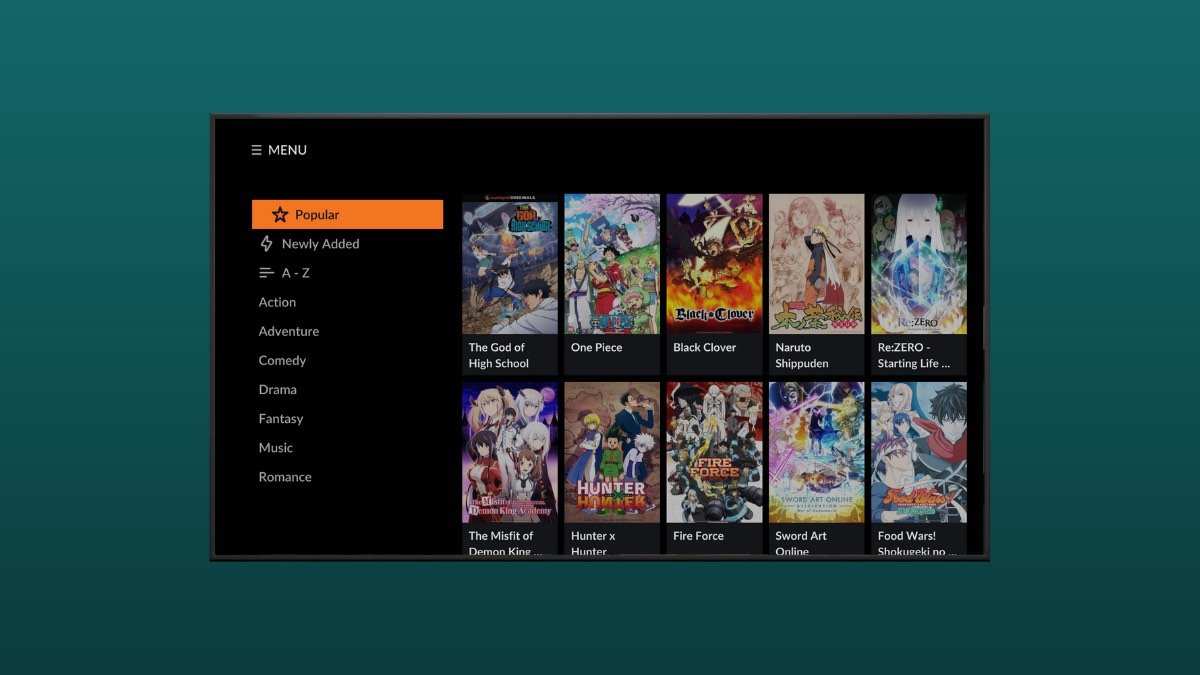

The Best Way to Watch Anime on Android TV
Watching anime on your Android TV can be an exciting experience when you choose the right methods and tools. With so many options available, it can be overwhelming to find the best way to enjoy your favorite shows seamlessly. This guide will walk you through the most effective and user-friendly ways to stream anime on Android TV, ensuring you get high-quality videos without any hassle. We will explore various apps, streaming services, and settings that help you optimize your viewing experience. Whether you’re a casual viewer or an anime enthusiast, understanding these methods can make your binge-watching sessions more enjoyable and less complicated. Let’s dive into how you can enhance your anime experience on Android TV, step by step.Understanding Your Android TV and Its Capabilities
Before diving into apps and streaming options, it’s important to know what your Android TV can do. Different models may have varying features, but most Android TVs support a wide range of applications and streaming options. **Key features to look for:**- Built-in Chromecast support for casting content from mobile devices or computers
- Access to the Google Play Store for downloading apps directly to your TV
- High-resolution support such as 4K for crisp visuals
- Internet connectivity via Wi-Fi or Ethernet for smooth streaming
Choosing the Right Streaming Apps for Anime
The core of watching anime on Android TV lies in selecting the right apps. There are many options, but not all are equally good in terms of content variety, quality, usability, and legality. Here are some popular and reliable streaming apps that work well on Android TV:Official Streaming Platforms
– **Crunchyroll**: This is one of the most popular anime streaming services. It offers a massive library of anime, from latest episodes to classics. The app is optimized for Android TV, making navigation easy. You can subscribe for ad-free viewing and offline downloads. – **Funimation**: Known for its extensive catalog of dubbed anime, Funimation’s app provides a user-friendly interface. Its Android TV app supports high-definition streaming, perfect for big screens. – **Netflix**: While primarily a general streaming service, Netflix hosts a good selection of anime, including original series. It’s convenient if you already use it for other content. – **Hulu**: Another versatile platform, Hulu features many anime titles such as “Attack on Titan” and “My Hero Academia.” Its Android TV app allows smooth browsing and streaming. – **Amazon Prime Video**: Some anime series are available on Prime Video, including exclusives and popular titles.Specialized Anime Apps
While official services are the safest and most reliable, some specialized apps cater specifically to anime fans. However, always verify their legality and safety before installation. – **Anime-Planet**: Offers links to various streaming sites, and while it doesn’t host content itself, it can guide you to legal sources. – **VRV**: A platform that includes Crunchyroll, HiDive, and other niche streaming services, providing a bundle for anime fans. **Tip:** Always prefer official apps and streaming platforms to avoid malware, poor quality videos, and legal issues.Using Chromecast to Stream Anime from Mobile or Computer
If your preferred anime app doesn’t have an Android TV version, or if you want to mirror your phone or laptop screen to your TV, Chromecast can help. **Steps to cast anime from your device:**- Ensure your Android TV and mobile device/computer are connected to the same Wi-Fi network.
- Open the app that has your desired anime content on your mobile device or computer.
- Tap the cast icon (usually looks like a rectangle with Wi-Fi waves) in the app or Chrome browser.
- Select your Android TV from the list of available devices.
- Play the anime, and it will be shown on your TV screen.
Installing and Managing Apps on Android TV
Getting the right apps is only part of the process. Proper installation and management ensure a smooth experience. **Steps for installing apps:**- Open the Google Play Store on your Android TV.
- Search for your preferred streaming apps, such as Crunchyroll, Funimation, or Netflix.
- Select the app and click “Install.”
- Once installed, open the app and sign in with your account details.
Optimizing Internet Connection and Playback Settings
High-quality streaming depends heavily on your internet connection. A stable and fast connection ensures smooth playback and HD quality. **Recommended internet speeds:**- Minimum of 3 Mbps for standard definition (SD)
- At least 15 Mbps for high-definition (HD)
- 25 Mbps or higher for 4K streaming
- Use wired Ethernet if possible for a more stable connection.
- Position your Wi-Fi router close to your TV to maximize signal strength.
- Limit the number of devices using bandwidth during streaming.
Using VPNs for Accessing Geo-Restricted Content
Some streaming services or certain titles may be unavailable in your region. Using a VPN (Virtual Private Network) can help you access content from different locations. **Important considerations:** – Choose a reputable VPN provider with fast servers. – Install the VPN app directly on your Android TV if supported, or set it up on your router. – Connect to a server in a region where the content is accessible. Always respect copyright laws and streaming service terms of use when employing VPNs.Enhancing Your Viewing Experience with Accessories
To enjoy anime on Android TV even more, consider investing in some helpful accessories:- Wireless remote control: Simplifies navigation and playback control.
- Soundbar or external speakers: Improves audio quality for immersive viewing.
- Game controller or Bluetooth keyboard: Makes browsing easier, especially for search functions.
- Protective screen covers or stands: Keeps your device safe and stable during long sessions.
Managing Viewing Preferences and Parental Controls
To create a kid-friendly environment or manage your own preferences: **How to set parental controls:**- Access your Android TV’s settings menu.
- Navigate to “Parental controls” or “Restrictions.”
- Set PINs and restrict access to certain apps or content ratings.
Keeping Your System Safe and Updated
Regular updates to your Android TV’s system software and apps are vital for security and performance. **General best practices:**- Turn on automatic updates for apps and system software.
- Clear cache and uninstall unused apps to free storage.
- Run security scans if your device supports antivirus solutions.
Frequently Asked Questions
What are some popular apps for watching anime on Android TV?
Popular apps like Crunchyroll, Funimation, and Anime Lab offer a wide selection of anime titles suitable for Android TV. These apps are user-friendly and designed to work seamlessly on smart TVs. You can find them on the Google Play Store for Android TV, install them easily, and enjoy a vast library of anime episodes and movies.
How can I ensure the best video quality when watching anime on Android TV?
To enjoy high-quality video, make sure your internet connection is fast and stable. Use apps that support HD or 4K streaming, and adjust the video quality settings within the app if needed. Connecting your Android TV to a wired Ethernet network can also reduce buffering and improve overall viewing quality.
Are there any legal streaming services available for anime on Android TV?
Yes, several legal streaming services such as Crunchyroll, Funimation, and Netflix provide access to anime content on Android TV. Subscribing to these services ensures you view anime legally and support the creators. These platforms often offer both free and premium options, with premium plans providing ad-free viewing and higher quality streams.
Can I use third-party apps or websites to watch anime on Android TV?
While some third-party apps or websites may allow anime streaming, they often lack proper licensing and may pose security risks. It is safer to stick with official apps available on the Google Play Store or reputable streaming services. This approach guarantees better quality, reliability, and legal compliance.
What hardware setup can enhance my anime viewing experience on Android TV?
Pairing your Android TV with a good sound system, such as a soundbar or home theater setup, enhances audio quality. Using a high-quality HDMI cable to connect devices or streaming directly over a fast Wi-Fi or Ethernet connection ensures smooth playback. Additionally, keeping your TV’s software updated can improve compatibility and performance.
Final Thoughts
The best way to watch anime on Android TV is to choose reliable apps like Crunchyroll, Funimation, or Netflix, which offer a wide selection of titles. Using a good VPN can help access content unavailable in your region. Connecting your device with a solid internet connection ensures smooth viewing without interruptions. In conclusion, selecting the right apps and maintaining a stable connection makes watching anime on Android TV enjoyable and hassle-free. The best way to watch anime on Android TV involves using trusted platforms that suit your preferences and ensure quality.
Similar Posts































