Battery For Android Phone: Top Tips For Better Longevity
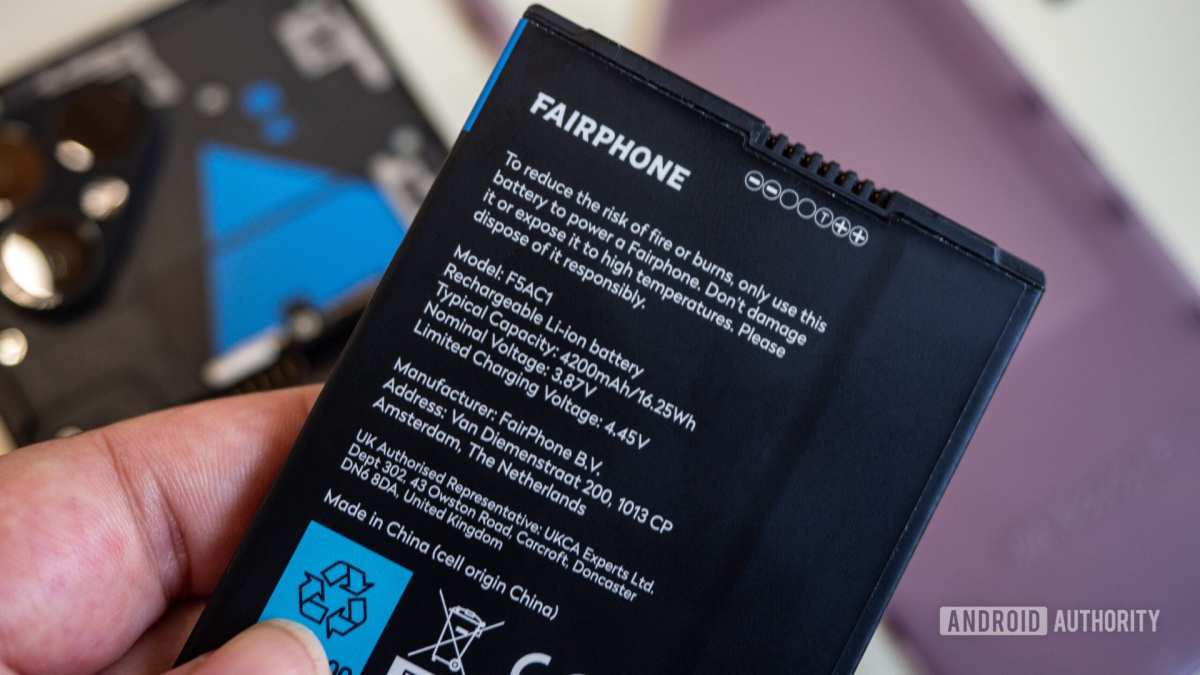
A good battery for Android phone ensures hours of reliable use without constant charging. **Choosing the right battery can significantly improve your device’s performance.** Many users face quick drain issues, but swapping to a compatible, high-quality battery solves this problem.
Understanding what makes a battery suitable for your Android device helps you make smarter choices. Regular maintenance and using genuine parts extend its lifespan, keeping your phone functioning smoothly.

Battery for Android Phone: Everything You Need to Know to Keep Your Device Charged
When you buy an Android phone, one of the most important parts is its battery. It’s what powers your device and keeps it running all day long. Whether you’re streaming videos, playing games, or texting friends, your battery plays a big role in your daily life. So, understanding how batteries work, how to pick the right one, and how to make it last longer can make a big difference. Let’s explore everything you need to know about batteries for Android phones.
How Do Android Phone Batteries Work?
Android phone batteries usually use lithium-ion technology, which has been the standard for smartphones for many years. These batteries store energy chemically and convert it into electrical power when you use your phone.
- Rechargeable: Lithium-ion batteries can be charged hundreds of times without losing much capacity.
- Lightweight and Compact: They are small enough to fit inside your phone while providing enough power.
- High Energy Density: Lithium-ion batteries pack a lot of power into a small size, making your device slim and portable.
**How the battery powers your device:**
– The battery supplies electrical current to run your phone’s components like the screen, processor, and camera.
– When charging, the battery receives energy from the charger and stores it for later use.
Common Types of Batteries Used in Android Phones
While lithium-ion is the most common, there are newer types and variations designed to offer better performance or safety.
Lithium Polymer Batteries
These are similar to lithium-ion but use a gel-like electrolyte, making them even more flexible and lightweight. They are often used in ultra-slim phones and devices where space is tight.
Solid-State Batteries
The newest innovation, these batteries replace liquid electrolytes with solid materials. They promise higher capacity, faster charging, and better safety but are still being developed for mass-market use.
Choosing the Right Battery for Your Android Phone
When shopping for a replacement battery or considering an upgrade, keep these points in mind.
- Battery Capacity (mAh): The higher the mAh (milliampere-hour), the longer your phone can last before needing a recharge.
- Compatibility: Always verify that the battery matches your Android phone model.
- Brand and Quality: Opt for trusted brands to ensure safety and durability.
- Cycle Life: This indicates how many times the battery can be charged and discharged before its capacity drops significantly.
How to Maximize Your Android Phone’s Battery Life
Even with the best batteries, how you use your phone directly affects how long it stays powered up.
Adjust Screen Brightness and Timeout
Your screen uses the most power. Reducing brightness and setting a shorter timeout period helps save energy.
Close Unnecessary Apps
Many apps run in the background, draining battery even when you’re not using them. Close apps you aren’t actively using.
Turn Off Unused Features
Disable Bluetooth, Wi-Fi, GPS, and mobile data when you don’t need them. Using airplane mode in low-signal areas can also help.
Update Your Apps and Software
New updates often include power-saving improvements. Keep your device’s software up to date.
Battery Maintenance Tips to Keep Your Battery Healthy
Proper care extends your battery’s lifespan and keeps it working smoothly.
- Avoid Full Discharges: Lithium-ion batteries last longer when you keep the charge level between 20% and 80%. Avoid letting it drain completely or stay fully charged all the time.
- Use the Right Charger: Always use the charger provided or certified by the manufacturer.
- Keep Your Phone Cool: Excess heat damages batteries. Avoid leaving your phone in hot places or exposing it to direct sunlight.
- Store Batteries Properly: If you’re not using your phone or spare batteries for a while, store them in a cool, dry place with about 50% charge.
When Should You Replace Your Android Phone Battery?
Over time, batteries lose capacity and your phone might start losing power faster. Signs it’s time for a new battery include:
- Your phone drains faster than usual.
- It takes longer to charge than before.
- Your device suddenly shuts down even when the battery shows a high percentage.
- You notice swelling or physical damage to the battery.
Replacing a worn-out battery can bring your phone back to life and extend its usability.
How to Replace Your Android Phone Battery Safely
Not all phones have user-replaceable batteries, but if yours does, follow these simple steps:
- Turn off the device and remove the back cover carefully.
- Disconnect the old battery and remove it gently.
- Insert the new battery, making sure it fits snugly.
- Reassemble the phone and turn it on.
If your phone’s battery isn’t removable, it’s best to have a professional replace it for you to avoid damaging your device.
Innovations in Battery Technology for Android Phones
Designers and engineers are continually working to improve battery performance. Some exciting developments include:
- Fast Charging: New charging technologies allow you to charge a battery up to 50% or more in just minutes.
- Wireless Charging: Simplifies charging without cables, making it more convenient to top up your device.
- Extended Battery Life: New materials and algorithms help batteries last longer on a single charge.
- Battery Health Monitoring: Built-in software tracks your battery’s health and suggests when to replace it.
Summary of Key Points About Batteries for Android Phones
To keep your Android phone functioning well, it’s important to understand your battery’s capabilities and limitations:
- Use the right battery designed for your specific device model.
- Handle your battery carefully and avoid extreme conditions.
- Follow best practices to extend battery life, like reducing screen brightness and turning off unused features.
- Recognize signs of battery wear and replace it promptly for optimal performance.
- Stay updated on the latest battery innovations for future upgrades.
Understanding the ins and outs of batteries for Android phones helps you make smarter choices and enjoy your device without constant worry about power. Whether you’re replacing an old battery, managing power wisely, or exploring new tech, paying attention to your phone’s power source keeps you connected and productive throughout the day.
Frequently Asked Questions
What factors should I consider when choosing a replacement battery for my Android phone?
When selecting a replacement battery, consider the battery’s capacity (measured in mAh), compatibility with your specific phone model, and the brand’s reputation. It’s also helpful to review user feedback on longevity and performance. Ensure that the battery is genuine or from a trusted supplier to avoid potential issues related to poor quality or safety concerns.
How can I improve the battery life of my Android phone without replacing it?
You can extend your phone’s battery life by adjusting screen brightness, turning off Wi-Fi and Bluetooth when not in use, reducing background app activity, and enabling battery saver mode. Managing app notifications and closing unnecessary apps also helps conserve energy. Regularly updating your device’s software can optimize power management features as well.
What are the signs that my Android phone’s battery needs replacement?
Indicators include rapid battery drain, the device shutting down unexpectedly even with charge remaining, excessive heat during use, or swelling of the battery. If your phone’s battery life becomes significantly shorter despite normal usage, it’s likely time to replace the battery to ensure safety and maintain performance.
Final Thoughts
A high-quality battery for Android phone ensures your device stays powered throughout the day. Choosing the right battery improves performance and extends lifespan.
Evaluate your phone’s compatibility and capacity needs carefully before purchasing. Proper maintenance can also prolong the battery’s effectiveness.
Investing in a reliable battery enhances user experience and keeps your phone functioning optimally. Remember, a good battery for Android phone makes a significant difference in daily usage.

Similar Posts































