
Curved monitors offer an immersive viewing experience, but are they bad for your eyes? This comprehensive guide delves into the science behind curved displays, examining their impact on eye strain, visual comfort, and overall eye health. We’ll explore the advantages, potential disadvantages, and provide actionable advice to ensure you can enjoy your curved monitor without compromising your vision. Learn how to optimize your setup for the best eye care.
Are Curved Monitors Bad for Your Eyes
In the ever-evolving world of technology, monitors have taken on new shapes and forms. Among the most noticeable trends in recent years is the rise of curved monitors. These sleek displays promise a more immersive and engaging visual experience. But as with any new technology, questions arise about its impact on our well-being. A common concern is: are curved monitors bad for your eyes?
This guide is designed to answer that very question comprehensively. We’ll dive into the science behind curved displays, explore the potential benefits and drawbacks for your vision, and equip you with practical tips to ensure comfortable and healthy viewing, whether you opt for a curved or a traditional flat monitor. You’ll learn about the factors that contribute to eye strain and how a curved monitor might (or might not) influence them. By the end, you’ll have a clear understanding of how curved monitors interact with your eyes and how to maximize your visual comfort.
Contents
- 1 Key Takeaways
- 2 Understanding the Curve: The Science Behind Curved Monitors
- 3 Potential Benefits of Curved Monitors for Eye Health
- 4 Potential Drawbacks and Concerns Regarding Curved Monitors
- 5 Are Curved Monitors Bad for Your Eyes? The Verdict from Experts and Studies
- 6 Practical Tips for Maximizing Eye Comfort with Any Monitor (Curved or Flat)
- 7 Troubleshooting Common Issues with Curved Monitors
- 8 Conclusion: Embrace the Curve (or Not) with Informed Choices
Key Takeaways
- Curved monitors generally do not cause permanent eye damage. The curvature is designed to mimic the natural field of vision, potentially reducing eye strain.
- Reduced peripheral distortion is a key benefit. The curve can make the edges of wide screens appear closer to your eyes, leading to a more consistent focal distance.
- Immersion and reduced glare are often improved. The wrap-around effect can enhance engagement with content and the curve can help direct ambient light away from your eyes.
- Individual sensitivity and usage habits matter. Some users might experience initial discomfort or find them less suitable for precise design work without proper adjustment.
- Proper setup and usage are crucial for eye comfort. Adjusting viewing distance, brightness, contrast, and taking regular breaks are essential, regardless of monitor type.
- Flat monitors are not inherently “safer.” Eye strain is a common issue with all monitors, often linked to screen time, posture, and environmental factors, not just the screen’s shape.
Understanding the Curve: The Science Behind Curved Monitors
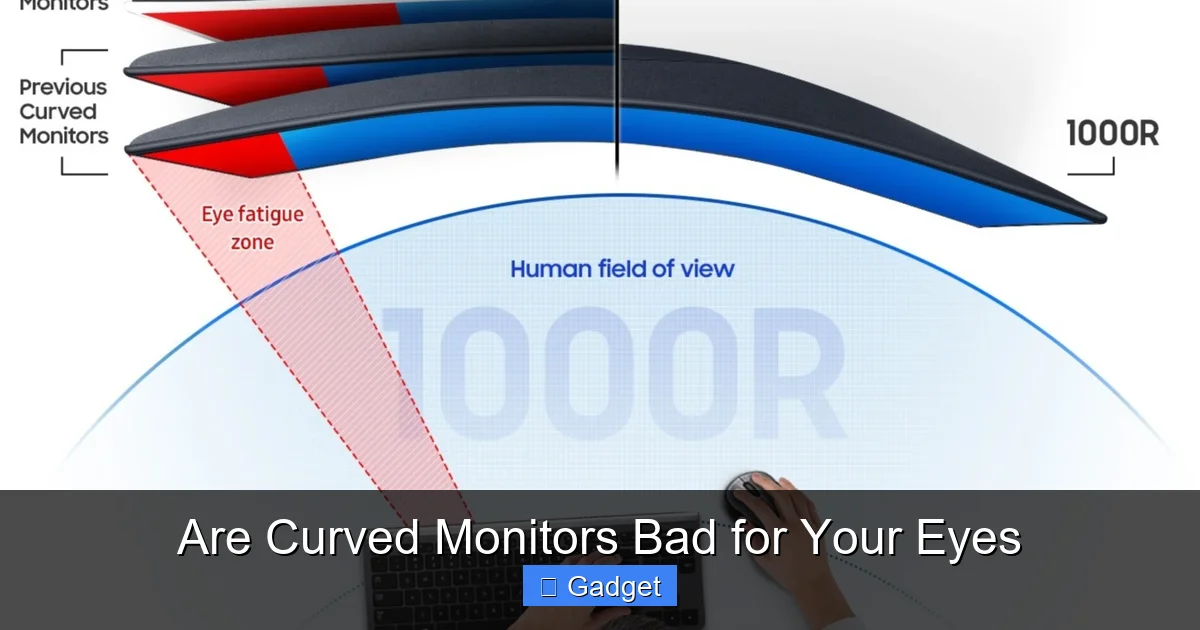
Before we can assess their impact on your eyes, it’s essential to understand why monitors are curved in the first place. The human eye has a naturally curved retina, meaning we perceive the world as a continuous, panoramic view. Flat screens, especially ultra-wide ones, can present challenges as the edges are further from your eyes than the center. This can lead to a need for your eyes to refocus as they scan across the screen.
Curved monitors aim to mimic this natural field of vision. The idea is to bring the edges of the screen closer to your peripheral vision, creating a more consistent viewing distance across the entire display. This can lead to a more comfortable and less demanding viewing experience.
The Anatomy of Your Eye and How It Sees
Our eyes are remarkable organs. They capture light and translate it into images. The retina, a light-sensitive layer at the back of the eye, is curved. This curvature is crucial for how we perceive depth and our wide field of view. When looking at a flat surface, especially a large one, the parts furthest from your eyes are at a different focal plane than the center.
The Physics of Light and Perception
Light travels in straight lines. When a curved monitor projects an image, the light rays from the edges are angled slightly differently towards your eyes compared to the center. This angling is precisely what designers hope will create a more uniform focal distance, reducing the strain associated with refocusing.
Potential Benefits of Curved Monitors for Eye Health
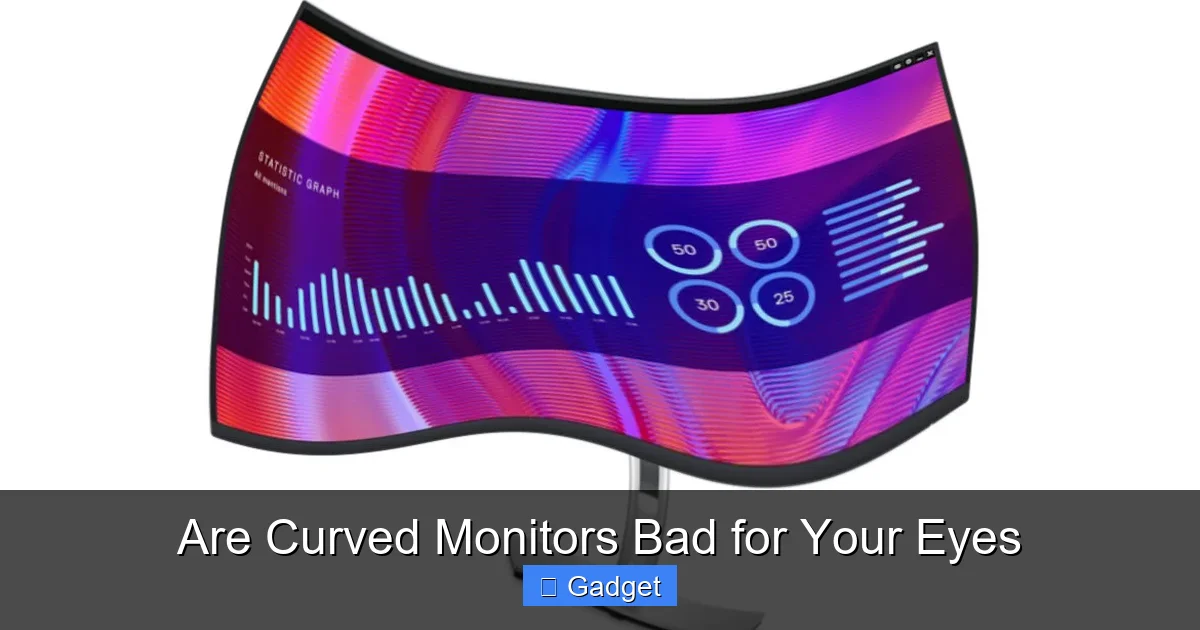
Visual guide about Are Curved Monitors Bad for Your Eyes
Image source: techaeris.com
Contrary to some initial concerns, curved monitors are often designed with eye comfort in mind. Here are some of the primary benefits they can offer:
1. Enhanced Immersion and Reduced Peripheral Vision Strain
One of the most touted benefits of curved monitors is their ability to enhance immersion. The wrap-around effect can make you feel more “in” the content, whether you’re gaming, watching movies, or working on a detailed project. This immersion can also translate to reduced eye strain.
How Immersion Aids Comfort
When the edges of a wide display are further away, your eyes have to work harder to take in the entire image. The curve helps to bring those edges into your peripheral vision more naturally. This means your eyes don’t have to “pan” as much or constantly adjust focus between the center and the sides. This can lead to a more relaxed viewing experience, especially during long sessions.
2. Reduced Peripheral Distortion
On very wide flat monitors, there can be noticeable distortion at the edges. Objects might appear stretched or warped. The curvature of a curved monitor helps to correct this by ensuring that the lines and shapes at the edges are perceived more naturally by your eyes.
Minimizing the “Fishbowl Effect”
While some might worry about a “fishbowl” effect with curved screens, modern monitor designs are engineered to minimize this. The goal is a gentle curve that complements your natural field of view, not distorts it. This reduction in peripheral distortion can make images appear more accurate and less fatiguing to process.
3. Potential for Reduced Glare and Reflections
The shape of a curved monitor can also play a role in managing ambient light. By subtly directing light away from your direct line of sight, a curve can potentially reduce the intensity of glare and reflections that bounce off the screen.
How the Curve Directs Light
Imagine light sources in your room. On a flat screen, light reflecting from the sides might hit your eyes directly. A curved screen, with its subtle inward angle, can help deflect some of that reflected light. This is particularly beneficial in environments with multiple light sources or windows.
Potential Drawbacks and Concerns Regarding Curved Monitors
Visual guide about Are Curved Monitors Bad for Your Eyes
Image source: notebookcheck.net
While there are many advantages, it’s also important to consider potential downsides and address common concerns about curved monitors and eye health.
1. Initial Adjustment Period
Some users report an initial period of adjustment when switching to a curved monitor. Your brain is accustomed to perceiving flat surfaces. It might take a few days or even a week for your visual system to fully adapt to the slight curvature.
What to Expect
During this adjustment period, you might experience a slight feeling of disorientation or a perceived warping of straight lines. This is usually temporary and subsides as your brain recalibrates. If the discomfort persists, it’s worth reassessing your viewing distance or monitor settings.
2. Not Ideal for All Types of Work
For certain professions, such as graphic design, CAD work, or precise image editing, where absolute geometric accuracy is paramount, a curved monitor might present minor challenges. While the distortion is minimal, the slight curvature can, in rare cases, subtly affect the perception of perfectly straight lines or right angles.
When to Consider Alternatives
If your daily work involves tasks that demand ultra-precise measurements and a perfectly flat visual plane, a high-quality flat monitor might still be the preferred choice. However, for most users, the perceived inaccuracies are negligible and far outweighed by the ergonomic benefits.
3. User Sensitivity and Preference
Ultimately, eye comfort is subjective. While many users find curved monitors to be more comfortable, a small percentage of individuals might find them less so. Personal preference and individual eye physiology play a significant role.
Listen to Your Eyes
If you try a curved monitor and consistently experience discomfort or eye strain, it’s important to listen to your body. This doesn’t necessarily mean curved monitors are “bad,” but rather that they might not be the best fit for your specific needs and sensitivities.
Are Curved Monitors Bad for Your Eyes? The Verdict from Experts and Studies
Visual guide about Are Curved Monitors Bad for Your Eyes
Image source: cdn.autonomous.ai
The consensus among eye care professionals and in available research suggests that curved monitors are **not inherently bad for your eyes**. In fact, for many users, they can offer a more comfortable and less straining viewing experience compared to large, flat displays.
What the Science Suggests
The design of curved monitors aligns with how our eyes perceive the world. By creating a more uniform focal distance, they can reduce the accommodative effort (the eye’s ability to adjust focus) required to view an entire screen. This can translate to less fatigue and fewer symptoms of digital eye strain, such as dryness, redness, and headaches.
Expert Opinions
Ophthalmologists and optometrists generally agree that the curvature of modern monitors is not detrimental to eye health. The primary drivers of digital eye strain remain factors like prolonged screen time, poor ergonomics, inadequate lighting, and uncorrected vision problems, not the shape of the screen itself.
Practical Tips for Maximizing Eye Comfort with Any Monitor (Curved or Flat)
Regardless of whether you choose a curved or a flat monitor, adopting good viewing habits is paramount for maintaining eye health.
1. Optimize Your Viewing Distance
This is arguably the most critical factor.
How to Find the Right Distance
As a general rule, your monitor should be about an arm’s length away. For a curved monitor, this distance might feel slightly more natural as the curve brings the edges closer. The goal is to avoid leaning in or straining to see. The top of your screen should be at or slightly below eye level.
2. Adjust Brightness and Contrast
Screen brightness should be comfortable and match your environment.
Matching Your Environment
If your room is bright, your monitor can be brighter. In a darker room, a dim monitor is easier on the eyes. Contrast should be set so that text is clearly legible without being harsh. Avoid excessively high contrast ratios, which can increase eye strain.
3. Take Regular Breaks (The 20-20-20 Rule)
This simple rule is a game-changer for eye health.
Implement the 20-20-20 Rule
Every 20 minutes, look at something 20 feet away for at least 20 seconds. This allows your eye muscles to relax and reduces strain. Set a timer or use software that reminds you to take these breaks.
4. Ensure Proper Lighting
The lighting in your workspace plays a significant role in eye comfort.
Reduce Glare and Eye Strain
Avoid having bright light sources directly behind your monitor, as this can create distracting reflections. Position your monitor so that windows or overhead lights don’t cause glare on the screen. Diffused, indirect lighting is usually best.
5. Blink Regularly and Keep Your Eyes Moisturized
When staring at a screen, people tend to blink less frequently, leading to dry eyes.
Conscious Blinking and Artificial Tears
Make a conscious effort to blink fully and often. If your eyes feel dry, artificial tears can provide relief. Ensure your workspace has adequate humidity if possible.
6. Check Your Prescription and Eye Health
Uncorrected or improperly corrected vision can exacerbate eye strain.
Consult an Eye Care Professional
If you wear glasses or contact lenses, ensure your prescription is up-to-date. If you experience persistent eye discomfort, consult an optometrist or ophthalmologist to rule out any underlying vision issues.
Troubleshooting Common Issues with Curved Monitors
While rare, some users might encounter specific issues.
Issue: Persistent Discomfort or Eye Strain
* Possible Cause: Incorrect viewing distance, improper brightness/contrast, or an adjustment period that hasn’t passed.
* Solution: Re-evaluate your viewing distance, adjust brightness and contrast settings, and ensure you are taking regular breaks using the 20-20-20 rule. If the issue persists after a week or two, consider if the curve is the right fit for you or if an underlying vision problem needs addressing.
Issue: Perceived Distortion of Straight Lines
* Possible Cause: This can be a natural perception with curved screens, especially if you’re not used to them. It can also be more pronounced with very aggressive curves or on ultra-wide formats.
* Solution: For most users, this becomes unnoticeable with time. If it remains an issue for critical design work, you might need to consider a flat monitor. For general use, slight adjustments to your viewing angle or distance can sometimes minimize this perception.
Issue: Glare Still an Issue
* Possible Cause: Even with a curve, strong, direct light sources can still cause glare.
* Solution: Adjust the position of your monitor relative to light sources. Consider using a monitor hood or screen filter if glare remains a significant problem.
Conclusion: Embrace the Curve (or Not) with Informed Choices
So, are curved monitors bad for your eyes? The answer, in most cases, is **no**. Curved monitors are a technological advancement designed to improve the viewing experience by aligning with our natural vision. For many users, they offer enhanced immersion, reduced peripheral distortion, and potentially less eye strain, especially on larger and wider displays.
However, like any technology, individual experiences can vary. Some may require an adjustment period, and certain niche professional applications might still favor flat screens. The key takeaway is that the curvature itself is unlikely to cause harm. Instead, factors like prolonged screen time, poor posture, inadequate lighting, and uncorrected vision are the primary culprits behind digital eye strain.
By understanding how curved monitors work, being aware of the potential (though usually minor) drawbacks, and most importantly, adopting healthy viewing habits, you can make an informed decision. Whether you choose a curved monitor for its immersive qualities or stick with a traditional flat screen, prioritizing eye comfort through proper setup and regular breaks will ensure you can enjoy your digital world without compromising your vision. Your eyes will thank you for it.


