Best Android Battery App To Boost Your Phone’S Battery Life
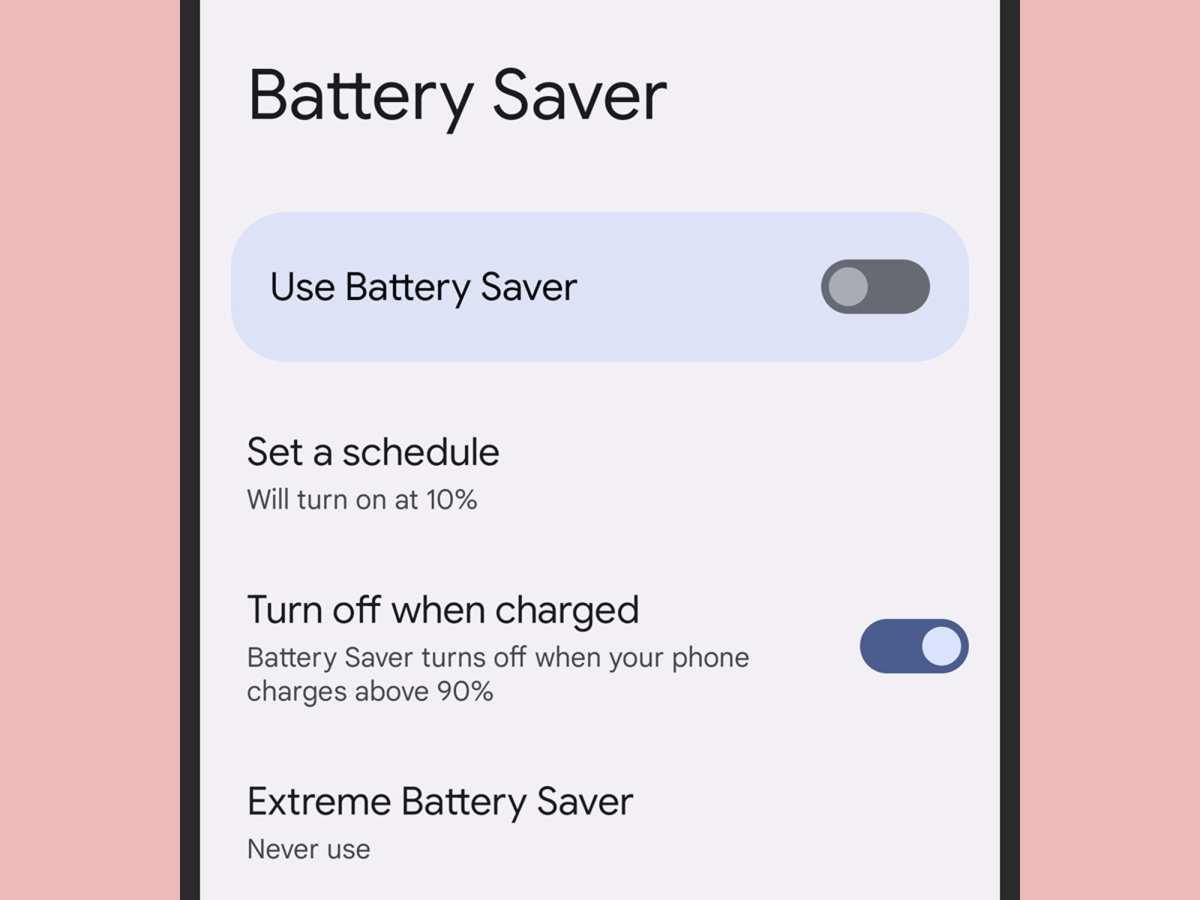
If you’re tired of your Android phone dying too quickly, the solution lies in using a reliable Android battery app. **An effective app can monitor your battery usage and help extend its lifespan.** These apps provide real-time insights and tips to optimize power consumption.
Choosing the right Android battery app simplifies managing your device’s energy and keeps you connected longer without constant charging. With the right tools, maintaining your phone’s battery health becomes effortless and efficient.

Understanding the Importance of an Android Battery App
Having a good battery life is one of the most common concerns for Android users today. With so many apps running in the background and high-resolution screens demanding more power, your device’s battery gets drained faster than you might expect. That’s where an Android battery app comes into play. These apps help you keep an eye on your battery’s health, usage patterns, and suggest ways to extend your device’s runtime.
Using a dedicated Android battery app can make a big difference in how long your phone stays powered up. But not all battery apps are created equal. Some are simple tools that show you how much power is left, while others are comprehensive apps that offer detailed insights and optimization options.
In this section, we will explore what makes an Android battery app essential and why you should consider installing one on your device. We’ll also look at the benefits these apps can offer and what features you should look for when choosing the right app for your needs.
Why You Need an Android Battery App
Most Android phones come with a built-in battery monitor, but these built-in tools often lack detailed information or don’t provide enough control over your device’s power consumption. Here’s why an Android battery app can be a game-changer:
- Extended Battery Life: Many apps offer options to identify and stop power-hungry apps running in the background, which helps conserve battery.
- Battery Usage Insights: Understand which apps or functions drain the most power so you can manage your usage better.
- Real-Time Monitoring: Get live updates on your battery’s percentage, temperature, and voltage to prevent overheating and early battery wear.
- Performance Optimization: Some apps include features to close background apps, disable unnecessary services, and optimize device settings for better battery life.
- Health Maintenance: Track your battery’s aging process and receive tips to prolong its lifespan.
Key Features to Look for in an Android Battery App
When choosing a battery app, look for features that suit your usage style and needs. Here are some essential features that make an Android battery app effective:
Battery Usage Details
A good app should show detailed charts and lists of which apps and services consume the most power. It should break down usage by:
- App activity (foreground and background)
- Screen brightness and timeout
- Connectivity options like Wi-Fi, Bluetooth, and mobile data
- Bluetooth and GPS usage
Power Saving Modes
Many apps include preset or customizable power-saving modes that:
- Reduce screen brightness
- Limit background activity
- Disable non-essential features
- Switch to a simplified UI
Battery Health Monitoring
This feature helps you:
- Track the maximum capacity of your battery over time
- Receive alerts about potential battery issues
- Get tips to prevent battery deterioration
Automated Optimization
Some apps can automatically optimize your device based on usage patterns, such as:
- Turning off Wi-Fi or Bluetooth when not in use
- Closing unused apps periodically
- Managing background data more efficiently
The Best Android Battery Apps: A Comparative Overview
In the crowded market of battery apps, some stand out because of their features, user interface, and reliability. Here’s a brief look at a few popular options:
| App Name | Main Features | User Ratings |
|---|---|---|
| AccuBattery | Battery health info, usage statistics, charging rates | 4.7/5 |
| Battery Saver & Cleaner | One-tap optimization, app management, junk cleaning | 4.5/5 |
| GSam Battery Monitor | Detailed usage stats, drain causes, notifications | 4.4/5 |
| Avast Battery Saver | Power-saving modes, app management, schedule options | 4.3/5 |
Each of these apps offers unique features that cater to different user needs. AccuBattery is ideal for those who want a detailed understanding of battery health, while Battery Saver & Cleaner focuses on quick optimization and cleaning. GSam provides detailed insights into what causes battery drain, and Avast offers a combination of power management with security tools.
Tips to Maximize Your Android Battery Life
While using an Android battery app offers many benefits, combining it with good habits can further extend your device’s battery life. Here are some practical tips:
- Reduce screen brightness and screen timeout duration.
- Turn off Wi-Fi, Bluetooth, and GPS when not in use.
- Limit background data for apps that don’t need constant updating.
- Close or uninstall apps that drain a lot of power unnecessarily.
- Enable airplane mode in areas with poor network coverage to prevent constant searching for signals.
- Update your device and apps regularly to benefit from power optimization improvements.
- Use dark mode if your device has an OLED screen—it can save significant battery life.
How to Effectively Use an Android Battery App
Once you’ve selected a suitable battery app, you should learn how to utilize it effectively:
Set Up and Personalize
Configure the app according to your usage habits. Enable notifications for high drain alerts and set up automated modes for different scenarios like night or travel.
Monitor Regularly
Make checking your battery usage a daily habit. Keep an eye on apps that suddenly start draining more power, which may indicate a problem.
Use Optimization Features Carefully
Be cautious with aggressive optimization. Sometimes, closing too many apps or disabling services can hinder your experience. Use these features wisely.
Track Battery Health Over Time
Periodically review your battery’s capacity trends. If you notice a significant drop, consider replacing the battery or adjusting your usage habits.
Common Challenges and How to Address Them
No solution is perfect, and some common issues can arise with Android battery apps:
- App Conflicts: Multiple apps trying to optimize battery can interfere with each other. Choose one trusted app and avoid overlapping features.
- Inaccurate Readings: Some apps might not reflect actual battery status accurately. Cross-check with your device’s native tools.
- Over-optimization: Constantly closing apps or disabling services might slow down your device or cause unresponsiveness. Use optimization features as needed.
- Battery Drain Despite App Use: If the battery drains quickly even with proper app management, consider a hardware issue or battery replacement.
In conclusion, leveraging an Android battery app effectively can help you extend your device’s runtime, improve battery health, and give you more control over how your phone consumes power. Remember to choose a quality app that offers the features you need, and adopt smart usage habits alongside app management for the best results. Keep monitoring your battery regularly, and don’t hesitate to adjust your settings to find the perfect balance between performance and longevity.
Frequently Asked Questions
How can I identify which apps are draining my Android battery the most?
To find out which apps consume the most power, open your device’s battery usage settings. Within this section, you will see a list of apps ranked by their energy consumption. Pay attention to apps that are active in the background or using location services, as these often use more battery. Managing or restricting these apps can help extend your battery life effectively.
What features should I look for in a good Android battery app?
A reliable battery app should provide real-time monitoring of battery status, display detailed usage statistics, and offer tools to optimize power consumption. It should also identify power-hungry apps, suggest ways to improve battery life, and notify you about any unusual battery drain. Additionally, user-friendly design and minimal impact on system performance enhance the overall experience.
Can a battery app improve my Android device’s battery lifespan?
Yes, certain features within battery management apps can help prolong your device’s battery health. By limiting background activity, managing app permissions, and advising on optimal charging habits, these apps reduce unnecessary battery stress. Regularly using such tools can contribute to maintaining your battery’s capacity over time.
Final Thoughts
A well-chosen android battery app can significantly extend your device’s lifespan by optimizing power usage. It provides real-time insights, allowing you to identify and manage battery-consuming apps easily. By using such an app, you ensure your phone stays charged longer throughout the day. Ultimately, an effective android battery app becomes an essential tool for maintaining device performance and battery health.

Similar Posts