Android App Not Available In Your Country Ways To Access
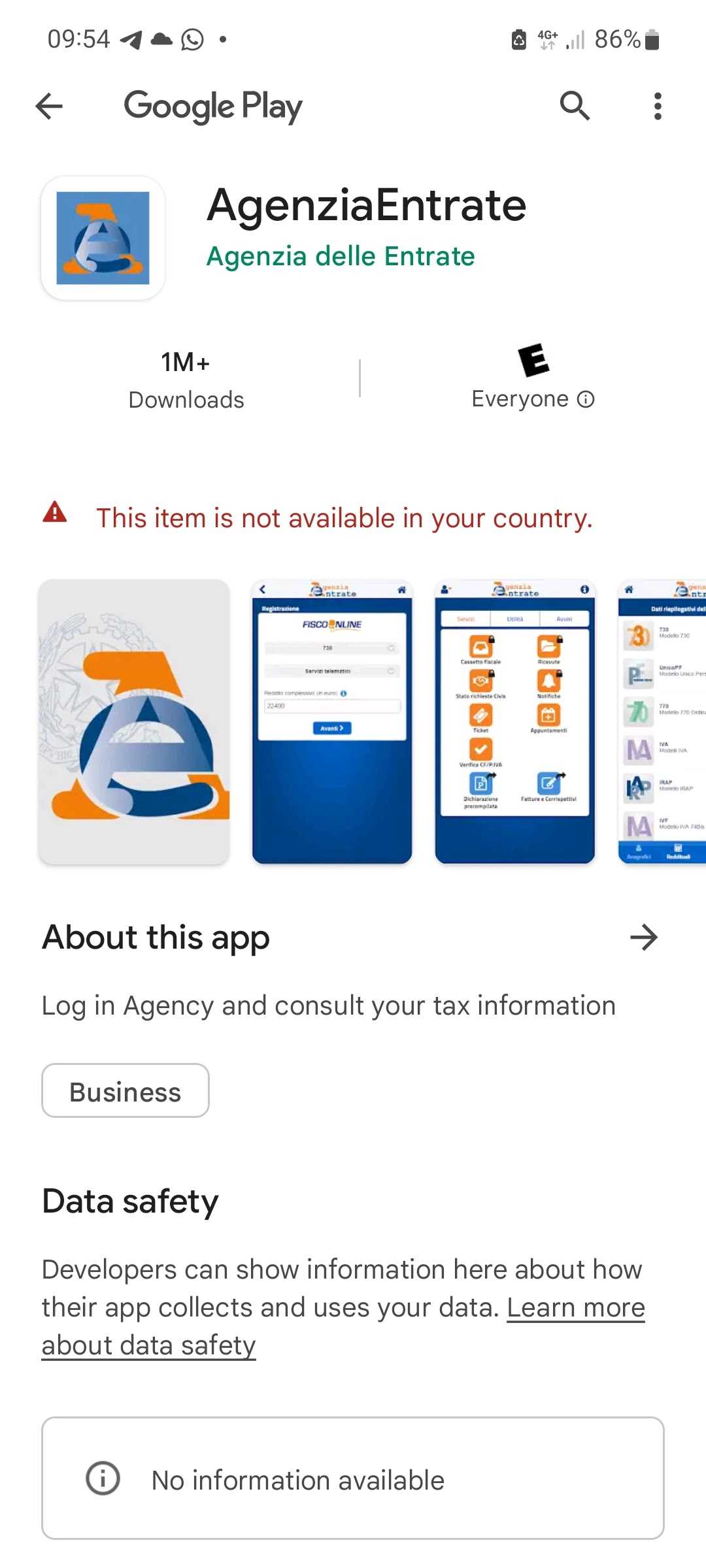

Android App Not Available in Your Country: How to Access It Easily
Understanding Why Certain Android Apps Are Not Available
Many Android users find themselves unable to download specific apps. This often happens because apps are limited to certain countries or regions. Developers may choose to restrict access due to legal, licensing, or regional content requirements. Sometimes, apps are only released in select markets, leaving others unable to install them directly. Other reasons include regional restrictions imposed by app stores. Google Play Store may block apps from appearing in certain countries due to local laws or policies. This can be frustrating for users eager to access popular apps that are simply blocked in their location. Regional restrictions can also depend on the app’s language support or targeted audience. Developers may only intend certain content for specific markets, which leads to restrictions elsewhere. Understanding these reasons helps users realize that these blocks are often out of their control but can still be bypassed.Methods to Access Android Apps Restricted in Your Country
Luckily, there are various ways to get around regional restrictions on Android apps. The most common methods include using VPNs, changing country settings, or installing APK files directly. Each method has its advantages and potential challenges. Using a VPN, or Virtual Private Network, is one of the easiest approaches. VPNs hide your real location by routing your internet connection through servers in different countries. This tricks the Google Play Store into thinking you are in a permitted country, allowing app access. Another method involves changing your device’s country settings in the Google Play Store. This can be done by creating a new Google account with a different country or modifying existing account settings. Changing your language preferences may also help in some cases. Finally, sideloading APK files allows you to install apps directly onto your device. This method bypasses the Google Play Store entirely, but it carries risks if you do not verify the source. Always ensure APKs are downloaded from trusted sites to avoid malware.Step-by-Step Guide to Using a VPN for App Access
Most users find VPNs to be an efficient solution. First, select a reputable VPN provider with servers in the country where the app is available. ExpressVPN, NordVPN, and CyberGhost are popular options. Next, install the VPN app on your Android device. Open the app and connect to a server in a country that supports the app you want. Once connected, go to your device’s settings and clear data for the Google Play Store app to avoid detection. Now, open the Google Play Store. You may need to restart the app or your device. When you browse or search for the restricted app, it should now appear. You can then download and install it normally. Remember, always disconnect the VPN after downloading the app if you don’t want all your internet traffic routed through the VPN. Also, keep your VPN updated for security reasons.Changing Your Google Play Store Country Settings
This method is best for users planning to access apps regularly in another country. To do this, you need to create a new Google account with the desired country or change your existing account’s country. Go to your Google Account Settings and select “Payments & Subscriptions.” Then choose “Settings” and look for the “Country” option. Change it to the country where the app is available. Once changed, open the Google Play Store, and it should automatically adjust to the new country setting. You may need to restart your device or clear the cache of the Play Store app. Note that Google limits you to changing your country only once every 12 months, so use this method wisely. Also, some apps may not be fully accessible immediately after changing settings.Installing APK Files from Trusted Sources
Downloading APK files is a quick way to get access to apps outside your region. First, find a reliable source for APK files such as APKMirror, APKPure, or Aptoide. Always verify the authenticity of the site and the APK. Before installing, enable “Unknown Sources” in your device settings. Locate the APK file you downloaded and tap to install. Follow the prompts, and the app will install directly on your device. Be cautious while downloading APKs. Malware and malicious code are risks if you do not trust the source. Consider using antivirus apps to scan files before installation. Also, keep your apps updated manually after sideloading.Potential Risks and Legal Considerations
Using VPNs or sideloading APKs can sometimes violate terms of service or local laws. Always research the legality of these methods in your region. Some countries have strict laws about bypassing regional restrictions. Risks include exposing your device to malware, especially when downloading apps from unofficial sources. Always use reputable providers for VPNs and trusted APK sites. Keep your device security up to date and consider using an antivirus. Remember, bypassing restrictions might lead to app malfunctions or account bans in some cases. Proceed carefully, and make sure you understand the risks involved.Additional Tips for Accessing Blocked Apps
– Regularly update your VPN app and server list for better connectivity. – Clear cache and data for Google Play Store when switching regions or VPN servers. – Use multiple methods together, like changing your Google account country while using a VPN. – Join online forums and communities for updated tips on accessing region-locked apps. – Backup your device before sideloading APK files to prevent data loss.Related Topics to Explore
- How to improve your Android device security during app downloads
- Best VPNs for Android users in 2023
- Understanding Google Play Store region restrictions
- Top trusted sites for APK downloads
- Legal implications of bypassing app restrictions
How to Download Android Apps Not Available in Your Country
Frequently Asked Questions
Why is the app not available in my country’s app store?
Many apps restrict availability based on regional regulations, licensing agreements, or targeted marketing strategies. If the app isn’t listed in your country’s app store, it means the developers haven’t made it accessible in your region, possibly due to legal or commercial reasons.
What steps can I take to access the app if it’s not available in my country?
You can consider changing your device’s country settings or using a reliable VPN service to connect through a different region. These methods can make your device appear as if it’s in a supported country, allowing you to download the app. However, be aware of potential risks and restrictions associated with these options.
Are there any legal concerns with downloading apps through third-party sources?
Downloading apps from unofficial sources can pose security risks and may violate terms of service or legal regulations. Always ensure that you trust the source and understand the potential implications before installing apps outside official app stores.
Can I use alternative methods to run the app on my Android device?
Yes, some users opt to sideload the app by downloading the APK file from a trusted website. Before doing so, enable installation from unknown sources in your device settings. Keep in mind that sideloading carries security risks and may cause compatibility issues.
Will the app eventually become available in my country?
App availability changes over time as developers expand their markets or adjust distribution policies. Stay updated through official channels or app updates, as the app may be released in your region in the future.
Final Thoughts
In summary, dealing with the ‘android app not available in your country’ issue can be frustrating. However, using a VPN or changing your device settings often provides a quick solution. These methods allow you to access apps blocked in your region with ease. Remember, a simple workaround can make a big difference in accessing your preferred apps.
Similar Posts































