

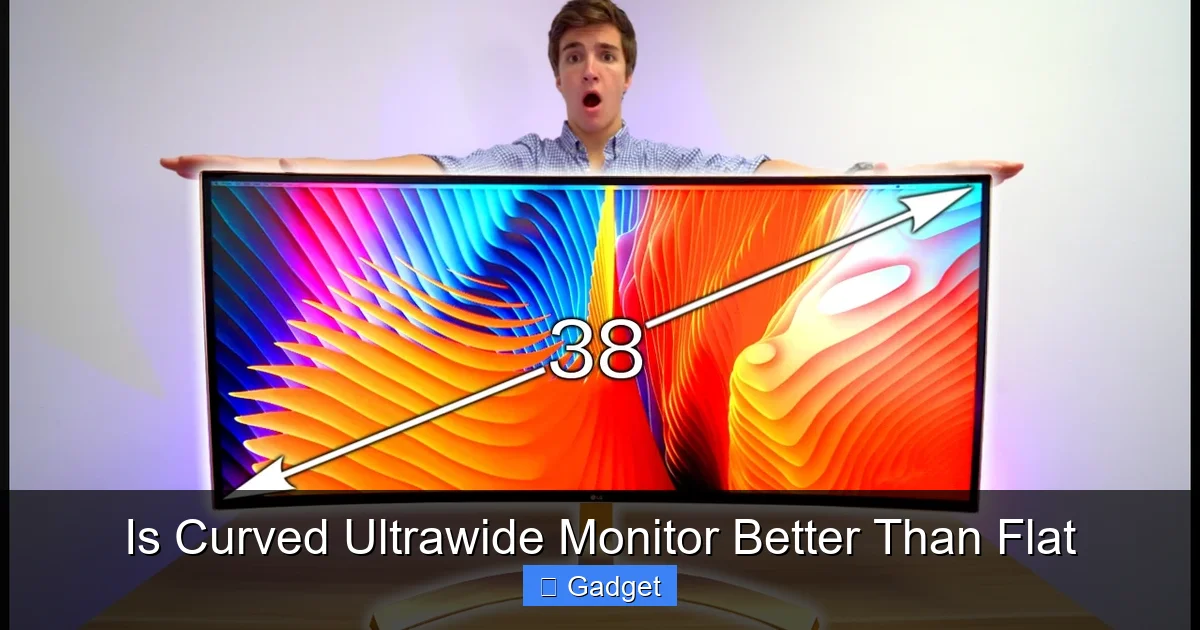
Deciding between a curved ultrawide and a flat monitor involves weighing immersion, visual comfort, and specific use cases. Curved ultrawides excel at enveloping you in content, making them ideal for gaming and cinematic experiences. Flat monitors, however, offer superior edge-to-edge consistency and are often preferred for precise design work. This guide breaks down the pros and cons to help you make the right choice.
Is Curved Ultrawide Monitor Better Than Flat? A Comprehensive Guide
You’re in the market for a new monitor, and the options seem endless. Beyond resolution and refresh rate, you’re now faced with a significant design choice: curved or flat? And when you add the “ultrawide” factor, the decision gets even more interesting. Ultrawide monitors, with their expansive 21:9 or even 32:9 aspect ratios, are already a leap from traditional displays. But should that expansive canvas be flat or curved? This guide will dive deep into the world of curved ultrawide monitors and their flat counterparts, helping you understand the pros and cons of each. We’ll explore how curvature affects your viewing experience, who benefits most from each type, and what to consider when making your purchase.
Contents
- 1 Key Takeaways
- 2 Understanding Ultrawide Monitors
- 3 The Science (and Art) of Curved Monitors
- 4 Curved Ultrawide vs. Flat Ultrawide: The Head-to-Head Comparison
- 5 Advantages of Curved Ultrawide Monitors
- 6 Disadvantages of Curved Ultrawide Monitors
- 7 Advantages of Flat Ultrawide Monitors
- 8 Disadvantages of Flat Ultrawide Monitors
- 9 Who Benefits Most from Each Type?
- 10 Key Considerations When Choosing
- 11 Troubleshooting Common Issues
- 12 Conclusion: Which One is Right for You?
Key Takeaways
- Curved ultrawide monitors offer a more immersive viewing experience by reducing perceived distortion and bringing the edges of the screen closer to your peripheral vision.
- The degree of curvature (e.g., 1800R, 1000R) significantly impacts immersion, with tighter curves offering a more dramatic, enveloping effect.
- Flat monitors are generally better for tasks requiring precise straight lines and geometric accuracy, such as graphic design, CAD, or photography editing, where any curvature could introduce subtle distortions.
- Eye strain can be reduced on curved monitors for some users due to a more consistent distance from the eyes to all parts of the screen, especially on wider panels.
- Ultrawide aspect ratios (21:9 or 32:9) are key to the benefits of both curved and flat ultrawides, providing more screen real estate for multitasking and expansive content.
- Gaming performance can be enhanced by curved ultrawides due to increased field of view and a sense of presence, though some competitive gamers may prefer the absolute flatness of a traditional monitor.
- Cost and desk space are important considerations; curved ultrawides can be pricier and their shape may require more desk real estate than a comparable flat monitor.
Understanding Ultrawide Monitors
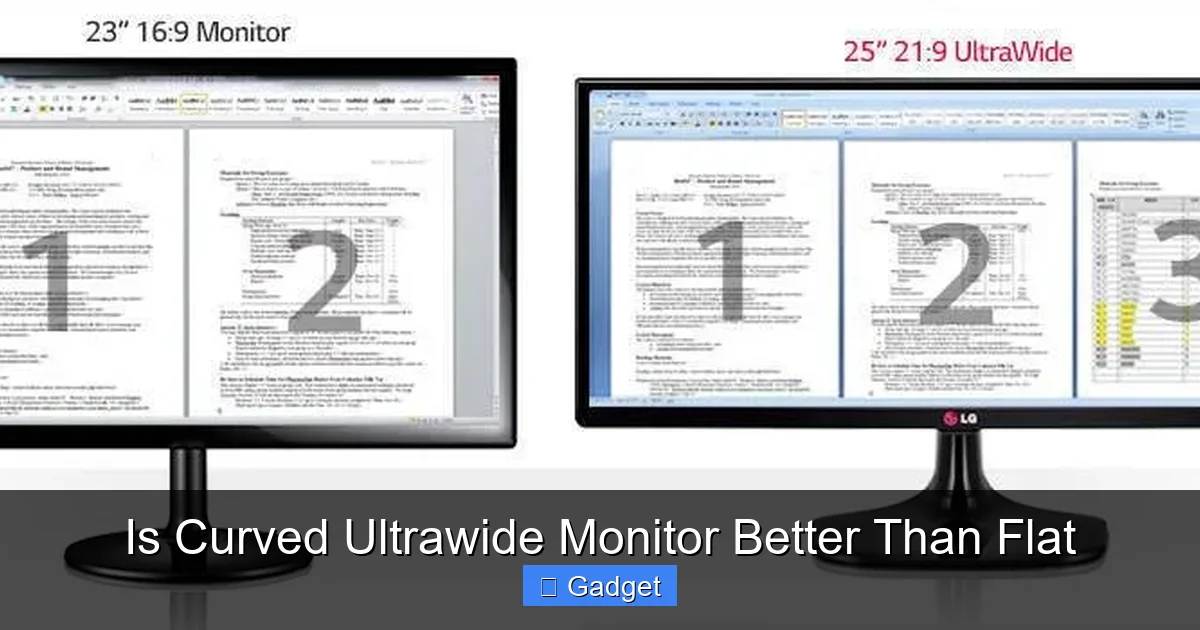
Before we get into the curve, let’s establish what an ultrawide monitor is. Unlike standard 16:9 aspect ratio monitors, ultrawide monitors stretch wider, offering more horizontal screen real estate. Think of it like having two standard monitors placed side-by-side, but without the distracting bezel in the middle. This extra width is fantastic for multitasking, allowing you to have multiple windows open and easily visible. It’s also a game-changer for immersive content, like movies and games, that are often formatted in a wider aspect ratio.
Ultrawide monitors typically come in a 21:9 aspect ratio, with some even pushing to 32:9 (which is essentially two 16:9 monitors side-by-side). This expanded view provides a more cinematic feel and a broader field of vision in games. If you’re wondering whether ultrawide monitors are better for racing games, the answer is often yes—especially when paired with a curved display.
The Science (and Art) of Curved Monitors
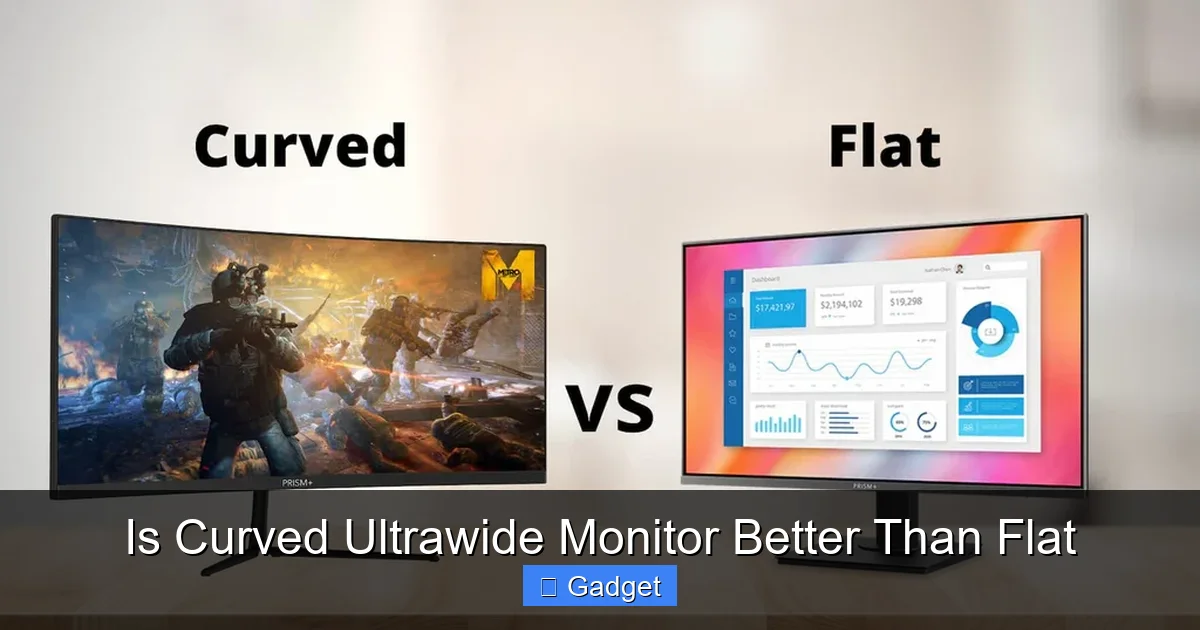
Now, let’s talk about the curve. Curved monitors aren’t just a design trend; they’re engineered to enhance your viewing experience. The idea is simple: by bending the screen, the monitor aims to match the natural curve of your eye. This can lead to several benefits, including increased immersion, reduced eye strain, and a more uniform viewing experience across the entire screen.
Visual guide about Is Curved Ultrawide Monitor Better Than Flat
Image source: prismplus.sg
The degree of curvature is often expressed as an “R” number, like 1800R or 1000R. A smaller “R” number (e.g., 1000R) indicates a tighter, more pronounced curve, while a larger “R” number (e.g., 1800R) signifies a gentler curve. A 1000R curve essentially means the arc of the screen would form a circle with a radius of 1000 millimeters. The tighter the curve, the more enveloping the experience.
Curved Ultrawide vs. Flat Ultrawide: The Head-to-Head Comparison
The core question remains: which is better for you? It truly depends on your primary use cases and personal preferences. Let’s break down the advantages and disadvantages of each.
Visual guide about Is Curved Ultrawide Monitor Better Than Flat
Image source: displayninja.com
Advantages of Curved Ultrawide Monitors
Curved ultrawide monitors have gained significant popularity for several compelling reasons. Their design directly addresses some of the challenges of very wide, flat screens.
Visual guide about Is Curved Ultrawide Monitor Better Than Flat
Image source: i.ytimg.com
1. Enhanced Immersion
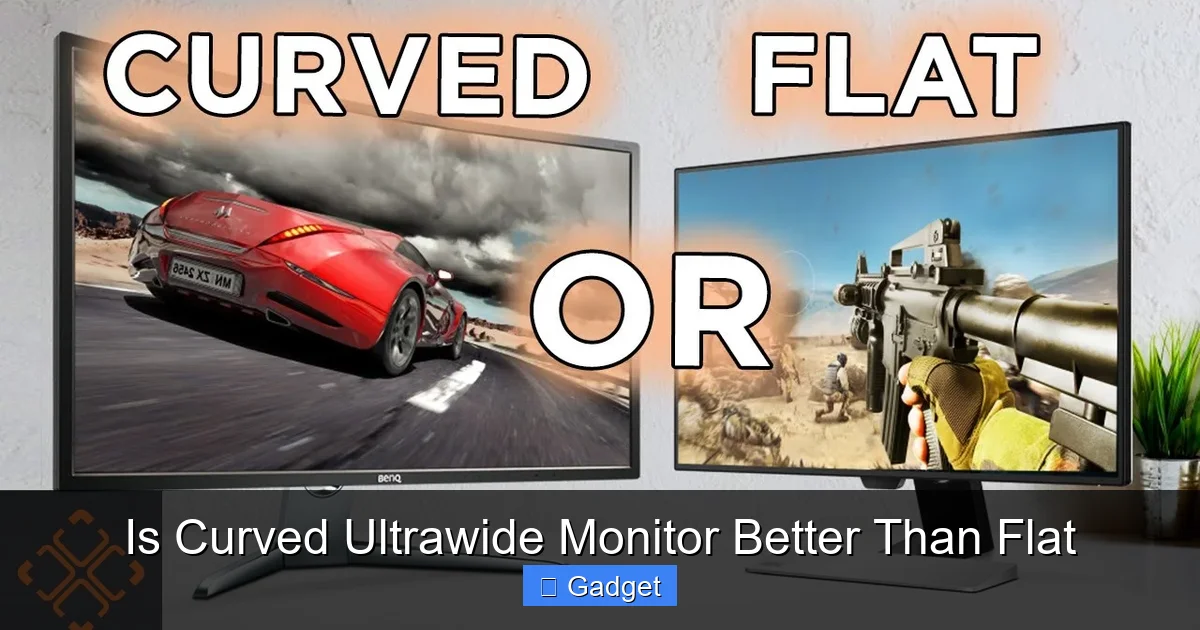
This is arguably the biggest selling point of a curved ultrawide. The curve wraps around your field of vision, pulling you into the content. In games, this means a wider, more encompassing view that makes you feel more present in the virtual world. For movies, it replicates the feeling of watching on a cinema screen, with less distraction from the real world around you.
Example: Imagine playing a racing game. A curved ultrawide puts you “in the cockpit” with a natural view of the dashboard and the track stretching out before you, significantly enhancing the sense of speed and realism.
2. Reduced Eye Strain and Fatigue
On a very wide, flat monitor, the edges of the screen are further away from your eyes than the center. This requires your eyes to constantly refocus, which can lead to fatigue and strain over long periods. A curved monitor, by its nature, brings the edges of the screen closer to your peripheral vision, maintaining a more consistent distance for your eyes across the entire panel. This can make extended use much more comfortable for many people.
Tip: If you spend hours working or gaming, look for a monitor with a tighter curve (like 1000R or 1500R) for maximum eye comfort.
3. More Uniform Viewing Experience
The curve helps to minimize visual distortion at the edges of the screen. On a flat ultrawide, you might notice subtle warping or stretching of images near the far left or right edges. The curved design aims to present a more consistent and natural perspective across the entire display, making straight lines appear straighter and reducing the feeling of looking through a fisheye lens.
4. Aesthetic Appeal
Let’s face it, curved ultrawide monitors often look incredibly sleek and futuristic. They can be a striking centerpiece for any desk setup, adding a modern touch to your workspace.
Disadvantages of Curved Ultrawide Monitors
While the benefits are significant, curved monitors aren’t perfect for everyone or every task.
1. Potential for Distortion in Specific Applications
For tasks that rely heavily on geometric accuracy and straight lines, such as graphic design, CAD, or precise photo editing, the slight curvature can sometimes be a drawback. While modern curves are subtle, a perfectly flat surface is still the ideal for absolute precision. Some professionals might find it challenging to judge true horizontals and verticals on a curved screen.
Example: A graphic designer meticulously aligning text boxes or drawing perfectly straight architectural lines might find a flat monitor more intuitive and less prone to perceived distortion. If you’re involved in photo editing, you might also want to check whether ultrawide monitors are good for photo editing before making a decision.
2. Wall Mounting Challenges
Curved monitors, by their nature, don’t sit flush against a wall. If wall mounting is a priority for you, a flat monitor will offer a cleaner, more integrated look. Mounting a curved monitor can also be more complex and require specialized brackets.
3. Desk Space and Viewing Angles
While they wrap around you, curved monitors can also take up more desk depth. Make sure you have enough space to position the monitor at an optimal distance. Also, while the curve improves viewing angles for a single user, if you frequently have people looking at your screen from off-center angles, the image quality might degrade more noticeably than on a flat panel.
4. Cost
Generally, curved ultrawide monitors tend to be more expensive than their flat ultrawide counterparts with similar specifications. The advanced panel technology and manufacturing processes for curved displays can add to the overall cost. To understand this better, you can read about why ultrawide monitors are more expensive than standard displays.
Advantages of Flat Ultrawide Monitors
Flat ultrawide monitors still hold a strong position, especially for users who prioritize specific use cases and preferences.
1. Geometric Accuracy for Professional Work
For graphic designers, engineers, architects, and photographers, a flat monitor offers a pristine canvas. Straight lines remain perfectly straight, angles are true, and there’s no potential for perceived distortion. This is crucial for precision-based work where even minor inaccuracies can have significant consequences.
Example: A 3D modeler working on intricate designs needs to ensure that every line and curve is rendered accurately. A flat screen provides this unwavering reliability.
2. Better for Multi-Monitor Setups (If You Don’t Want One Giant Screen)
If you’re looking to create a multi-monitor setup but don’t want one monolithic ultrawide, a series of flat monitors can be arranged side-by-side. This allows for more flexibility in screen arrangement and is often preferred for specific professional workflows or competitive gaming setups where you might want distinct, independent displays.
3. Easier Wall Mounting
As mentioned earlier, flat monitors are much easier to mount flush against a wall. This can be important for users who want a minimalist desk setup or a clean aesthetic for their room.
4. Potentially Wider Availability and Variety
While the market is expanding rapidly, you might still find a broader range of options and price points within flat ultrawide monitors, especially if you’re looking for specific features or older models.
Disadvantages of Flat Ultrawide Monitors
The very flatness that offers advantages can also present drawbacks, especially on an ultrawide panel.
1. Less Immersive Experience
The lack of curvature means the edges of an ultrawide flat monitor are further from your eyes. This can reduce the feeling of immersion, particularly in games and movies, compared to a curved alternative. You might be more aware of your surroundings, pulling you out of the on-screen action.
2. Increased Potential for Eye Strain and Glare
The inconsistent viewing distance can lead to more eye strain over long sessions. Additionally, large, flat screens can be more susceptible to glare from ambient light sources, as reflections can appear more pronounced across the entire surface.
3. Visual Distortion at the Edges
On very wide, flat monitors, you might notice some distortion or stretching of images at the extreme edges. This can be particularly noticeable in applications that rely on straight lines or geometric grids.
Who Benefits Most from Each Type?
To help you make a concrete decision, let’s look at who typically benefits most from each type of ultrawide monitor:
Curved Ultrawide: Best For…
- Gamers: The enhanced immersion, wider field of view, and reduced eye strain make curved ultrawides a top choice for an incredible gaming experience.
- Movie Enthusiasts: If you love watching films and want that cinematic, theater-like feel right on your desk, the curve is a winner.
- General Multitaskers: For users who love having multiple windows open for work or browsing, the curve can make the expansive screen more comfortable to use for extended periods.
- Users Concerned About Eye Strain: If you suffer from eye fatigue with traditional monitors, the more consistent viewing distance of a curved display might offer relief.
Flat Ultrawide: Best For…
- Graphic Designers and Digital Artists: Absolute precision and the avoidance of any potential visual distortion are paramount here.
- CAD and Engineering Professionals: Similar to graphic design, accuracy in lines and measurements is critical.
- Photographers: Ensuring true color representation and accurate cropping without perceived distortion is vital for photo editing.
- Competitive Gamers (Sometimes): While immersion is great, some highly competitive gamers prefer the absolute flatness of a traditional monitor for maximum peripheral awareness and reaction times, though this is becoming less common as curved technology improves.
- Users Prioritizing Wall Mounting: If a clean, flush wall-mounted setup is a must-have, a flat monitor is the way to go.
Key Considerations When Choosing
Regardless of whether you lean towards curved or flat, there are crucial factors to consider for any ultrawide monitor:
1. Screen Size and Resolution
Ultrawide monitors come in various sizes (e.g., 34-inch, 38-inch, 49-inch) and resolutions. For ultrawide, common resolutions are 3440×1440 (WQHD Ultrawide) or 5120×1440 (DQHD Ultrawide, often for 32:9). Higher resolution on a larger screen means sharper images and more detail.
2. Curvature Degree (for Curved Monitors)
As discussed, the “R” rating matters. 1800R is a common, gentle curve. 1000R is a much tighter, more enveloping curve. Consider your desk size and how close you’ll be sitting. A tighter curve might feel overwhelming if you sit too far away, while a gentle curve might not offer enough immersion for some.
3. Refresh Rate and Response Time
These are vital for gaming and smooth motion. A higher refresh rate (e.g., 120Hz, 144Hz, 240Hz) means smoother visuals, and a lower response time (e.g., 1ms) reduces motion blur.
4. Panel Type (IPS, VA, TN)
- IPS (In-Plane Switching): Offers excellent color accuracy and wide viewing angles, great for creative work and general use.
- VA (Vertical Alignment): Provides high contrast ratios and deep blacks, making it excellent for movies and gaming. Can sometimes have slower response times than IPS or TN.
- TN (Twisted Nematic): Known for the fastest response times and highest refresh rates, making them popular for competitive esports. However, they often have poorer color accuracy and viewing angles.
5. Connectivity (Ports)
Ensure the monitor has the ports you need (HDMI, DisplayPort, USB-C) for your devices. Some ultrawide monitors also offer USB hubs, which can be very convenient.
6. Budget
Ultrawide monitors, especially high-end curved models, can be a significant investment. Determine your budget and prioritize the features that are most important to you.
Troubleshooting Common Issues
While generally robust, you might encounter a few issues:
1. “Fish-eye” Effect or Distortion
If you’re experiencing noticeable distortion on a curved monitor, ensure you’re sitting at the optimal distance and angle. Sometimes, software scaling or driver issues can exacerbate this. For flat monitors, it’s more likely an issue with the specific content or software.
2. Glare on Curved Monitors
Curved monitors are designed to reduce glare by directing reflections away from your eyes. However, if you have strong overhead lights, you might still get glare. Adjusting your lighting or the monitor’s angle can help.
3. Text Clarity Issues
On ultrawide monitors, especially lower-resolution ones, text can sometimes appear less sharp due to the stretching of pixels across a wide area. Ensure your display settings are correct and consider using scaling options in your operating system. A higher-resolution ultrawide is generally better for crisp text.
Conclusion: Which One is Right for You?
The battle between curved and flat ultrawide monitors isn’t about declaring a single winner. It’s about understanding which design best suits your needs and preferences. If you crave unparalleled immersion for gaming and entertainment, desire a more comfortable viewing experience during long sessions, and appreciate the aesthetic, a curved ultrawide monitor is likely your best bet.
However, if your work demands absolute geometric precision, you’re designing intricate visuals, or you simply prefer the straightforward nature of a flat plane, then a flat ultrawide monitor remains an excellent, and often more practical, choice. Carefully consider how you’ll use your monitor most often, and you’ll find the perfect fit for your desk and your eyes.
