What Graphics Card Is Needed for Ultrawide Monitor
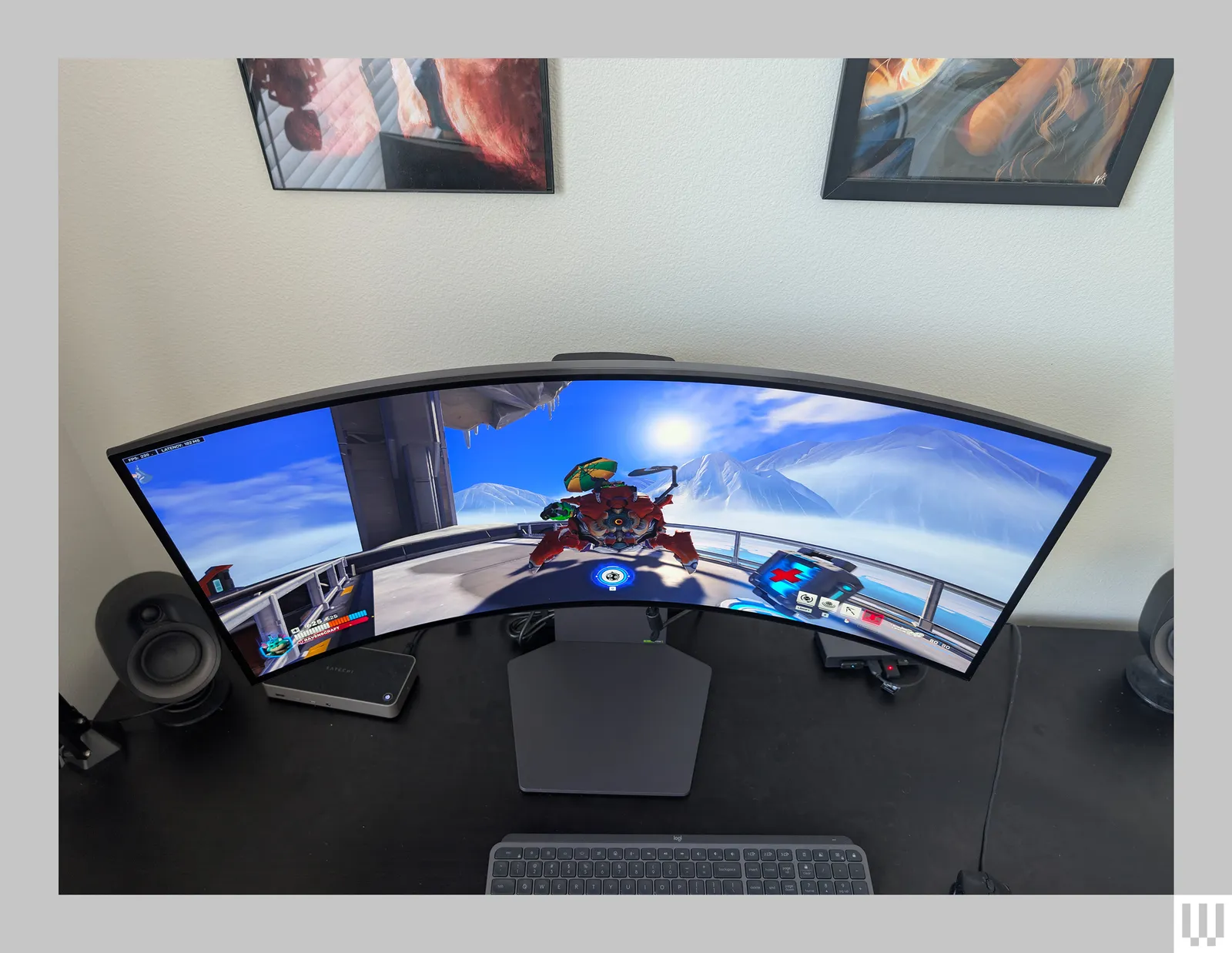
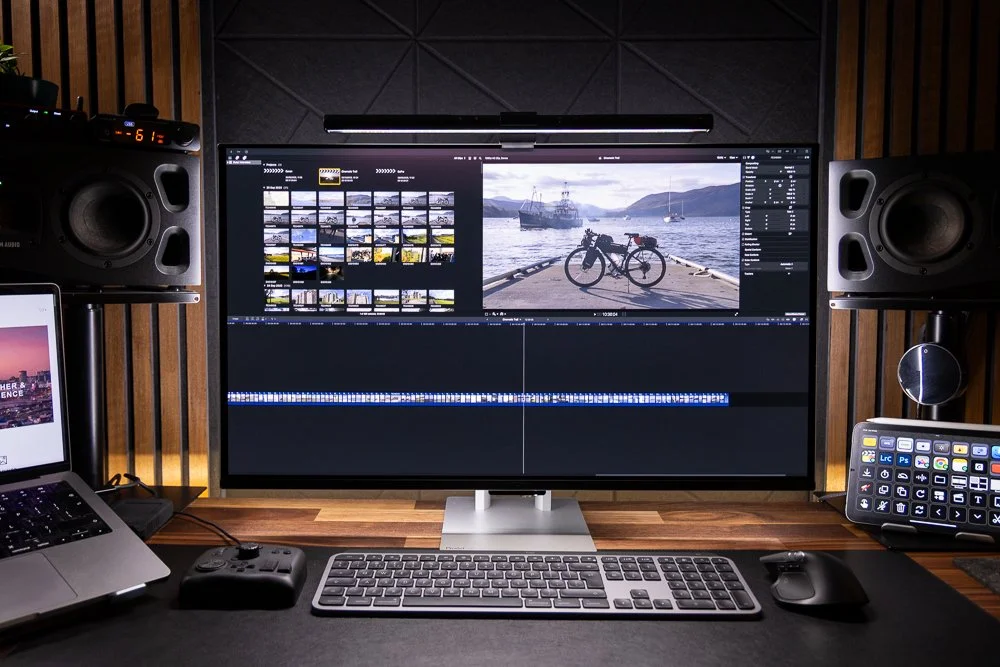
Embarking on the ultrawide journey? Choosing the right graphics card is crucial for a smooth, immersive experience. This guide demystifies the requirements, covering resolutions, refresh rates, and VRAM needs for both gaming and productivity. Learn how to balance performance and budget to unlock the full potential of your ultrawide monitor. So, you’ve decided to take the plunge into the immersive world of ultrawide monitors. Fantastic choice! Whether you’re looking to conquer new digital realms in games, boost your productivity with more screen real estate, or simply enjoy a more cinematic viewing experience, ultrawide displays offer a compelling upgrade. But with this expanded view comes a new set of demands, and the most significant one falls squarely on the shoulders of your computer’s graphics card, also known as the GPU. Many users wonder, “What graphics card is needed for an ultrawide monitor?” It’s a crucial question, and the answer isn’t a simple one-size-fits-all. It depends heavily on what you plan to do with your ultrawide monitor and what your performance expectations are. This guide will break down everything you need to know to make an informed decision, ensuring your ultrawide experience is as smooth and stunning as it can be. By the end of this guide, you’ll understand:  Once you understand the pixel count, the next critical factors are your monitor’s resolution and its refresh rate.
  Video RAM, or VRAM, is dedicated memory on your graphics card that stores textures, frame buffers, and other graphical assets. When you’re rendering an image, especially at higher resolutions and with more detailed textures, your GPU needs a place to store all that information.
 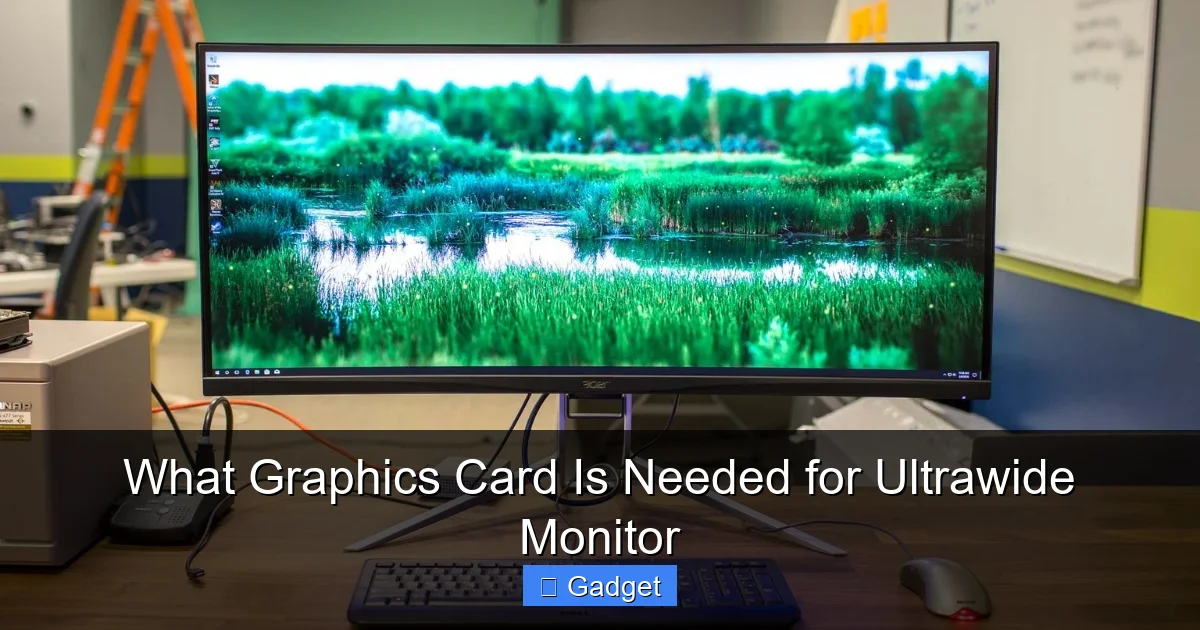 Let’s break down some general recommendations based on what you’ll be doing. These are not exhaustive lists but offer a good starting point.
- The unique demands of ultrawide resolutions compared to standard displays.
- How to match your graphics card’s power to your monitor’s resolution and refresh rate.
- The critical role of VRAM (Video RAM) for ultrawide setups.
- Recommendations for different gaming and productivity scenarios.
- Tips for balancing performance and budget when choosing your next GPU.
Key Takeaways
- Understanding Ultrawide Resolutions: Ultrawide monitors (like 21:9 or 32:9) have significantly more pixels than standard 16:9 displays, demanding more power from your graphics card.
- The Importance of Frame Rate (FPS): Higher resolutions on ultrawide monitors necessitate a more powerful GPU to maintain desirable frame rates for smooth gameplay and responsiveness.
- VRAM: The Memory for Graphics: More pixels and higher detail settings require more video memory (VRAM). Ultrawide setups generally benefit from GPUs with 8GB of VRAM or more.
- Matching GPU to Monitor Refresh Rate: A high refresh rate ultrawide monitor (e.g., 144Hz) needs a graphics card capable of pushing those frames to truly appreciate the fluidity.
- Budget Considerations: The “best” graphics card is often the best one you can afford. There’s a sweet spot for every budget, balancing performance with cost for ultrawide use.
- Gaming vs. Productivity Needs: While gaming demands the most from a graphics card, productivity tasks on an ultrawide monitor also benefit from a capable GPU for smoother multitasking and complex applications.
Understanding Ultrawide Resolutions: More Pixels, More Power
The most fundamental difference between a standard 16:9 monitor and an ultrawide 21:9 or even 32:9 monitor is the number of pixels they display. Think of pixels as tiny dots that make up the image on your screen. The more pixels, the sharper and more detailed the image can be. A standard 1920×1080 (Full HD) monitor has roughly 2 million pixels. A 2560×1440 (QHD or 1440p) monitor has about 3.6 million pixels. Now, let’s look at ultrawide: A 2560×1080 (UW-FHD) ultrawide monitor has approximately 2.7 million pixels. This is only slightly more than Full HD. A 3440×1440 (UW-QHD) ultrawide monitor, which is very popular, has about 5 million pixels. That’s significantly more than QHD and nearly double Full HD. The most extreme, a 5120×1440 (DQHD) ultrawide, boasts over 7 million pixels – more than two 1440p monitors side-by-side! This increase in pixel count means your graphics card has to work much harder to render every frame. It’s like asking an artist to paint a larger canvas; it requires more detail, more brushstrokes, and more effort.The Impact on Gaming
In gaming, this translates directly to performance. Pushing more pixels requires more processing power from your GPU. If your graphics card isn’t powerful enough to handle the increased pixel count, you’ll experience lower frame rates (FPS – frames per second). Low FPS leads to choppy, stuttering gameplay, which can be incredibly frustrating and pull you out of the immersive experience that ultrawide monitors are known for.The Impact on Productivity
Even for productivity, more pixels can mean a demanding workload. Imagine having multiple applications open side-by-side. Your graphics card still needs to render all these elements smoothly. While the demands are generally lower than for gaming at high settings, a weak GPU can still lead to sluggish window dragging, slow scrolling in complex documents or web pages, and a less responsive overall feel.Matching Your Graphics Card to Your Monitor’s Resolution and Refresh Rate
Visual guide about What Graphics Card Is Needed for Ultrawide Monitor
Resolution: The Pixel Count Driver
The resolution is the primary determinant of how much work your graphics card has to do. As we’ve seen, higher resolutions mean more pixels. * For 2560×1080 (UW-FHD) Ultrawide: This is the entry-level ultrawide resolution. It’s not vastly more demanding than standard 1080p. Many mid-range GPUs from the past few years can handle this resolution well, especially for less demanding games or at moderate settings. * For 3440×1440 (UW-QHD) Ultrawide: This is the sweet spot for many ultrawide users. It offers a great balance of immersive width and sharpness. This resolution is significantly more demanding. You’ll want a more powerful graphics card, typically from the upper-mid to high-end segment. * For 5120×1440 (DQHD) or Higher Ultrawide: These are the behemoths of ultrawide. They require a top-tier graphics card to drive them effectively, especially for gaming.Refresh Rate: The Smoothness Factor
Refresh rate, measured in Hertz (Hz), indicates how many times per second your monitor can update the image on the screen. A standard monitor might be 60Hz or 75Hz. Ultrawide monitors often come with higher refresh rates like 100Hz, 120Hz, or even 144Hz and above. * Why it Matters: If you have a 144Hz ultrawide monitor, you want your graphics card to be capable of pushing 144 frames per second (FPS) in your games to truly benefit from that smooth motion. If your GPU can only render 60 FPS, you’re not getting the full advantage of your high refresh rate display. * **The Demand:** Achieving high FPS at ultrawide resolutions is demanding. A GPU that can hit 100+ FPS at 1440p on a standard 16:9 monitor might struggle to do so on a 3440×1440 ultrawide without significant compromises in graphical settings.Matching GPU Power to Refresh Rate Goals
* For 60-75Hz: Most modern mid-range GPUs can comfortably drive these refresh rates at UW-FHD and even UW-QHD with moderate settings. * For 100-120Hz: You’ll want a strong mid-range to high-end GPU, especially for UW-QHD. This is where cards like the NVIDIA GeForce RTX 3070/4070 or AMD Radeon RX 6800 XT/7800 XT start to shine. * For 144Hz+ and Higher Resolutions (like DQHD): Prepare for a significant investment. You’re looking at the top-tier GPUs like the NVIDIA GeForce RTX 4080/4090 or AMD Radeon RX 7900 XTX to consistently achieve these demanding frame rates.VRAM: The Memory for Graphics
Visual guide about What Graphics Card Is Needed for Ultrawide Monitor
Why VRAM is Crucial for Ultrawide
Ultrawide monitors, with their increased pixel counts, place a higher demand on VRAM. * Higher Resolutions: More pixels mean larger frame buffers, which take up more VRAM. * Higher Detail Textures: Games and applications often use higher-resolution textures to make surfaces look more realistic. These textures are loaded into VRAM. Ultrawide gaming often means you’ll want to crank up these settings for maximum immersion. * Anti-Aliasing: Techniques to smooth out jagged edges can also consume additional VRAM.Recommended VRAM for Ultrawide Setups
* Minimum for UW-FHD (2560×1080): 6GB of VRAM is generally the minimum, but 8GB is highly recommended for a smoother experience and future-proofing. * Recommended for UW-QHD (3440×1440): 8GB is a solid starting point, but 10GB or 12GB is significantly better for higher settings and a smoother experience, especially in modern AAA titles. Cards like the RTX 3080/4070 Ti or RX 6800 XT/7900 XT often come with 10GB or 12GB. * Recommended for DQHD (5120×1440) and Higher: 12GB should be considered the absolute minimum. 16GB or even 20GB+ (like on an RTX 4090 or RX 7900 XTX) is highly desirable for pushing the highest settings at these demanding resolutions. Running out of VRAM is one of the quickest ways to see performance tank, causing severe stuttering and frame drops.Graphics Card Recommendations for Different Ultrawide Scenarios
Visual guide about What Graphics Card Is Needed for Ultrawide Monitor
Entry-Level Ultrawide Gaming (2560×1080 at 60-75Hz)
For those dipping their toes into ultrawide with a 2560×1080 monitor and aiming for moderate settings in games, you don’t need the absolute top-of-the-line. * NVIDIA: GeForce RTX 3060 (12GB VRAM version is preferred), RTX 4060. Older cards like the GTX 1080 Ti or RTX 2070 Super could also suffice if you can find them used. * AMD: Radeon RX 6600 XT, RX 6700 XT, RX 7600. Older cards like the RX 5700 XT might also work. These cards can handle most esports titles and many AAA games at respectable settings and frame rates on this resolution.Mid-Range Ultrawide Gaming (3440×1440 at 100-144Hz)
This is where most ultrawide enthusiasts aim. You want to experience the wide field of view with good visuals and high refresh rates. * NVIDIA: GeForce RTX 3070, RTX 3070 Ti, RTX 4070, RTX 4070 SUPER. These cards offer a great balance of performance and features for UW-QHD gaming. * AMD: Radeon RX 6800, RX 6800 XT, RX 6800 XT, RX 7800 XT. AMD’s RDNA 2 and RDNA 3 cards offer strong rasterization performance at these resolutions. These GPUs can deliver smooth gameplay in most modern titles at 3440×1440, often with high settings. You might need to make minor adjustments in the most demanding AAA games to hit consistent 100+ FPS.High-End Ultrawide Gaming (3440×1440 at 144Hz+ or 5120×1440)
For those who demand the absolute best visuals and buttery-smooth frame rates, especially on higher-resolution ultrawides like 3440×1440 at maximum settings or the demanding 5120×1440, you’ll need serious horsepower. * NVIDIA: GeForce RTX 3080, RTX 3080 Ti, RTX 3090, RTX 3090 Ti, RTX 4080, RTX 4080 SUPER, RTX 4090. The RTX 40 series, particularly the 4080 and 4090, are the current kings for pushing these resolutions. * AMD: Radeon RX 6900 XT, RX 6950 XT, RX 7900 XT, RX 7900 XTX. AMD’s top-tier cards are very capable, with the RX 7900 XTX being their flagship contender. These cards are designed to handle the extreme pixel counts and high refresh rates, allowing you to enjoy games at their highest settings without compromise.Ultrawide for Productivity and General Use
If your ultrawide monitor is primarily for work, content creation, or general browsing, your GPU requirements are less demanding, but still important for a smooth experience. * Entry-Level Productivity: Even integrated graphics on modern CPUs can handle basic productivity tasks on an ultrawide. However, for smoother multitasking, faster rendering in light video editing or photo editing, and a more responsive feel, a dedicated entry-level GPU is beneficial. * **NVIDIA:** GeForce GTX 1650, RTX 3050. * **AMD:** Radeon RX 6500 XT, RX 6600. * Content Creation & Demanding Productivity: For video editing, 3D rendering, complex graphic design, or running virtual machines, a more powerful GPU becomes essential. Look for cards with ample VRAM and good compute performance. * **NVIDIA:** GeForce RTX 3060 (12GB), RTX 3070, RTX 4070, or even workstation cards like NVIDIA Quadro/RTX A series if your budget allows and your software is optimized for them. * **AMD:** Radeon RX 6700 XT, RX 6800, RX 7800 XT, or AMD Radeon PRO series. The extra screen real estate of an ultrawide can significantly boost productivity, and a capable GPU ensures you can utilize it to its fullest potential without slowdowns.Practical Tips for Choosing Your Ultrawide GPU
1. **Check Benchmarks:** Don’t just rely on specs. Search for benchmarks of the graphics card you’re considering running the games or applications you use at your target ultrawide resolution. Look for reviews specifically mentioning ultrawide performance. 2. **Consider Future-Proofing:** If you plan to upgrade your monitor or expect to play newer, more demanding games, it’s often worth spending a little more on a more powerful GPU now. 3. **Don’t Forget Your CPU:** Your CPU also plays a role in gaming performance. A powerful GPU paired with an underpowered CPU can lead to a “bottleneck,” where the CPU limits the GPU’s performance. Ensure your CPU is also up to par for your desired gaming experience. 4. **Power Supply Unit (PSU): High-end graphics cards are power-hungry. Make sure your computer’s power supply unit is sufficient to handle the demands of your new GPU, plus the rest of your system. Check the manufacturer’s recommended PSU wattage for the GPU. 5. **Cooling:** Powerful GPUs generate heat. Ensure your computer case has adequate airflow and cooling to keep your GPU running at optimal temperatures. Overheating can lead to performance throttling and reduced lifespan.Troubleshooting Common Ultrawide GPU Issues
* Stuttering or Choppy Gameplay: * Cause:** Insufficient GPU power, not enough VRAM, or CPU bottleneck. * **Solution:** Lower in-game graphics settings, reduce resolution if possible (though that defeats the purpose of ultrawide), ensure your drivers are up to date, or consider a GPU upgrade. Close background applications. * **Game Not Running at Native Ultrawide Resolution:** * Cause:** Game doesn’t natively support the aspect ratio, or settings are misconfigured. * **Solution:** Check the game’s graphics settings for resolution and aspect ratio options. Look for community patches or mods that add ultrawide support for older games. * **Visual Artifacts or Flickering:** * **Cause:** Overheating GPU, driver issues, or faulty hardware. * **Solution:** Monitor GPU temperatures. Update or reinstall graphics drivers. If problems persist, the GPU might be faulty. * **Low FPS on a Powerful GPU:** * **Cause:** CPU bottleneck, VRAM limitations, or poorly optimized game settings. * **Solution:** Try increasing graphics settings to put more load on the GPU. Update drivers. Check if your CPU is consistently at 100% usage while the GPU is not.Conclusion: Empowering Your Ultrawide Experience
Choosing the right graphics card for your ultrawide monitor is about understanding the increased demands of its resolution and refresh rate. For gaming, a more powerful GPU is almost always necessary compared to a standard 16:9 display. For productivity, a capable GPU ensures a fluid and responsive experience, especially when multitasking. Don’t be intimidated by the numbers. By considering your monitor’s resolution, your target refresh rate, the games or applications you use, and the importance of VRAM, you can confidently select a graphics card that will unlock the full, immersive potential of your ultrawide display. Whether you’re aiming for the cutting edge of gaming visuals or a highly productive workspace, the right GPU is the key to enjoying every pixel of your expansive new view. Happy gaming and productive computing!
Similar Posts