What Is The Difference Between Android Tv And Normal Tv
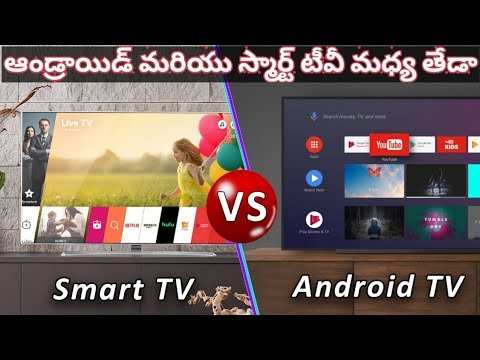

What Is the Difference Between Android TV and Normal TV?
When shopping for a new television, you might notice two main options: Android TV and what some people call “normal” TV. At first glance, they might seem similar, but they actually have quite a few differences that can affect your viewing experience. Understanding these differences helps you pick the right TV for your home and lifestyle. Let’s dive into what makes Android TV stand out from traditional TVs and what features each offers.What Is a Normal TV?
A normal TV, often called a traditional or standard television, is a device mainly used to display broadcasted signals. These TVs have been around for decades and are mostly designed to show content from cable, satellite, or over-the-air antennas. They usually come with simple controls and a fixed set of channels. Some key features of normal TVs include:- Basic display technology, like LCD or LED screens
- Built-in tuner to receive cable or antenna signals
- No internet connectivity or smart features by default
- Limited options for streaming or app use without external devices
What Is Android TV?
Android TV is a smart TV platform developed by Google. It transforms your television into a versatile device capable of streaming, browsing, gaming, and much more. It’s built on the Android operating system, the same system that powers many smartphones and tablets. Here are what makes Android TV different:- Internet Connection: Android TVs connect to the internet via Wi-Fi or Ethernet, allowing access to a wide range of apps and streaming services.
- App Store Access: You can download apps from Google Play Store, including Netflix, YouTube, Hulu, and many others.
- Voice Control: Many Android TVs come with built-in Google Assistant, so you can control your TV with simple voice commands.
- Personalized Content: The interface offers recommendations based on your viewing habits, making it easier to find new shows or movies.
- Cast and Share: Easily cast content from your phone to the TV with features like Chromecast built-in.
Key Differences Between Android TV and Normal TV
Understanding the differences can help you decide which type fits your needs better. Here, we’ll compare the two based on various important factors.Smart Capabilities
The most noticeable difference lies in smart features. Normal TVs generally don’t include smart technology unless you buy external devices like streaming sticks or boxes.- Normal TV: Usually non-smart, requires external devices for streaming (like Roku or Chromecast).
- Android TV: Built-in smart features, directly accessible apps, and internet browsing.
Ease of Use and User Interface
Android TVs come with an intuitive interface designed for easy navigation with a remote or voice commands. The home screen displays apps, suggestions, and settings clearly, making it straightforward for viewers to find what they want. Normal TVs with external streaming devices also offer user-friendly interfaces but rely on additional hardware. The experience depends on the device you use, such as Roku, Amazon Fire TV, or Chromecast.Content Variety and App Access
Android TV gives you direct access to a vast library of apps through Google Play Store. You can stream shows, movies, live TV, play games, or use social media. Normal TVs are limited in this regard unless you add a streaming device. Without an external device, your options are confined to cable channels or antenna broadcasts.Connectivity and Compatibility
Android TV offers multiple connectivity options, including HDMI ports, USB, Bluetooth, and Wi-Fi, making it compatible with many external devices such as soundbars, gaming consoles, and external hard drives. Normal TVs have similar physical connections but don’t have integrated internet or smart features, so they’re less flexible for connecting other smart devices.Voice Control and Artificial Intelligence
Most Android TVs feature Google Assistant, allowing you to control your TV with voice commands. You can search for shows, control playback, get weather updates, or control smart home devices. Traditional TVs do not include voice control features unless connected to external smart devices or remotes with voice functions.Cost and Investment
Generally, Android TVs tend to be more expensive upfront due to their smart features and advanced technology. However, this cost often replaces the need for multiple external devices. Normal TVs are usually cheaper but might require additional investments in streaming sticks or boxes to enjoy the same range of content and features.Pros and Cons of Android TV and Normal TV
Understanding the strengths and limitations of each helps you choose wisely.Advantages of Android TV
- Built-in access to hundreds of streaming apps
- Voice control and smart assistant integration
- Easy content sharing from smartphones and tablets
- Personalized content recommendations
- Regular software updates for new features
Disadvantages of Android TV
- Higher initial cost
- Requires a stable internet connection for full functionality
- Can be more complex for users unfamiliar with smart features
Advantages of Normal TV
- Lower cost, ideal for simple viewing needs
- No need for internet or smart technology
- Less complexity—easy to operate
Disadvantages of Normal TV
- No built-in smart features or app access
- Limited content options without external devices
- Less flexible in connecting with other smart devices
Which One Should You Choose?
Choosing between Android TV and a normal TV depends on your viewing habits, budget, and how you prefer to watch content.- If you love streaming, using apps, and want a modern, connected experience, an Android TV is the best choice.
- For simple TV viewing, mainly cable or antenna signals, or if you’re on a tight budget, a normal TV might suit you better.
Summary of Key Points
| Feature | Normal TV | Android TV |
|---|---|---|
| Smart Features | Usually none; external devices needed | Built-in, comprehensive |
| App Access | Limited unless external device installed | Full access via Google Play Store |
| Ease of Use | Straightforward, simple controls | Intuitive, with voice control options |
| Cost | Lower price | Higher price but more features |
Frequently Asked Questions
How does the user interface differ between Android TV and regular TVs?
Android TV provides a user-friendly and customizable interface with app icons, recommendations, and voice search features. In contrast, regular TVs usually depend on traditional menus and lack integrated app stores, making navigation less versatile and more limited to cable or broadcast inputs.
Can I access various streaming services on both Android TV and traditional televisions?
While Android TV comes with pre-installed apps and access to the Google Play Store, allowing you to download a wide range of streaming services, regular TVs may require external devices like streaming sticks or boxes to access similar content. Many traditional TVs do not have native app support for popular streaming platforms.
What hardware capabilities set Android TV apart from standard televisions?
Android TV offers more advanced hardware features such as faster processors, better graphics, and compatibility with smart home devices. Regular TVs often lack these capabilities or require additional equipment to achieve similar functionalities, resulting in a more limited smart experience.
How does software updates and app integration differ between the two types of TVs?
Android TVs receive consistent software updates directly from Google, improving performance and adding new features over time. They also support a wide range of third-party apps that update regularly. Standard TVs generally do not receive regular software updates and have limited or no support for installing new applications.
What are the advantages of using voice control on Android TV compared to traditional TVs?
Android TV integrates voice control through Google Assistant, allowing you to search for content, control smart home devices, and get answers quickly with simple voice commands. Traditional TVs typically do not have built-in voice recognition features, requiring remote control navigation for all operations.
Final Thoughts
Android TV offers smart features like app downloads, voice search, and internet browsing, enhancing user experience. Normal TV primarily provides traditional broadcasting without these interactive capabilities. Android TV connects to Wi-Fi, enabling access to various streaming services and games, while normal TVs lack this functionality. In conclusion, the main difference between Android TV and normal TV lies in their features—Android TV delivers smart, customizable options, whereas normal TV focuses on basic broadcasting. Understanding these distinctions helps you choose the right TV for your entertainment needs.
Similar Posts































