What Is The Best Android App For Weather In 2023

What is the Best Android App for Weather?
Choosing the best weather app for your Android device can seem overwhelming with so many options available. The ideal app provides accurate forecasts, user-friendly features, and helpful notifications. We will explore popular weather apps, their features, and what makes them stand out to help you find your perfect match.
Importance of a Reliable Weather App
A reliable weather app delivers precise data about current conditions and upcoming forecasts. It helps you plan your day, dress appropriately, and stay safe during severe weather events. Knowing what to expect weather-wise can save you time and prevent surprises.
Top Features to Look for in a Weather App
- Accurate Data from trusted sources like NOAA or Weather.com
- Real-Time Updates to stay informed about sudden weather changes
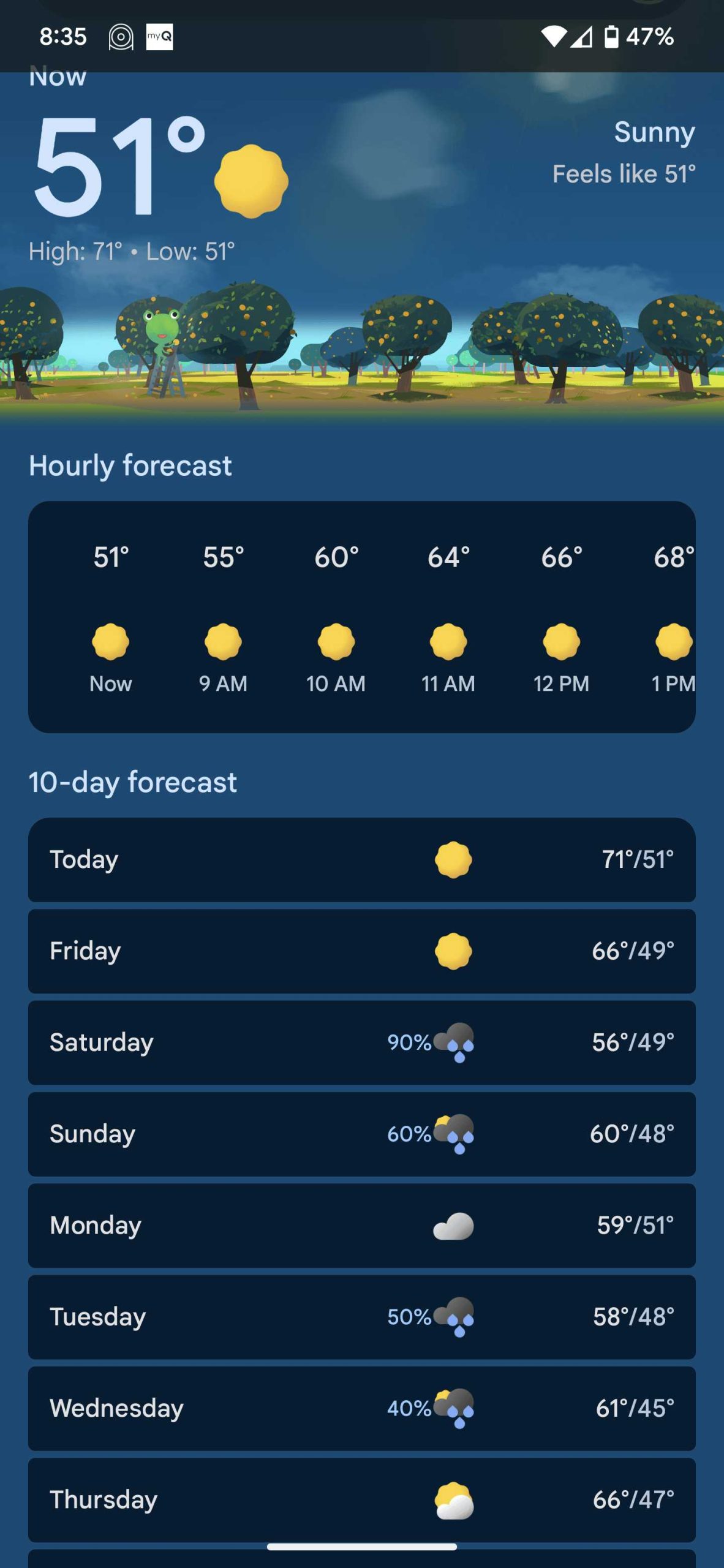
- Detailed Forecasts including hourly, daily, and weekly views
- Weather Alerts for severe conditions such as storms or heavy rain
- User-Friendly Interface with easy navigation
- Customization Options like preferred units or themes
- Additional Features such as radar imagery, pollen count, or air quality index
Popular Weather Apps for Android Devices
1. The Weather Channel
This app is well-known for accurate forecasts and a clean interface. It offers hourly, daily, and weekly predictions and provides live radar maps. Users also receive severe weather alerts directly on their phone.
Key Features:
- Extensive radar and satellite imagery
- Severe weather alerts for your location
- Personalized notifications
- Hourly and daily forecasts
- Air quality index and pollen levels
Why choose The Weather Channel?
It provides comprehensive weather data and reliable alerts. Its user interface is intuitive, making it easy for anyone to check weather updates quickly. The app is also free with ads, which can be removed with a subscription.
2. AccuWeather
Known for its accuracy, AccuWeather delivers hyper-local forecasts. It features MinuteCast, which forecasts precipitation minute-by-minute for your exact location. The app emphasizes detailed weather information that helps you plan better.
Key Features:
- Minute-by-minute precipitation forecasts
- RealFeel Temperature to understand how weather feels
- Severe weather alerts with push notifications
- Weather news and radar imagery
- Widgets for quick access from your home screen
Why choose AccuWeather?
If precise, localized forecasts matter most to you, this app is a top choice. Its features help users prepare for sudden weather changes, especially in areas with unpredictable climates. The app offers both free and premium options.
3. WeatherBug
WeatherBug stands out for its real-time lightning detection and comprehensive weather data. It includes a detailed radar map and live weather alerts, making it suitable for outdoor enthusiasts and commuters alike.
Key Features:
- Lightning and storm alerts
- Weather camera feeds
- Hourly and daily forecasts
- Pollen and air quality maps
- Severe weather warnings
Why choose WeatherBug?
This app excels in providing real-time updates on severe weather events and lightning activity. Its detailed radar and alerts help users stay safe, especially during storms or thunderstorms.
Other Notable Weather Apps
1. Windy
Ideal for outdoor sports and activities, Windy offers detailed wind, rain, and wave forecasts. It’s popular among sailors, surfers, and hikers who depend on precise weather data.
2. Storm Radar
Developed by The Weather Channel, Storm Radar focuses on tracking storms, tornadoes, and severe weather. Its interactive maps and alerts are valuable during extreme weather events.
3. 1Weather
A simple yet comprehensive weather app with an easy-to-understand interface. It provides accurate forecasts, weather maps, and alerts suitable for everyday use.
Comparison Table of Top Weather Apps
| Feature | The Weather Channel | AccuWeather | WeatherBug | Windy | Storm Radar | 1Weather |
|---|---|---|---|---|---|---|
| Forecast Detail | Hourly, daily, weekly | MinuteCast, hourly, daily | Hourly, daily with lightning | Wind, rain, wave forecasts | Storm tracking, tornado alerts | Basic, detailed forecasts |
| Weather Alerts | Yes | Yes | Yes | Yes | Yes | Yes |
| Radar Imagery | Yes | Yes | Yes | Yes | Yes | No |
| Additional Features | Air quality, pollen, news | Feels-like temp, widgets | Lightning detection, weather cameras | Wind maps, outdoor activity forecasts | Severe weather warnings | Customizable interface |
Factors to Consider When Choosing a Weather App
Accuracy and Data Sources
Always prioritize apps that rely on trusted data sources like NOAA or Weather.com to ensure forecast reliability. Accurate data helps you plan your day and stay safe.
User Interface and Usability
A simple, easy-to-navigate app makes checking weather quick and stress-free. Look for clear layouts, readable fonts, and customizable themes.
Notifications and Alerts
Push notifications for severe weather can alert you promptly. These alerts are essential during storms, tornadoes, or heavy snowfall.
Additional Features
Features like radar maps, air quality indices, pollen counts, and weather news add value. Choose apps that align with your specific needs, such as outdoor activities or allergy management.
Picking the right weather app depends on your preferences and needs. Apps like The Weather Channel, AccuWeather, and WeatherBug stand out for their features, accuracy, and ease of use. Consider what details matter most to you and select the app that keeps you informed and prepared for any weather condition.
Best Weather Apps (2024)
Frequently Asked Questions
What features should I look for in a weather app on Android?
When choosing a weather app, look for accurate real-time updates, detailed forecasts for multiple days, and user-friendly interfaces. Additional features like severe weather alerts, radar maps, and customizable notifications can enhance your experience. An app that integrates seamlessly with your device and provides reliable data from trusted sources proves most helpful.
Are there any free weather apps that provide comprehensive information?
Yes, many free weather apps offer extensive features, including hourly updates, weekly forecasts, and weather maps. Popular options like AccuWeather, The Weather Channel, and WeatherBug provide reliable data without requiring payment. These apps often include ad-supported features and optional upgrades for an ad-free experience or additional functionalities.
How do I choose a weather app that offers accurate location-based forecasts?
Select an app that uses GPS to detect your location accurately and updates forecasts regularly. Look for apps with positive user reviews regarding their location accuracy and timely updates. Additionally, check if the app allows manual location input, so you can receive weather information for multiple areas or specific locations as needed.
Final Thoughts
The best android app for weather combines accurate forecasts with user-friendly features. It offers real-time updates, detailed hourly and weekly predictions, and customizable alerts to keep you informed. Many apps also include radar maps and severe weather warnings for added safety. Choosing the right app depends on your preferences, but clarity and reliability are key. The best android app for weather should simplify tracking weather conditions, making it easy to plan your day. In conclusion, the best android app for weather provides precise and accessible forecasts. It helps you stay prepared and informed, making daily decisions easier.
Similar Posts