Is Ultrawide Monitor Good for Stock Trading
Ultrawide monitors offer significant advantages for stock trading by displaying more data simultaneously, reducing the need for multiple screens. This guide explores whether an ultrawide monitor is the right choice for your trading setup, detailing its benefits, potential drawbacks, and how to optimize its use for enhanced productivity and a cleaner workspace. We’ll cover everything from screen real estate to eye strain considerations.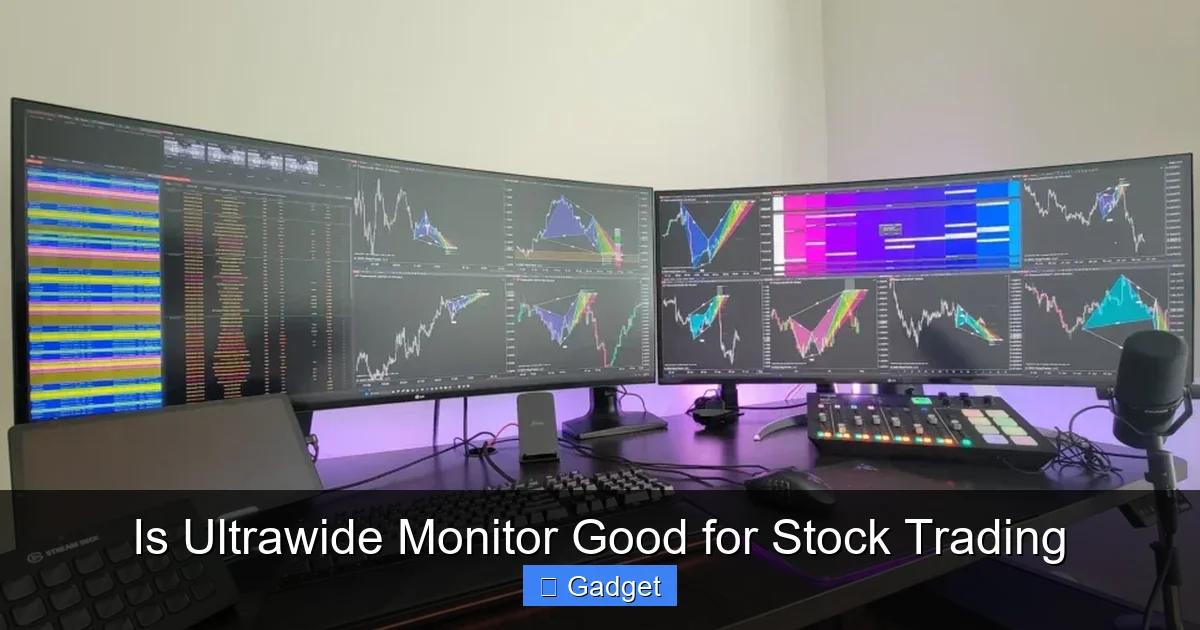
Is Ultrawide Monitor Good for Stock Trading
The world of stock trading is fast-paced and data-driven. To stay ahead, traders need quick access to a wealth of information, from real-time price charts and financial news to order books and analytical tools. For years, the go-to solution for many traders has been a multi-monitor setup, allowing them to spread out all this crucial data. But what about the newer, sleeker option: the ultrawide monitor? If you’re a trader, whether you’re just starting out or looking to upgrade your trading desk, you’ve likely considered the benefits of an ultrawide monitor. These monitors boast an extended horizontal aspect ratio, offering a panoramic view that can potentially transform how you interact with your trading platforms. But is it truly a good fit for the demanding environment of stock trading? This comprehensive guide will break down everything you need to know. We’ll explore the advantages that ultrawide monitors bring to the table for stock trading, the potential drawbacks you need to be aware of, and how to set one up effectively to maximize your trading performance. By the end of this guide, you’ll have a clear understanding of whether an ultrawide monitor is the right investment for your trading success.Key Takeaways
- Enhanced Data Visualization: Ultrawide monitors excel at displaying multiple trading charts, news feeds, and order books side-by-side, providing a comprehensive market overview at a glance.
- Improved Workflow Efficiency: By minimizing window switching and maximizing screen real estate, ultrawide displays streamline trading operations and reduce time spent managing your desktop.
- Reduced Clutter and Simplicity: A single ultrawide monitor can replace a multi-monitor setup, leading to a tidier desk, fewer cables, and a more focused trading environment.
- Potential for Eye Strain and Ergonomics: The expansive nature of ultrawide displays requires careful setup and regular breaks to mitigate potential eye strain and ensure comfortable viewing distances.
- Cost-Effectiveness (Potentially): While initial investment might seem higher, a good ultrawide can be more cost-effective than purchasing and managing multiple high-quality monitors over time.
- Consider Resolution and Aspect Ratio: Not all ultrawide monitors are created equal. Understanding the resolution and aspect ratio is crucial for optimal clarity and usability in trading applications.
Understanding Ultrawide Monitors
Before diving into the specifics of stock trading, let’s clarify what an ultrawide monitor is. Typically, standard monitors have an aspect ratio of 16:9, meaning they are 16 units wide for every 9 units tall. Ultrawide monitors, on the other hand, commonly come in 21:9 or even 32:9 aspect ratios. This extra width translates to a significantly larger horizontal screen space. For example, a 34-inch 21:9 ultrawide monitor offers more horizontal real estate than a 27-inch 16:9 monitor, allowing you to fit more content side-by-side without compromising on clarity. This expanded view is what makes them so appealing for tasks that benefit from displaying multiple windows or extensive data sets. Stock trading is a prime example.The Advantages of Ultrawide Monitors for Stock Trading
For stock traders, screen real estate is king. The ability to see more data at once directly impacts a trader’s ability to make informed decisions quickly. Ultrawide monitors offer several compelling advantages in this regard:1. Unparalleled Data Visualization
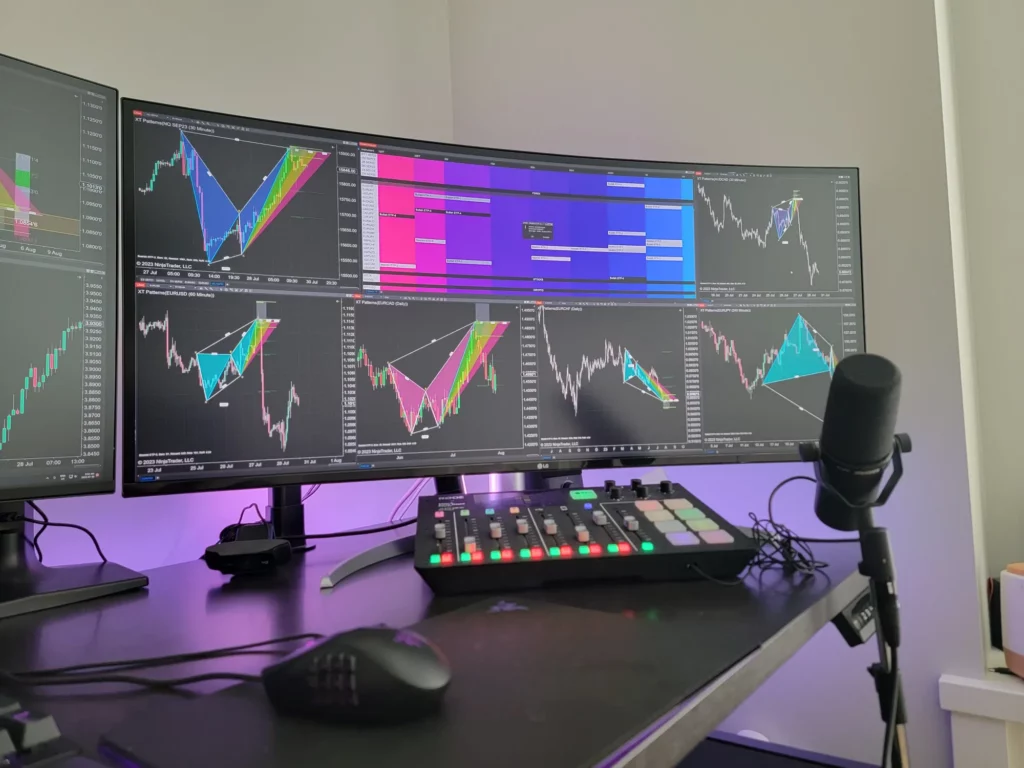
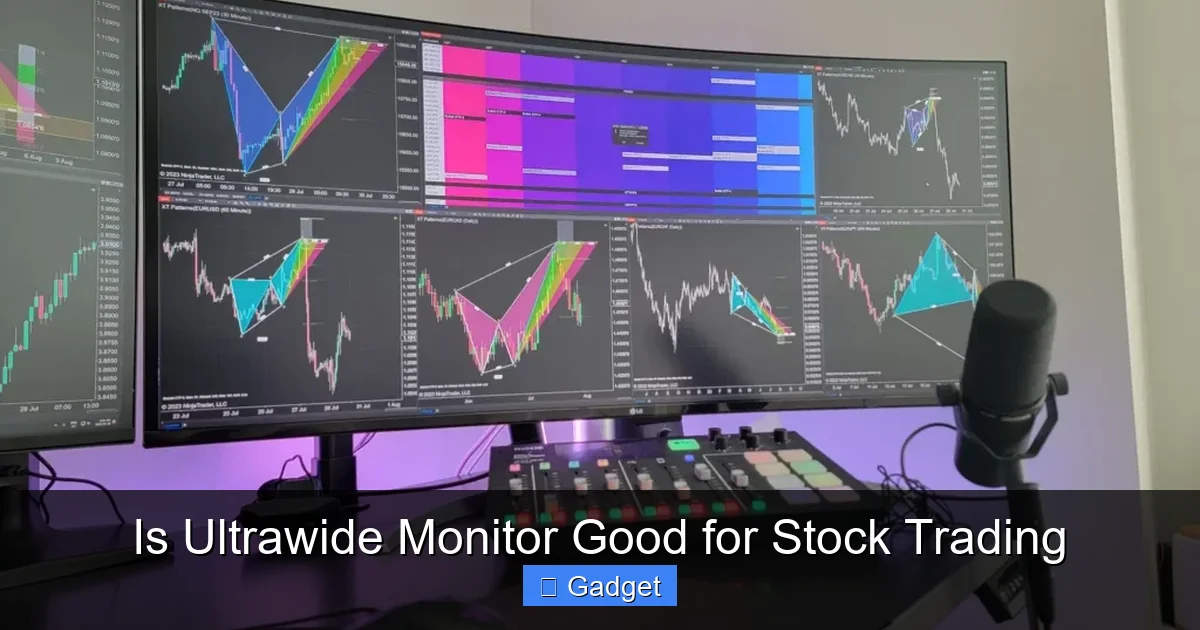
This is arguably the biggest win for ultrawide monitors in stock trading. Imagine this: you can have your primary trading chart displayed prominently, with a financial news feed scrolling alongside it, and an order book open on the other side. All of this can be visible simultaneously without any overlap or the need to constantly switch between different windows.Simultaneous Chart Analysis
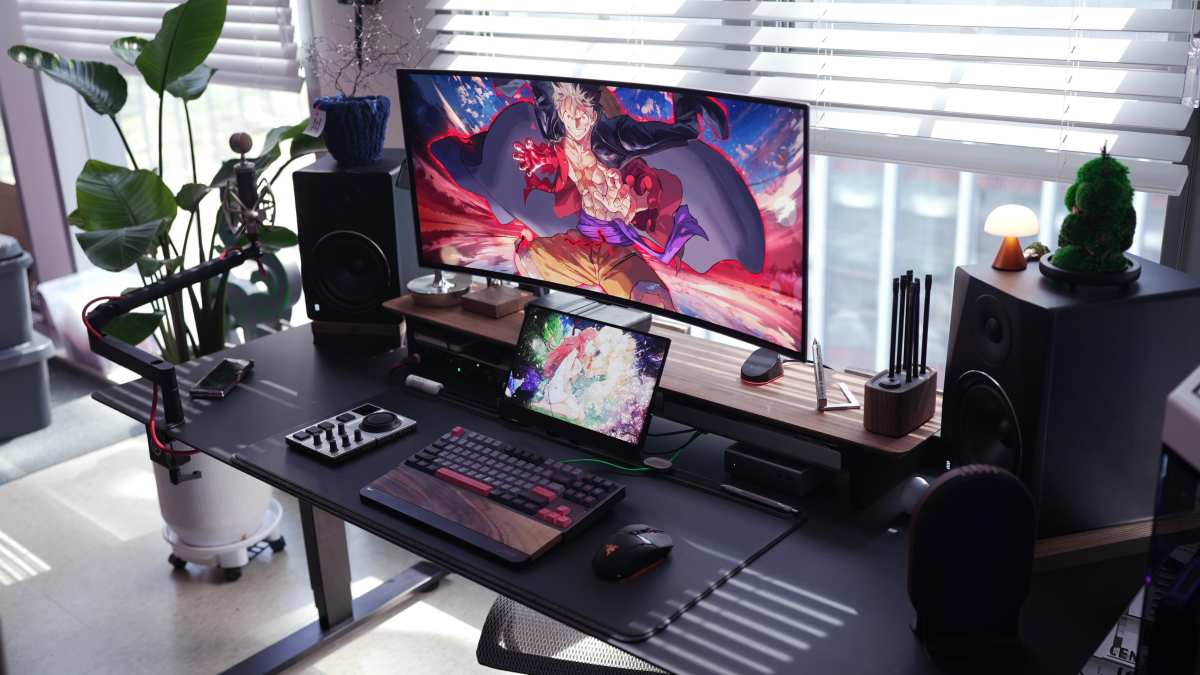
Traders often monitor multiple stocks or different timeframes for a single stock. With an ultrawide monitor, you can lay out several charts next to each other. For instance, you might have a 1-minute chart, a 5-minute chart, and a daily chart for a particular stock all visible at once. This allows for immediate comparison and helps in identifying patterns and trends more effectively. You can even compare charts of different correlated assets.Visual guide about Is Ultrawide Monitor Good for Stock Trading
Visual guide about Is Ultrawide Monitor Good for Stock Trading
Integrated News and Social Media Feeds
Market sentiment plays a crucial role in stock movements. Having real-time news feeds and relevant social media sentiment analysis tools open and visible alongside your charts can provide invaluable context. An ultrawide monitor makes it easy to dedicate a section of your screen to these information streams, ensuring you don’t miss any breaking news that could impact your positions.Order Book and Execution Windows
For active traders, an order book (also known as a Level 2 quote) and execution windows are critical. These display the buy and sell orders for a particular stock, giving insight into market depth and potential price movements. An ultrawide monitor allows you to keep these detailed order books open and updated without obscuring your price charts.2. Enhanced Workflow Efficiency
The ability to see more at once directly translates to a more efficient workflow. Instead of clicking to switch between applications, you can keep everything open and accessible.Reduced Window Switching
Constantly Alt-Tabbing or clicking between different windows breaks concentration and can lead to missed opportunities. An ultrawide monitor dramatically reduces the need for this. You can arrange your trading platform’s various modules – charts, order entry, portfolio summary, watchlists – in a logical flow across the expansive screen.Visual guide about Is Ultrawide Monitor Good for Stock Trading
Streamlined Trading Operations
When a trade opportunity arises, every second counts. With an ultrawide monitor, your order entry panel can be positioned right next to your chart, allowing for faster order placement. You can also keep a watchlist of your most watched stocks visible, making it easy to jump between them without losing your place.3. Reduced Desktop Clutter and Improved Focus
Multi-monitor setups, while powerful, can also lead to a messy desk with tangled cables and multiple monitor stands. An ultrawide monitor can often replace two or even three standard monitors, offering a cleaner and more aesthetically pleasing workspace.A Tidier Workspace
Fewer monitors mean fewer cables to manage, less desk space occupied by stands, and a generally cleaner aesthetic. This can contribute to a more organized and less distracting trading environment, which is crucial for maintaining focus.Enhanced Concentration
A less cluttered environment can lead to better concentration. When your trading desk is clean and all essential information is readily available on a single screen, your focus is directed solely on the market analysis and trading decisions, rather than on managing your screen layout.4. Immersion and Gaming (Secondary Benefit)
While not directly related to stock trading, many traders also enjoy PC gaming. Ultrawide monitors offer a highly immersive gaming experience. If your trading setup also doubles as a gaming rig, an ultrawide monitor provides a significant upgrade in that department as well. For insights into how panel types affect visual clarity during fast-paced activities, check out our comparison of IPS vs TN panels for gaming.Potential Drawbacks of Ultrawide Monitors for Stock Trading
While the advantages are clear, it’s important to acknowledge the potential downsides. No technology is perfect, and ultrawide monitors come with their own set of considerations for traders:1. Eye Strain and Ergonomics
The expansive nature of ultrawide monitors can be a double-edged sword. If not set up correctly, they can lead to increased eye strain.Viewing Distance
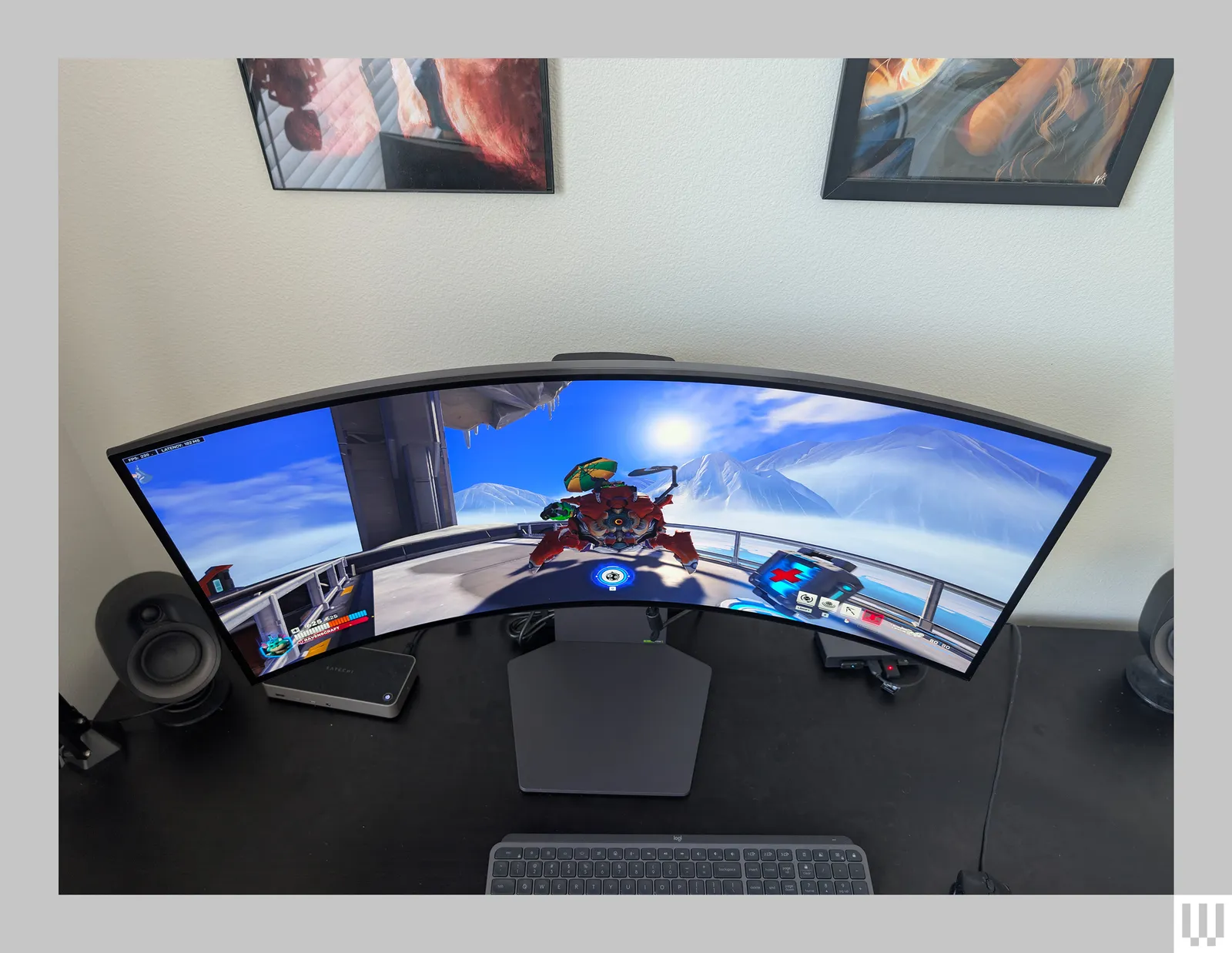
Because the screen is so wide, you might find yourself turning your head to see information on the far edges. This can lead to neck strain and discomfort over long trading sessions. It’s crucial to position the monitor at an appropriate distance – far enough that the entire screen is visible without excessive head movement, but close enough for clear reading.The “Curved” Factor
Many ultrawide monitors are curved. While this is designed to improve immersion and bring the edges of the screen closer to your peripheral vision, some users find it can distort straight lines, which might be a minor concern for precise chart analysis for some traders. However, most modern trading platforms are designed to handle curved displays well.Blue Light and Screen Time
As with any monitor, prolonged use can lead to digital eye strain. Ultrawide monitors, with their larger surface area, can potentially exacerbate this if you spend extended periods staring at the screen without breaks. Utilizing blue light filters and taking regular screen breaks (e.g., the 20-20-20 rule: every 20 minutes, look at something 20 feet away for 20 seconds) is essential.2. Resolution and Clarity Concerns
While ultrawide monitors offer more pixels horizontally, their vertical resolution might be similar to a standard monitor. This means that while you can fit more content side-by-side, the height of your content may not increase proportionally.Vertical Screen Real Estate
A 34-inch 21:9 ultrawide monitor often has a resolution of 3440 x 1440. Compare this to a 27-inch 16:9 monitor with a resolution of 2560 x 1440. You gain significant horizontal pixels, but the vertical pixel count is the same. This means that while you can have more windows open horizontally, the height of each window might not be as tall as you’d like for deeply nested information or complex charts that require a lot of vertical space.Pixel Density (PPI)
For a similar screen size, ultrawide monitors might have a slightly lower pixel density (Pixels Per Inch – PPI) compared to a higher-resolution standard monitor of the same diagonal size. This can potentially lead to slightly less crisp text or finer details in charts, although this is less of an issue with higher-resolution ultrawide displays like 4K or 5K ultrawides (though these are rarer and more expensive). Learn more about resolution capabilities in our article on whether ultrawide monitors support 4K resolution.3. Software Compatibility and Scaling
While most modern trading platforms and operating systems handle ultrawide resolutions well, there can be occasional issues.Window Management
Some older or less sophisticated applications might not scale correctly or might stretch their interfaces to fit the ultrawide aspect ratio, leading to distorted visuals. Modern trading software is generally well-optimized, but it’s always wise to check if your specific platforms have known issues.Operating System Scaling
Windows and macOS have scaling options to adjust text and icon sizes. On an ultrawide monitor, you’ll need to ensure these settings are configured correctly to maintain readability without making elements too large or too small.4. Cost
Ultrawide monitors, especially those with higher resolutions and refresh rates, can be a significant investment. While they can replace multiple monitors, the upfront cost of a single high-quality ultrawide can be higher than purchasing a couple of standard monitors. For budget-conscious buyers, we recommend exploring options like the best budget ultrawide monitors that balance performance and affordability.How to Set Up an Ultrawide Monitor for Stock Trading
To get the most out of an ultrawide monitor for your trading endeavors, proper setup is key.1. Choosing the Right Ultrawide Monitor
Not all ultrawide monitors are created equal. Consider these factors:Resolution
For stock trading, aim for at least a 3440 x 1440 (QHD ultrawide) resolution. This provides a good balance of screen real estate and clarity. Higher resolutions like 5120 x 2160 (5K ultrawide) offer even more detail but come at a higher cost and require more powerful graphics hardware.Panel Type (IPS vs. VA vs. TN)
IPS (In-Plane Switching) panels are generally recommended for trading due to their excellent color accuracy and wide viewing angles, meaning colors remain consistent even when viewed from the side. VA (Vertical Alignment) panels offer better contrast but can sometimes have slower response times and color shift at extreme angles. TN (Twisted Nematic) panels are the fastest but have the worst color reproduction and viewing angles, making them less ideal for detailed financial analysis.Refresh Rate and Response Time
While high refresh rates (144Hz and above) are more critical for gaming, a decent refresh rate (60Hz or 75Hz is sufficient for most trading) and a low response time (e.g., 4ms or less) ensure smooth visuals, especially with fast-moving price charts.Curvature
Most ultrawide monitors are curved (e.g., 1500R or 1800R). This curvature aims to improve immersion and reduce perceived distance to the edges. For trading, a mild curve is generally preferred. A monitor that is too curved might be distracting for some.2. Ergonomic Positioning
Your health and comfort are paramount for sustained trading performance.Desk Placement
Position the monitor directly in front of you, centered. The distance should be such that you can see the entire screen comfortably without excessive head turning. A good rule of thumb is to place it at arm’s length.Screen Height and Tilt
The top of the screen should be at or slightly below eye level. Adjust the monitor’s height and tilt to minimize neck strain. Many monitor stands allow for height and tilt adjustments. If not, consider a VESA mount or monitor arm.Lighting
Ensure your workspace lighting is adequate and doesn’t cause glare on the screen. Position the monitor so that windows or bright lights are not directly behind or in front of it.3. Software and Window Layout Optimization
Arrange your workspace for maximum efficiency.Use Built-in Window Management Tools
Both Windows (Snap Layouts) and macOS (Split View) offer tools to quickly arrange windows. You can set up predefined layouts that suit your trading style. For example, you might have a layout with three equal vertical panes for different charts or a central pane for your primary chart with flanking panes for news and order entry.Trading Platform Customization
Most modern trading platforms (e.g., Thinkorswim, TradingView, Interactive Brokers TWS) are highly customizable. Take advantage of this by arranging panels, widgets, and charts exactly where you want them on your ultrawide screen. Create custom workspaces for different trading scenarios.Dedicated Zones
Divide your ultrawide screen into logical zones. For instance:- Left third: Watchlists, market scanners, portfolio summary.
- Center two-thirds: Primary charts, news feeds, analytical tools.
- Right side: Order entry panel, trade execution window, economic calendar.
4. Graphics Card Requirements
Driving an ultrawide monitor, especially at higher resolutions, requires a capable graphics card. Ensure your computer’s GPU can handle the resolution and refresh rate of your chosen ultrawide monitor without performance issues. Most modern integrated graphics can handle basic 3440×1440 at 60Hz, but a dedicated graphics card is recommended for smoother performance and if you plan to run multiple demanding applications simultaneously.Is an Ultrawide Monitor Right for You?
The decision ultimately depends on your trading style, preferences, and budget.Who Benefits Most:
- Day traders who need to monitor multiple charts and real-time data feeds simultaneously.
- Traders who value a clean, minimalist workspace.
- Those who also use their computer for entertainment or gaming and want an immersive experience.
Consider Alternatives If:
- You have limited desk space and find even a single large monitor difficult to accommodate.
- Your trading strategy relies heavily on very tall, detailed charts that might be better displayed on a high-resolution, vertically oriented monitor.
- You are highly sensitive to screen distortion or find curved screens uncomfortable for detailed work.
- Your budget is very constrained, and multiple smaller, standard monitors are a more feasible option.
Conclusion
An ultrawide monitor can be an excellent tool for stock trading, offering a panoramic view that significantly enhances data visualization and workflow efficiency. The ability to see more charts, news, and order data simultaneously without constant window switching can lead to faster decision-making and a more focused trading experience. The cleaner, less cluttered desk it enables also contributes to a more productive environment. However, it’s crucial to be mindful of the potential for eye strain and the importance of proper ergonomic setup and regular breaks. Ensuring you choose a monitor with appropriate resolution and panel type for your needs, and optimizing your software layout, are key to unlocking its full potential. If you’re looking to elevate your trading setup and embrace a more streamlined, data-rich interface, an ultrawide monitor is certainly worth serious consideration. It’s not just a gadget; it’s a powerful workspace enhancer that can directly contribute to your success in the dynamic world of stock trading.
Similar Posts