Curious if a curved monitor is a must-have for your office setup? This guide breaks down the benefits and drawbacks, from reduced eye strain to immersive experiences. We’ll help you determine if the added curve is worth the investment for your specific work needs and environment, ensuring you make an informed decision for enhanced productivity and comfort.
Is Curved Monitor Necessary for Office Work?
The modern office is evolving, and so are the tools we use to get things done. For years, the flat monitor has been the undisputed king of our desks. But lately, curved monitors have been making a significant splash. You might be wondering, “Are these curved displays just a flashy trend, or do they actually offer tangible benefits for my daily office grind?” That’s a great question! In this comprehensive guide, we’ll dive deep into the world of curved monitors and help you figure out if one is truly necessary for your office work.
We’ll explore what makes a curved monitor different, dissect the potential advantages and disadvantages, and offer practical advice on how to decide if this technology aligns with your work style, your budget, and your overall productivity goals. By the end of this guide, you’ll have a clear understanding of whether a curved monitor is the right upgrade for your workspace.
Contents
- 1 Key Takeaways
- 2 Understanding the Curve: What Exactly is a Curved Monitor?
- 3 The Potential Perks: Why Consider a Curved Monitor for Office Work?
- 4 H2: Enhanced Immersion and Wider Field of View
- 5 H2: Reduced Eye Strain and Fatigue
- 6 H2: Improved Ergonomics and Posture
- 7 H2: Enhanced Productivity for Certain Tasks
- 8 The Flip Side: When a Curved Monitor Might Not Be the Best Fit
- 9 H2: Potential Distortion and Accuracy Concerns
- 10 H2: Desk Space Considerations
- 11 H2: Cost Factor
- 12 H2: A Learning Curve and Personal Preference
- 13 How to Decide: Is a Curved Monitor Necessary for *Your* Office Work?
- 14 H2: Step 1: Analyze Your Daily Tasks
- 15 H2: Step 2: Consider Your Monitor Size and Aspect Ratio Preferences
- 16 H2: Step 3: Evaluate Your Workspace and Ergonomics
- 17 H2: Step 4: Set Your Budget
- 18 H2: Step 5: Test if Possible
- 19 Conclusion: Is a Curved Monitor Necessary?
Key Takeaways
- Enhanced Immersion and Wider Field of View: Curved monitors can offer a more engaging visual experience, drawing you into your work and expanding your peripheral vision for better multitasking.
- Reduced Eye Strain and Fatigue: The gentle curve aims to keep the entire screen within your natural line of sight, potentially reducing the need for your eyes to refocus constantly, leading to less strain.
- Improved Ergonomics and Posture: A curved screen can encourage a more natural viewing distance and angle, which may contribute to better posture and overall ergonomic comfort during long work sessions.
- Potential Distortion and Learning Curve: For certain design or graphical tasks, the curvature can introduce subtle distortions. There might also be a slight adjustment period to get used to the new viewing experience.
- Desk Space Considerations: While some curved monitors offer a sleeker profile, their physical dimensions, especially at the ultra-wide aspect ratios, can require more desk real estate.
- Cost Factor: Curved monitors often come with a premium price tag compared to their flat counterparts, so budget is a significant consideration.
- Task-Specific Suitability: The necessity of a curved monitor heavily depends on your daily tasks; it’s often more beneficial for multitasking, data analysis, or immersive content creation than for basic document editing.
Understanding the Curve: What Exactly is a Curved Monitor?
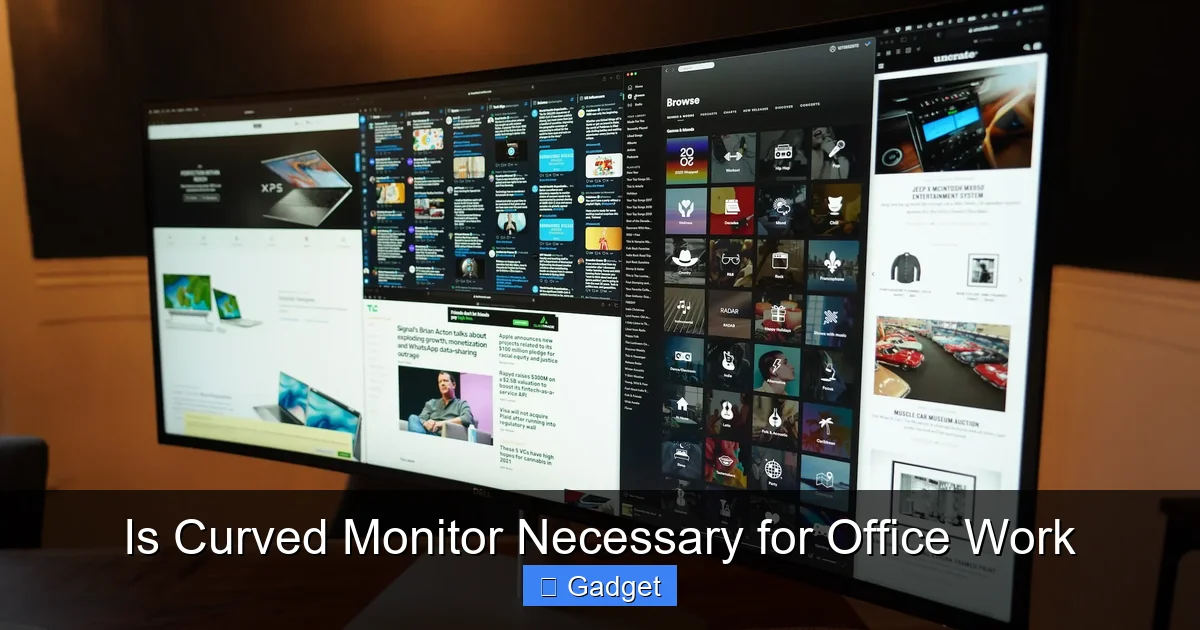
Before we get into whether you *need* one, let’s understand what we’re talking about. A curved monitor, as the name suggests, has a display panel that is not flat but gently arcs towards the user. This curvature is typically measured by a “radius” or “R” number, like 1800R or 1500R. A smaller R number (e.g., 1000R) indicates a more pronounced curve.
The idea behind the curve is to mimic the natural curvature of the human eye. Our eyes are not perfectly flat; they have a spherical shape. By matching the monitor’s curve to this natural arc, manufacturers aim to create a more comfortable and immersive viewing experience. This is particularly noticeable on larger and wider monitors, where the edges of a flat screen can be further away from your direct line of sight.
The Potential Perks: Why Consider a Curved Monitor for Office Work?
Curved monitors aren’t just about aesthetics; they often come with a host of potential benefits that could directly impact your productivity and well-being at work. Let’s explore these:
Visual guide about Is Curved Monitor Necessary for Office Work
Image source: techcrunch.com
H2: Enhanced Immersion and Wider Field of View
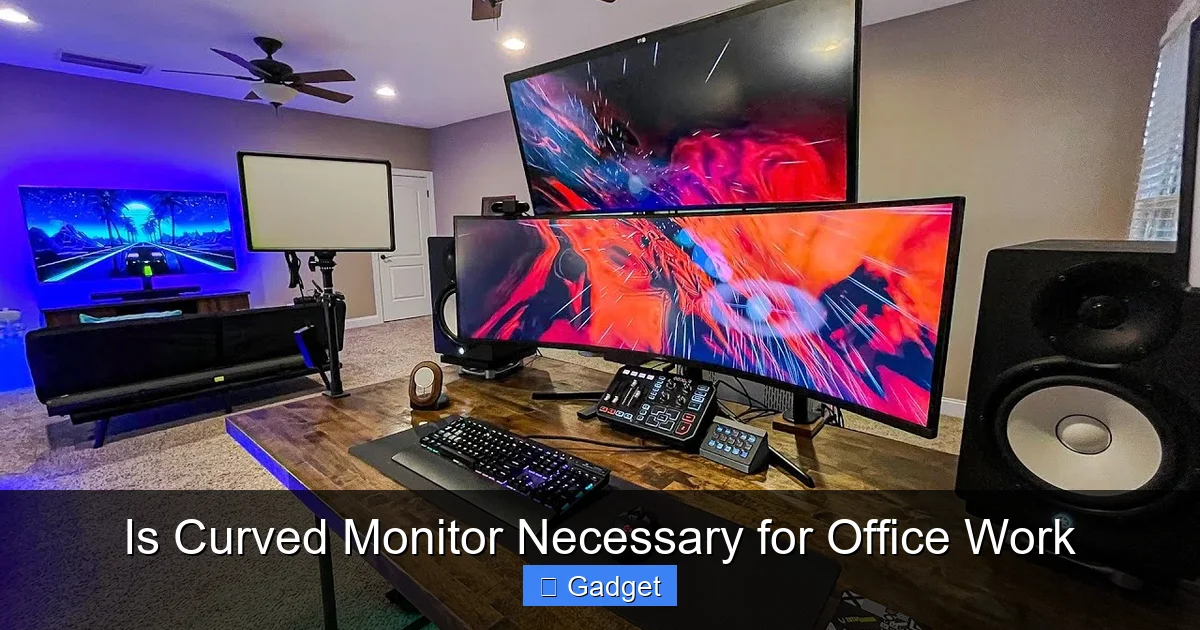
One of the most immediate benefits users notice with curved monitors is the feeling of immersion. The wrap-around effect draws you into the content on your screen. For office work, this can translate into a more engaging experience, especially when dealing with multiple windows or detailed information.
Visual guide about Is Curved Monitor Necessary for Office Work
Image source: i.ytimg.com
H3: A More Panoramic Perspective
This enhanced immersion is largely due to the wider field of view. On larger curved screens, the edges of the display are brought closer to your peripheral vision. This means you can see more of your content at a glance without having to turn your head as much. For tasks that involve managing multiple applications, spreadsheets, or timelines, this can significantly improve your workflow and reduce the need for constant window switching.
Example: Imagine working with a large spreadsheet. On a curved monitor, you might be able to see more columns and rows comfortably without horizontal scrolling, making data analysis much more efficient.
H2: Reduced Eye Strain and Fatigue
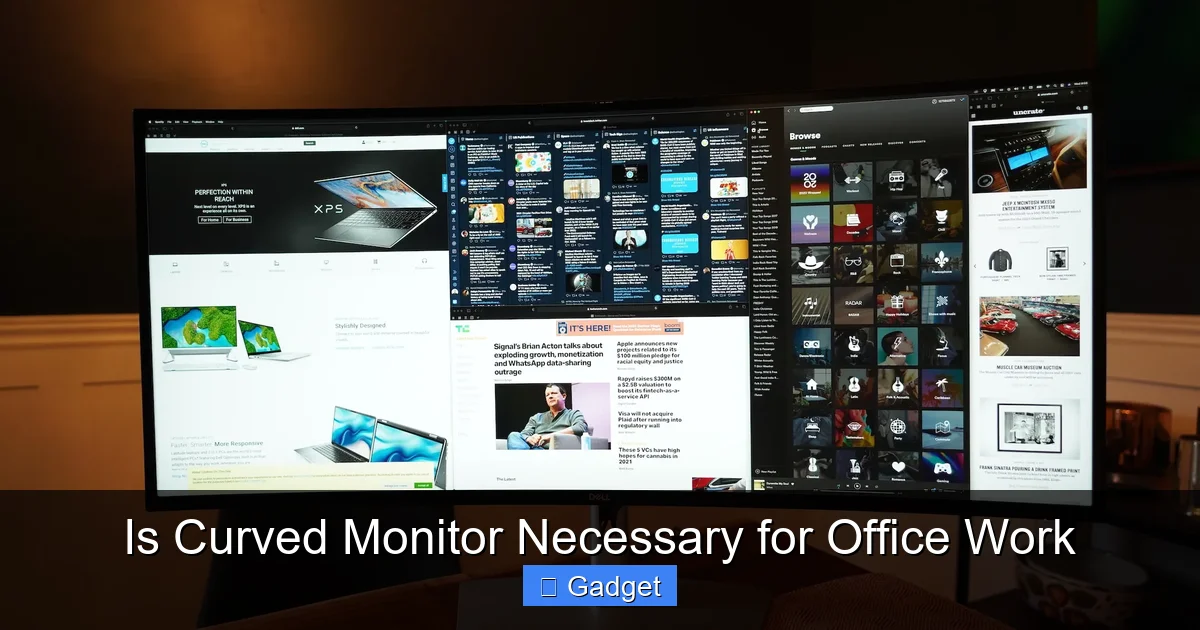
Eye strain is a common complaint among office workers who spend hours staring at screens. Curved monitors are designed with this in mind. The curvature aims to keep the entire screen surface at a more consistent distance from your eyes.
Visual guide about Is Curved Monitor Necessary for Office Work
Image source: techcrunch.com
H3: Consistent Focal Distance
On a flat monitor, especially a larger one, the edges are further away from your eyes than the center. This requires your eyes to constantly adjust their focus as you look from the center to the sides. A curved monitor minimizes this variation in focal distance. The idea is that your eyes can maintain a more stable and natural focus across the entire screen, potentially leading to less fatigue and discomfort over long work sessions.
Tip: If you often experience dry eyes, blurry vision, or headaches after a long day at your desk, a curved monitor might offer some relief.
H2: Improved Ergonomics and Posture
The way we sit and interact with our workspace has a direct impact on our physical comfort. Curved monitors can contribute to a more ergonomic setup.
H3: Natural Viewing Angles
The gentle arc encourages a more natural viewing angle. Instead of craning your neck to see the edges of a wide flat monitor, the curved display brings those elements closer to your direct line of sight. This can help promote better posture by reducing the tendency to hunch over or twist your body to get a better view.
Practical Application: When working on ultra-wide curved monitors, you can comfortably arrange several application windows side-by-side without feeling like you’re looking through binoculars. This can lead to a more relaxed and efficient posture.
H2: Enhanced Productivity for Certain Tasks
While not a universal productivity booster for every single task, curved monitors can significantly enhance productivity for specific types of work.
H3: Multitasking Mastery
For professionals who regularly juggle multiple applications, documents, or data sets, the expanded field of view and immersive nature of a curved monitor can be a game-changer. Being able to see more content at once means less time spent minimizing, maximizing, and switching between windows.
H3: Immersive Content Creation and Analysis
If your work involves graphic design, video editing, 3D modeling, or complex data analysis, the wider, more immersive view can be incredibly beneficial. It allows for a more comprehensive overview of your project or data, potentially leading to quicker insights and more efficient creative processes.
The Flip Side: When a Curved Monitor Might Not Be the Best Fit
While the benefits are compelling, it’s crucial to consider the potential downsides of curved monitors. They are not a one-size-fits-all solution, and for some users and tasks, a flat monitor might still be preferable.
H2: Potential Distortion and Accuracy Concerns
The curvature, while beneficial for immersion, can introduce subtle geometric distortions. This is more of a concern for specific professional applications.
H3: Graphical and Design Work
For professionals who require absolute geometric accuracy, such as architects, engineers, or highly detailed graphic designers working with straight lines and precise measurements, the curve can be a hindrance. Straight lines might appear slightly curved, and measuring tools could be affected. While many modern curved monitors have excellent calibration, it’s a factor to consider.
Troubleshooting Tip: If you’re in a field where precision is paramount, look for curved monitors with advanced calibration options or consider a flat panel if accuracy is your absolute top priority.
H2: Desk Space Considerations
Curved monitors, especially those with ultra-wide aspect ratios, can have a larger physical footprint on your desk.
H3: Footprint and Depth
While some curved monitors might appear sleeker, their overall dimensions, particularly the depth due to the curvature, can require more desk real estate. If you have a compact workspace, this is definitely something to measure and consider.
Example: An ultrawide curved monitor might wrap around more of your field of vision, but it could also extend further back or out from the wall, potentially encroaching on your usable desk space.
H2: Cost Factor
Generally speaking, curved monitors tend to be more expensive than their flat counterparts with similar specifications.
H3: Investment vs. Benefit
The advanced manufacturing processes and unique panel technology involved in creating curved displays often translate to a higher price point. You need to weigh whether the potential benefits to your productivity and comfort justify the additional investment.
Budgeting Tip: Before committing, compare prices of similarly sized and specified flat and curved monitors. Sometimes, the price difference can be significant, pushing a curved option out of reach for some budgets.
H2: A Learning Curve and Personal Preference
While many users adapt quickly, there can be a slight adjustment period when switching to a curved monitor.
H3: Getting Used to the View
Some people might find the curved display takes a little getting used to. It’s a different visual experience, and personal preference plays a huge role. What one person finds incredibly comfortable and productive, another might find distracting.
Tip: If possible, try to test out a curved monitor in person before making a purchase. This can give you a good feel for whether it suits your personal viewing preferences.
How to Decide: Is a Curved Monitor Necessary for *Your* Office Work?
So, after weighing the pros and cons, how do you make the call? The answer isn’t a simple yes or no. It’s about assessing your individual needs and work habits.
H2: Step 1: Analyze Your Daily Tasks
This is the most critical step. What do you actually do on your computer for most of the day?
H3: For whom it’s most beneficial:
- Multitaskers: If you constantly have multiple windows open (e.g., email, CRM, research, coding IDEs, spreadsheets), the wider, more immersive view can be a significant productivity booster.
- Data Analysts/Financial Professionals: Working with large datasets, multiple charts, or complex spreadsheets benefits greatly from being able to see more information at a glance.
- Content Creators (Video Editors, Graphic Designers): The expanded field of view can be helpful for timelines, palettes, and overall project overview.
- Gamers (often with an office setup): If your office doubles as a gaming rig, the immersion is a clear advantage.
- Anyone experiencing significant eye strain: If eye fatigue is a major issue, the reduced refocusing demand of a curved monitor might offer welcome relief.
H3: For whom it might be less necessary:
- Primarily Word Processors/Email Users: If your day consists mainly of typing documents or checking emails in single windows, the benefits of a curve are less pronounced.
- Professionals Requiring Absolute Geometric Precision: Architects, engineers, or precise graphic designers who rely on perfectly straight lines might find a flat monitor safer.
- Users with Very Limited Desk Space: If your workspace is cramped, a large ultrawide curved monitor might not be practical.
- Budget-Conscious Users: If budget is a primary concern and the potential benefits don’t strongly outweigh the cost difference, a high-quality flat monitor might be a better choice.
H2: Step 2: Consider Your Monitor Size and Aspect Ratio Preferences
The benefits of a curved monitor are often amplified with larger screen sizes and ultrawide aspect ratios (e.g., 21:9 or 32:9).
H3: The Sweet Spot for Curves
- On smaller monitors (e.g., 24-inch, 16:9), the curvature is less noticeable and might not offer significant advantages.
- As you move into the 27-inch to 34-inch range and especially with ultrawide formats, the benefits of immersion, reduced eye strain, and expanded field of view become much more apparent.
H2: Step 3: Evaluate Your Workspace and Ergonomics
Think about your desk setup. Is it large enough to accommodate a potentially deeper curved monitor? Is your viewing distance appropriate?
H3: Measuring Your Space
- Measure the available depth on your desk.
- Consider your typical viewing distance. Curved monitors are often best appreciated at a specific distance that complements their radius.
- Ensure your seating and desk height are ergonomically sound, regardless of the monitor type.
H2: Step 4: Set Your Budget
Curved monitors represent an investment. Determine how much you’re willing to spend and see what options are available within that range.
H3: Value for Money
- Compare prices of curved vs. flat monitors with similar resolutions, refresh rates, and panel types (e.g., IPS, VA).
- Look for sales and deals, as prices for curved monitors have become more competitive over time.
H2: Step 5: Test if Possible
If you have the opportunity, try a curved monitor before you buy. Visit an electronics store or ask a colleague if you can test their setup.
H3: Personal Experience is Key
- Spend some time browsing websites, working with documents, or even watching videos on a curved display.
- See how it feels to you. Does it reduce strain? Is it distracting? Does it feel more natural?
Conclusion: Is a Curved Monitor Necessary?
Ultimately, whether a curved monitor is “necessary” for your office work depends entirely on your individual needs, priorities, and budget. They are not a mandatory upgrade for everyone. However, for many professionals, especially those who spend long hours multitasking, working with large datasets, or creating content, a curved monitor can offer significant benefits in terms of comfort, immersion, and productivity.
If you’re experiencing eye strain, find yourself constantly managing multiple windows, or simply want a more engaging and comfortable viewing experience, a curved monitor is definitely worth considering. It’s an excellent tool to enhance your workspace if it aligns with your specific workflow. By carefully considering the factors discussed in this guide, you can make an informed decision and determine if the gentle arc of a curved monitor is the right addition to your office setup.