How To Make Your Speaker Louder On Your Android Phone

How to Make Your Speaker Louder on Your Android Phone
When your favorite song sounds quieter than you’d like or the notifications aren’t loud enough, you might wonder how to make your Android phone’s speaker louder. Luckily, there are many ways to boost your device’s sound and enjoy clearer, louder audio. This guide will walk you through various methods, step by step, to increase your speaker volume effectively. Whether you’re listening to music, watching videos, or participating in a call, these tips can help improve your audio experience.Understanding Your Android Phone’s Sound Settings
Before diving into specific tricks or apps, it is essential to understand how your device manages sound. Android phones typically have built-in volume controls and sound settings that influence how loud your speaker can get.Using the Physical Volume Buttons
Most Android phones have physical volume buttons on the side:- Press the upper button to increase the volume.
- Press the lower button to decrease the volume.
Checking the Volume Settings in the Settings Menu
Navigate to your phone’s settings:- Open the ‘Settings’ app on your device.
- Go to ‘Sound & Vibration’ or a similar option depending on your phone model.
- Look for ‘Volume’ or ‘Media Volume.’
- Slide the bar all the way to the maximum to ensure your speaker is not limited.
Adjusting the Equalizer Settings for Louder Sound
Many Android phones come with built-in equalizers or sound enhancement features that can make audio sound louder and richer.Accessing the Built-in Equalizer
Steps to find and adjust the equalizer:- Open your music or sound app.
- Navigate to the app’s sound settings or equalizer section.
- Adjust the sliders to boost bass, treble, or overall volume.
Using Sound Enhancer or Amplifier Features
Some Android devices have sound enhancement features:- Look for ‘Sound Effects,’ ‘Dolby Atmos,’ or similar options in your device settings.
- Enable these features to improve loudness and clarity.
Using Third-Party Apps to Boost Speaker Volume
When built-in options aren’t enough, apps can help to amplify your phone’s sound.Popular Volume Booster Apps
Here are apps that many Android users find effective:- Volume Booster GOODEV: Easy to use with a simple slider to increase volume.
- Precise Volume: Lets you fine-tune your sound output for different scenarios.
- Music Volume EQ: Combines boosting volume with equalizer settings.
How to Use These Apps
To get started:- Download the app from Google Play Store.
- Open the app and grant necessary permissions.
- Drag the volume slider to increase loudness.
- Adjust other settings to optimize sound quality.
Enabling Developer Options for Greater Control
Android devices have hidden settings called Developer Options, which can be used to enhance audio features.Activating Developer Options
Follow these steps:- Go to ‘Settings’ > ‘About Phone.’
- Tap ‘Build Number’ seven times until you see a message that Developer Mode is enabled.
Adjusting Sound Settings via Developer Options
Once enabled:- Navigate to ‘Settings’ > ‘Developer Options.’
- Look for options related to ‘Audio’ or ‘Maximum Volume.’
- If available, increase these to boost maximum loudness.
Optimizing Audio for Different Situations
Beyond system settings and apps, there are practical tips to maximize loudness depending on your environment or activity.Using a Wired or Wireless External Speaker
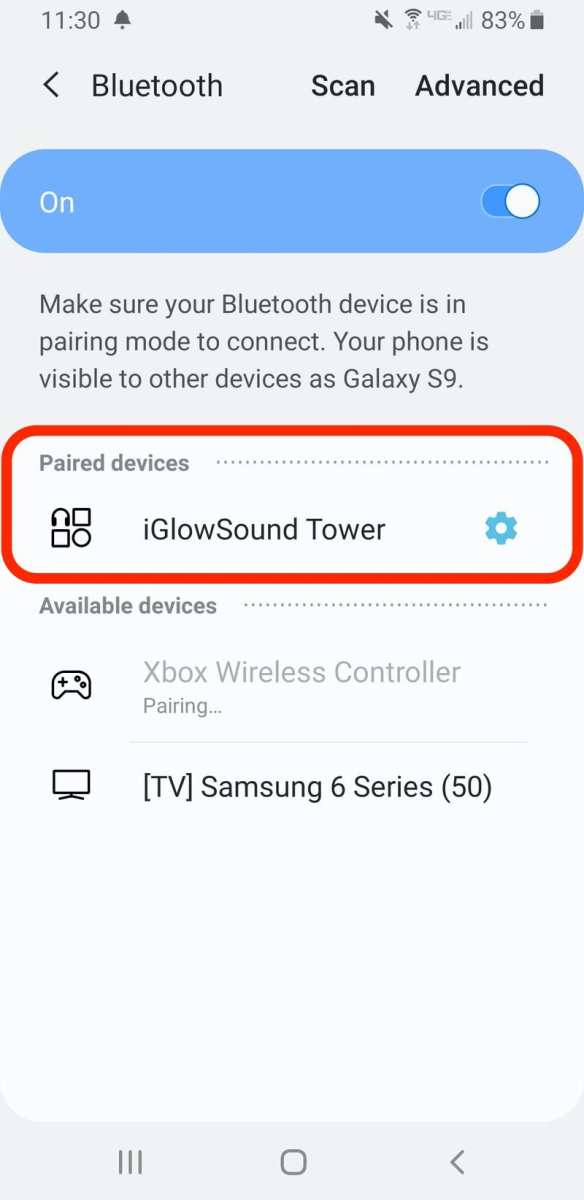
For significantly louder sound:- Connect your phone to a Bluetooth speaker or external speaker system.
- This method provides much higher volume and better sound quality.
Positioning Your Phone Correctly
Sometimes, the placement matters:- Keep your phone facing upward or toward your ears for better sound projection.
- Avoid covering the speaker grill with your hand or case.
Reducing Background Noise
Louder speakers help, but reducing ambient noise allows the sound to be clearer and more impactful. Try to be in a quieter environment or move closer to the speaker.Maintaining Your Phone’s Speakers for Optimal Performance
Keeping your speakers clean and free of debris helps improve sound quality.Cleaning the Speaker Grills
To clean your speakers:- Turn off your device.
- Use a soft, dry brush or compressed air to gently remove dust and lint from speaker grills.
- Avoid using liquids or abrasive materials.
Checking for Software Updates
Regular updates can include fixes for sound issues and improve overall speaker performance:- Go to ‘Settings’ > ‘Software Update.’
- If updates are available, install them and restart your device.
Risks and Precautions When Increasing Volume
While boosting volume, always be cautious:- Excessive sound levels might cause hearing damage over time.
- Overdriving your speakers can cause distortion or damage to the hardware.
- Use volume booster apps responsibly and avoid prolonged exposure to loud sounds.
Frequently Asked Questions
How can I increase the volume on my Android phone without using external devices?
You can increase your phone’s volume by adjusting the built-in volume settings. Open the Settings app, go to Sound or Audio, and slide the volume control to a higher level. Additionally, ensure that the media volume is turned up, as it controls the loudness of music, videos, and calls.
What steps can I take to improve the sound output if my speaker sounds muffled?
If your speaker sounds muffled, clean the speaker grille gently with a soft brush or cloth to remove dust and debris. You can also enable a sound enhancement feature found in your device’s settings, such as equalizer or sound effects, to boost clarity and volume.
Are there any third-party apps that can help make my Android speaker louder?
Yes, several apps available on the Google Play Store allow you to amplify your device’s sound. Apps like Volume Booster or Sound Amplifier provide additional control over your speaker’s output. Install a trusted app, adjust the settings carefully, and test the volume to ensure it doesn’t cause distortion.
How do I check if my phone’s software needs updating to improve audio performance?
Go to Settings, then navigate to About Phone or Software Update. Check for available updates and install them if they exist. Software updates often include improvements to audio drivers and overall device performance, which can help enhance sound quality and volume.
Can changing the audio output settings help make my speaker louder?
Adjusting audio output settings, such as enabling Dolby Atmos or similar sound enhancement features, can increase audio loudness and clarity. Access these features through your device’s sound settings or media options to improve your listening experience.
Final Thoughts
To make your speaker louder on your android phone, start by adjusting the volume sliders in settings. Use the volume buttons for quick adjustments during playback. Enable any available sound enhancement features to boost audio output. Additionally, check for third-party apps designed to amplify sound if needed. Keep your device’s software updated to ensure optimal performance. In conclusion, knowing how to make your speaker louder on your android phone involves simple steps like adjusting settings and using available tools. Implement these tips to enjoy louder, clearer sound effortlessly.
Similar Posts































