How To Make Your Apps Aesthetic Android For Better Design
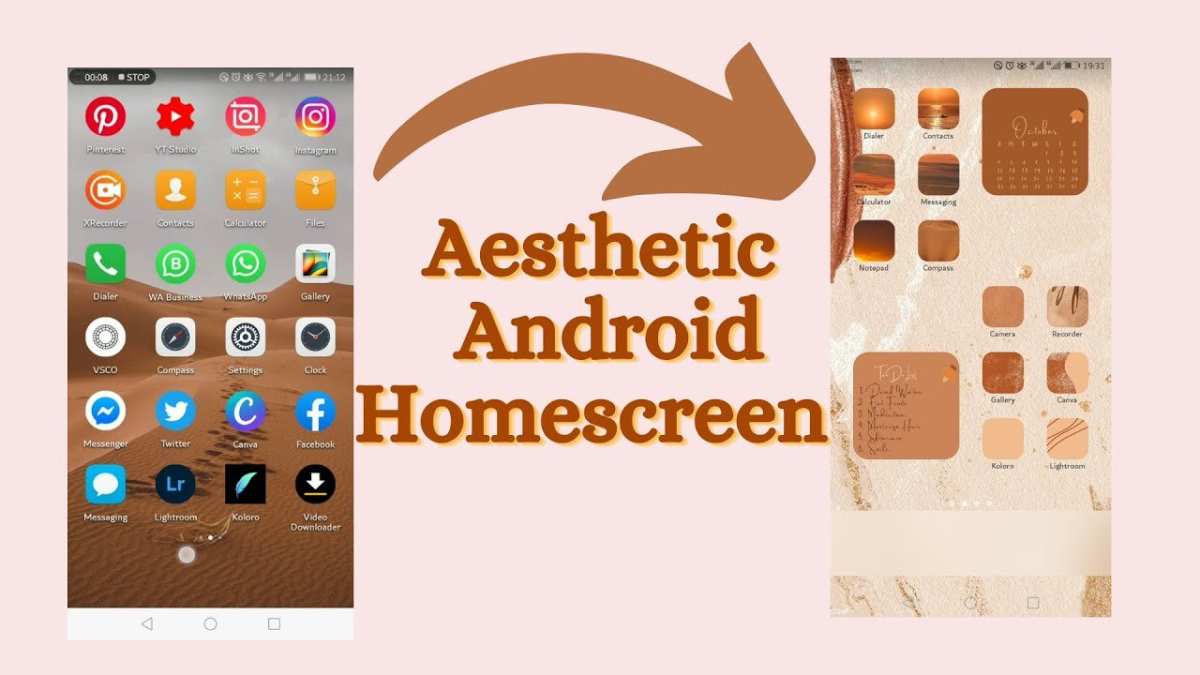

How to Make Your Apps Aesthetic Android
Creating an app that looks beautiful and feels easy to use is essential in today’s mobile world. People want apps that are not only functional but also visually appealing. If you want your Android app to stand out, focusing on aesthetics is a must. This guide will walk you through everything you need to know to design an app that grabs attention, keeps users happy, and feels good to use. From choosing the right colors to designing smooth animations, we will cover all the important parts of making your app look fantastic on Android devices.Understanding Why Aesthetic Design Matters
Before jumping into the how-tos, it’s important to see why making your app aesthetic is so valuable. When an app looks good, users tend to enjoy using it more. A beautiful interface builds trust and makes your app look professional. If your app feels cluttered or confusing, users might get annoyed and stop using it. Well-designed apps:- Engage users and keep them interested
- Help users find what they need quickly and easily
- Create a memorable experience that encourages sharing & recommendations
- Build a strong brand identity
Choosing the Right Color Scheme
Colors set the tone of your app. Bright and lively colors might make your app feel fun and energetic, while soft pastel shades give a calm and elegant vibe. Picking the right colors can influence how users feel and interact with your app.Tips for Picking Great Colors
- Use harmonious color combinations, such as complementary or analogous colors.
- Stick to a limited palette — 3 to 5 main colors work best.
- Ensure good contrast between text and background for easy reading.
- Test your color choices on different screens and lighting conditions.
Designing for Visual Hierarchy
Visual hierarchy makes sure that users’ eyes go to the most important parts first. To do this, you should organize your app’s layout so that key buttons, headings, and features stand out.Strategies for Effective Hierarchy
- Use size and boldness: Bigger and bolder elements draw more attention.
- Use color contrast: Bright or highlighted elements pop out against calmer backgrounds.
- Arrange elements logically: Important features should be placed where users naturally look first, like the top or center of the screen.
- Limit clutter: Too many items can confuse users; focus on what’s most essential.
Choosing Fonts That Fit Your Style
Fonts communicate a lot about your app. A playful font might suit a game or kids’ app, while a clean, simple font works well for productivity tools.Tips for Selecting Fonts
- Stick to two or three fonts max to keep the look consistent.
- Use easy-to-read fonts for body text, such as Roboto or Open Sans.
- Reserve decorative fonts for headings or special labels.
- Test fonts on different screen sizes to ensure readability.
Creating Smooth and Delightful Animations
Animations add life to your app. They can guide users through actions, provide feedback, and make the app feel more responsive.Tips for Effective Animations
- Use animations sparingly: Too many can be distracting.
- Make transitions smooth: Use easing functions like ease-in or ease-out for natural movement.
- Animate for clarity: Use motion to show what’s happening, such as a button press or screen change.
- Keep animations short: Aim for animations under a second for quick feedback.
Implementing Consistency Throughout Your App
Consistency ties all design elements together. It ensures your app feels unified and professional.Key Areas for Consistency
- Color schemes: Stick to your chosen palette across all screens.
- Typography: Use the same fonts, sizes, and styles everywhere.
- Iconography: Use icons with the same style, size, and color.
- Spacing and Layout: Maintain uniform margins, padding, and alignment.
Using Material Design Principles
Google’s Material Design offers a set of guidelines that help create attractive, user-friendly Android apps.Core Material Design Concepts
- Depth & Shadows: Use elevation and shadows to give elements a sense of layers and space.
- Bold Colors & Typography: Use vibrant colors and clear fonts for emphasis.
- Meaningful Motion: Animate transitions to help users understand changes.
- Touch Feedback: Add visual cues like ripple effects when users tap buttons.
Utilizing Custom Icons and Graphics
Icons help users recognize features quickly. Custom icons give your app a unique look and feel.How to Use Icons Effectively
- Create icons with simple, clean designs that match your color scheme.
- Use icons that clearly represent their actions or functions.
- Maintain consistent icon sizes and styles across the app.
- Consider using vector icons for scalability and sharpness on all screens.
Designing for Different Screen Sizes and Resolutions
Your app should look great on all devices, from small phones to large tablets.Tips for Responsive Design
- Use flexible layouts with constraint-based designs.
- Test your app on various screen sizes to ensure elements scale well.
- Utilize density-independent pixels (dp or dip) for consistent sizing.
- Adapt images and graphics for different resolutions to avoid pixelation.
Final Touches for a Polished Look
Small details make a big difference. Think about subtle shadows, borders, and spacing that add depth and clarity.Additional Tips
- Use white space generously to prevent clutter and improve readability.
- Apply consistent margins and padding to keep elements balanced.
- Test your app’s appearance in different lighting conditions and on different devices.
- Ask for feedback from users to identify any visual improvements.
Frequently Asked Questions
How can I customize the color schemes of my Android app for a more appealing look?
To enhance your app’s aesthetic, select a cohesive color palette that aligns with your brand or theme. Use Android’s themes and styles to define primary, accent, and background colors. Consistently apply these colors across all UI elements to create harmony. Tools like Material Design color tools can help you choose pleasing color combinations that improve visual appeal and user experience.
What design elements should I focus on to improve my app’s visual consistency?
Prioritize the use of uniform fonts, icon styles, and spacing throughout your app. Incorporate high-quality images and icons that match your theme. Maintaining consistent margins, padding, and alignment helps create a clean and organized interface. Adhering to principles of minimalism and clarity ensures users find your app visually attractive and easy to navigate.
How can I effectively use animations and transitions to enhance my app’s aesthetic?
Implement subtle animations and smooth transitions to add polish to your app. Use Android’s animation APIs to animate UI components, making interactions feel more natural. Keep animations concise and purposeful, avoiding excessive movement that might distract users. Thoughtful use of animation can improve the overall feel of your app without compromising its usability.
Are there design guidelines I should follow to make my app look more modern?
Follow Material Design principles to keep your app aligned with modern aesthetics. These guidelines emphasize clean layouts, intuitive navigation, and consistent visual language. Incorporate ample white space, bold typography, and simple icons to create a sleek, updated appearance. Regularly reviewing design trends ensures your app stays fresh and relevant.
What tools or resources can help me improve the aesthetic appeal of my Android app?
Utilize design tools such as Adobe XD, Figma, or Sketch to prototype and refine your app’s visuals. Explore Material Design guidelines and components to maintain consistency. Additionally, use color palette generators and icon libraries to find high-quality assets. User feedback and testing can also provide insights into visual improvements that resonate with your audience.
Final Thoughts
To make your apps aesthetic android, focus on clean and consistent design elements. Use a harmonious color palette that appeals visually and enhances readability. Incorporate intuitive navigation to improve user experience and keep interfaces simple. Pay attention to details like fonts, icons, and spacing to ensure a polished appearance. Consistently applying these principles will help your app stand out and feel more engaging. How to make your apps aesthetic android involves balancing functionality with style, creating an enjoyable experience for users.
Similar Posts































