How Long Does It Take To Make An Android App

How Long Does It Take to Make an Android App?
Creating an Android app is an exciting journey that varies greatly depending on several factors. When you think about developing an app, you might wonder, “How long will it take before I can see my idea come to life?” The answer isn’t one-size-fits-all. It depends on the complexity of your app, the resources you have, and your experience level. In this section, we will explore these factors in detail to give you a clear picture of the timeline involved in building an Android app.Understanding the Key Stages of Android App Development
Developing an Android app isn’t just about writing code. It’s a process that involves multiple phases, each contributing to the overall timeline. Here’s a quick overview of the main stages:- Idea and Planning: Defining your app’s purpose, features, and target audience.
- Design: Creating wireframes, user interface design, and user experience planning.
- Development: Actual coding and building the app’s functionality.
- Testing: Checking for bugs, fixing errors, and optimizing performance.
- Launch: Publishing your app to the Google Play Store and preparing for updates.
- Post-Launch Support: Gathering user feedback and making improvements.
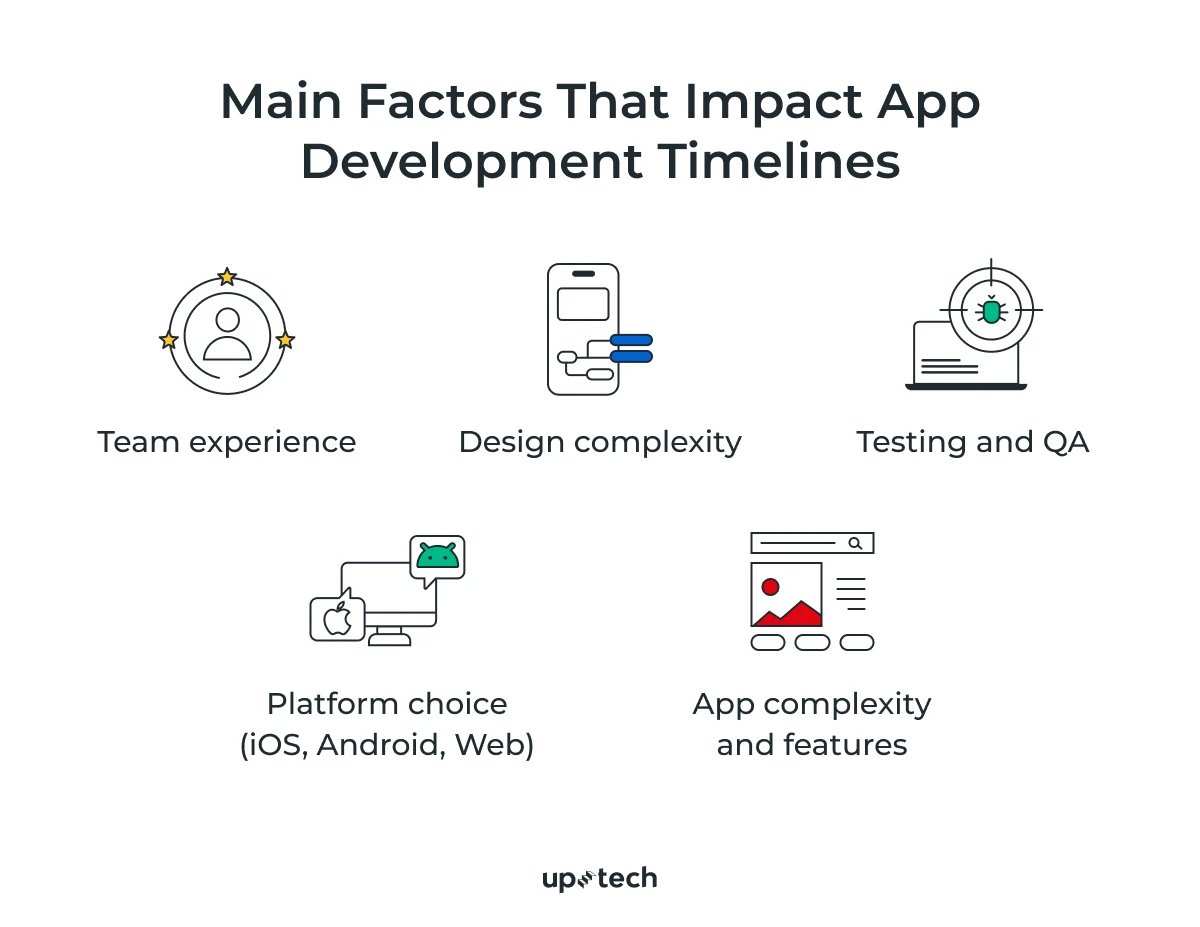
Factors That Affect the Development Timeline
Numerous elements influence how long it takes to develop an Android app. Let’s look at some of the most impactful factors.App Complexity
The complexity of your app directly impacts development time. Simple apps like calculators or note-taking apps can be ready in a few weeks, while complicated apps with many features take months or even years. Here’s a general idea:| Type of App | Estimated Development Time |
|---|---|
| Simple App | 2-4 weeks |
| Medium Complexity App | 2-3 months |
| Highly Complex App | 6 months or more |
Number of Features
More features mean more coding, testing, and debugging. Think about essential features like user login, push notifications, or payment integration. Each additional feature extends the project timeline.Design Requirements
A sleek, custom design takes time. If you choose a simple, ready-made interface, it can be quicker. But a unique, user-friendly design involves multiple iterations, which can add weeks or months to your schedule.Team Size and Experience
Working solo might speed up decision-making but can slow down progress for larger or more complex projects. A skilled team with experienced developers, designers, and testers can complete projects faster and with fewer mistakes.Technology and Tools
Using popular development tools like Android Studio, Kotlin, or Java can speed up the process thanks to their extensive libraries and community support. The choice of backend services, APIs, and third-party integrations also influences how long development takes.Estimating the Time for Different Types of Android Apps
To help you get a clearer idea, let’s look at some common app types and their approximate development timelines.Simple Apps
These apps usually have limited features, basic UI, and minimal backend connectivity. Examples include weather apps, calculators, or basic timers.- Development Time: About 2 to 4 weeks
- Key Tasks: Basic UI, simple functionalities, testing, and deployment
Medium Complexity Apps
Apps like social media feeds, task managers, or restaurant booking apps fall into this category. They require more features, better design, and moderate backend work.- Development Time: 2 to 3 months
- Key Tasks: User account management, API integrations, notifications, and testing
High Complexity Apps
Apps such as ride-sharing platforms, fitness trackers with live data, or apps with AR features are highly complex. They involve advanced functionalities and extensive testing.- Development Time: 6 months or more
- Key Tasks: Multiple backend systems, real-time data, complex UI, and rigorous testing
Time Estimation Based on Development Phases
Breaking down the entire process into phases helps better understand what contributes to the overall timeline.Idea and Planning
This initial phase involves understanding your app’s purpose, designing the user flow, and preparing specifications.- Estimated Time: 1-2 weeks for simple apps, 3-4 weeks for more complex projects
Design
Creating wireframes and designing the app’s look can take from a week for straightforward designs to several months for custom, detailed interfaces.- Estimated Time: 2-6 weeks depending on design complexity
Development
This is the core phase where the coding happens. It varies greatly by app complexity and team size.- Estimated Time: 2 weeks for simple apps to over 6 months for complex apps
Testing
Thorough testing catches bugs and improves performance. The more features your app has, the longer testing takes.- Estimated Time: 1-4 weeks, depending on app size
Launch and Post-Launch Support
Publishing your app is quick, but fixing bugs or updating features based on feedback takes ongoing effort.- Estimated Time: 1-2 weeks for initial launch, ongoing support varies
Tips to Speed Up Your Android App Development Timeline
While some factors are beyond control, there are ways to make the process faster:- Choose a simple, clean design to reduce redesign time
- Use pre-built components and templates to save development hours
- Leverage existing APIs and third-party services for functionalities like payment or maps
- Keep your features realistic and focus on core functions first
- Work with experienced developers and designers to avoid common pitfalls
- Follow agile development practices to adapt quickly and reduce delays
Summary
Building an Android app can take anywhere from a few weeks to over a year, depending on what you want the app to do. Simple apps are faster to develop, while more advanced applications require more time, effort, and planning. Understanding each phase and factor allows you to plan realistically and avoid surprises along the way. Whether you’re developing a basic tool or a feature-packed platform, knowing the timeline helps you set better expectations and keeps your project on track.Frequently Asked Questions
What factors influence the development duration of an Android app?
The time it takes to develop an Android app depends on several key factors such as the app’s complexity, features, design requirements, and the size of the development team. A simple app with basic functionalities can be completed in a few weeks, whereas more complex applications with multiple features and integrations may take several months. Clear project planning and well-defined specifications help in setting realistic timelines and avoiding delays.
How does the scope of features affect the app creation timeline?
The scope of the app’s features directly impacts how long the development process lasts. Incorporating advanced features like real-time updates, third-party API integrations, or custom animations requires additional development and testing time. Streamlining feature sets during early planning stages helps ensure the project stays on schedule and within budget while still delivering a quality product.
Can the use of pre-built components reduce app development time?
Yes, leveraging pre-built components and libraries can significantly shorten the development timeline. These ready-made elements enable developers to implement standard functionalities quickly without building them from scratch. Using reputable frameworks and components also helps ensure stability and compatibility, resulting in faster deployment while maintaining quality.
How does testing impact the overall delivery schedule of an Android app?
Thorough testing is essential for a reliable app, but it can extend the project timeline if not managed carefully. Identifying and fixing bugs, optimizing performance, and ensuring compatibility across devices take time. Incorporating testing early in the development process and allocating sufficient time for quality assurance helps prevent delays during final release stages.
What role does team size play in the development speed of an Android application?
A larger, skilled team can accelerate the development process by dividing tasks efficiently and multitasking on different aspects simultaneously. Conversely, smaller teams might take longer to complete the same scope of work. Proper coordination and clear communication among team members are crucial for keeping the project on track and meeting deadlines.
Final Thoughts
The time required to develop an Android app varies based on complexity, features, and team size. Simple apps may take a few weeks, while more complex ones can extend to several months. Factors such as design, functionality, and testing influence the overall timeline. In conclusion, how long does it take to make an Android app? It depends on the project’s scope, but efficient planning can help meet deadlines and achieve goals effectively.
Similar Posts