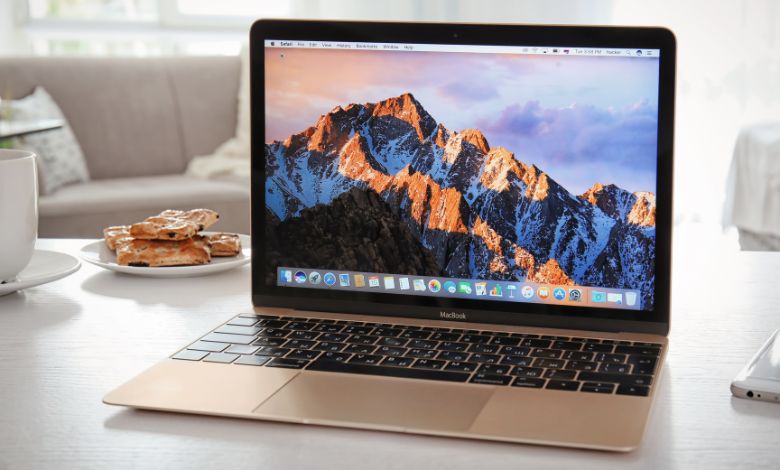
With the rapid advancement of technology, the line between laptops and tablets has become increasingly blurred. The iPad Pro, with its powerful hardware and versatile features, has emerged as a viable alternative to traditional laptops like the MacBook. However, the question remains: do you really need a MacBook if you already own an iPad Pro? In this article, we will explore the capabilities of both devices, compare their features, and provide valuable insights to help you make an informed decision.
The Power of the iPad Pro
The iPad Pro is a remarkable device that has revolutionized the tablet market. With its powerful A-series chips, stunning Retina display, and intuitive touch interface, the iPad Pro offers a seamless user experience. It is capable of handling demanding tasks such as video editing, graphic design, and even gaming. One of the key advantages of the iPad Pro is its portability. Weighing just over a pound and with a slim profile, it is incredibly easy to carry around. Whether you’re a student, a professional on the go, or a frequent traveler, the iPad Pro allows you to work or entertain yourself wherever you are. Furthermore, the iPad Pro supports the Apple Pencil, a stylus that offers precise input and enhances the device’s functionality. Artists and designers can take advantage of the pressure sensitivity and tilt recognition to create stunning digital artwork. The iPad Pro also supports the Smart Keyboard, which transforms it into a laptop-like device for typing-intensive tasks.
The Versatility of the MacBook
The MacBook, on the other hand, is a tried and true laptop that has been a staple in Apple’s lineup for years. It offers a full desktop operating system, macOS, which provides a familiar and robust computing environment. The MacBook is known for its reliability, performance, and extensive software compatibility. One of the key advantages of the MacBook is its keyboard and trackpad. While the iPad Pro’s Smart Keyboard is a decent option for typing, it cannot match the tactile feedback and precision of a physical keyboard. The MacBook’s trackpad is also larger and more versatile, allowing for more precise cursor control and multi-touch gestures. Another advantage of the MacBook is its storage capacity. While the iPad Pro offers up to 1TB of storage, the MacBook can be configured with even larger storage options, making it ideal for users who need to store large files or run resource-intensive applications.
Comparing Features
Let’s take a closer look at some of the key features of both devices to help you determine which one suits your needs best:
| Feature | iPad Pro | MacBook |
|---|
| Operating System | iPadOS | macOS |
| Form Factor | Tablet | Laptop |
| Input Method | Touchscreen, Apple Pencil, Smart Keyboard | Keyboard, Trackpad |
| Storage Capacity | Up to 1TB | Up to 4TB |
| Software Compatibility | iPadOS apps, limited macOS apps | Full range of macOS apps |
| Performance | Powerful A-series chips | Intel processors |
| Portability | Lightweight and slim | Slightly heavier and bulkier |
As you can see, both devices have their strengths and weaknesses. The iPad Pro excels in portability, touch input, and versatility, while the MacBook offers a more traditional computing experience with a larger storage capacity and a wider range of software compatibility.
Use Cases: When to Choose the iPad Pro
The iPad Pro is an excellent choice for certain use cases. Here are some scenarios where the iPad Pro might be the better option:
- Content Consumption: If your primary use for a device is consuming media, such as watching movies, reading books, or browsing the web, the iPad Pro’s portability and stunning display make it an ideal choice.
- Creative Work: If you’re an artist, designer, or photographer, the iPad Pro’s support for the Apple Pencil and its powerful hardware make it a compelling option. You can sketch, edit photos, and create digital art with ease.
- On-the-Go Productivity: If you frequently work on the go and need a lightweight device that can handle tasks like email, document editing, and web browsing, the iPad Pro is a great companion.
Use Cases: When to Choose the MacBook
While the iPad Pro is a versatile device, there are certain scenarios where the MacBook is the better choice:
- Heavy Productivity: If you rely on resource-intensive applications like video editing software, 3D modeling tools, or programming environments, the MacBook’s more powerful hardware and full desktop operating system provide a better workflow.
- Software Compatibility: If you depend on specific macOS applications that are not available on iPadOS, such as professional software for music production or video editing, the MacBook is the obvious choice.
- Extended Typing: If you do a lot of typing and prefer the tactile feedback of a physical keyboard, the MacBook’s keyboard is superior to the iPad Pro’s Smart Keyboard.
Frequently Asked Questions
Q: Can I use the iPad Pro as a replacement for a MacBook? A: It depends on your needs and use cases. While the iPad Pro can handle many tasks traditionally associated with laptops, there are certain scenarios where the MacBook is a better choice.
Q: Can I run the same software on both the iPad Pro and the MacBook? A: No, the iPad Pro runs on iPadOS, which has a different app ecosystem compared to macOS. While there is some overlap in software availability, there are specific applications that are only available on one platform.
Q: Which device is better for gaming? A: The iPad Pro offers a more immersive gaming experience with its touch interface and powerful hardware. However, if you’re a serious gamer who relies on resource-intensive games or prefers a keyboard and mouse setup, a MacBook would be a better choice.
Conclusion
In conclusion, whether you need a MacBook if you already own an iPad Pro depends on your specific needs and use cases. The iPad Pro is a powerful and versatile device that excels in portability, touch input, and creative work. On the other hand, the MacBook offers a more traditional computing experience with a larger storage capacity and a wider range of software compatibility. Ultimately, the decision comes down to your personal preferences and requirements. If you prioritize portability, touch input, and versatility, the iPad Pro is an excellent choice. However, if you rely on resource-intensive applications, need a larger storage capacity, or require specific macOS software, the MacBook is the better option. Both devices have their strengths and weaknesses, and it’s important to carefully consider your needs before making a decision. Whether you choose the iPad Pro, the MacBook, or both, you can rest assured that you’ll have a powerful and capable device at your disposal.