Android Battery Activation Board
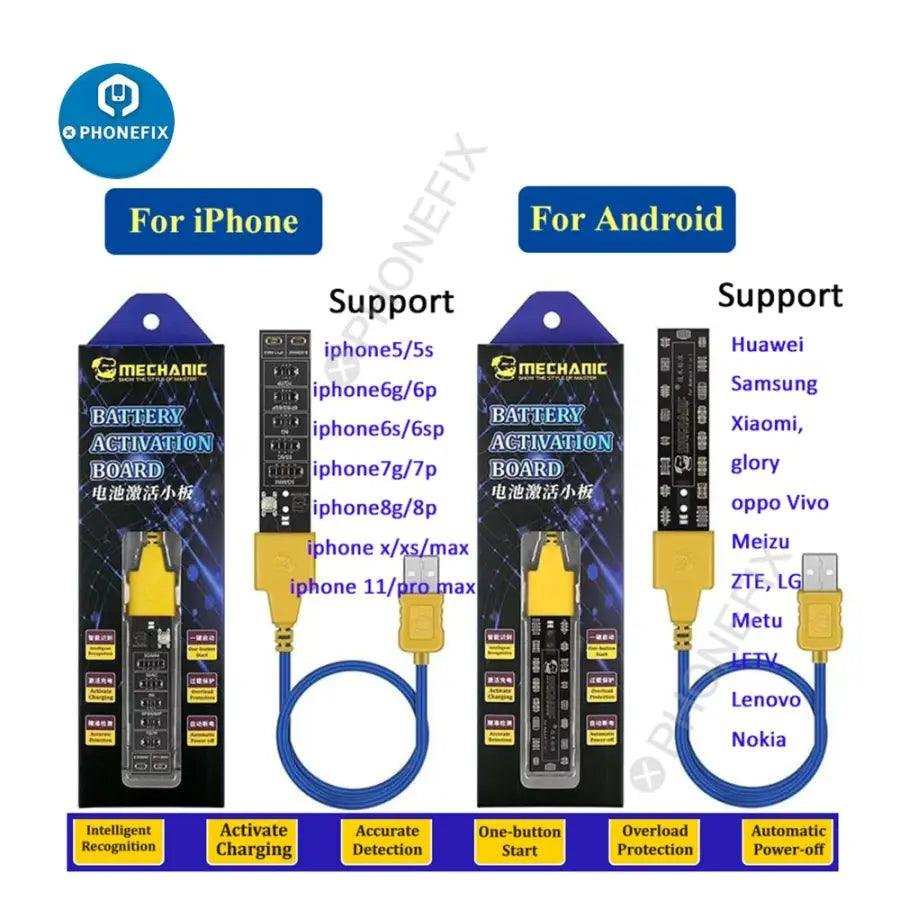

Understanding the Role of an Android Battery Activation Board
When you’re dealing with Android devices, especially smartphones and tablets, battery management plays a crucial role in ensuring the device functions smoothly and lasts longer. One key component in this process is the Android battery activation board. This small but vital circuit board manages the power flow between the battery and the device’s internal components. It acts as a guardian, protecting your device from issues like overcharging, overheating, or short circuits that could damage the device or shorten the battery’s lifespan. In this article, we’ll explore what an Android battery activation board is, how it works, its importance, and how to troubleshoot common issues. We’ll also look at how these boards are different across various Android devices and what to consider when replacing or upgrading them.What Is an Android Battery Activation Board?
The Android battery activation board is a specialized circuit board integrated into your device’s battery system. Its primary function is to regulate the process of charging and discharging the battery. Think of it as the gatekeeper that ensures the right amount of power flows into the battery and out of it. This board typically contains several components:- Voltage regulators
- Charging controllers
- Protection circuits (like overvoltage and overcurrent protectors)
- Temperature sensors
How Does an Android Battery Activation Board Work?
Understanding how this component functions helps appreciate its significance. When you connect your Android device to a charger:- The battery activation board receives signals from the charger indicating that charging should begin.
- The board then regulates the voltage and current supplied to the battery. It ensures these stay within safe limits, preventing overcharging.
- The temperature sensors monitor the battery’s heat level. If the battery gets too hot, the board reduces charging speed or stops charging altogether.
- During discharging, the board manages the power flow from the battery to the device’s processor, screen, and other components, ensuring stable operation.
- If the battery shows signs of damage or instability, the board can shut down charging or disconnect the battery to prevent damage.
Importance of the Android Battery Activation Board
Having a reliable battery activation board significantly impacts your device’s overall health and usability. Here’s why:- Protection from Overcharging: Prevents excessive power from damaging the battery.
- Overcurrent and Short Circuit Safety: Stops potential electrical hazards that could harm your device or cause data loss.
- Thermal Management: Keeps the battery cool, which extends its lifespan and maintains performance.
- Battery Longevity: Proper regulation reduces wear and tear, helping your battery stay effective longer.
- Device Stability: Ensures your phone or tablet functions smoothly without unexpected shutdowns or reboots caused by power issues.
Common Types of Battery Activation Boards in Android Devices
Different Android devices use various types of battery activation boards based on their design and power needs:- Dedicated Power Management IC (PMIC) Boards: Integrated circuits that handle various power functions, including charging and discharging.
- Dual-Cell Boards: For devices with large batteries or dual-cell configurations, these boards help manage multiple power sources efficiently.
- Smart Battery Boards: Equipped with advanced sensors and communication protocols, these boards provide detailed battery health information.
Factors to Consider When Replacing an Android Battery Activation Board
If your device experiences issues like rapid battery drain, overheating, or failure to charge, replacing the battery activation board might be necessary. Here are key factors to keep in mind:- Compatibility: Ensure the replacement board matches your device model and battery specifications.
- Quality: Use high-quality, original parts to avoid further issues and ensure longevity.
- Expertise: Replacing the board requires technical skill. Seek professional repair services if you’re unsure how to do it yourself.
- Tools Needed: Proper tools are essential, including soldering equipment and precision screwdrivers.
Steps to Replace an Android Battery Activation Board
Replacing the battery activation board involves several careful steps:- Power off the device completely and disconnect any external power sources.
- Remove the back cover or casing, following your device’s specific disassembly procedure.
- Locate the battery activation board, usually near the battery connector or inside the mainboard assembly.
- Carefully disconnect any attached cables or connectors.
- Use soldering tools to remove the faulty board if it is soldered onto the mainboard.
- Install the new board, making sure all connections are secure and properly aligned.
- Reassemble the device carefully, ensuring no internal parts are misplaced or damaged.
- Power on the device and check whether the charging and battery functions work correctly.
Prevention Tips for Battery and Power Management Issues
Maintaining your Android device’s battery health can prevent many issues related to the battery activation board:- Avoid exposing your device to extreme temperatures, which can damage internal components.
- Use certified chargers and cables to ensure proper voltage and current flow.
- Don’t let your battery fully discharge frequently; keep it charged between 20% and 80% for better health.
- Avoid overcharging by unplugging the device once fully charged.
- Regularly check for software updates, as they often include battery optimization features.
The Future of Android Battery Activation Technology
As technology advances, battery management systems continue to evolve. Future developments are likely to include:- More sophisticated sensors for better thermal and health monitoring.
- Improved power management chips that enhance efficiency and safety.
- Enhanced communication with device software to provide real-time battery status and alerts.
- Integration of fast-charging technologies while maintaining battery health.
Frequently Asked Questions
How do I identify the correct android battery activation board for my device?
To find the right activation board, check your smartphone’s model number and compatibility specifications. Refer to the manufacturer’s documentation or consult a professional technician who can verify the correct part. Ensuring compatibility prevents installation errors and device damage.
What are the common signs indicating a faulty battery activation board?
If your device experiences frequent power interruptions, slow charging, or the battery doesn’t charge at all, these could point to issues with the activation board. Additionally, if the device shows inconsistent battery percentage readings or fails to recognize the battery, replacing the activation board might be necessary.
Can replacing the android battery activation board improve device performance?
Replacing a defective activation board restores proper power management, which can lead to improved battery life and more stable device operation. Ensuring the component functions correctly also helps prevent unexpected shutdowns and extends the overall lifespan of your device.
What precautions should I take before installing a new battery activation board?
Before installation, disconnect the device from power sources and handle the internal components with care to avoid static damage. Use appropriate tools and follow detailed guides or seek professional assistance. Double-check the compatibility of the new board to prevent any compatibility issues.
Is it possible to repair a damaged android battery activation board, or should I replace it?
In some cases, a damaged activation board might be repairable through professional rework or component replacement. However, if the damage is extensive or the cost of repair exceeds replacement, opting for a new activation board provides a more reliable solution to restore device functionality.
Final Thoughts
The ‘android battery activation board’ plays a vital role in ensuring smooth device operation. Proper installation and understanding of this component can significantly improve battery performance. Regular maintenance helps extend its lifespan and maintains device efficiency. In conclusion, focusing on the correct use of the android battery activation board enhances overall device reliability. Prioritize proper handling and troubleshooting to optimize performance.
Similar Posts































