This guide delves into whether a curved monitor is better for multitasking. We examine how the curvature impacts your workflow, from reduced eye strain to improved immersion. Learn about the advantages and disadvantages, and whether this display technology is the right choice to boost your multitasking efficiency.
Is Curved Monitor Better for Multitasking
Are you looking to supercharge your productivity? Do you find yourself constantly juggling multiple applications, windows, and projects on your screen? If so, you’ve probably wondered about the buzz surrounding curved monitors. Many people claim they’re a game-changer for multitasking, but is that really true? In this comprehensive guide, we’ll explore the ins and outs of curved monitors and how they can (or cannot) benefit your multitasking endeavors. We’ll break down the science, weigh the pros and cons, and help you decide if a curved display is the right upgrade for your workspace.
Contents
- 1 Key Takeaways
- 2 Understanding Curved Monitors
- 3 How Curved Monitors Can Enhance Multitasking
- 4 1. Expanded Field of View and Immersion
- 5 2. Reduced Eye Strain During Long Work Sessions
- 6 3. Enhanced Perceived Screen Size
- 7 4. Improved Ergonomics and Comfort
- 8 Potential Drawbacks of Curved Monitors for Multitasking
- 9 1. Desk Space Requirements
- 10 2. Content Distortion
- 11 3. Viewing Angles from the Sides
- 12 4. Cost and Availability
- 13 5. “Curvature Sickness” or Adjustment Period
- 14 Is a Curved Monitor Right for Your Multitasking Workflow?
- 15 Who Benefits Most from a Curved Monitor for Multitasking?
- 16 Who Might Prefer a Flat Monitor for Multitasking?
- 17 Practical Tips for Maximizing Multitasking on a Curved Monitor
- 18 1. Choose the Right Size and Curve
- 19 2. Optimize Your Operating System’s Window Management
- 20 3. Adjust Monitor Settings
- 21 4. Position Your Monitor Correctly
- 22 5. Consider a Dual Monitor Setup with a Curved Primary
- 23 Conclusion: Is a Curved Monitor a Multitasking Powerhouse?
Key Takeaways
- Enhanced Field of View: Curved monitors offer a wider, more immersive visual experience, allowing you to see more of your screen at once, which can be beneficial for side-by-side application viewing.
- Reduced Eye Strain: The gentle arc of a curved display is designed to keep the edges of the screen closer to your peripheral vision, potentially reducing the need for constant eye movement and minimizing fatigue during long work sessions.
- Improved Immersion: The wraparound effect can make multitasking feel more engaging, drawing you deeper into your digital workspace and making it easier to focus on multiple tasks simultaneously.
- Desk Space Considerations: While they can improve your view, curved monitors often have a larger physical footprint, requiring more desk space than their flat counterparts.
- Content Distortion: Some users may notice slight distortion on straight lines or geometric designs, particularly in professional applications like graphic design or CAD work, though this is less noticeable on subtle curves.
- Cost and Availability: Curved monitors can sometimes be more expensive than similar-sized flat monitors, and the selection might be more limited depending on your specific needs and budget.
- Personal Preference: Ultimately, the “better” option depends on individual workflow and personal comfort. Some users thrive with curved displays for multitasking, while others prefer the traditional flat screen.
Understanding Curved Monitors
Before we dive into multitasking benefits, let’s quickly understand what a curved monitor is. Unlike traditional flat screens, curved monitors feature a display that gently arcs inwards. This curvature is measured by a “radius” value, often expressed in numbers like 1800R, 1500R, or 1000R. A smaller number indicates a tighter, more pronounced curve. The idea behind the curve is to mimic the natural way our eyes perceive the world – in a wide, panoramic view.
How Curved Monitors Can Enhance Multitasking

Visual guide about Is Curved Monitor Better for Multitasking
Image source: bestpcmonitor.com
Now, let’s get to the heart of the matter: how does this curvature translate into a better multitasking experience?
1. Expanded Field of View and Immersion
Visual guide about Is Curved Monitor Better for Multitasking
Image source: bestpcmonitor.com
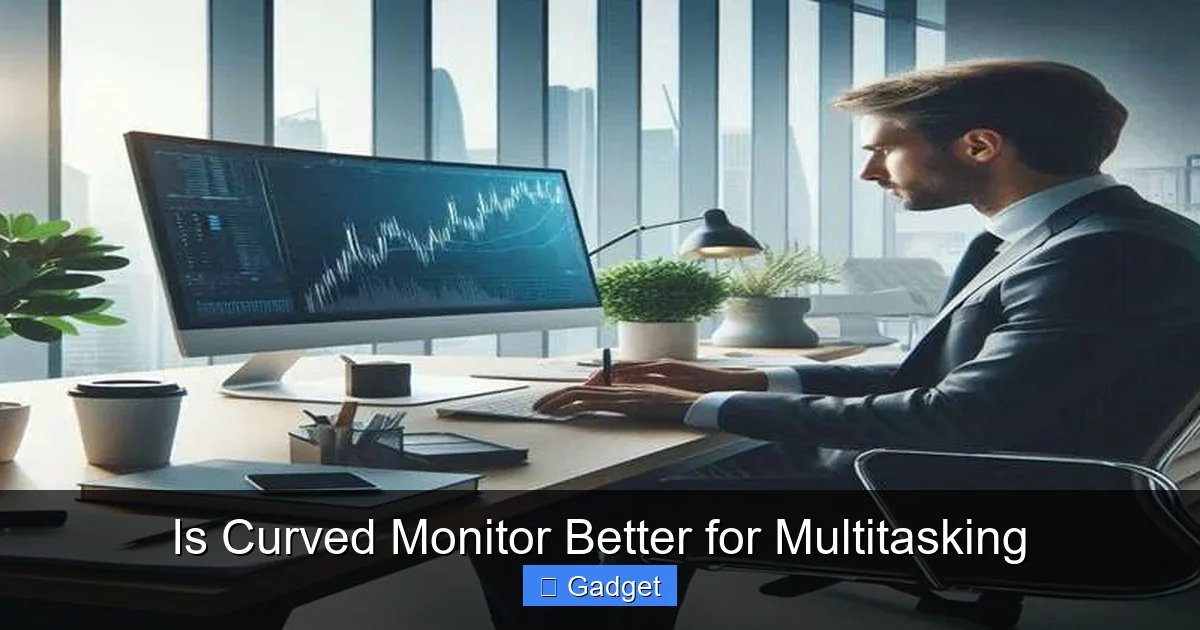
One of the most immediate benefits of a curved monitor for multitasking is its expanded field of view. When you have multiple windows open side-by-side, a curved screen can make them feel more cohesive and less like separate entities.
Seeing More at Once
The subtle inward curve brings the edges of the screen closer to your peripheral vision. This means you can take in more of your digital workspace without having to constantly shift your gaze. Imagine having your email on one side, a document in the middle, and a reference website on the other. On a curved monitor, these windows feel more integrated into a single, wider canvas. This can reduce the mental effort required to switch between tasks.
Increased Immersion
This expanded view also contributes to a greater sense of immersion. When you’re engrossed in a task, the screen wraps around you, drawing you deeper into the content. For multitasking, this means you might feel more “present” in your digital environment, making it easier to maintain focus on all your open applications.
2. Reduced Eye Strain During Long Work Sessions

Visual guide about Is Curved Monitor Better for Multitasking
Image source: headsun.net
Multitasking often involves prolonged periods of screen time. Eye strain is a common complaint among professionals who spend hours in front of their computers. Curved monitors are designed to combat this.
Consistent Viewing Distance
On a flat monitor, especially a large one, the edges are further away from your eyes than the center. This necessitates your eyes constantly adjusting focus. A curved screen, by its nature, keeps the entire display at a more uniform distance from your eyes. This means less refocusing is needed, which can significantly reduce eye fatigue, headaches, and dryness.
Minimized Peripheral Glare
The inward curve also helps to direct more of the screen’s light towards your eyes and away from the sides. This can reduce glare from ambient lighting in your room, making it easier to read text and view content clearly, even when you have multiple bright windows open.
3. Enhanced Perceived Screen Size
A curved monitor can often feel larger than a flat monitor of the same diagonal measurement. The wraparound effect creates a more expansive visual experience, which can be very beneficial when you need to spread out multiple applications.
More Usable Screen Real Estate
For multitasking, having more perceived screen real estate is invaluable. You can comfortably fit more windows onto the screen without them feeling cramped. This can lead to fewer instances of windows overlapping or needing to be minimized.
4. Improved Ergonomics and Comfort
While not directly related to software or screen content, the physical design of a curved monitor can contribute to better ergonomics, which indirectly aids multitasking.
Natural Viewing Angle
The gentle curve aligns more naturally with the human visual field. This means you can maintain a more relaxed posture and comfortable viewing angle for longer periods. When you’re comfortable, you’re more likely to stay focused and productive.
Potential Drawbacks of Curved Monitors for Multitasking
It’s not all sunshine and rainbows. Curved monitors do have some potential downsides that might affect your multitasking experience.
1. Desk Space Requirements
Curved monitors, especially ultrawide ones, tend to have a larger physical footprint than their flat counterparts. The curvature means they extend further back on your desk.
Planning Your Setup
If you have a compact desk, you might find that a curved monitor takes up too much space. You’ll need to ensure you have adequate depth to accommodate the curvature without the monitor feeling too close or the stand obstructing your keyboard.
2. Content Distortion
While often imperceptible for everyday tasks, some users might notice slight visual distortions on a curved screen. This is particularly true for straight lines or geometric patterns.
Impact on Specific Professions
For professionals who work with precise measurements, graphic design, CAD software, or video editing where perfect straight lines are crucial, this distortion can be a concern. While modern curved monitors have minimized this issue, it’s worth considering if your work relies heavily on pixel-perfect geometry. For general multitasking like browsing, writing, and coding, this is rarely an issue.
3. Viewing Angles from the Sides
While the primary user enjoys an immersive experience, people viewing the screen from extreme side angles might not have as clear or consistent a view.
Consider Your Audience
If you frequently present your screen to colleagues or clients sitting beside you, a flat monitor might offer a more equitable viewing experience for everyone. However, for individual multitasking, this is usually not a significant concern.
4. Cost and Availability
Curved monitors, especially those with advanced features or ultrawide aspect ratios, can sometimes be more expensive than comparable flat monitors.
Budgetary Considerations
Your budget will play a role in your decision. While prices have become more competitive, it’s still worth comparing the cost of a curved model versus a flat one with similar specifications if budget is a primary concern.
5. “Curvature Sickness” or Adjustment Period
Some individuals might experience a brief adjustment period when switching to a curved monitor. A small percentage of users report feeling a slight sense of disorientation or “motion sickness” initially.
Give it Time
This feeling usually subsides within a few days as your brain adjusts to the new visual perspective. If you’re particularly sensitive, it might be worth trying one out if possible before committing to a purchase.
Is a Curved Monitor Right for Your Multitasking Workflow?
So, after weighing the pros and cons, is a curved monitor definitively better for multitasking? The answer, as with many tech questions, is: it depends.
Who Benefits Most from a Curved Monitor for Multitasking?
* Heavy computer users: If you spend 8+ hours a day in front of your computer for work or study, the reduction in eye strain can be a significant benefit.
* Those who open many windows: If your workflow involves having multiple applications open side-by-side, the expanded field of view and immersion can make this much more comfortable and efficient.
* Gamers and media consumers: While this guide focuses on multitasking, the immersive qualities of curved monitors also make them excellent for gaming and watching movies, adding to their overall value.
* People with large desks: If you have the space to accommodate a larger display, a curved monitor can maximize your viewing experience.
Who Might Prefer a Flat Monitor for Multitasking?
* **Professionals with strict geometric accuracy needs:** Graphic designers, architects, engineers, and video editors who require absolute straight lines might find even minor distortions problematic.
* **Users with very limited desk space:** The physical depth of a curved monitor can be an issue in tight spaces.
* **Those who frequently present to others side-by-side:** A flat monitor provides a more consistent viewing experience for an audience.
* **Budget-conscious shoppers:** While prices are falling, flat monitors often offer more budget-friendly options for the same screen size and resolution.
* **Individuals sensitive to new visual experiences:** While rare, some people might not adapt well to the curvature.
Practical Tips for Maximizing Multitasking on a Curved Monitor
If you decide to go for a curved monitor, here are some tips to get the most out of it for multitasking:
1. Choose the Right Size and Curve
* Size matters: For effective multitasking, larger screens (27 inches and above) are generally better. Ultrawide monitors (21:9 or 32:9 aspect ratios) are particularly excellent for multitasking on a curved display.
* Curve subtlety: A gentler curve (like 1800R or 1500R) is often a good starting point for most users. A very aggressive curve (like 1000R) might feel too pronounced for some tasks or users.
2. Optimize Your Operating System’s Window Management
* Snap Layouts (Windows): Use Windows’ Snap Assist feature to quickly arrange multiple windows in predefined layouts. This is incredibly effective on larger and curved screens.
* Mission Control (macOS): macOS offers similar features for managing open windows and desktops.
* Third-party tools: Consider software like DisplayFusion or FancyZones (part of PowerToys for Windows) for even more advanced window snapping and management capabilities.
3. Adjust Monitor Settings
* **Brightness and Contrast:** Ensure your settings are comfortable for long viewing periods. Avoid overly bright screens, especially in dim lighting.
* **Color Temperature:** Adjust the color temperature to a warmer setting (lower Kelvin value) to reduce blue light exposure, which can help with eye strain.
4. Position Your Monitor Correctly
* **Optimal Distance:** Place the monitor at an appropriate distance from your eyes – typically an arm’s length. The curvature should allow the entire screen to be within your comfortable viewing cone.
* **Eye Level:** Position the top of the screen at or slightly below eye level.
5. Consider a Dual Monitor Setup with a Curved Primary
For some, the ultimate multitasking solution might be a large curved monitor as the primary display, complemented by a smaller, secondary flat monitor for specific tasks or reference material. This gives you the immersive benefits of the curve while retaining the flexibility of a traditional setup.
Conclusion: Is a Curved Monitor a Multitasking Powerhouse?
The question of whether a curved monitor is better for multitasking doesn’t have a simple yes or no answer. For many users, the benefits of an expanded field of view, reduced eye strain, and enhanced immersion can lead to a more comfortable and productive multitasking experience. The subtle arc helps to keep your entire screen within a natural viewing cone, minimizing fatigue and making it easier to keep track of multiple windows.
However, it’s crucial to consider your specific needs and workspace. If you deal with precise geometric design, have a very small desk, or frequently present to others side-by-side, a flat monitor might still be the superior choice.
Ultimately, the best way to determine if a curved monitor is right for your multitasking workflow is to try one out if possible. For most people who juggle multiple applications throughout the day, a curved monitor can indeed be a valuable tool to boost efficiency and comfort. It offers a more engaging and less strenuous way to interact with your digital world, making those long work sessions feel a little less taxing and a lot more productive.