How To Make Your Own Android Device Step-By-Step Guide
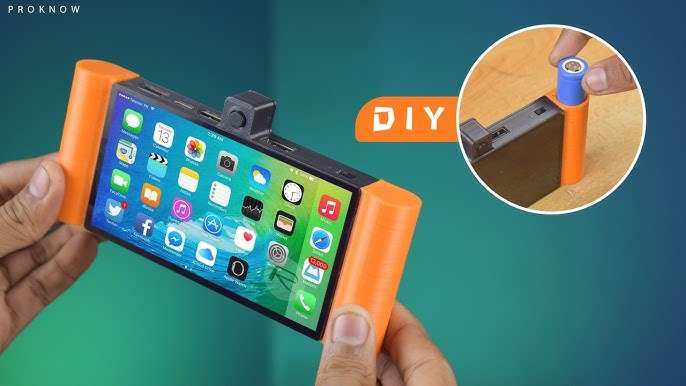

How to Make Your Own Android Device
Creating your own Android device might sound like a big project, but with the right approach, tools, and some patience, you can build a custom device that fits your needs perfectly. This process involves understanding hardware components, selecting the right parts, installing the Android operating system, and making sure everything works smoothly together. In this guide, we will walk you through each step in detail so you can confidently start building your own Android device.Understanding the Basics of Android Devices
Before diving into building your device, it’s essential to know what makes an Android device tick. At the core, an Android device is composed of hardware and software components working together:- Hardware: The physical parts like the processor, display, battery, camera, and sensors.
- Software: The Android operating system that controls the hardware and provides the user interface.
Gathering the Necessary Components
Start by collecting all the elements you’ll need:- Single Board Computer (SBC): Look for devices like Raspberry Pi, BeagleBone, or similar boards that support Android. Raspberry Pi with Android OS installed is a popular choice for DIY projects.
- Display: A touchscreen display compatible with your SBC. Size and resolution depend on your preferences.
- Power Supply: A reliable power source, typically a USB power adapter or portable battery pack.
- Storage: MicroSD card or eMMC module for storing Android OS and user data.
- Input Devices: Physical buttons, keyboard, mouse, or touch interface.
- Enclosure: A case or shell to house the components safely and make it portable.
Choosing the Right Hardware for Your Project
Selecting the proper hardware influences how smoothly your device performs. Here are some key considerations:Processing Power
Choose a board with a suitable CPU and RAM to run Android comfortably. For basic tasks, a Raspberry Pi 4 with 4GB RAM works well. For more advanced features, look into boards with higher specs.Display Compatibility
Ensure the display connects easily to your board. Many displays use HDMI, DSI, or GPIO connections. Pick a display with good resolution for clear visuals.Battery Options
Portable devices need batteries. Use rechargeable lithium-polymer batteries with the correct voltage and capacity. Include protection circuits to prevent overcharging.Connectivity
Decide if you want Wi-Fi, Bluetooth, or cellular connectivity. Many SBCs support Wi-Fi and Bluetooth, while cellular modules require additional hardware.Installing Android on Your Hardware
Once you have your components, it’s time to get the Android OS running.Finding a Compatible Android Image
Look for pre-built Android images optimized for your hardware. Websites like Android-x86 or community forums often have ready-to-install images.Preparing the Storage Device
Use a computer to write the Android image to your MicroSD card or eMMC using software like Etcher or Win32 Disk Imager. Follow these steps:- Download the Android image file.
- Insert the MicroSD card into your computer.
- Open your imaging software.
- Select the image and target device (the MicroSD card).
- Start the flashing process.
Setting Up the Hardware
Insert the MicroSD card into your SBC, connect the display, input devices, and power supply. Power on your device to begin booting into Android.Configuring and Customizing Your Android Device
After installing Android, you can personalize your device to enhance functionality and appearance.Initial Setup
Follow Android’s setup wizard to choose language, connect to Wi-Fi, and sign into your Google account if needed.Installing Necessary Apps
Download apps from the Google Play Store or sideload APK files for custom applications. Focus on apps that improve your device’s usability.Optimizing Performance
Adjust settings for better performance:- Disable unnecessary background apps.
- Reduce animations in Developer Options.
- Update Android OS and drivers regularly.
Adding Custom Features
You can install custom ROMs or tweak system files if you want more control. Rooting your device may be necessary, but proceed with caution.Assembling the Final Device
With everything configured, assemble your components into the enclosure. Secure the display, input devices, and battery appropriately. Make sure wiring is neat and connections are stable.Testing Your Custom Android Device
Turn on your device and evaluate every feature:- Check touchscreen responsiveness.
- Test Wi-Fi and Bluetooth connectivity.
- Verify camera and sensors work correctly.
- Ensure battery life is acceptable.
Tips for Maintaining and Upgrading Your Android Device
Keep your device running smoothly:- Regularly update Android and apps.
- Clean hardware components to prevent overheating.
- Backup your data often.
- Experiment with custom ROMs or kernel modifications for improved performance.
Frequently Asked Questions
What are the essential components needed to build an Android device from scratch?
To assemble your own Android device, you need several key components. These include a suitable motherboard or single-board computer such as a Raspberry Pi or similar device, a touchscreen display, a power supply, a compatible camera module if desired, storage options like an SD card or eMMC, and various peripherals like speakers and buttons. Additionally, you must have access to Android-compatible firmware or an open-source Android OS to install on your hardware. Ensuring all components are compatible and can communicate effectively is crucial for a smooth assembly process.
How can I install Android OS on custom hardware?
Start by choosing an Android firmware that supports your hardware, such as LineageOS or other custom ROMs. Download the appropriate image files and prepare a microSD card or USB drive with a tool like balenaEtcher. Connect your storage device to your computer, flash the Android image onto it, and then insert it into your device. Follow the specific boot instructions for your hardware, often entering recovery mode to initiate the flashing process. Carefully follow the installation steps provided by the firmware documentation to ensure proper setup.
What software tools are useful for customizing your Android build?
Several software tools help you modify and optimize your Android build. A popular option is the Android SDK, which provides necessary utilities for development, including ADB (Android Debug Bridge) for device management. For customizing the firmware, tools like fastboot and custom recovery images like TWRP facilitate flashing system files. Additionally, editors such as Android Studio allow you to develop or modify applications and system features. Using these tools together streamlines the process of personalizing your Android device according to your needs.
Final Thoughts
To make your own android device, start by gathering the necessary hardware components such as a microcontroller, display, battery, and sensors. Next, select an appropriate open-source Android system like LineageOS or AOSP and customize it to suit your needs. Assemble the parts carefully, install the software, and test the device thoroughly. In summary, learning how to make your own android device requires careful planning and assembly. Focus on choosing the right hardware, customizing the software, and testing thoroughly. This process can be rewarding and offers a personalized mobile experience.
Similar Posts