

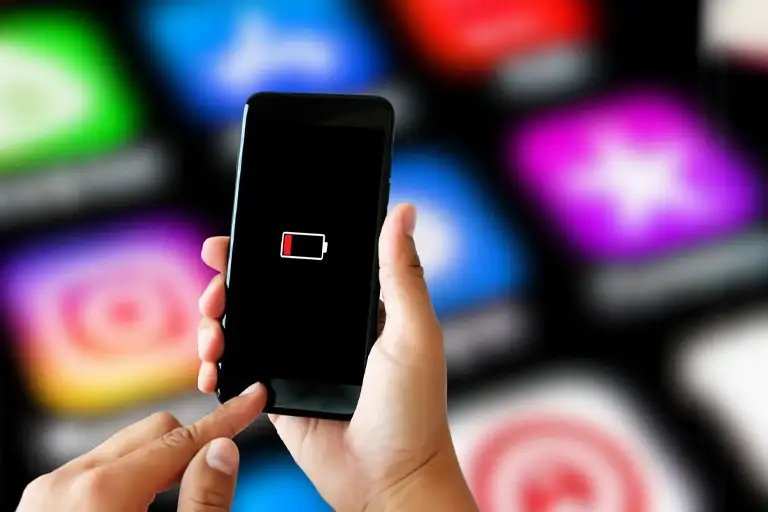
If your android battery suddenly draining fast, the quick fix is to identify and close background apps and update your software. **This often resolves the issue immediately.** Many users find that simple steps like disabling unnecessary notifications or reducing screen brightness help conserve power.
Android devices can drain quickly for various reasons, but a few quick adjustments can restore longevity. Keeping your apps and system updated and avoiding resource-heavy processes will make a noticeable difference.

Understanding Why Your Android Battery Is Suddenly Draining Fast
When your Android phone’s battery seems to disappear faster than usual, it can be frustrating. You might notice your device running out of power much more quickly than it used to, even if you haven’t changed your usage habits. This problem can happen suddenly, leaving you confused and searching for solutions. In this section, we’ll explore the common reasons behind this sudden battery drain and help you identify what might be causing it.
Common Causes of Sudden Battery Drain on Android Devices
There are several typical reasons why your Android battery could drain quickly all of a sudden. Understanding these causes can help you troubleshoot and fix the issue more effectively.
- Background Apps Running Unnecessary Tasks
Many apps continue to operate in the background without your knowledge. These apps can use up significant power as they fetch data, refresh content, or perform updates. For example, social media apps, messaging apps, or even weather and news applications might stay active, consuming battery life. - Outdated Software and Apps
When your device or apps are not up to date, they may not work efficiently. Bugs or incompatibilities can cause apps to drain more power than necessary, especially if updates fix known issues related to battery usage. - Faulty or Malfunctioning Hardware
Sometimes, the problem lies with the hardware. A damaged battery, overheating components, or problematic sensors can cause abnormal power consumption, leading to rapid battery drain. - High Screen Brightness or Extended Screen Time
The display consumes a lot of power. If your screen brightness is set too high or if you keep your screen on for long periods, your battery can drain quickly. - Connectivity and Location Services
Constantly searching for Wi-Fi, Bluetooth, or GPS signals uses extra power. Turning these services on when you don’t need them can significantly affect your battery life. - Battery Age and Health
Batteries have a limited lifespan. Over time, their capacity diminishes, and they cannot hold a charge as long as when they were new. This natural aging process can lead to sudden or gradual battery drain issues. - Malware and Unwanted Apps
Malicious software or apps with hidden functions can run in the background, stealing resources and draining your battery faster than normal.
How to Recognize if Your Battery Is Draining Faster Than Usual
Knowing how to spot abnormal battery drain can help you act quickly. Here are signs that your Android device is facing battery issues:
- Your device’s battery percentage drops suddenly without heavy usage.
- It takes less time to reach 0% than it used to, even with typical usage.
- Devices overheat, especially when charging or in use.
- Apps that used to run smoothly now seem sluggish or laggy.
- You notice frequent crashes or random reboots, which can relate to power issues.
Investigating Battery Usage to Find Culprits
Most Android phones have built-in tools to show which apps and services consume the most power. Here’s how you can check your device’s battery usage:
Using the Built-in Battery Usage Feature
- Open your Settings app.
- Navigate to the Battery section (it may be under Device Care or Battery & Performance).
- Tap on Battery Usage to see a list of apps and services and how much power they’ve used.
- Identify any apps that are draining a large percentage unnecessarily.
Once you spot the apps or services that consume excessive power, you can take steps to limit or stop their activity.
Practical Ways to Fix Sudden Battery Drain on Android
Now that you understand what causes rapid battery loss, here are actionable steps you can take:
Close Background Apps and Limit Their Activity
– Swipe away apps running in the background from your recent apps list.
– Use App Management settings to restrict background activity for specific apps.
– Consider uninstalling apps that drain your battery without a clear reason.
Update Your Software and Apps
– Regularly check for Android system updates in Settings > Software Update.
– Update your apps through the Google Play Store to ensure they are optimized for battery efficiency.
Disable or Limit Location and Connectivity Services
– Turn off GPS or location services when not needed.
– Disable Bluetooth, Wi-Fi, or mobile data if you aren’t using them.
– Use airplane mode in areas with no signal to conserve power.
Adjust Screen Brightness and Timeout Settings
– Reduce screen brightness manually or enable adaptive brightness.
– Set a shorter screen timeout duration to turn off the display sooner.
Manage Battery Settings and Power Saving Modes
– Enable Power Saving Mode in your device’s Settings to limit background activity.
– Use the built-in battery saver to extend battery life during low power situations.
Address Hardware Issues
– If your battery is old or damaged, consider replacing it through a professional repair service.
– Avoid exposing your device to excessive heat, which can damage internal components and impact battery health.
Additional Tips to Prevent Future Battery Drain Problems
Prevention is better than cure. Follow these tips to maintain good battery health:
- Avoid installing unnecessary third-party apps.
- Regularly restart your device to clear temporary glitches.
- Keep your device’s software updated.
- Use battery optimization features available on your Android device.
- Monitor your battery health periodically by checking for degradation or swelling.
When to Seek Professional Help
If you’ve tried all the above methods and your battery still drains quickly, it might be time to get expert assistance. Visit an authorized service center to have your battery tested and replaced if needed. Sometimes, underlying hardware issues require professional attention that goes beyond software adjustments.
Sudden battery drain on Android phones can be caused by a variety of factors, from background apps and outdated software to hardware problems. By carefully monitoring your device’s usage, keeping your apps and software updated, and managing settings wisely, you can often fix the problem yourself. Remember to stay vigilant about your device’s health and seek professional help if necessary. Taking these steps ensures you maximize your battery life and keep your device functioning smoothly for longer periods.
Frequently Asked Questions
What steps can I take to identify apps causing rapid battery drain?
Start by checking your device’s battery usage in the settings menu. Look for apps that consume a disproportionate amount of power. Once identified, consider closing or uninstalling these apps if they are unnecessary. Additionally, updating apps to their latest versions can fix bugs that may cause excessive battery use. Limiting background activity for these apps also helps conserve battery life.
How does software update help improve my battery life?
Installing the latest software updates ensures your device has optimized performance and patches for known issues. Developers often include battery efficiency improvements with updates, reducing unnecessary background processes and fixing bugs that cause battery drain. Keeping your device updated can significantly extend its usage between charges.
What are common settings that drain my battery quickly, and how can I optimize them?
Features like high screen brightness, Wi-Fi, Bluetooth, GPS, and background refresh can consume a lot of power. Lower your screen brightness or enable auto-brightness, turn off Bluetooth and Wi-Fi when not in use, and disable location services unless needed. Also, activating power-saving modes can automatically limit background activities to improve battery longevity.
Can hardware issues cause sudden battery drain, and how do I address them?
Yes, hardware issues such as a degraded battery or faulty components can cause rapid drain. If your battery is old or swollen, it may no longer hold a charge properly. Replacing the battery through a professional technician or authorized service center often resolves this problem. If hardware damage is suspected beyond the battery, seek expert assistance for proper diagnosis and repair.
How does background activity impact my battery life, and what can I do about it?
Background activities include app refreshes, notifications, and location updates, all of which consume power. Limit or disable background activity for apps that do not require constant updates. Setting your device to a power-saving mode can restrict background processes, significantly conserving battery life during periods of heavy use or when your battery is low.
Final Thoughts
Android battery suddenly draining fast can be frustrating. Often, background apps or settings like location services cause rapid battery loss. Updating your device or closing unused apps can help.
Disabled unnecessary features and reduce screen brightness to conserve energy. Monitoring battery usage allows you to identify and stop power-hungry apps.
In conclusion, addressing these common causes can improve your battery life. If your Android battery suddenly draining fast persists, consider factory resetting or seeking professional help.
