

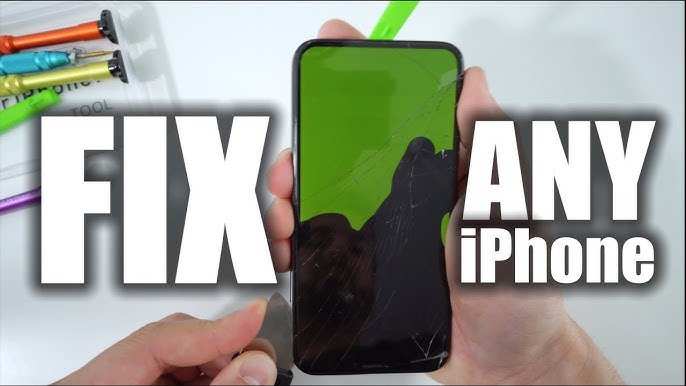
If you’re wondering how fix my iphone screen, the quickest solution is to visit an authorized repair center or, if you’re comfortable, attempt a DIY repair with a kit. **Replacing the screen is often the most effective fix.** First, turn off your device and gather the necessary tools. Carefully follow a step-by-step guide to replace the broken glass or LCD, ensuring your phone looks and functions like new. With patience, you can save time and money while restoring your iPhone’s display.

How Fix My iPhone Screen
If your iPhone screen is cracked, black, unresponsive, or showing strange lines, you might feel overwhelmed. Don’t worry—many issues can be fixed with the right steps, tools, and knowledge. Whether you want to repair it yourself or understand your options before visiting a professional, this guide will walk you through everything you need to know. From identifying the problem to choosing the best repair method, let’s explore how you can fix your iPhone screen effectively.
Understanding Common Types of iPhone Screen Damage
Before jumping into fixes, it’s important to know what kind of damage your iPhone screen has. Different issues require different solutions, and recognizing them will save you time and help you decide whether you should repair it yourself or seek professional help.
Cracked or Shattered Screen
One of the most obvious signs of damage is a cracked screen. This can range from small spiderweb cracks to large shards of glass breaking apart. Usually, this occurs after a fall or impact.
Unresponsive Touch Screen
If your screen looks normal but doesn’t respond to touch, the problem may involve the digitizer—the component responsible for detecting touch inputs. Sometimes, this issue happens after water damage or a fall.
Black Screen or No Display
A black screen means your display isn’t showing anything, but your phone might still ring or vibrate. This could indicate a display failure or a problem with internal connections.
Display with Lines or Flickering
Intermittent lines, flickering, or distorted colors suggest problems with the display assembly or internal connections, often caused by physical damage or internal component failure.
Assessing Whether You Can Fix It Yourself or Need a Professional
Deciding whether to attempt a repair yourself depends on your comfort level with small electronics and the tools available. Here are some guidelines:
- If the damage is minor, like surface scratches or small cracks, a DIY fix might suffice with a screen protector or replacement.
- If your screen is completely black, unresponsive, or has internal damage, consider professional repair to avoid further issues.
- If you’re not handy with small tools or comfortable working with delicate electronics, visiting a certified repair shop is the safest choice.
Tools and Parts Needed for DIY Screen Repair
If you decide to fix your iPhone screen yourself, make sure you have the right tools and parts. Here’s what you’ll need:
- Replacement screen compatible with your iPhone model
- Small Phillips screwdriver
- Pentalobe screwdriver (specific to iPhone screws)
- Plastic opening tools or pry tools
- Suction cup
- Tweezers
- Adhesive strips or glue for reassembly
- Anti-static wrist strap (optional but recommended)
Having these tools ready will make your repair process smoother and safer.
Step-by-Step Guide to Fix Your iPhone Screen
Performing a repair involves careful steps. Here’s an overview of how to replace an iPhone screen, which applies to most models.
Preparing Your Workspace
– Find a clean, flat surface with good lighting.
– Organize your tools and parts to avoid losing small pieces.
– Power off your iPhone completely before starting.
Removing the Broken Screen
– Use a pentalobe screwdriver to remove the screws at the bottom of the iPhone.
– Attach the suction cup near the bottom edge of the screen.
– Gently pull the suction cup while inserting a plastic pry tool to lift the display assembly.
– Be careful not to damage internal cables during separation.
Disconnecting Internal Components
– Remove shield covers with a Phillips screwdriver.
– Carefully disconnect the display cables using tweezers or plastic tools.
– Take note of how parts are connected for reassembly.
Installing the New Screen
– Connect the new display cables securely.
– Reattach shield covers.
– Test the new screen before sealing everything completely.
– Carefully align the new display and press it into place.
– Secure the screws at the bottom.
Final Checks
– Power on your iPhone and check the touch response, display quality, and functionality.
– If everything works correctly, finish reassembling by securing all screws and removing any protective films.
Professional Repair Options
If DIY isn’t your thing, professional repair is a reliable way to fix your iPhone screen. Here are your options:
- Apple Store: Repairs done by Apple technicians ensure genuine parts and warranty coverage.
- Authorized Service Providers: Certified repair centers offer quality repairs and parts.
- Local Repair Shops: Usually faster and more affordable, but verify their credibility and reviews beforehand.
When choosing a repair shop, consider:
– Warranty on parts and labor
– Use of genuine parts
– Turnaround time
– Cost estimates
Cost Considerations for iPhone Screen Repairs
The price of fixing your screen varies depending on your iPhone model and repair method.
| Repair Method | Estimated Cost |
|---|---|
| DIY Replacement | $30 – $100 (cost of parts) |
| Apple Store Repair | $150 – $300 (depending on model and warranty status) |
| Third-Party Repair Shop | $100 – $200 |
Remember that using cheap parts might save money upfront but could lead to future issues.
Precautions and Tips to Avoid Future Damage
To keep your iPhone safe in the future, follow these tips:
- Use a sturdy case and screen protector to guard against drops and scratches.
- Avoid placing your phone in pockets with keys or coins.
- Be cautious when handling your phone around water or in crowded areas.
- Regularly clean the screen with a microfiber cloth to keep it clear and responsive.
Maintaining Your iPhone Screen for Longevity
Proper care can extend your screen’s life:
- Avoid extreme temperatures that can cause screen damage or internal issues.
- Update your iPhone’s software regularly to ensure the display functions smoothly.
- If you notice touch response issues, address them promptly to prevent further damage.
- Handle your device gently—drops and impacts are leading causes of screen failure.
When to Consider Replacing Your iPhone Instead of Repairing
Sometimes, repair costs come close to or exceed the price of a new device. Consider replacing your iPhone if:
– The screen damage is part of widespread internal issues.
– Your device is outdated and no longer supported.
– Repair costs are too high relative to the device’s value.
– Multiple components are failing, requiring extensive repairs.
Compare the repair cost with the price of a new or refurbished iPhone to make an informed decision.
Summary
Fixing your iPhone screen can be a straightforward task if the damage is minor, and you have the right tools and patience. For severe damage, consulting professionals guarantees quality repairs and peace of mind. Remember to prioritize safety during repairs and consider future-proofing your device with protective accessories.
Having a clear understanding of the damage, repair options, and precautions helps you make confident decisions. Whether you take on the repair yourself or visit an expert, keeping your iPhone in top shape ensures it stays functional and reliable for years to come.
Frequently Asked Questions
What steps can I take if my iPhone screen is unresponsive or frozen?
If your iPhone screen becomes unresponsive or freezes, try force restarting your device. For iPhone 8 or later models, press and quickly release the volume up button, then press and quickly release the volume down button. Next, press and hold the side button until the Apple logo appears. For earlier models, hold the home button and the power button simultaneously until the Apple logo shows. This process can resolve temporary glitches causing the screen to freeze.
How can I temporarily fix a cracked or chipped iPhone screen?
If your iPhone screen has minor cracks, you can apply a screen protector to prevent further damage and reduce the risk of glass shards causing injury. Clean the screen carefully using a microfiber cloth to remove dust and debris. Avoid pressing hard on the cracks, as this may worsen them. For a more permanent solution, consider scheduling a repair with an authorized service provider to replace the damaged screen.
Is it possible to repair my iPhone screen at home, or should I seek professional help?
While some repair kits are available for replacing an iPhone screen at home, the process can be complex and carries a risk of causing additional damage. If you’re not experienced with delicate electronic repairs, it’s best to seek professional assistance. Authorized service centers have the proper tools and expertise to replace your screen safely and ensure your phone functions correctly afterward.
What signs indicate I need a screen replacement rather than a repair?
Signs that your iPhone needs a full screen replacement include persistent display issues such as black screens, touch response failures, or visible cracks that impair your ability to use the device. If your display shows dead pixels, discoloration, or if the touch sensitivity diminishes significantly, replacing the screen offers a more reliable fix than simple repairs.
How can I prevent future damage to my iPhone screen?
Use a protective case and a high-quality screen protector to safeguard your device against drops and scratches. Avoid exposing your iPhone to extreme temperatures and harsh environments. Handle your device carefully and avoid placing it in your pocket or bag with sharp objects. Regularly cleaning your screen can also help maintain its clarity and functionality over time.
Final Thoughts
To fix my iPhone screen, start by identifying the damage. If your screen is cracked or unresponsive, consider performing a reset or cleaning the display. For minor issues, a professional repair shop can replace the screen quickly.
If you’re comfortable repairing it yourself, purchase a quality replacement kit and follow detailed tutorials. Ensure you power off your device and handle tools with care.
In conclusion, knowing how fix my iphone screen depends on the damage level and your comfort with DIY repairs. For safety and best results, consult a professional if needed.
