

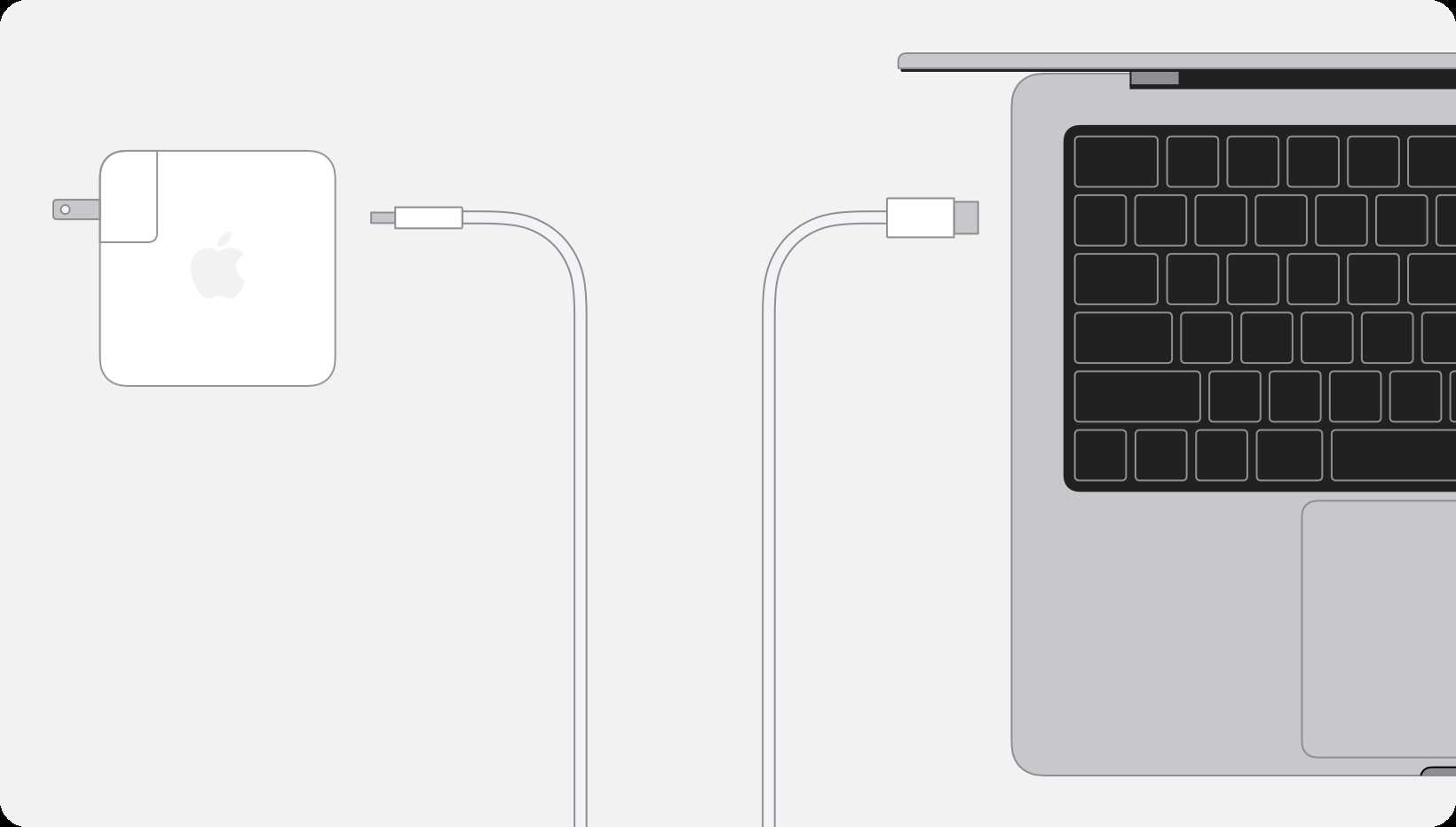
Yes, you can charge the MacBook Pro M2 using USB-C. It’s convenient and efficient, especially since the MacBook Pro M2 is designed with a USB-C port, making it compatible with a variety of chargers.
In short, the MacBook Pro M2 supports charging via USB-C, so you can use compatible USB-C chargers and cables to power it up. Just ensure that the charger meets the power requirements for optimal performance.
Charging your MacBook Pro M2 with USB-C is straightforward because of its versatile port. Whether you’re at home, in the office, or on the go, you can rely on USB-C chargers to keep your laptop powered. This flexibility not only simplifies your tech setup but also allows you to use your existing USB-C accessories without needing special or proprietary chargers. If you choose the right wattage and cable, you’ll enjoy fast, safe, and efficient charging every time.

Can You Charge MacBook Pro M2 with USB C? A Complete Guide
Understanding the Charging Port on MacBook Pro M2
The MacBook Pro M2 features a USB C port that handles both data transfer and power delivery. This versatile port makes it possible to connect various accessories and charge the device using compatible chargers.
Unlike traditional charging ports, USB C supports higher wattages, which is essential for powering larger devices like the MacBook Pro M2. Knowing the specifications of this port helps you determine which chargers are suitable and safe for your laptop.
What Makes USB C Suitable for Charging?
USB C uses a universal standard that offers faster charging, data transfer, and video output. It supports Power Delivery (PD), a protocol designed to deliver higher levels of power efficiently.
This means a single USB C cable can charge your MacBook Pro M2 while simultaneously transferring data or connecting to external displays. The flexibility makes USB C a popular choice for modern laptops, including the latest MacBook Pro models.
Can You Use Any USB C Charger to Charge MacBook Pro M2?
Not all USB C chargers are created equal. While many chargers might physically fit into the port, their power output might not match the requirements of your MacBook Pro M2.
Using a charger with insufficient wattage can result in slower charging times or even no charging at all. On the other hand, high-wattage chargers designed for laptops ensure your device charges quickly and safely.
Important Factors When Choosing a USB C Charger
- Wattage: The MacBook Pro M2 typically requires a charger with at least 67W to 96W for optimal charging.
- Compatibility: Ensure the charger supports Power Delivery (PD) protocol.
- Cable Quality: Use certified USB C cables that can handle high wattages safely.
- Brand Reputation: Prefer reputable brands known for quality and safety standards.
Recommended Chargers for MacBook Pro M2
To optimize charging speed and safety, consider chargers from Apple or trusted third-party brands like Anker, Aukey, or Belkin. Apple’s official 67W or 96W USB C power adapters are ideal options.
These chargers are specifically designed to meet the power needs of MacBook Pro M2 and support fast charging. Always opt for certified chargers to prevent damage to your device.
How to Check If Your Charger Is Compatible
Verify the wattage and protocol support of your charger before plugging it in. Look for labels indicating wattage, Power Delivery support, and compatibility with USB C.
If using a third-party charger, ensure it has safety certifications such as UL, FCC, or CE. An incompatible charger can cause issues like overheating, short circuits, or permanent damage.
Charging Speed with USB C: What to Expect
The charging speed depends on the wattage of your charger. A higher wattage charger, like 96W, can fully charge your MacBook Pro M2 faster, especially during intensive tasks.
Using a lower wattage charger may result in slower charging or just maintaining battery levels during use. For best results, match the charger wattage to the MacBook’s requirements.
Using Power Banks to Charge Your MacBook Pro M2
Power banks equipped with high-capacity batteries and USB C Power Delivery support can serve as portable charging solutions. They are especially useful during travel or power outages.
Choose power banks with wattage ratings similar to or higher than the MacBook’s required wattage for faster charging. Ensure the power bank supports fast charging protocols and has enough capacity, usually measured in milliamp-hours (mAh).
Charging Your MacBook Pro M2 with Docking Stations
Many docking stations offer USB C ports that support charging. They allow you to connect multiple devices simultaneously, such as external monitors, keyboards, and more.
Ensure the docking station provides enough power output, ideally matching or exceeding your MacBook’s charging wattage. This setup simplifies workspace organization and keeps your device charged and ready to use.
Potential Risks of Using Non-Official Chargers
Third-party chargers that lack certification might pose risks such as overheating, electrical faults, or damage to your MacBook Pro M2. Cheap or unbranded chargers often fail to meet safety standards.
Using certified chargers from reputable brands helps avoid these risks, ensuring your laptop charges safely and efficiently over time.
Additional Tips for Proper Charging
- Always use high-quality cables rated for high wattages.
- Avoid charging your MacBook Pro M2 in extremely hot or cold environments.
- Disconnect the charger when not in use to preserve battery health.
- Monitor the charging process for any unusual heat or behavior.
Integrating USB C Charging into Daily Routine
Utilize USB C chargers at your workstation, in your car, or on the go with portable power banks. Keeping a high-wattage charger at home and a smaller, portable one on the road maximizes flexibility.
Regularly update your MacBook’s software to ensure optimal charging performance and battery health management.
Summary of Key Points
| Aspect | Details |
|---|---|
| Can you charge MacBook Pro M2 with USB C? | Yes, it is designed to support charging through its USB C port. |
| Minimum wattage required | At least 67W, but 96W is recommended for faster charging. |
| Supported protocols | Power Delivery (PD) is essential for safe and efficient charging. |
| Best charger options | Apple’s official chargers, or reputable third-party brands with certification. |
| Risks of incompatible chargers | Overheating, damage, or slower charging speeds. |
Using USB C to charge your MacBook Pro M2 is practical and convenient if you choose the right charger. Matching the wattage and ensuring protocol support are crucial for safety and efficiency. Proper cables and certified adapters help maintain your device’s health while providing fast, reliable power. Embracing these practices ensures your MacBook Pro M2 stays charged and ready for anything.
Forgot your charger? Magsafe charging tip! #macbook #macbookpro #usbC #apple
Frequently Asked Questions
Can I use any USB-C cable to charge my MacBook Pro M2?
Not all USB-C cables can charge the MacBook Pro M2 effectively. It is best to use cables rated for Thunderbolt 3 or 4 or those explicitly designed for power delivery (PD). These cables support higher wattages needed to charge the device safely and efficiently. Using a regular USB-C cable with lower power capacity may result in slow charging or no charging at all.
What is the maximum charging power my MacBook Pro M2 can handle via USB-C?
The MacBook Pro M2 typically supports charging with up to 67W or 96W power adapters, depending on the model. When charging through USB-C, ensure your power source provides at least this amount of wattage. Using a compatible charger with sufficient power delivery ensures faster and safer charging, especially during intensive tasks.
Does using a third-party charger impact my MacBook Pro M2’s battery health?
Using trusted third-party chargers that meet the USB-C Power Delivery standard generally does not harm your MacBook Pro M2. However, always select high-quality chargers from reputable brands to ensure compatibility and safety. Poor-quality or uncertified chargers may deliver inconsistent power, potentially affecting battery longevity over time.
Can I charge my MacBook Pro M2 from a portable power bank via USB-C?
Yes, you can charge your MacBook Pro M2 using a portable power bank that supports high-wattage USB-C Power Delivery. Make sure the power bank provides at least 30W to 60W output for effective charging, depending on your use. Check the power bank’s specifications to confirm it can support the MacBook’s power requirements without overloading or underperforming.
Is it safe to connect my MacBook Pro M2 to multiple USB-C chargers simultaneously?
Connecting your MacBook Pro M2 to multiple chargers at the same time is generally not necessary and could pose safety risks. The device is designed to draw power from a single, compatible source. Using multiple chargers may cause power conflicts or overload the device. Stick to one trusted charger at a time to ensure safe and effective charging.
Final Thoughts
Yes, you can charge the MacBook Pro M2 with USB-C. Apple designed the MacBook Pro M2 to support charging via its USB-C ports, making it compatible with various chargers. Using the right wattage ensures efficient charging and avoids potential damage. Always check the specifications of your charger to confirm it meets the device’s requirements. Can you charge MacBook Pro M2 with USB C? Absolutely, as long as the charger provides sufficient power and meets safety standards.
