

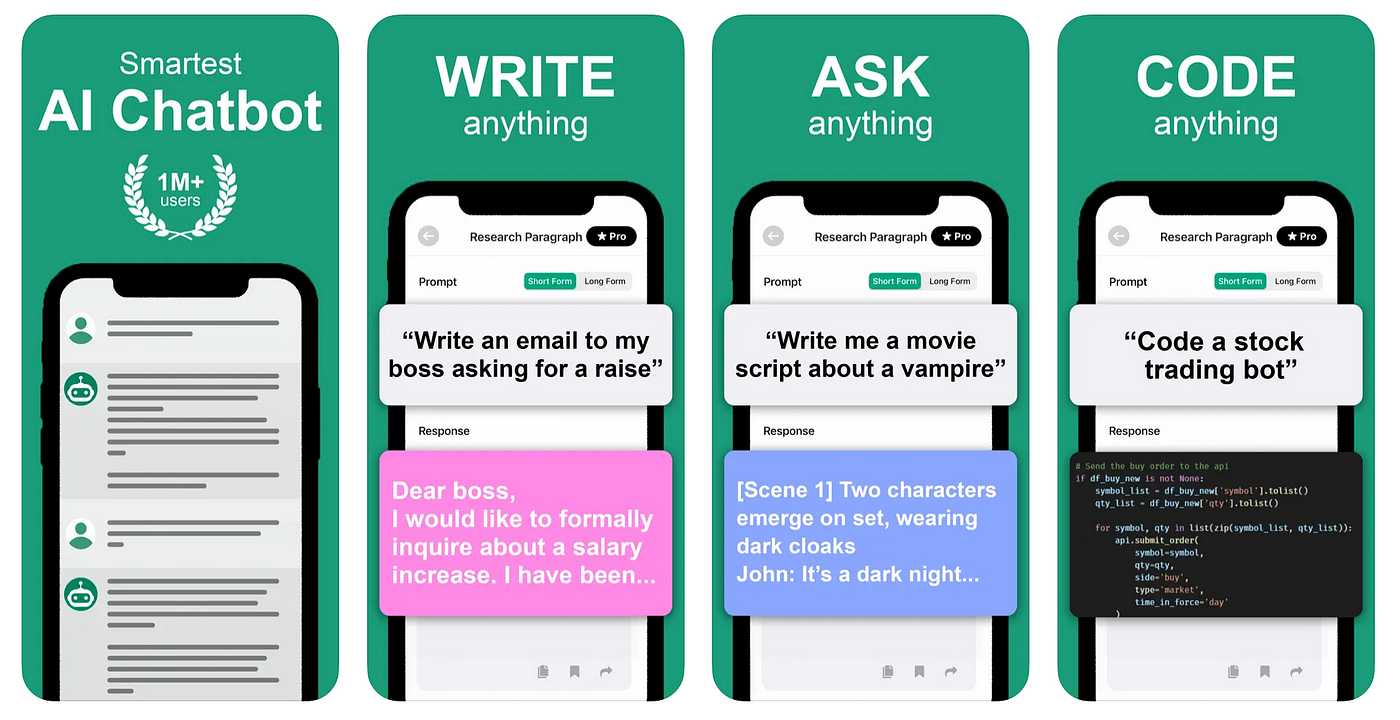
The best Android app for ChatGPT is ChatGPT by OpenAI, offering seamless access to AI-powered conversations right on your smartphone. If you’re looking to chat with an advanced AI assistant on the go, this app provides an intuitive and user-friendly experience that makes engaging with ChatGPT easy and efficient. Whether you’re seeking help with tasks, brainstorming ideas, or just having a fun chat, this app stands out as the top choice for Android users.
In just a few taps, you can unlock the power of ChatGPT from your Android device, thanks to its straightforward design and reliable performance. It brings the AI behind ChatGPT directly to your fingertips, making AI interaction more accessible and convenient than ever before. Now, let’s explore what makes this app the best and how it can enhance your daily digital interactions.

What Is the Best Android App for ChatGPT
Choosing the right Android app for ChatGPT is essential for getting quick and helpful responses on your mobile device. With many options available, understanding each app’s features can help you decide which fits your needs best. This guide will explore the top Android apps for ChatGPT, what makes them unique, and how to get the most out of them.
Understanding ChatGPT Android Apps
ChatGPT Android apps allow users to access OpenAI’s language models directly on their smartphones. These apps offer a way to chat, ask questions, and get assistance anytime you need it. They are designed to be user-friendly, with simple interfaces that make conversation easy and fun.
Most of these apps are built with the goal of making AI accessible on mobile. They often include features like voice input, offline mode, and customization options to enhance user experience. Knowing what features to look for can help you pick the best app for your needs.
Top Features to Consider in a ChatGPT Android App
- User Interface: Easy to navigate and clean design for quick access to features.
- Response Speed: Fast replies ensure smooth conversations without delays.
- Customization: Options to personalize themes, font size, and conversation settings.
- Voice Input: Ability to speak instead of typing for more natural interaction.
- Offline Access: Some apps allow limited use without internet connection.
- Privacy and Security: Transparent data policies to protect your information.
Popular Android Apps for ChatGPT
Below are some of the most downloaded and reviewed ChatGPT Android apps. Each offers a different experience, so let’s explore what makes them stand out.
1. ChatGPT Official App
Features and Benefits
- Developed directly by OpenAI, ensuring compatibility and updates.
- Intuitive and simple interface ideal for beginners.
- Supports voice input and text chat seamlessly.
- Provides quick access to the latest GPT models.
Pros and Cons
| Pros | Cons |
|---|---|
| Reliable and always up-to-date | Requires subscription for full features |
| Excellent user experience | Limited customization options |
2. ChatGPT Plus for Android
Features and Benefits
- Offers access to GPT-4, providing more complex and nuanced responses.
- Includes priority access during high traffic times.
- Adapts to user preferences over time for better responses.
Pros and Cons
| Pros | Cons |
|---|---|
| Most advanced language understanding | Requires a subscription fee |
| Enhanced performance with GPT-4 | Some features may be overkill for casual users |
3. Third-Party ChatGPT Apps
Overview
Various developers have created third-party apps that integrate ChatGPT into their platforms. These apps sometimes offer unique features not available in official versions.
Notable Features
- Custom skins and themes for personalization.
- Enhanced voice command capabilities.
- Additional integration options with other apps and services.
Risks and Considerations
- Variable quality and reliability.
- Potential privacy concerns—always check app permissions.
- Support and updates may be inconsistent.
How to Choose the Best ChatGPT Android App for You
Assess Your Needs
Decide whether you want a free app or are willing to pay for premium features. Think about which functionalities matter most, like voice input or GPT-4 access.
Evaluate User Experience
Read reviews and try out different apps to see which one feels most natural for you. A good app should be fast and easy to use.
Consider Privacy and Security
Always review the app’s privacy policies. Ensure your data is protected, especially if you plan to share sensitive information.
Getting the Most Out of Your ChatGPT Android App
- Update Regularly: Keep your app updated to enjoy the latest features and improvements.
- Explore Settings: Personalize your experience with themes, fonts, and response preferences.
- Utilize Voice Commands: Use voice input for quicker, hands-free conversations.
- Experiment with Prompts: Try different questions and commands for more engaging interactions.
- Respect Usage Limits: Be aware of any restrictions or quotas to avoid interruptions.
Related Topics to Explore
- Integrating ChatGPT with Other Apps: Discover how to use ChatGPT within productivity tools like note-taking or calendar apps.
- Advanced Customization: Look into settings and plugins that expand app capabilities.
- Future Trends in AI Chatbots: Stay updated on upcoming features and AI developments for mobile devices.
In conclusion, choosing the best Android app for ChatGPT depends on your specific needs and preferences. Whether you opt for the official OpenAI app or a third-party alternative, make sure it offers the features and ease of use that suit your style. With the right app, you can enjoy seamless conversations, quick answers, and exciting AI interactions right from your smartphone.
Which Chat GPT App Is Best For Android? – Be App Savvy
Frequently Asked Questions
Which Android app offers the most seamless ChatGPT experience?
Several Android apps provide smooth and user-friendly access to ChatGPT. Among them, the official OpenAI ChatGPT app stands out due to its direct integration, regular updates, and reliable performance. This app ensures that users can interact with the AI efficiently without unnecessary complications.
Are there apps that enhance ChatGPT functionalities on Android devices?
Yes, there are third-party applications that add extra features like voice input, customizable themes, and offline access. Apps such as ChatGPT Helper and GPT Chat improve the overall experience by offering tools that cater to different user preferences, making interactions more versatile and engaging.
Which app provides the best security and privacy for ChatGPT interactions on Android?
The official OpenAI app prioritizes security by following strict data protection protocols and encrypting user interactions. While other third-party apps may offer additional features, it is essential to choose those with transparent privacy policies and positive user reviews to ensure your conversations remain private and secure.
Can I access ChatGPT on Android devices without installing an app?
Yes, you can access ChatGPT through web browsers on your Android device by visiting OpenAI’s official website. This method offers a simple way to engage with ChatGPT without downloading additional applications, though dedicated apps can provide a more optimized experience.
What factors should I consider when choosing an Android app for ChatGPT?
When selecting an app, consider aspects such as user interface, stability, update frequency, security measures, and additional features. Reading user reviews and checking the developer’s credibility can help you find an app that best suits your needs for seamless and reliable ChatGPT conversations.
Final Thoughts
The best android app for chatgpt offers a seamless and user-friendly experience. It provides quick access to AI conversations without unnecessary complexity. Many users prefer this app for its speed and reliability. Overall, it stands out as the top choice for anyone seeking an efficient ChatGPT interface.
