

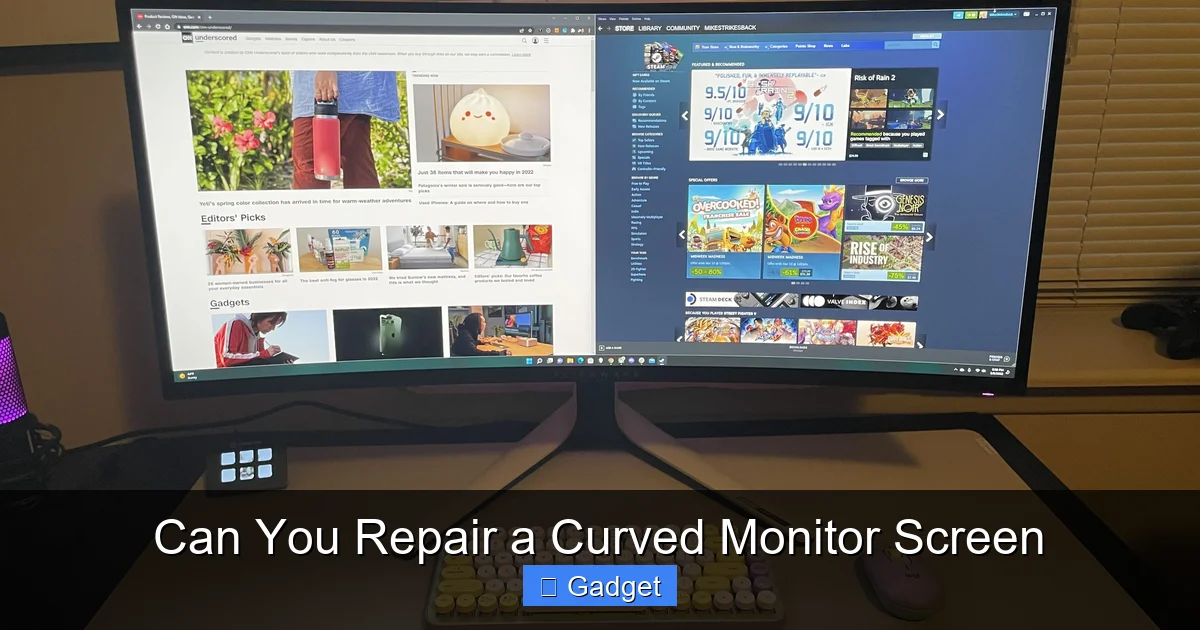
This guide delves into the question: Can you repair a curved monitor screen? We’ll cover common screen issues like cracks, dead pixels, and backlight problems, and assess the feasibility of DIY repairs versus seeking professional assistance. Understand the complexities specific to curved displays and discover when it might be more economical to replace your monitor.
# Can You Repair a Curved Monitor Screen?
Curved monitors have become incredibly popular. They offer a more immersive visual experience, reducing eye strain and enhancing your field of view. But what happens when something goes wrong with the screen? If you’ve found a crack, noticed some dead pixels, or your display has gone dark, you’re probably asking: Can you repair a curved monitor screen?
This is a common question, and the answer isn’t always straightforward. Unlike traditional flat monitors, the curvature of these displays adds a layer of complexity to any potential repair. In this comprehensive guide, we’ll break down the common issues that affect curved monitor screens, explore the possibilities of repair, discuss when DIY is an option (and when it’s definitely not), and help you understand when it might be time to consider a replacement.
## Understanding Curved Monitor Technology
Before we dive into repairs, it’s helpful to understand what makes a curved monitor different. The screen panel itself is bent. This bend is not just a cosmetic feature; it’s engineered into the panel’s construction. The curvature aims to provide a consistent viewing distance from all parts of the screen to your eyes. This means the panel is under a certain amount of tension and has specific structural integrity that is crucial for its function.
This inherent design means that any manipulation or disassembly to perform a repair needs to be done with extreme care. Trying to fix a curved monitor screen is often more challenging than fixing a flat one because you have to maintain that precise curvature and alignment throughout the repair process.
## Common Curved Monitor Screen Issues and Their Repair Potential
Let’s look at the most frequent problems users encounter with their curved monitors and assess whether repair is a viable option for each.
### 1. Physical Damage: Cracks, Scratches, and Impact Marks
This is the most dreaded issue. If your curved monitor screen has been physically damaged – perhaps by an accidental drop, a falling object, or even pressure applied to the panel – the chances of a successful and cost-effective repair are very slim.
Why Cracked Screens Are Difficult to Repair
The screen panel of a monitor is typically made of glass or a thin layer of plastic coated with liquid crystals. When this layer cracks, the internal structure is compromised.
- Structural Integrity: The curvature is built into the panel itself. A crack can destabilize this structure, making it impossible to restore to its original state without replacing the entire panel.
- Liquid Crystal Damage: The liquid crystals are what create the image. If the panel cracks, the liquid crystal layer is likely damaged, leaked, or its alignment is disrupted. This leads to distorted images, colored lines, or a completely black screen.
- Cost of Replacement Panels: Monitor panels, especially for curved models, are specialized components. The cost of purchasing a replacement panel is often a significant portion of the monitor’s original price, sometimes even exceeding it.
- Labor Costs: Even if you can find a replacement panel, the labor involved in disassembling the monitor, carefully removing the damaged panel, and installing a new one is specialized and can be expensive.
DIY vs. Professional Repair for Cracked Screens
For a cracked screen, DIY repair is almost always out of the question for the average consumer. You would need to source a compatible, exact replacement panel (which is rare and expensive), and have the technical expertise and tools to perform a very delicate operation without causing further damage.
Professional repair services might offer a panel replacement, but you should get a quote first. It’s highly likely that the cost of repairing a cracked curved monitor screen will be more than buying a new, comparable monitor.
In short: If your curved monitor screen is physically cracked, consider it a lost cause for repair. Focus your efforts on data backup (if possible) and researching replacement options.
### 2. Dead Pixels and Stuck Pixels
Dead pixels (permanently off and black) and stuck pixels (permanently on and displaying a single color) are common monitor issues. For curved monitors, the diagnosis and potential solutions are similar to flat monitors, though the accessibility of the panel might be slightly different.
What are Dead Pixels and Stuck Pixels?
* Dead Pixels: These are pixels that have failed and will not light up, appearing as small black dots on the screen.
* Stuck Pixels: These pixels are stuck in a particular color state (red, green, blue, or a combination) and won’t change. They often appear as bright, colored dots.
Repairing Dead Pixels
Unfortunately, dead pixels are usually a hardware failure. A pixel that is completely dead is generally unrepairable. This is because the transistors controlling that individual pixel have failed, and there’s no simple way to fix them without replacing the entire panel.
Repairing Stuck Pixels
Stuck pixels, however, sometimes have a chance of being “unstuck.” There are a few methods, but proceed with caution:
Method 1: Software Fixes
There are software tools and websites that can rapidly flash different colors on the screen in the area of the stuck pixel. The theory is that rapidly cycling through colors might help “unstick” the pixel.
* How to do it:
* Search online for “stuck pixel fixer” software or websites.
* Many of these tools provide a small window that you can move over the stuck pixel.
* Let the tool run for a period, often 30 minutes to a few hours.
* Restart your monitor and computer to see if the pixel is fixed.
Method 2: Gentle Pressure (Use with Extreme Caution!)
This method involves gently applying pressure to the area of the stuck pixel. This is risky and should only be attempted if software solutions fail and you are prepared for the possibility of making it worse or causing dead pixels.
* How to do it:
* Turn off your monitor.
* Take a soft, damp cloth (like a microfiber cloth) and wrap it around the tip of a stylus or a blunt, rounded object like a pen eraser (not a sharp object!). The cloth is crucial to prevent scratches.
* Turn on your monitor.
* Locate the stuck pixel.
* Gently, with very light pressure, press on the stuck pixel with the cloth-wrapped object. Do not press hard enough to indent the screen significantly.
* While maintaining light pressure, gently rub the area for a few seconds.
* Release pressure and see if the pixel is fixed. You might need to repeat this a few times.
Important Note on Stuck Pixels: Even with these methods, success is not guaranteed. Moreover, applying too much pressure can easily turn a stuck pixel into a dead pixel or damage the surrounding area.
For dead pixels, repair is generally not possible. For stuck pixels, software methods are safer, while physical manipulation carries significant risk.
### 3. Backlight Issues: Uneven Brightness, Flickering, or Dark Spots
The backlight is what illuminates the LCD panel, allowing you to see the image. Issues with the backlight can manifest as uneven brightness across the screen, flickering, or dark areas.
Types of Backlight Problems
* LED Strip Failure: Modern monitors use LED strips for backlighting. One or more of these strips can fail, leading to dimness or dark patches.
* Driver Board Issues: The driver board controls the power and operation of the backlight LEDs. A faulty driver board can cause flickering or failure of the backlight.
Repairing Backlight Issues
This is one area where repair might be more feasible, but it still requires technical skill and the correct parts.
DIY Repair for Backlight Issues
* Disassembly: The first step is to carefully disassemble the monitor to access the backlight system. This is where the curved nature can be problematic. The bezel and internal structure are designed to support the curved panel, and improper disassembly can cause stress.
* Identifying the Fault: You’ll need to inspect the LED strips for visible damage or test them. You might also need to check the driver board.
* Replacement: If you identify a failed LED strip or a faulty driver board, you would need to source an exact replacement part. These parts can be difficult to find for specific monitor models.
* Reassembly: Reassembling the monitor requires careful attention to ensure all components are correctly seated and that no wires are pinched.
Professional Repair for Backlight Issues
A professional electronics repair shop that specializes in monitors might be able to diagnose and replace faulty backlight components. However, like panel replacement, the cost of parts and labor for this type of repair can often approach or exceed the price of a new monitor.
Backlight issues are potentially repairable, but require technical expertise and specific parts. Always get a quote for professional repair before proceeding.
### 4. Other Issues: Power Problems, Connectivity, or Dead Monitor
If your curved monitor isn’t turning on at all, or has problems with its ports (HDMI, DisplayPort, USB), these are typically not screen issues.
Diagnosis and Repair
* Power Supply: Check the power cable and the monitor’s power adapter. If it’s an internal power supply unit, this can sometimes be replaced, but it requires opening the monitor.
* Connectivity: Ensure your cables are in good condition and properly connected. Try different cables and different ports on both the monitor and your computer.
* Firmware/Internal Boards: More complex internal issues might involve the monitor’s main board or firmware. These are generally not user-repairable and would require professional diagnosis.
For non-screen related issues like power or connectivity, basic troubleshooting with cables and adapters is your first step. More complex internal problems often lean towards professional diagnosis or replacement.
## The Risks of DIY Curved Monitor Screen Repair
As you can see, while some minor issues like stuck pixels might be user-fixable, most common problems that affect the display itself are either unrepairable or require specialized knowledge and parts. Attempting DIY repairs on a curved monitor screen carries significant risks:
* **Further Damage:** The delicate nature of LCD/OLED panels, especially when curved, means that a single mistake during disassembly or reassembly can easily lead to cracks, damage to internal ribbon cables, or other irreparable harm.
* **Voiding Warranty:** Most DIY attempts will void any remaining manufacturer warranty.
* **Cost:** You might spend money on parts and tools only to find you cannot complete the repair, leaving you out of pocket.
* **Safety:** Working with electronics involves risks of electric shock if not done properly.
Key Takeaways
- Curved monitor screen repair is complex: Unlike flat screens, the curvature adds significant structural and alignment challenges to any repair attempt.
- Screen damage is often unrepairable: Physical damage like cracks or impact marks usually necessitates a full screen replacement, which is rarely cost-effective for consumers.
- Pixel issues may have solutions: Dead or stuck pixels sometimes can be addressed with software or gentle physical manipulation, though success isn’t guaranteed.
- Backlight problems can sometimes be fixed: Issues with the monitor’s lighting can occasionally be repaired by replacing specific LED strips or driver boards.
- DIY repairs are high-risk: Attempting to repair a curved monitor screen yourself can easily lead to further damage due to the delicate nature of the components and the curved panel.
- Professional repair is often expensive: While professionals can attempt repairs, the labor and specialized parts for curved monitors often make it uneconomical compared to buying a new display.
- Replacement is often the most practical solution: For most common types of screen damage on curved monitors, replacing the entire unit is the most sensible and cost-effective option.
When to Consider Professional Repair
If you’ve exhausted basic troubleshooting and the issue isn’t a simple fix like a stuck pixel, you might consider professional repair.
What to Expect from Professional Repair
* Diagnosis: A professional will first diagnose the exact cause of the problem.
* Cost Estimate: They will provide you with an estimate for the repair, including parts and labor.
* Specialized Tools and Knowledge: Professionals have access to specialized tools and have experience working with various monitor models.
When Professional Repair Might Be Worth It
* High-End or Expensive Monitor: If you have a very expensive, professional-grade curved monitor, the cost of repair might be justified compared to replacing a top-tier unit.
* Warranty Repair: If your monitor is still under warranty, contact the manufacturer first. They may offer repair or replacement services.
* Minor Issues on Newer Monitors: For issues that are clearly defined (like a specific LED backlight failure) on a relatively new monitor, a professional repair might be cost-effective.
Always get a detailed quote and understand the warranty offered on the repair before committing. Compare this cost to the price of a new monitor.
## When It’s Time to Replace Your Curved Monitor
For most users, especially when dealing with physical screen damage or widespread pixel defects, replacement is the most practical and often the most economical solution.
Factors to Consider When Replacing
* **Age of the Monitor:** Older monitors may not have the latest features or image quality standards.
* Cost of Repair vs. New: As mentioned, repair costs can easily approach or exceed the price of a new, often superior, monitor.
* Technological Advancements: New monitors offer better resolution, refresh rates, color accuracy, and other improvements that might enhance your computing experience. For example, understanding the difference between 144Hz and 240Hz monitors can help you choose a smoother display for gaming or productivity.
* Availability of Parts: For older models, finding replacement parts can become impossible.
Don’t be afraid to let go of a damaged monitor. The rapid pace of technology means a new purchase might offer significant upgrades.
## Conclusion: Can You Repair a Curved Monitor Screen?
So, to answer the question directly: Can you repair a curved monitor screen?
* **For physical damage (cracks, deep scratches): No, not practically or cost-effectively.** This almost always requires a full panel replacement, which is rarely feasible for consumers.
* **For dead pixels: Generally no.** These are hardware failures.
* **For stuck pixels: Sometimes, with software or extreme caution using gentle physical methods.** Success is not guaranteed.
* **For backlight issues: Potentially, but it requires technical skill, specific parts, and can be expensive.** Professional repair might be an option, but compare costs carefully.
* **For power or connectivity issues: Basic troubleshooting by the user is possible, but more complex internal problems may need professional help.**
In most scenarios involving the display panel itself on a curved monitor, the answer leans towards “no” when it comes to affordable and practical repair. The complexity of the curved design, the cost of specialized components, and the risk of further damage make it a challenging endeavor.
When your curved monitor screen suffers damage, it’s often more sensible to look at purchasing a new one. While it can be disappointing, the advancements in monitor technology mean that a new display might offer you a better experience overall. Always weigh the cost and effort of repair against the benefits of a brand-new device. If you’re considering an upgrade, you might also want to explore whether a 144Hz monitor is good for gaming or if a higher refresh rate is worth the investment. Additionally, if you’re looking into ultrawide displays, check out the best budget ultrawide monitor options to find a cost-effective replacement.
