

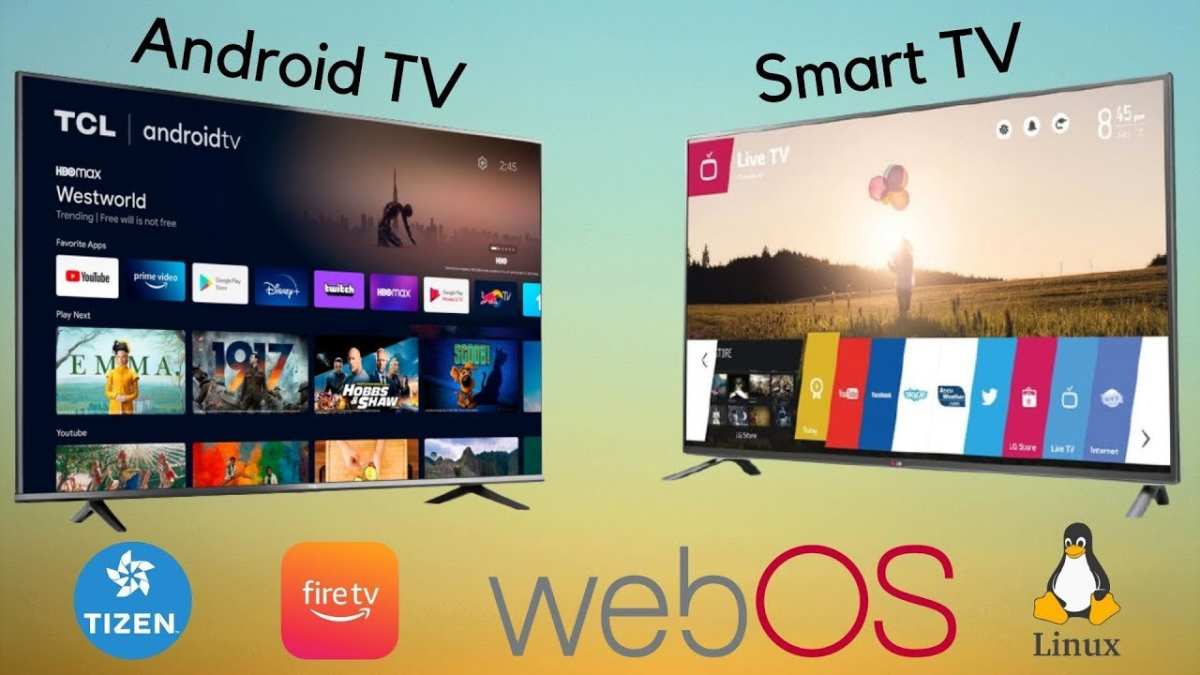
The difference between Android TV and Linux TV is primarily in their operating systems and user experiences. **Android TV offers a user-friendly interface with extensive app support, while Linux TV provides more customization and control.** If you want an easy-to-navigate platform with access to popular apps, Android TV suits you best. However, Linux TV caters to users who prefer flexibility and open-source features. Understanding these distinctions can help you choose the right Smart TV for your needs.

What Is the Difference Between Android TV and Linux TV?
When it comes to choosing a smart TV or streaming device, many people find themselves comparing Android TV and Linux TV. Both options offer unique features that appeal to different users. Understanding what makes each one special can help you decide which one fits your needs best. Let’s explore the differences between Android TV and Linux TV in detail.
Introduction to Android TV
Android TV is a smart television platform developed by Google. It builds on the popular Android operating system, which many smartphones and tablets use. Android TV is designed to give users easy access to streaming apps, games, and other digital content.
- User Interface: Android TV features a clean, easy-to-navigate interface optimized for viewing from a distance. It shows content recommendations based on your viewing habits, making browsing simple and fast.
- App Compatibility: Because it’s built on Android, Android TV has access to the Google Play Store. This means users can download thousands of apps, including popular streaming services like Netflix, Hulu, and YouTube, as well as games and utility apps.
- Voice Control and AI Features: Android TV integrates with Google Assistant, allowing users to control their TV with voice commands. You can ask questions, search for content, or control smart home devices easily.
- Hardware Support: Android TV is compatible with many hardware brands, including Sony, TCL, and Hisense, which makes it widely available on various smart TVs and streaming devices like the Chromecast with Google TV.
Introduction to Linux TV
Linux TV, on the other hand, refers to the use of Linux-based operating systems designed specifically for TVs. It is often favored for its openness, customization options, and its support in various open-source projects.
- Open-Source Nature: Linux TV is based on Linux, which is open source. This allows developers and tech enthusiasts to modify and customize their systems as they see fit.
- Flexibility and Customization: Linux TV offers a flexible environment, letting users install various Linux-based media centers or custom software to tailor their viewing experience.
- Community-Driven Projects: Linux TV is often developed and maintained by community projects like Kodi, LibreELEC, or OpenELEC. These platforms provide powerful media playback capabilities with a focus on user control.
- Hardware Compatibility: Linux TV can be installed on numerous hardware platforms, including small single-board computers like Raspberry Pi, making it a popular choice for DIY projects or specialized setups.
Operating System Architecture and User Experience
Understanding the core architecture of each system can shed light on how the user experience differs.
Android TV Architecture
Android TV operates on a modified version of the Android OS optimized for large screens. Its architecture is built to support a user-friendly interface, app management, and multimedia playback.
- Kernel Layer: Android TV uses a Linux kernel underneath, providing stability and hardware support.
- Application Layer: Apps are downloaded from the Google Play Store and run within a secure environment. Google Play services enable features like notifications, location, and updates.
- System UI: The user interface is designed for simplicity, with a focus on content discovery rather than technical control.
Linux TV Architecture
Linux TV’s architecture is far more customizable but requires more technical knowledge to operate effectively.
- Kernel Support: It also runs on the Linux kernel, ensuring hardware compatibility and stability.
- Software Stack: Users typically install and configure separate applications such as Kodi, VLC, or other media centers, often through a command-line interface.
- User Interface: The interface depends on the installed software. For example, Kodi offers a media-centric UI, while a custom Linux setup may have a minimal or command-line interface.
Application Ecosystem and Content Access
One of the most significant differences between Android TV and Linux TV lies in app availability and how users access content.
Android TV App Ecosystem
Since Android TV is based on Android, it has immediate access to a vast library of apps from the Google Play Store. This makes it easy to install streaming services, games, and utilities.
- Pre-installed Apps: Most Android TVs come with a selection of popular apps pre-installed or readily available for download.
- Ease of Use: Installing and updating apps is straightforward, similar to a smartphone experience.
- Compatibility: Android TV supports a wide range of third-party apps, ensuring access to nearly all popular streaming platforms.
Linux TV Content Access
Linux TV’s content approach is more flexible but less straightforward.
- Custom Media Centers: Users often rely on media players like Kodi or Plex, which support a wide range of formats and plugins for streaming sources.
- Manual Configuration: Accessing streaming services may require specific plugins or workarounds, and some apps may not be officially supported.
- Source Flexibility: Linux TV allows users to access content from local storage, network shares, or streaming sources via add-ons or custom setups.
Hardware Compatibility and Setup
The hardware support for each system varies significantly, influencing installation simplicity and flexibility.
Android TV Hardware Compatibility
Android TV is designed to run on specific hardware optimized for streaming and interaction.
- Pre-Configured Devices: Many smart TVs come with Android TV built-in, designed for plug-and-play use.
- Hardware Support: Android TV supports a range of hardware configurations, but often requires certification for full app compatibility.
- Setup Ease: Usually simple; just turn on the device, connect to Wi-Fi, and start streaming.
Linux TV Hardware Compatibility
Linux TV offers more flexibility but requires a more hands-on approach, especially in DIY setups.
- Broad Compatibility: Linux supports many hardware devices, including Raspberry Pi, Intel-based computers, and other single-board computers.
- Installation: Installing Linux-based OS can involve downloading images, creating bootable devices, and configuring hardware drivers.
- Custom Hardware: Linux TV systems are ideal for custom projects where you want full control over the hardware components and software environment.
Performance and Updates
Performance differences can impact the viewing experience, and update processes vary between the two systems.
Performance in Android TV
Android TV devices usually offer smooth playback and quick app launches.
- Hardware Optimization: Devices are optimized for multimedia performance, with hardware acceleration for video decoding.
- Updates: Google pushes regular updates through the device firmware, improving security and features.
Performance in Linux TV
Performance depends heavily on hardware and configuration.
- Resource Usage: Linux systems can be lightweight, but performance may vary based on chosen applications and system setup.
- Updates: Updating Linux systems requires manual intervention or community-driven update mechanisms, which can be less frequent but highly customizable.
Security and Privacy
Security considerations differ based on how each system manages data and updates.
Android TV Security
Android TV benefits from Google’s security updates and app permissions.
- Updates: Regular security patches delivered via firmware updates.
- Permissions: Apps request permissions, enabling some control over data access.
- Risks: As with other Android devices, users should be cautious about app sources to avoid malware.
Linux TV Security
Linux systems are generally considered secure, especially when configured properly.
- Custom Security: Users have control over software installation, updates, and network settings.
- Community Support: Security updates depend on the community or user-managed maintenance.
- Risks: Less frequent updates may expose vulnerabilities if not actively maintained.
Cost Considerations
Finally, budget and cost play an essential role when choosing between Android TV and Linux TV.
Cost of Android TV
Android TV devices come in various price ranges.
- Pre-Built Devices: Smart TVs with Android TV built-in are available from budget to premium models.
- Streaming Devices: Chromecast with Google TV is an affordable option, often costing less than fifty dollars.
Cost of Linux TV
Linux-based setups can be very affordable, especially for DIY enthusiasts.
- Hardware: You can build a media center using inexpensive devices like Raspberry Pi, which costs under fifty dollars.
- Software: Many Linux distributions and media apps are free, reducing overall costs.
- Additional Expenses: Cost may include peripherals, storage, and potential technical support if needed.
In conclusion, choosing between Android TV and Linux TV depends on your specific needs, technical skill level, and what you hope to achieve with your smart TV or media setup. Android TV offers a user-friendly experience with access to numerous apps and seamless updates. Linux TV provides unmatched customization and flexibility, making it ideal for tech-savvy users or those interested in building a tailored media system. Both options have their strengths, and understanding these differences can help you pick the best platform for your entertainment needs.
Frequently Asked Questions
How does the user interface of Android TV differ from that of Linux TV?
Android TV offers a user-friendly and standardized interface similar to other Android devices, with easy navigation menus and app layouts. Linux TV, however, provides a more customizable interface that can vary widely depending on the distribution and user adjustments, allowing for tailored layouts but potentially requiring more setup.
What are the common app availability differences between Android TV and Linux TV?
Android TV has access to the Google Play Store, giving users a broad selection of popular apps and games optimized for TV screens. Linux TV’s app options depend on the specific distribution and can require manual installations or alternative app stores, often resulting in a more limited or specialized app library.
How do hardware compatibility and device support compare between Android TV and Linux TV?
Android TV is designed to work seamlessly with a wide range of consumer electronics, including popular streaming devices and smart TVs, ensuring broad hardware compatibility. Linux TV may need specific configurations and drivers, which can limit support for certain devices but offers flexibility for custom hardware setups.
In terms of customization, what can users expect from Android TV versus Linux TV?
Android TV provides limited customization options focused on user experience consistency, allowing users to personalize some settings and layouts. Linux TV allows extensive customization, enabling users to modify interfaces, install custom software, and optimize performance based on their preferences and technical skills.
How do the licensing and open-source aspects influence the choice between Android TV and Linux TV?
Android TV is based on Google’s Android platform, which includes proprietary components and licensing agreements, limiting modifications. Linux TV is open-source, granting users the freedom to modify, distribute, and customize the system as they see fit, appealing to those seeking more control over their device.
Final Thoughts
Android TV offers a user-friendly interface with access to a wide range of apps via Google Play, making it ideal for those who enjoy a seamless entertainment experience. Linux TV, on the other hand, provides more customization options and often appeals to tech enthusiasts who prefer open-source solutions.
While Android TV focuses on ease of use and compatibility, Linux TV emphasizes flexibility and control over the system.
What is the difference between Android TV and Linux TV? Android TV is more accessible for everyday users, while Linux TV caters to advanced users seeking customization.
