Which Android Os Consumes The Least Battery In 2023
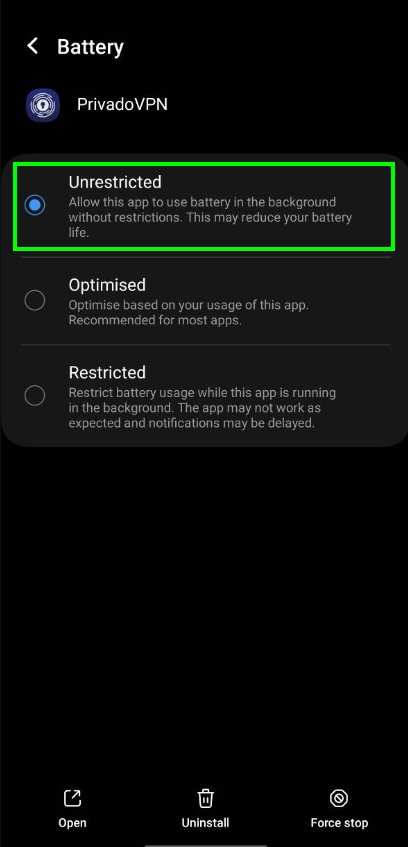
The answer is clear: Android Go consumes the least battery among Android OS versions. If you want longer battery life, opting for lightweight OS versions can make a big difference. Many users wonder which android os consumes the least battery during daily use. Choosing a streamlined OS can extend your device’s battery life significantly. This blog breaks down the details, helping you find the most battery-efficient Android version for your needs. 
Which Android OS Consumes the Least Battery
Choosing an Android operating system that helps extend your phone’s battery life can make a significant difference in your daily routine. Many users wonder which version of Android uses the least power while providing smooth performance. In this article, we will explore the various Android OS versions and customizations, compare their energy consumption, and share tips to help you keep your device running longer on a single charge.Understanding How Android OS Affects Battery Life
Before diving into specific versions, it’s important to understand how Android OS impacts battery consumption. Several key factors come into play:- Background Processes: Apps running in the background can drain power without your knowledge.
- System Optimizations: The OS manages hardware, like CPUs and radios (Wi-Fi, Bluetooth), to reduce unnecessary energy use.
- Software Updates: Newer OS versions often include battery-saving features and performance improvements.
- App Compatibility: Some apps are better optimized for specific OS versions, affecting power efficiency.
How Different Android Versions Impact Battery Consumption
Android has evolved considerably since its first release, with each new version typically bringing improvements to performance and power efficiency. Let’s look at some prominent versions and how they perform concerning battery consumption.Android KitKat (Version 4.4)
Android KitKat was a major update focusing on smoother user experience and better power management. It introduced features like Project Svelte, which aimed to optimize memory and resource use. – Battery features: Introduction of smarter memory management reduced background app activity. – Battery impact: Overall, battery life improved compared to earlier versions, especially on devices with limited hardware. However, KitKat still faced issues with apps running unnecessarily in the background, which could lead to quicker battery drain.Android Lollipop (Version 5.0 & 5.1)
Lollipop introduced Material Design and significant under-the-hood improvements for efficiency. – Battery features: New on-screen navigation, smarter notifications, and a redesigned system for better power consumption. – Battery impact: Better than KitKat, especially with the introduction of Battery Saver mode, which limits background activity when enabled. Even with improvements, some users reported that certain features, like high screen brightness and heavy app use, still drained power quickly.Android Marshmallow (Version 6.0)
Marshmallow aimed to make Android more efficient by giving users more control over app permissions and background activity. – Battery features: Introduced Doze Mode, which temporarily reduces background activity when the device is not in use. – Battery impact: Significant enhancement in battery performance. Devices with Marshmallow saw a noticeable increase in standby time. This version marked a turning point in Android’s approach to power management—focusing on smarter idle modes.Android Nougat (Version 7.0 & 7.1)
Nougat improved on Doze Mode by making it more aggressive and efficient even when the screen was on. – Battery features: Introduction of Doze on the Go, which conserves power during movement. – Battery impact: Devices are known to last longer, especially during heavy usage periods thanks to better background process management. However, some users notice that performance may slightly decline with certain apps in the background.Android Oreo (Version 8.0 & 8.1)
Oreo brought in Battery Optimization features that prioritize essential tasks. – Battery features: Background Limits, adaptive battery, and notification management. – Battery impact: These features help apps stay in sleep mode longer, leading to extended battery life. Users report that devices with Oreo tend to last longer between charges, especially when combined with adaptive brightness and other power-saving tricks.Android Pie (Version 9)
Pie further refined battery management with AI-driven features. – Battery features: Adaptive Battery uses machine learning to identify which apps you use regularly and limits unnecessary background activity. – Battery impact: Notable improvements in standby and active use times, making it one of the most energy-efficient Android versions. In practical terms, devices running Pie often last longer on a single charge, particularly with regular use.Android 10 and 11
These versions continued to focus on AI and smarter resource use, with added features like dark mode and improved app management. – Battery features: Enhanced adaptive brightness, smarter app standby, and improved background activity controls. – Battery impact: Overall, battery life remains strong, with many users experiencing prolonged battery performance. The improvements in these versions make them some of the most efficient yet, especially when combined with user-applied power-saving settings.Custom Android ROMs and Their Power Efficiency
Beyond official Android releases, many users install custom ROMs to optimize battery life further. Some popular options include:- LineageOS: Known for minimal bloat and efficient performance, which helps conserve battery.
- Pixel Experience: Focuses on smoothness and power management, mirroring Google’s stock Android optimizations.
- CarbonROM: Offers various customization tools to reduce unnecessary processes and improve battery life.
Best Practices for Maximizing Battery Life on Android Devices
No matter which Android OS you use, you can improve your battery performance by following some simple tips:- Use Dark Mode: Especially on OLED screens, black backgrounds reduce power consumption.
- Limit Background Activity: Close apps you aren’t using, restrict background data, or enable battery saver modes.
- Lower Screen Brightness: Adjust brightness manually or enable automatic brightness.
- Turn Off Unnecessary Features: Disable Bluetooth, Wi-Fi, GPS, or NFC when not needed.
- Update Apps and OS: Keep your device updated to benefit from latest power-saving features.
- Avoid Live Wallpapers and Excessive Animations: Use static backgrounds and reduce motion effects.
Summary: Which Android OS Is the Least Battery-Consuming?
Looking at all versions and user reports, Android Pie (Version 9) stands out as the most efficient in terms of battery consumption when combined with good device maintenance and app management. Its AI-driven algorithms help prioritize power for what you use most, making it a top choice for users concerned about battery life. Recent Android versions, like Android 10 and 11, also show impressive energy-saving features thanks to ongoing improvements in background process control, adaptive settings, and system optimizations. While custom ROMs can sometimes provide even better results, they require technical knowledge and careful installation. For most users, sticking to the latest Android updates and following best practices will give the best balance of performance and battery life. In conclusion, selecting an Android OS version with advanced power management features and applying simple battery-saving habits can significantly extend how long your device lasts between charges. Whether you’re using stock Android or a custom ROM, understanding how your OS manages energy allows you to make smarter choices to keep your device energized throughout your busy day.Frequently Asked Questions
Which Android versions are known for better battery efficiency?
Android versions such as 11 and later generally include energy-saving features and optimizations that help extend battery life. These updates often improve background activity management and reduce unnecessary power drain, making newer versions more efficient compared to older ones.What specific features in Android OS help conserve battery life?
Features like adaptive battery, dark mode, and optimized background activity management play vital roles in battery conservation. For instance, adaptive battery learns app usage patterns and limits power for rarely used apps, helping conserve energy throughout the day.Do custom ROMs or modified Android OS impact battery consumption?
Custom ROMs can either improve or hinder battery life depending on their design and optimization. Some ROMs strip unnecessary features or introduce efficient power management, which can lead to better battery performance. However, poorly optimized ROMs may increase power drain.How does app management in Android OS affect battery usage?
Android’s ability to manage background apps effectively influences battery consumption. When background activities are restricted or optimized, fewer apps run unnecessarily, reducing power drain and extending overall battery life.Is there a difference in battery consumption between stock Android and Android skins like Samsung’s One UI or Xiaomi’s MIUI?
Stock Android typically consumes less battery because it includes fewer pre-installed apps and less bloatware. Custom skins like One UI or MIUI often add extra features and animations that may increase power usage, although recent updates aim to improve efficiency.Final Thoughts
The Android OS that consumes the least battery varies depending on device optimization and user habits. Generally, lighter versions such as Android Go are designed to be energy-efficient, extending battery life significantly. Regular updates and optimized settings also help conserve power across different Android versions. In conclusion, when considering which android os consumes the least battery, Android Go stands out for its efficiency. It is tailored for devices with limited resources, ensuring longer usage times. Choose Android Go if you prioritize battery longevity and minimal power drain.
Similar Posts