Turning Off Gps Bluetooth And Wifi When Not In Use For
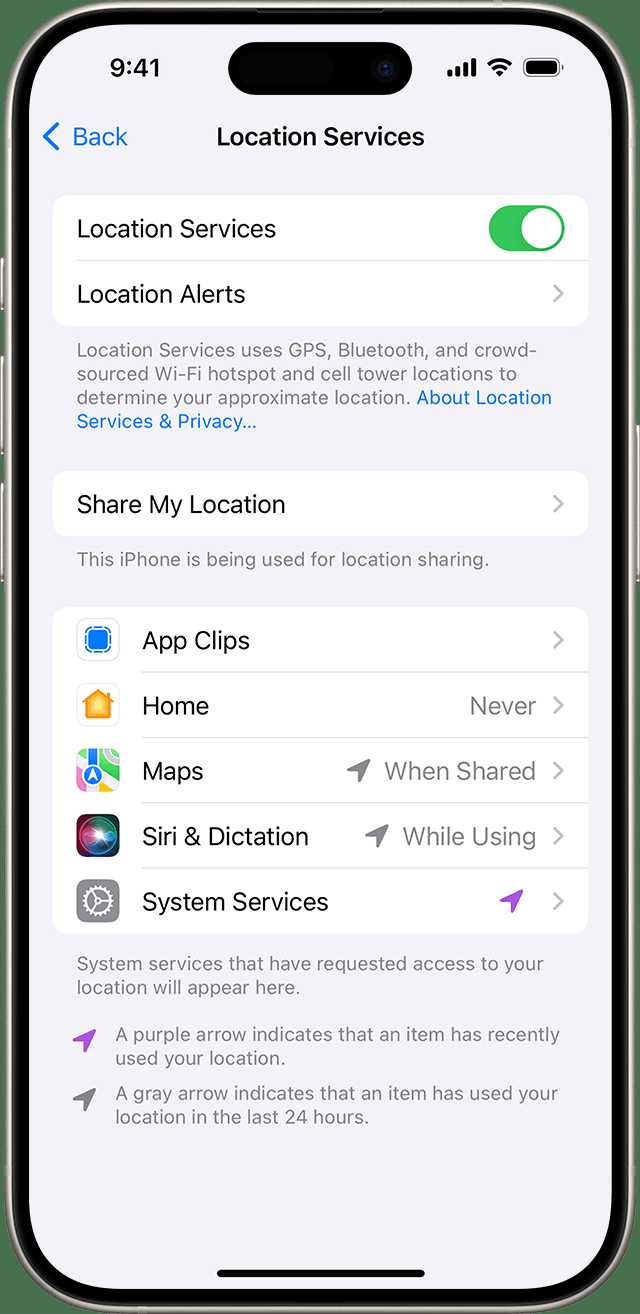

Turning off GPS, Bluetooth, and WiFi when not in use
Understanding Why Turning Off These Features Matters
Leaving GPS, Bluetooth, and WiFi turned on when they are not needed can drain your device’s battery quickly. This unnecessary power consumption can reduce your device’s overall lifespan and leave you without a phone or tablet when you need it most. Additionally, keeping these features active can pose privacy risks by allowing apps or third parties to track your location or device activity. Turning them off when they are not in use is a simple way to save battery and protect your privacy.How GPS, Bluetooth, and WiFi Consume Power
Each of these features uses energy differently but significantly impacts your device’s battery life. GPS constantly tracks your location, which requires your device to communicate with multiple satellites. Bluetooth transmits data wirelessly over short distances, and WiFi uses energy to maintain a network connection and search for available networks. When all three are active, your device works harder, leading to faster battery drain.Benefits of Turning Off GPS, Bluetooth, and WiFi
Turning off these features offers multiple advantages beyond battery savings. It reduces exposure to potential security threats and prevents unwanted location sharing. Also, it minimizes distractions from notifications or pop-ups related to these services. Users often notice increased device longevity and improved privacy when these features are disabled when not needed.Step-by-Step Guide to Turning Off GPS, Bluetooth, and WiFi
Turning off these features is straightforward and can be done quickly through your device settings.On Smartphones and Tablets
- Swipe down from the top of your device screen to access the quick settings menu.
- Look for icons labeled GPS, Bluetooth, and WiFi.
- Tap each icon to disable the service. The icons usually change color or appear grayed out when turned off.
- For more control, go to Settings > Privacy & Security or Connections to manually toggle these services off.
Using Mobile Device Settings
- Navigate to Settings on your device.
- Tap on Connections or Network & Internet.
- Switch off WiFi, Bluetooth, and Location services as needed.
Best Practices for Managing These Services
Keeping these features off when not needed can be manageable with some habits.Create a Routine
Encourage habits like turning off WiFi and Bluetooth when leaving your home or office. Enable Location services only when using navigation or map apps.Utilize Automation Tools
Many devices now support automation. Use settings or apps to automatically disable Bluetooth or WiFi during certain hours or when your device detects you are at home or work.Check App Permissions
Regularly review which apps have access to location, Bluetooth, or WiFi. Remove permissions from apps that do not require these services to minimize background activity and save power.Potential Risks of Leaving GPS, Bluetooth, and WiFi On
While these services are helpful, leaving them active unnecessarily can pose risks.Privacy Concerns
Active GPS can reveal your current location to apps, advertisers, or malicious entities if not properly managed. Bluetooth can be exploited for unauthorized device access or data theft. WiFi networks may expose your device to security vulnerabilities if connected to unsecured networks.Battery Drain
As mentioned earlier, continuous operation of these features depletes your device’s battery faster, limiting your ability to use the device when needed most.Security Vulnerabilities
Open WiFi networks can be compromised, leading to potential data breaches. Bluetooth vulnerabilities may allow hackers to access personal information on your device.Related Topics to Consider
Exploring how to optimize device performance includes managing these features effectively. Consider also:- Using airplane mode when traveling or in low-signal areas to disable all wireless transmissions temporarily.
- Understanding app permissions to better control data sharing and privacy settings.
- Utilizing battery saver modes that automatically disable certain features when battery is low.
Tools and Apps to Help Manage Wireless Services
Various apps and built-in tools can assist in managing your device’s connectivity settings efficiently. Many Android and iOS devices include smart toggles that let you turn off multiple features at once. Additionally, third-party apps can schedule automatic toggling based on location, time, or device activity, helping you maintain better control without manual intervention.How to Optimize Battery Life with Connectivity Management
Besides turning off GPS, Bluetooth, and WiFi, consider these tips to extend battery life:- Reduce screen brightness and shorten screen timeout settings.
- Close unused apps running in the background.
- Use power-saving modes that automatically disable non-essential features.
- Keep your device’s software updated to benefit from energy-efficient improvements.
Long-Term Benefits of Proper Connectivity Management
Consistently turning off unnecessary features can prolong your device’s battery lifespan and improve overall performance. It also enhances your privacy and reduces the risk of cyber threats. Moreover, developing good habits around device management helps ensure you’re always ready when you truly need your device’s full capabilities.Summary of Key Points
Making it a habit to disable GPS, Bluetooth, and WiFi when not in use is a simple but impactful step. It helps conserve battery, protect your privacy, and avoid unnecessary security vulnerabilities. Quick toggling through device settings or automation tools makes this process easy and effective. Always review app permissions to stay in control of your personal data and device security. By managing these wireless features properly, you can keep your device running longer, stay safer online, and enjoy smoother operation daily. Remember, small changes in daily habits can lead to significant benefits over time.Automatic Turn Off Wi-fi, Bluetooth & GPS In Android Phone & Tablet
Frequently Asked Questions
What are the benefits of turning off GPS, Bluetooth, and WiFi when I don’t need them?
Shutting off these features helps conserve your device’s battery life and reduces energy consumption. It also minimizes potential security risks by preventing unauthorized access through these wireless connections. Additionally, turning them off can decrease unnecessary notifications and distractions, allowing for better device performance.
How can I effectively manage these settings to avoid accidental data usage?
Regularly review your device’s settings and disable GPS, Bluetooth, and WiFi when you are not actively using them. Using quick-access menus or automation features can simplify this process. Setting your device to automatically turn these features off during certain times or locations can prevent unintended data usage and help you maintain control over your device’s connectivity.
Are there specific situations when it’s especially important to disable these features?
Yes, disable GPS, Bluetooth, and WiFi when you are in areas with limited or no network coverage to save battery. Also, turn them off during sensitive activities or in secure locations to reduce security risks. When traveling or in environments where you don’t need constant connectivity, turning these off helps extend your device’s battery life and maintains your privacy.
What steps can I follow to quickly turn off all three features at once?
Most devices offer quick toggles in the notification bar or control center. Swipe down or up to access these controls and disable GPS, Bluetooth, and WiFi simultaneously. You can also customize settings or use automation apps to turn off these features automatically when you leave a specific area or at certain times, saving you time and effort.
How does turning off WiFi, Bluetooth, and GPS impact app functionality?
Disabling these features may limit the performance of apps that rely on location services, Bluetooth connections, or internet access through WiFi. For example, navigation apps won’t function without GPS, and some fitness or tracking apps might not record data without Bluetooth or location services. Evaluate your app needs and turn these features back on when necessary for full functionality.
Final Thoughts
Turning off GPS, Bluetooth, and WiFi when not in use helps conserve battery life and enhance privacy. These features drain power even when not actively needed. By disabling them, you prevent unnecessary data sharing and reduce the risk of security breaches. Remember to turn off these services to maximize your device’s efficiency and protect your personal information.
Similar Posts































