How To Make Your Own Game For Android Step-By-Step
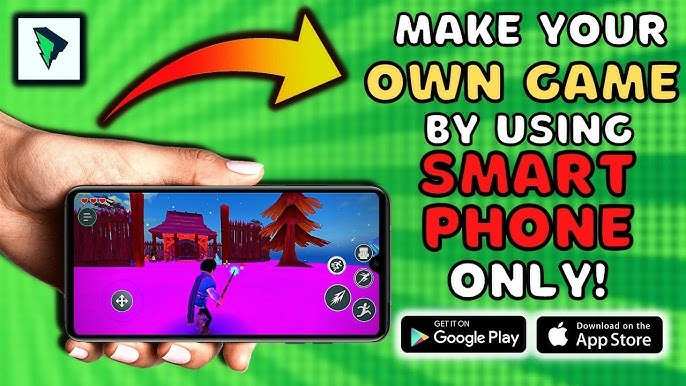

How to Make Your Own Game for Android
Creating your own game for Android might seem like a big task, but once you understand the process, it becomes much easier and even fun! Whether you want to build a simple puzzle game or a more complex adventure, this guide will walk you through each step. By the end, you’ll see that making your own Android game is totally doable, especially if you take it one step at a time.Understanding the Basics of Android Game Development
Before diving into building your game, it’s good to know some basic facts about how Android games work and what tools you can use. Think of your game as a story or activity that lives inside a tiny computer. This computer is your Android phone or tablet. You’ll want to learn about:- Game engines – these are software platforms that help you create games faster and easier.
- Programming languages – most Android games are made using languages like Java or Kotlin, but some game engines use visual scripting.
- Graphics and sound – your game needs visuals and sounds to be fun and engaging.
- Distribution – how to publish your game so others can play it.
Choosing the Right Game Development Tools
Picking the right tools makes your game development journey smoother. Here are some popular options:Game Engines
Game engines are like digital playgrounds where you design and build your game. Here are a few good choices:- Unity – very popular, supports 2D and 3D games, uses C# as scripting language, and has tons of tutorials.
- Godot – open-source, easy to learn, and supports multiple platforms, including Android.
- Unreal Engine – powerful, great for high-quality graphics, but might be more complex for beginners.
- Buildbox – drag-and-drop interface, perfect for beginners with no coding experience.
Programming Languages
Depending on your chosen tool, you’ll work with:- Java or Kotlin – traditional languages for Android development.
- C# – used with Unity.
- Visual scripting – used with some game engines like Buildbox or Unreal’s Blueprints.
Graphics and Sound Tools
To make your game look and sound fantastic, consider:- Graphics: Photoshop, GIMP, Aseprite, or Krita for creating sprites, backgrounds, and animations.
- Sound: Audacity or Bfxr for creating sound effects and background music.
Planning Your Game
Before coding, spend some time planning. Think of your game’s story, look, and how players will interact:- Decide on the type of game – puzzle, platformer, shooter, or adventure.
- Create a sketch of how the game looks – characters, backgrounds, and menus.
- Design game mechanics – how do players move, jump, or solve puzzles?
- Make a list of features you want, such as power-ups, levels, or scoring systems.
Designing Graphics and Sound
Graphics and sounds bring your game to life. Even simple visuals can make a game look professional. Keep in mind:- Use consistent art style throughout – cartoon, pixel, or modern sleek styles.
- Limit the color palette to keep it simple and cohesive.
- Make sure characters and objects are clear and distinguishable.
- Include lively sounds for actions – jumping, collecting items, or hitting obstacles.
- Background music should match the mood of the game.
Programming Your Game
Now comes the fun part: building your game! Here’s a simple overview:Setting Up Your Development Environment
– Download and install your chosen game engine or IDE (integrated development environment). – Make sure to set up Android SDKs (Software Development Kits) so your game can run on Android devices. – Create a new project and choose the game template that fits your plan.Implementing Core Gameplay
– Program basic controls: how players move, jump, or interact. – Add game elements like enemies, obstacles, or collectibles. – Create timers, score counters, and level progression systems. – Keep testing each feature so it works smoothly.Debugging and Testing
– Play your game often to find bugs or glitches. – Use Android emulators or actual devices for testing. – Fix issues and improve gameplay based on feedback.Adding Levels and Content
Once the core game mechanics work well:- Create multiple levels with increasing difficulty.
- Add new challenges, enemies, or puzzles.
- Design engaging end-of-level screens or rewards.
Optimizing Your Game for Android
Make sure your game runs well on different Android devices:- Compress graphics and sounds to reduce file size without losing quality.
- Optimize code for smooth performance.
- Ensure touch controls work accurately on all screen sizes.
- Test on various devices to identify and fix any issues.
Publishing Your Game on Google Play Store
Once everything feels ready: – Register as a developer on Google Play Console. – Prepare your game’s store listing with appealing screenshots, a description, and keywords. – Generate a signed APK (the file used to install your game). – Upload your game, set a price or offer it for free, and publish! After publishing, promote your game to attract players. Share it on social media, forums, or with friends.Updating and Improving Your Game
Publishing isn’t the end! Keep an eye on player feedback:- Fix bugs reported by users.
- Add new features or levels based on suggestions.
- Update your game regularly to keep players engaged.
Tips for Success in Android Game Development
– Start small: don’t aim for a complex game on your first try. – Learn from tutorials and online communities. – Keep experimenting with new ideas and tools. – Be patient; making a game takes time and effort. – Have fun and enjoy the process of creating something unique! Making your own Android game is an exciting adventure that combines creativity and technical skills. With careful planning, consistent effort, and a lot of practice, you’ll soon have a game that others can play and enjoy. Remember, every game developer started with small projects—keep building your skills, and soon you’ll be making games that people love!Frequently Asked Questions
What are the essential tools needed to develop an Android game?
To develop an Android game, you should start with a reliable game engine like Unity or Unreal Engine, which provide comprehensive features for game creation. You also need an integrated development environment (IDE) such as Android Studio for code management. Additionally, graphic design tools like Photoshop or Blender help create visual assets, while sound editing software ensures your game has appealing audio. Familiarity with programming languages such as C# or Java is beneficial for customizing game mechanics and functionalities.
How can I design engaging gameplay for my Android game?
Creating engaging gameplay begins with understanding your target audience and their preferences. Focus on developing clear objectives, intuitive controls, and compelling challenges. Incorporate varied levels and rewards to keep players motivated. Use feedback mechanisms and analytics to identify which aspects resonate most. Playtest frequently to refine the experience, making sure the game remains fun and accessible to players of different skill levels.
What steps should I follow to publish my Android game on the Google Play Store?
Begin by thoroughly testing your game across different devices to ensure compatibility. Prepare all necessary assets, including screenshots, app descriptions, and icons. Create a developer account on the Google Play Console and follow the submission guidelines. Generate a signed APK or app bundle, then upload it along with your promotional materials. After submitting your game, respond to feedback, monitor performance, and update the app regularly to address issues and improve user experience.
Final Thoughts
To make your own game for Android, start by choosing a user-friendly game engine like Unity or Godot. Plan your game concept and design the mechanics clearly. Use tutorials and online resources to learn basic coding and development skills. Test your game frequently to ensure smooth gameplay and fix bugs. With dedication and practice, creating your own game for Android becomes achievable and rewarding.
Similar Posts































