Can You Convert Android App To Ios Effectively

Can You Convert Android App to iOS? A Complete Guide
Many developers and business owners ask whether it is possible to convert an Android app into an iOS version. The short answer is that it’s not a simple process of conversion like changing a file format. Instead, it requires understanding the differences between the two platforms and possibly rebuilding parts of the app. This article will explore ways to develop or adapt your app for iOS from an Android base and what options are available.
Understanding the Key Differences Between Android and iOS
Before trying to convert an app, it’s important to recognize the fundamental differences between Android and iOS. These differences influence how apps are built, designed, and maintained on each platform. Having this knowledge helps in planning the conversion process more effectively.
Platform Architecture
Android apps are generally built using Java or Kotlin programming languages, while iOS apps are created using Swift or Objective-C. The architecture of each OS also affects how you develop user interfaces, handle data, and deploy updates.
User Interface Design
Android apps follow Material Design guidelines, emphasizing bold colors and flexible layouts. iOS apps use Human Interface Guidelines, focusing on clean, minimal interfaces with intuitive gestures. These differences often require redesigns rather than direct code conversion.
Development Tools and SDKs
Android uses Android Studio with SDKs tailored for Android devices. iOS development takes place in Xcode, using Apple’s SDKs designed for iOS and other Apple devices like iPad and Apple Watch. Moving an app from one to the other means adapting code for these tools.
Options for Converting an Android App to iOS
There are several approaches to make an Android app available on iOS. Each has its advantages and challenges, depending on the project’s scope and resources.
1. Rebuilding the App from Scratch
This is the most thorough method. It involves designing a new version of your app specifically for iOS using Swift or Objective-C. While it requires more time and effort, it ensures optimal performance and user experience aligning with iOS standards.
2. Code Reuse with Cross-Platform Frameworks
Frameworks like React Native, Flutter, and Xamarin enable developers to write code once and deploy on both Android and iOS. They can significantly reduce development time and cost. However, some platform-specific features might still need native coding.
3. Using Automated Conversion Tools
There are tools claiming to convert Android code directly into iOS code. These tools often work best with certain programming languages and basic app structures but may produce inconsistent results for complex apps. They are generally a good starting point but often need manual adjustments.
Rebuilding the App with Native Development
Rebuilding involves creating an iOS version that adheres to Apple’s design principles and best practices. This process ensures the app feels natural on iOS and leverages the platform’s capabilities.
Steps to Rebuild an Android App for iOS
- Analyze the existing app features and user flow.
- Design a new user interface suitable for iOS using Sketch or Figma.
- Develop the app in Swift within Xcode, integrating backend services as needed.
- Test the app on various iOS devices to ensure compatibility.
- Publish the app on the Apple App Store following Apple’s guidelines.
Using Cross-Platform Development Frameworks
These frameworks serve as a middle ground, allowing most of the codebase to be shared across platforms. They are especially useful for businesses wanting quick deployment and manageable maintenance.
Popular Cross-Platform Frameworks
- React Native: Uses JavaScript and React, great for native-like performance.
- Flutter: Uses Dart language, offers a rich set of UI components and good performance.
- Xamarin: Uses C#, suitable for apps with intense data processing needs.
Advantages and Disadvantages
| Aspect | Pros | Cons |
|---|---|---|
| Development Speed | Faster than native rebuilding | Limited access to some platform-specific features |
| Performance | Near-native for most apps | Complex apps may need native code |
| Maintenance | Simpler with shared codebase | Updates need testing on both platforms |
Automated Conversion Tools: What to Expect
Tools like Appgyver and others claim to automate the process of converting Android code to iOS. These tools typically translate basic functionalities but often cannot handle complex logic or UI design.
Limitations of Conversion Tools
- Difficulty in managing platform-specific UI components
- Limited support for third-party SDKs
- Potential security and performance issues
As a result, manual adjustments and testing are usually necessary after using such tools.
Factors to Consider When Converting Your App
Budget and Resources
Rebuilding an app for iOS can be costly but results in better quality. Cross-platform frameworks are cost-effective with faster deployment. Choose the method that fits your budget and team expertise.
App Complexity
Simple apps with basic features convert more easily, while complex ones with custom UI or integrations need more effort. Evaluate the complexity before starting the conversion process.
Time Frame
Native rebuilds take longer but offer better results. Cross-platform methods are quicker but might require compromises. Plan your timeline accordingly.
User Experience Expectations
iOS users expect apps to follow Apple’s design standards and perform smoothly. Prioritize native development if delivering a seamless experience is critical.
Additional Tips for a Successful Conversion
- Conduct thorough testing on different iOS devices.
- Optimize app performance to meet Apple’s standards.
- Ensure compliance with Apple’s App Store guidelines.
- Gather user feedback to improve the new version.
- Consider integrating platform-specific features like Siri or Apple Pay for added value.
Adapting your Android app for iOS requires careful planning and execution. Whether you decide to rebuild, use cross-platform frameworks, or employ conversion tools, understanding the differences and challenges helps in making the right choice. The goal is to deliver an app that feels natural on iOS, performs well, and meets user expectations.
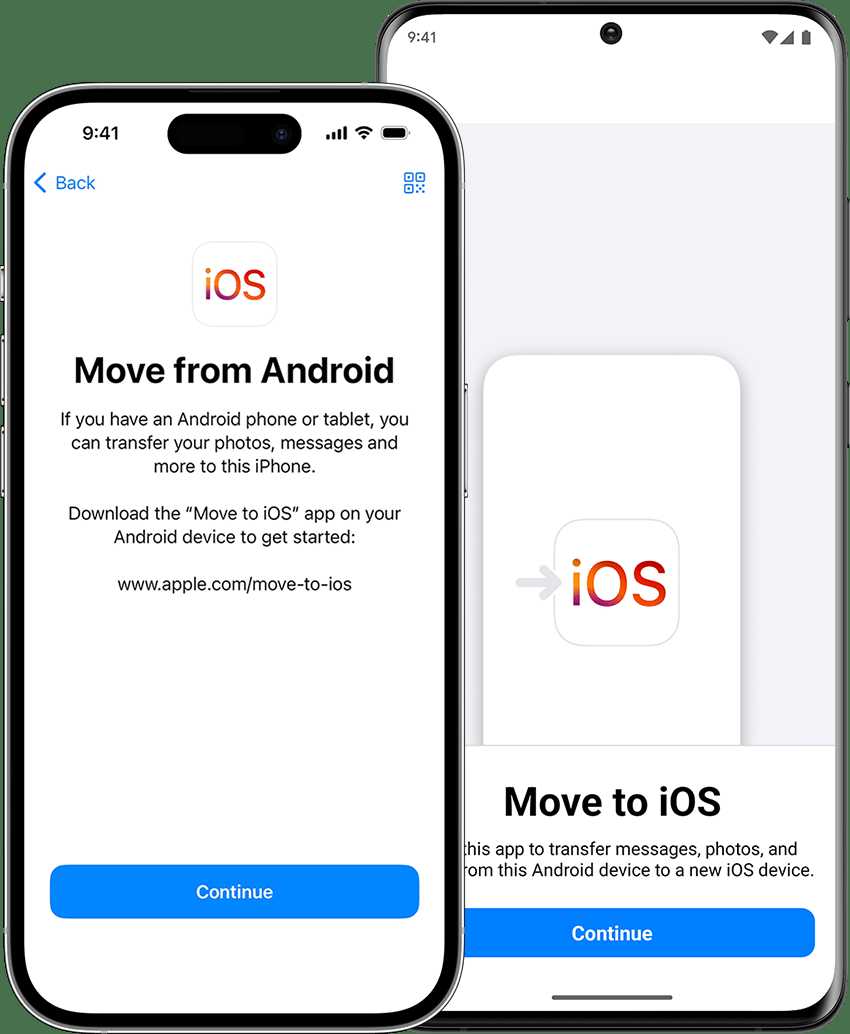
Switch from Android to iPhone with Move to iOS
Frequently Asked Questions
What are the main challenges when converting an Android app to iOS?
Converting an Android app to iOS involves addressing differences in programming languages, user interface guidelines, and hardware specifications. Developers must re-code features using Swift or Objective-C and ensure compatibility with iOS devices. Additionally, adjusting the app’s design to match iOS standards and optimizing performance for different hardware configurations can be complex. Proper testing is essential to identify platform-specific issues and deliver a seamless user experience across both systems.
Is it necessary to rewrite the entire app when converting from Android to iOS?
Often, developers need to rewrite significant portions of the app because Android and iOS use different programming languages and development frameworks. While some shared logic can be reused through cross-platform tools, UI components and platform-specific features typically require a fresh implementation. This process ensures the app feels native on iOS, providing users with a smooth and familiar experience.
Can third-party tools help in converting an Android app to iOS?
Yes, certain third-party tools and frameworks aim to facilitate the conversion process by allowing developers to reuse code across platforms. For example, frameworks like React Native or Flutter enable building apps for both Android and iOS from a single codebase. However, these tools may not support all native features and might require additional customization. Developers should evaluate whether these solutions meet their app’s specific needs before relying solely on them.
What considerations should I keep in mind for app store approval after conversion?
When submitting an app to the Apple App Store after conversion, ensure it complies with Apple’s guidelines, including user privacy policies, permissions, and content standards. The app must also adhere to iOS-specific UI and functionality requirements. Testing on various iOS devices helps identify issues that could hinder approval. Providing clear descriptions and appropriate metadata can smooth the review process and improve the chances of approval.
How long does it typically take to convert an Android app to iOS?
The duration depends on the complexity of the app and the level of platform-specific adjustments needed. Simple apps with basic features might take a few weeks, while more complex platforms with extensive functionalities can require several months. Planning adequate time for development, testing, and revisions ensures a smoother transition and a quality release on iOS.
Final Thoughts
Converting an Android app to iOS is feasible but involves careful planning and adaptation. Developers need to rewrite code to suit iOS standards and design guidelines. Compatibility issues may arise, requiring thorough testing. In conclusion, can you convert android app to ios? Yes, with proper effort and resources, you can successfully adapt your app for iOS users.
Similar Posts































